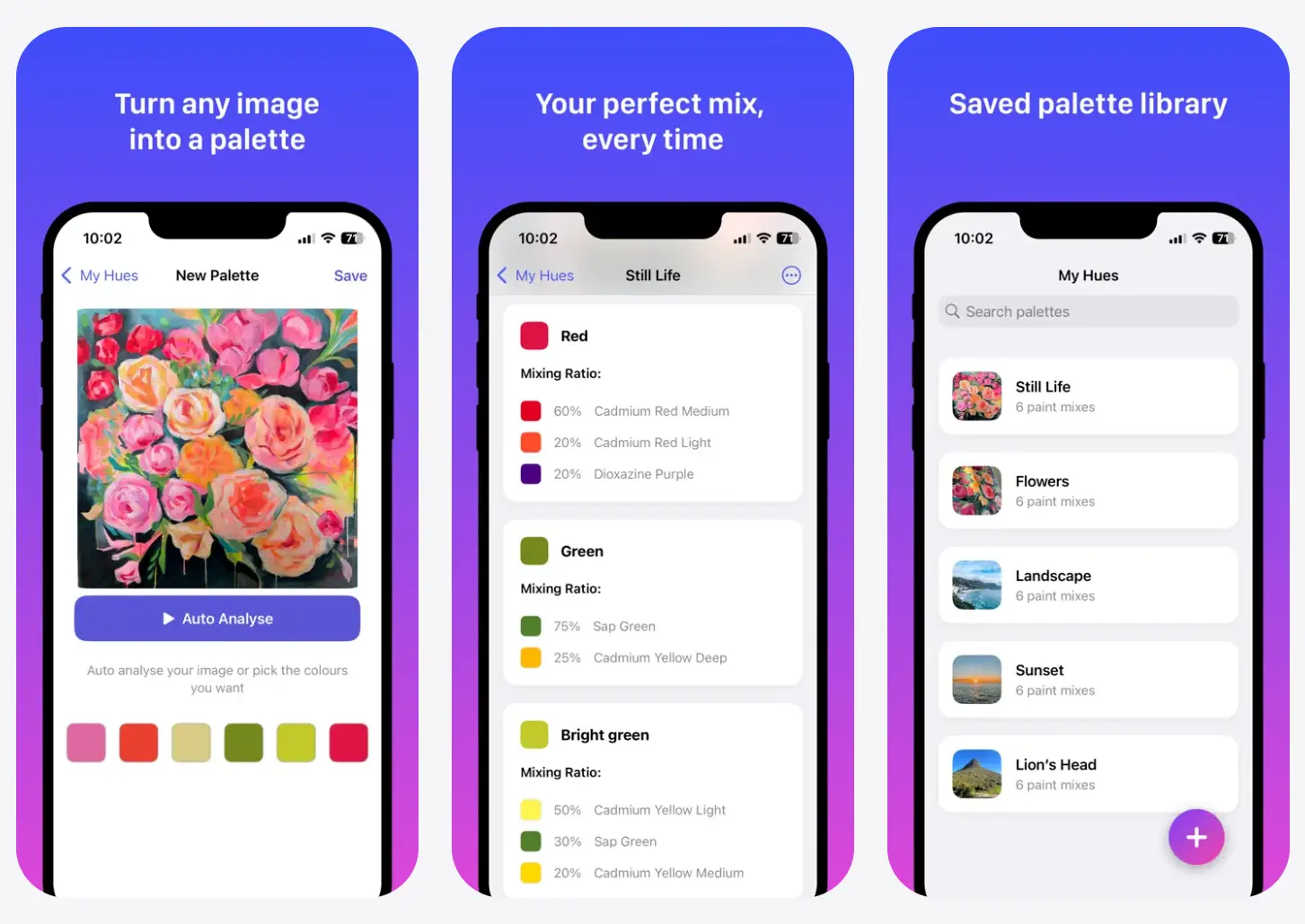
HueBuddy is a free, AI-powered iOS app that analyzes images and generates exact paint mixing recipes for physical paints. It works with acrylic and oil paints and tells you which colors to combine and in what ratios.
You can upload photos from your library or snap new ones directly in the app. The color analysis happens instantly, and you get a recipe you can follow right there at your easel.
Features
- Photo-based color analysis: Reads the RGB values from your images and converts them into mixing instructions for real pigments.
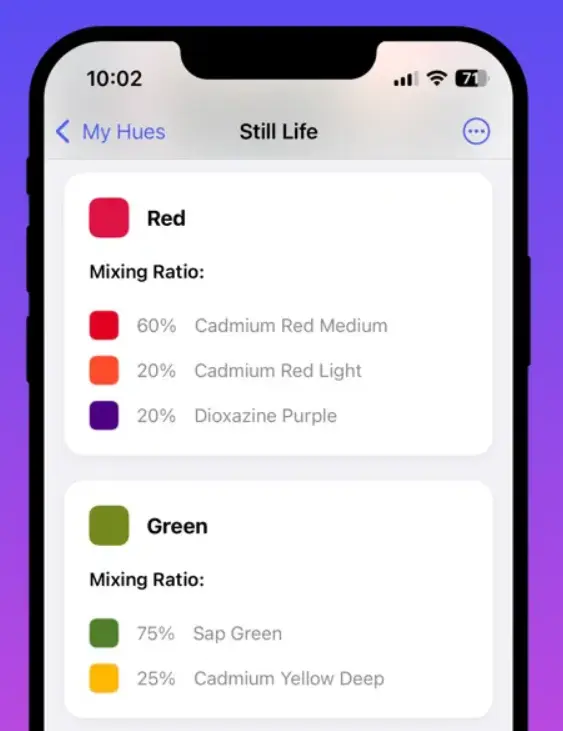
- Precise mixing ratios: Provides exact proportions for each color in your mix.
- Multiple paint support: Works with gouache, acrylics, and oils.
- Palette saving: Save your successful mixes for future reference.
- Palette sharing: Export palette cards that show your color inspiration, swatches, and ratios.
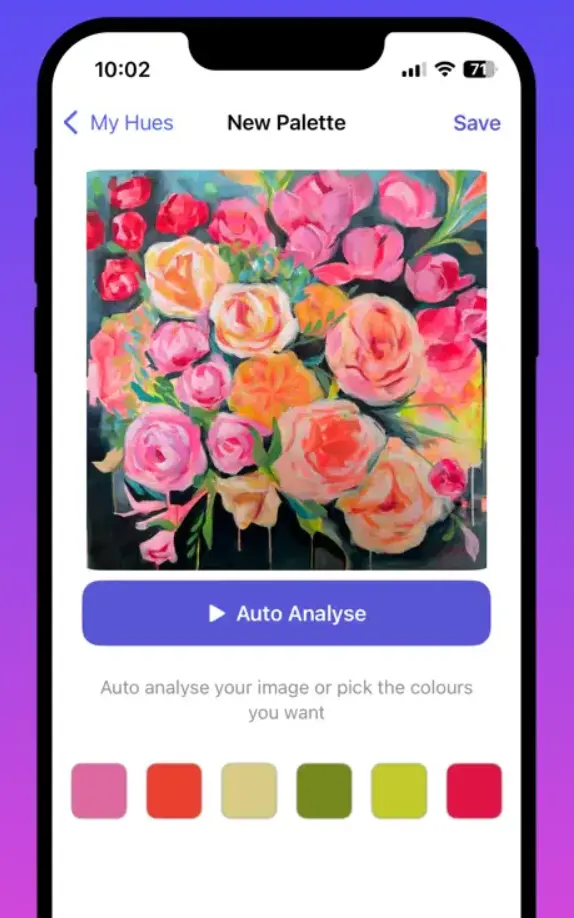
- Auto-analyze feature: Automatically identifies dominant colors in your image if you’re not sure where to start.
- Offline functionality: Currently runs completely offline. Your photos and palettes stay on your device.
- Cloud sync: Sign up for a free account to save palettes to the cloud and access them from multiple devices.
Use Cases
- Plein Air Painting: Artists working outdoors can snap a photo of a landscape and immediately identify the complex greens or atmospheric blues required for the scene.
- Restoration and Repair: Conservators or hobbyists fixing chipped items can use the app to match the existing paint layer.
- Art Education: Students learning color theory can use the app to verify their instincts.
How to Use It
1. Download HueBuddy from the iOS App Store.
2. Tap the camera icon to take a new photo or select the image icon to choose an existing picture from your library.
3. The image appears on your screen. Tap any color in the photo that interests you. The app instantly shows you the mixing recipe for that exact hue. You’ll see a list of paint colors and their proportions. The interface displays this as percentages, which you can translate to your palette based on how much paint you need.
4. The app includes an auto-analyze button if you’re not sure where to start. This feature identifies the main colors in your image automatically.
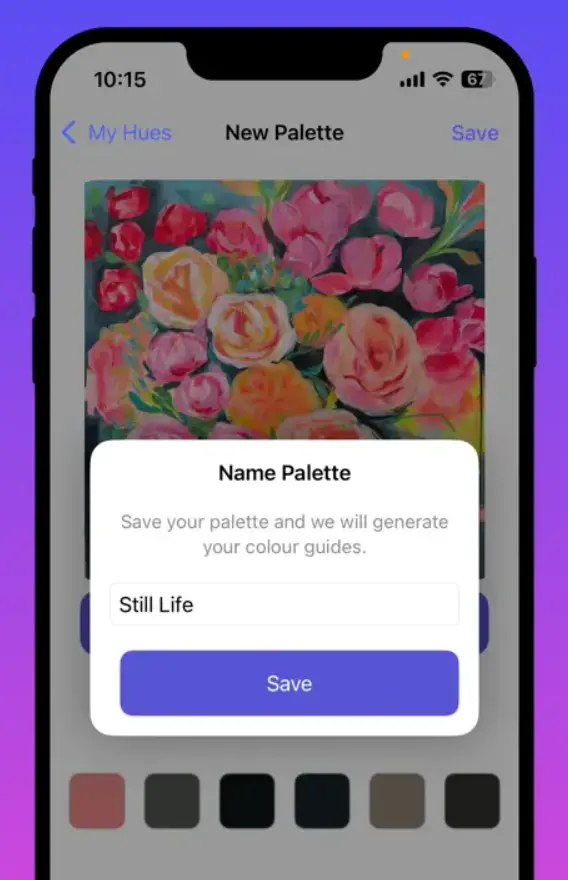
5. Save mixes you like by tapping the save button. Your saved palettes appear in a library within the app. Each saved palette includes the original image, the color you selected, and the mixing recipe. You can rename palettes and organize them as your library grows.
6. Create an account if you want to sync palettes across devices. The account is free and backs up your saved work to the cloud. You can then access your palettes on any iOS device where you’ve logged in.
7. Export palette cards when you want to share your work or keep external records. The export creates a formatted image showing your reference photo, color swatches, and mixing ratios. These cards work great for posting process shots on social media or documenting your color choices for client work.
Pros
- Zero Cost: 100%free to download and use.
- Real paint calculations: The app thinks in terms of physical pigments rather than just RGB values.
- Fast analysis: Color picking happens instantly. You can tap through dozens of colors in a photo without waiting for processing.
- Works offline: No internet requirement means you can use it anywhere.
Cons
- iOS only: Android users can’t access HueBuddy yet.
- Limited to artist-grade paints: The app optimizes for common artist paints.
- No custom paint libraries: You can’t add your own specific paint brands or colors to the mixing calculations.
Related Resources
- Mixbox: A pigment mixing library for developers building painting software.
- Trycolors.com: A web-based color mixer that lets you simulate paint mixing in your browser.
- Richard Schmid’s Alla Prima: A book on color mixing techniques and oil painting fundamentals.
- Handprint.com Color Theory: Explains why certain pigment combinations work better than others.
FAQs
Q: Can I use HueBuddy with watercolors?
A: The app currently focuses on acrylic, oil, and gouache paints. Watercolor behaves differently because of transparency and layering techniques, so the mixing ratios might not translate directly.
Q: Does HueBuddy work with photos I took years ago?
A: Yes. Any photo in your iPhone’s photo library will work.
Q: Can I adjust the mixing ratios manually?
A: The current version provides suggested ratios based on the app’s analysis. You can’t tweak these calculations within the app itself.
Q: Will HueBuddy tell me exact paint brand names?
A: The app works with generic artist-grade paint colors like titanium white, cadmium red, and ultramarine blue. It doesn’t specify particular brands.
Q: Does the app account for paint drying darker?
A: HueBuddy provides mixing ratios based on color analysis of your reference image. The app doesn’t factor in how different paint types dry or shift color over time.
Q: Can I use HueBuddy for digital painting?
A: The app is designed for physical paint mixing. HueBuddy works with real pigments that have different mixing behavior than digital RGB colors.