InsightTube is a free, AI-powered YouTube summarizer and translator for iOS.
It analyzes the YouTube video you specify to generate instant summaries, searchable chapters, and multilingual translations.
You can also chat with the video content to extract specific information without watching the full runtime.
Note: InsightTube is currently free at the time of publication (December 2025) and may transition to a paid or freemium model in the future.
Features
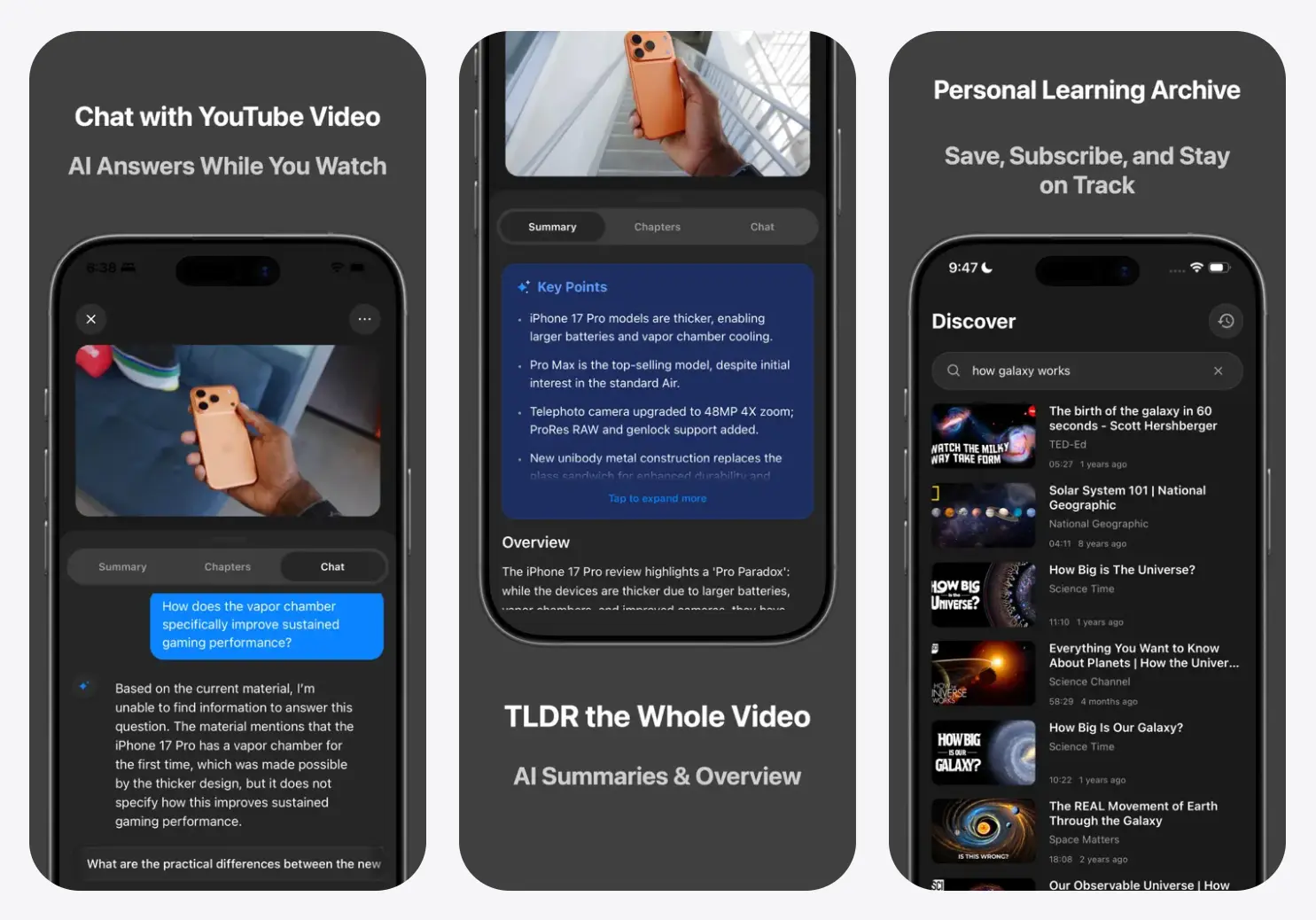
- AI Video Summaries: The app analyzes any YouTube video and extracts the main ideas in seconds.
- Auto-Generated Chapters: InsightTube divides long videos into logical segments with timestamps.
- Multilingual Subtitle Generation: The app creates subtitles in 15+ languages, even for videos that don’t have captions.
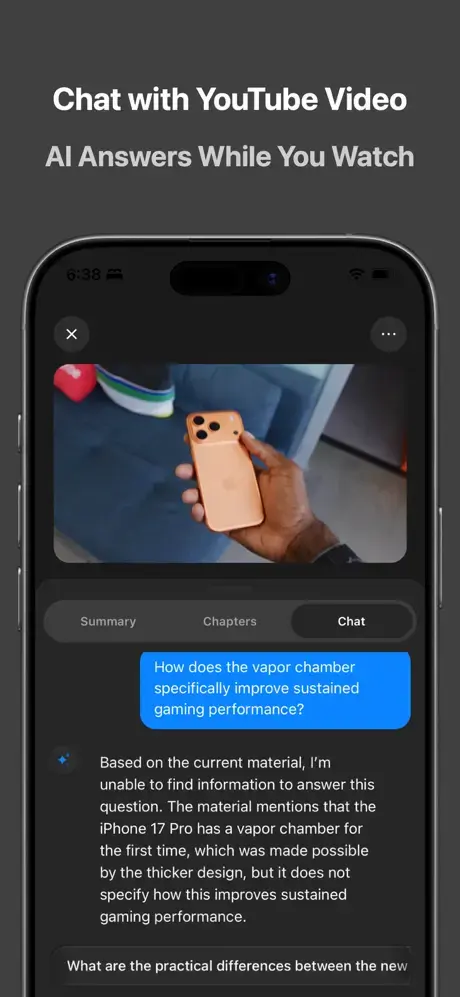
- AI Chat Interface: You can ask questions about video content and get explanations based on what the AI extracted.
- Video Library Management: All processed videos save to your account. You can revisit summaries and notes from any video you’ve analyzed.
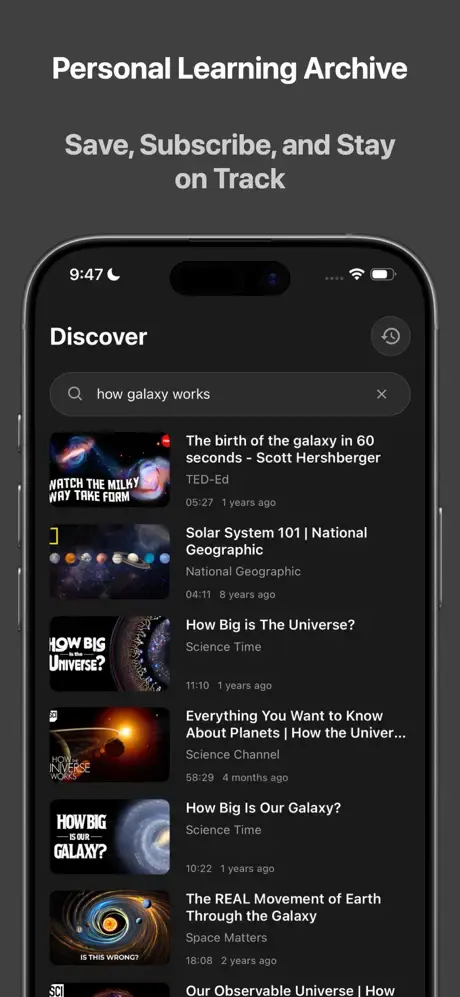
- In-App YouTube Search: You can search YouTube directly inside InsightTube and subscribe to channels.
- Trending Content Discovery: The home screen displays popular videos alongside your subscribed content.
Use Cases
- Academic Research: Students can process recorded lectures to find specific definitions or explanations. You can ask the AI to “explain the professor’s point about quantum entanglement” instead of scrubbing through a two-hour video.
- Professional Development: Developers can use the auto-chapter feature to find specific code implementation steps in long technical tutorials. This saves time when debugging or learning a new framework.
- Content Creation: Creators can analyze trending videos in their niche to understand key talking points. The summary feature helps you identify gaps in competitors’ content that you can address.
- Language Learning: Language learners can watch videos in their target language and use the translation feature to verify their understanding. The generated subtitles provide immediate feedback on listening comprehension.
- Podcast Consumption: Listeners can “read” a video podcast by querying the chat for specific topics. You can extract book recommendations or tools mentioned in a long interview without listening to the whole episode.
How to Use It
1. Get InsightTube from the App Store.
2. Open the app and create an account. Your account saves processed videos and chat history.
3. You have three options to add content. First, copy any YouTube video URL and paste it into InsightTube. Second, search YouTube directly inside the app using the search tab. Third, subscribe to channels and access their videos through your subscription feed.
4. Tap the video you want to analyze. The app displays a processing modal with estimated time remaining. Videos under 30 minutes process in about 60-90 seconds. Longer content takes proportionally more time.
5. Once processing completes, you see 3 tabs: Summary, Chapters, and Chat. The Summary tab shows a condensed overview of the entire video. Chapters display timestamped segments. You can tap any chapter to jump to that timestamp in the embedded player. The Chat tab lets you ask questions about the video content.
6. Tap the subtitle icon in the video player to toggle captions. You can switch between original language subtitles and translated versions. The app generates these even if the original video lacks captions.
7. All processed videos appear in your library. You can access previous summaries and continue chat conversations from earlier sessions.
Pros
- Time Efficiency: It reduces the time required to extract value from long-form content significantly.
- Accessibility: The translation features make content available to users who do not speak the video’s original language.
- User Privacy: The local-first approach to data storage respects user confidentiality.
- Cost: It is currently free to use, which removes the barrier to entry for students and casual users.
Cons
- Platform Limitation: The app is currently available only for iOS devices. Android and desktop users cannot access it.
- Pricing Uncertainty: The “free for a limited time” status means users might face a paywall in the future.
- Dependency: The tool relies on YouTube’s availability. It cannot function if the original video is deleted or private.
FAQs
Q: Can InsightTube process videos without existing subtitles?
A: Yes. InsightTube generates subtitles through AI speech-to-text processing even when the original YouTube video has no captions.
Q: Does the app access my YouTube account or viewing history?
A: No. InsightTube doesn’t connect to your YouTube account. It only processes videos you explicitly add through URL pasting or in-app search. Your YouTube subscriptions and watch history remain separate.
Q: Can I export summaries and insights to other apps?
A: You can copy any text from summaries or chapters by long-pressing on the content. This allows you to paste into note apps like Apple Notes, Notion, or Obsidian.