TikTok Voice is a free text-to-speech tool that converts any text you input into speech using a variety of popular TikTok voice styles, such as the iconic TikTok lady, Siri, or even characters like Rocket from Guardians of the Galaxy.
Content marketers can use this tool to enhance their videos, e-books, or written copy with audio elements. This can make their content more accessible and engaging for audiences who prefer listening to reading.
How to use it:
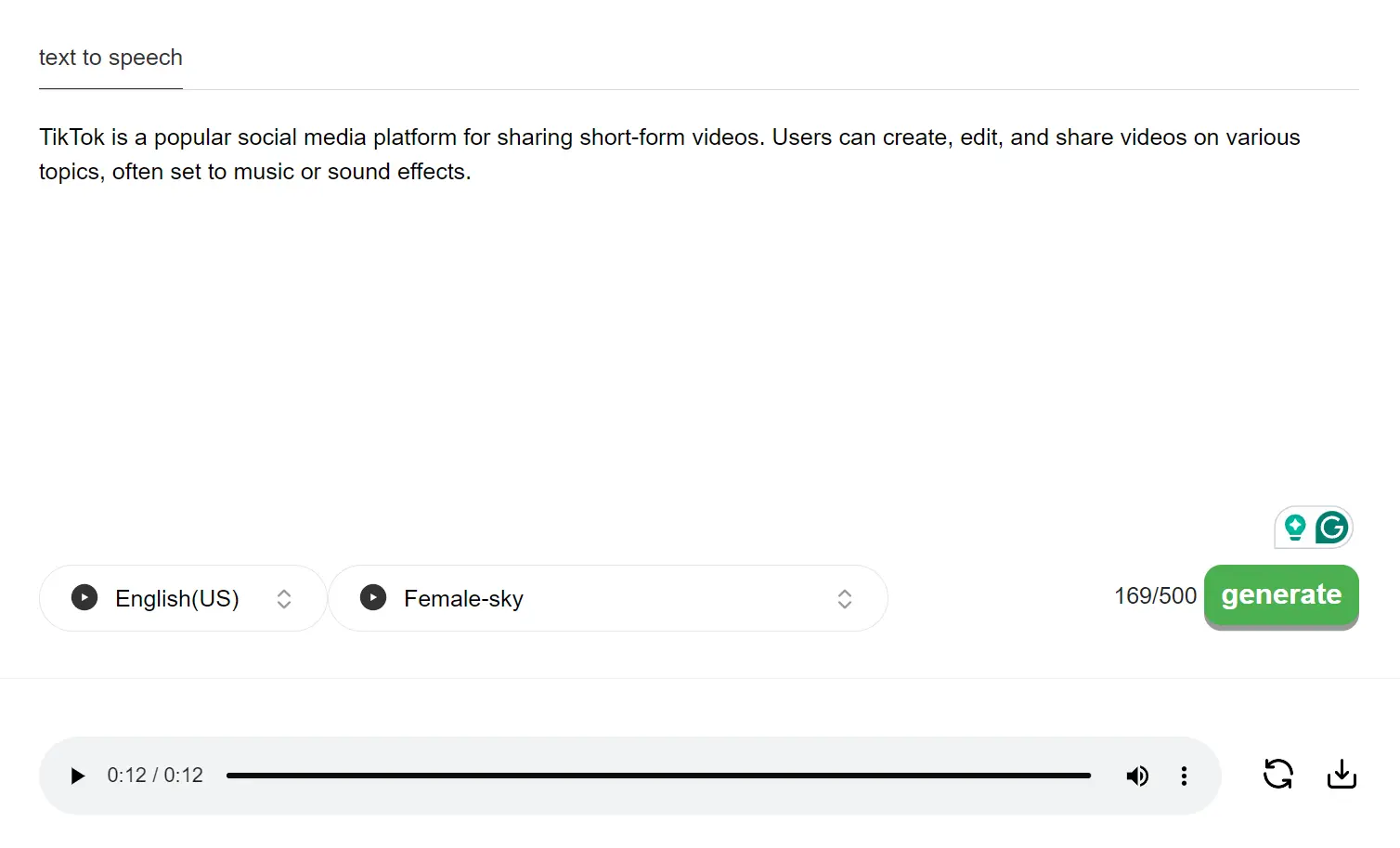
1. Go to the TikTok Voice website and select your preferred language and voice accent from the available options:
- Female: Sky, Jessie (voice lady), Siri, George, Bestie, Empath
- Male: Story Teller (deep), Stitch (Lilo & Stitch), Heroo (Chris voice), Ghostface (Scream), Seriously, Popular 1, Popular 2, Popular 3, Popular 4, Warmth, Rocket (Guardians of the Galaxy), C3PO (Star Wars)
2. Enter the text you want to convert to speech in the input box. You can input up to 500 characters.

3. Hit the “Generate” button. The AI will then process your request and create an audio file based on your selected voice and inputted text.
4. The website will let you listen to the generated speech directly. This way, you can preview it and ensure it meets your expectations. If you’re happy with the result, you can download the audio file to your device for further use.
5. I’ve used the default voice to create a short audio piece that describes What TikTok Is. Listen to the sample audio below to experience the quality for yourself.