Google’s SynthID Detector is a free AI content detector for checking images, videos, and audio files for invisible AI watermarks.
Upload a file and the tool searches for a SynthID signal associated with Google AI products or participating companies, including OpenAI, NVIDIA, Kakao, and more.
SynthID watermarks are embedded into generated media and can survive some routine edits. A positive scan can help identify AI-generated or AI-edited content after it has been shared online.
In my tests, the detector recognized an OpenAI-generated image even after I converted it to WebP, yet found no watermark in an AI image created with Grok Imagine.
Key Features
- Scan uploaded image, video, and audio files directly in a web browser.
- Detect imperceptible watermarks embedded into pixel arrays and audio frequency spectra.
- Attribute identified media to specific partner platforms including Google AI and OpenAI.
- Pinpoint watermarked sections across video and audio timelines with segment-level timestamps.
- Preserve detection accuracy through lossy WebP compression, mild color filtering, and routine resizing.
- Accept more than 20 file formats, including WEBP, AVIF, HEIC, MP4, and FLAC.
What Does a SynthID Detection Result Mean?
SynthID Detector searches for a signal deliberately embedded when an AI model generates or edits media.
Ordinary AI image classifiers estimate the likelihood of AI generation from image patterns. A SynthID scan looks for an intentional marker in the file itself.
Watermark detected: The scan found a recognized SynthID signal. That provides evidence that a participating AI product generated or modified the media. The tool can identify the associated provider or mark relevant portions of audio and video when that information is available.
Watermark not detected: The scan found no confident SynthID signal. The media could be camera-created, generated by an AI model that does not use SynthID, or altered enough to weaken the watermark.
I Tested SynthID Detector With Three Images
I checked an image made with ChatGPT Images 2.5, a genuine webpage screenshot, and an image made with Grok Imagine. I also converted the ChatGPT image to WebP and checked it again.
ChatGPT Images 2.5: Detected Before and After WebP Conversion
I uploaded an article cover created with ChatGPT Images 2.5. SynthID Detector identified a watermark and attributed the image to OpenAI.

I compressed the image and exported it as WebP using Squoosh. The detector recognized the converted image as OpenAI-generated too. The watermark survived this particular compression and conversion, although that result does not guarantee detection after every edit.
Genuine Webpage Screenshot: No Watermark Detected
I uploaded a genuine screenshot of a webpage. The detector reported no SynthID watermark.

Grok Imagine: AI-Generated Image Not Detected
I also uploaded an image generated with Grok Imagine. Although the image was clearly AI-generated, SynthID Detector returned no watermark detection.
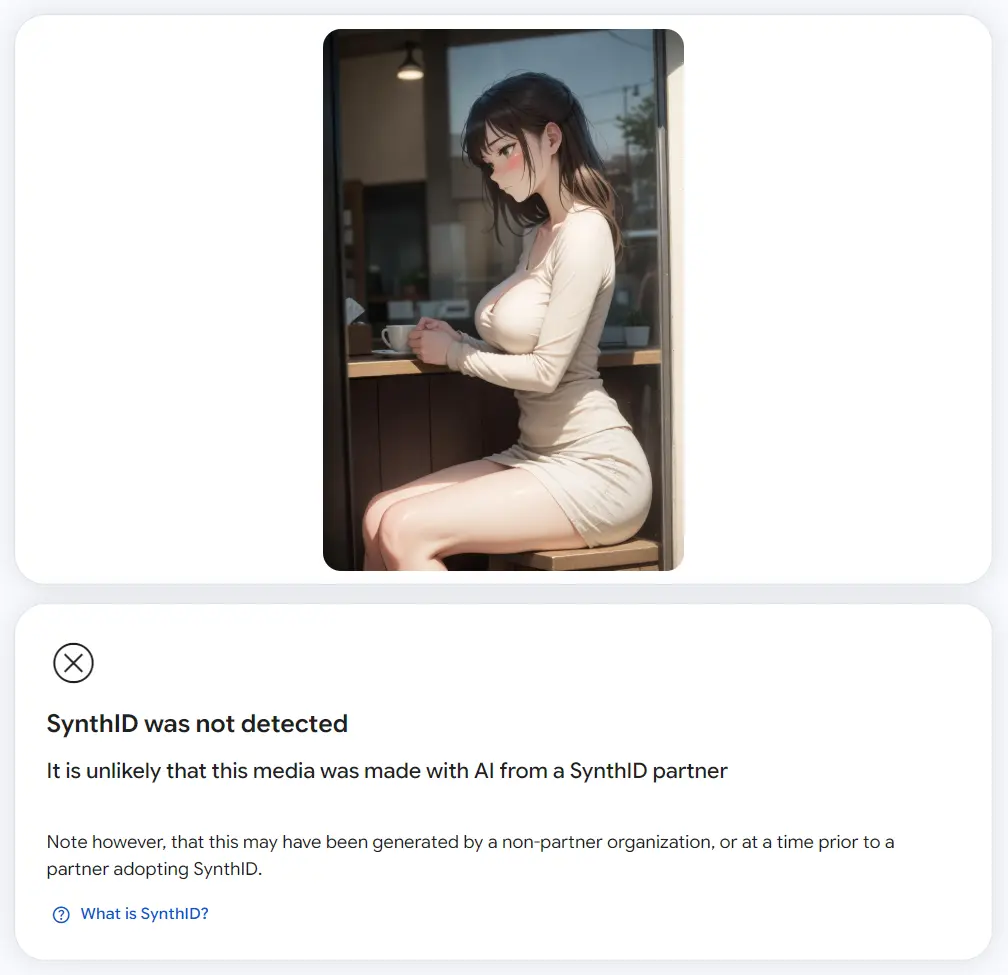
This means that SynthID can identify AI media only when a recognizable watermark is present. This file had no detectable SynthID signal, despite its AI-generated origin.
How to Use SynthID Detector
Use the original file or the highest-quality copy available, as substantial edits can weaken the watermark signal.
1. Open SynthID Detector and sign in with your Google account.
2. Upload the image, video, or audio file you want to check.
3. Let the scan finish and read the watermark result. If a signal is found, inspect any available provider information or highlighted video or audio portions.
4. If no watermark is found, interpret that result as no detected SynthID signal, not proof that the file was created by a person or a camera.
How Does SynthID Watermarking Work?
Google DeepMind’s SynthID technology embeds an imperceptible watermark into AI-generated media. Images and videos carry a signal within the picture data, and audio carries an inaudible signal.
Google’s AI products use SynthID across image, video, and audio generation. Participating companies also apply SynthID to certain outputs from their products.
An embedded watermark can remain detectable after some cropping, filtering, compression, or format changes. Substantial editing can weaken or disrupt it, and support varies by provider, product, media type, and when the content was created.
Pros
- Free online checking for images, videos, and audio.
- Detects watermarks from multiple participating AI companies.
- Recognized the tested OpenAI image after WebP conversion.
- Can indicate watermarked video or audio segments.
Cons
- Cannot identify AI media that carries no detectable SynthID watermark.
- A negative result cannot verify a file’s authenticity.
- Substantial edits can weaken detection.
Alternatives & Related Resources
- Free Deepfake and AI Image Checker – IsThisAI
- Free AI Image Detector Spots Fake Images From Any Generator
- Free Deepfake Detector: Verify AI-Generated Images with 99% Accuracy
- Detect AI-Generated Text and Images with Real or AI