Strands Agents
The Strands Agents MCP Server provides comprehensive documentation for the Strands Agents SDK. So developers like you can create AI agents with their preferred AI coding assistant.
Features
- 🤖 Integration with 40+ MCP-compatible applications
- 📚 Extensive documentation for Strands Agents SDK
- 🔧 Easy setup with popular development tools like Amazon Q, Claude Code, Cline, and Cursor
- 🔄 Flexible configuration options for various environments
Use Cases
- Rapid prototyping of AI agents for specific tasks or domains
- Implementing custom AI assistants within existing applications
- Exploring and experimenting with different AI agent architectures
- Streamlining the development process for AI-powered chatbots or virtual assistants
How to Use It
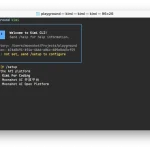
1. Choose your preferred MCP-compatible application (e.g., Amazon Q Developer CLI, Anthropic Claude Code, Cline, or Cursor).
2. Configure the Strands Agents MCP Server:
For Amazon Q Developer CLI:
   {
     "mcpServers": {
       "strands": {
         "command": "uvx",
         "args": ["strands-agents-mcp-server"]
       }
     }
   }
For Claude Code:
claude mcp add strands uvx strands-agents-mcp-serverFor Cline:
   I want to add the MCP server for Strands Agents.
   Here's the GitHub link: @https://github.com/strands-agents/mcp-server
   Can you add it?
For Cursor:
   {
     "mcpServers": {
       "strands": {
         "command": "uvx",
         "args": ["strands-agents-mcp-server"]
       }
     }
   }
3. For local development and testing:
   git clone https://github.com/strands-agents/mcp-server.git
   cd mcp-server
   python3 -m venv venv
   source venv/activate
   pip3 install -e .
4. To inspect the server:
npx @modelcontextprotocol/inspector python -m strands_mcp_server5. Start developing your AI agents using the Strands Agents SDK, referring to the provided documentation within your chosen MCP-compatible application.
FAQs
Q: What programming languages does the Strands Agents SDK support?
A: The Strands Agents SDK primarily supports Python. However, the MCP server can be integrated with various development environments, potentially allowing for use with other languages through appropriate bindings or interfaces.
Q: Can I use the Strands Agents MCP Server with my existing AI models?
A: Yes, the Strands Agents MCP Server is designed to be flexible. You can integrate your existing AI models into the agents you develop using the SDK, as long as they’re compatible with the Strands Agents framework.
Q: Is the Strands Agents MCP Server suitable for production environments?
A: While the server is robust, it’s always recommended to thoroughly test your AI agents in a staging environment before deploying to production. The server’s stability in production will depend on your specific use case and implementation.
Q: How does the Strands Agents MCP Server handle data privacy and security?
A: The server itself doesn’t store or process sensitive data. However, when developing AI agents, it’s crucial to implement appropriate data handling and security measures within your agent’s code and the systems it interacts with.
Latest MCP Servers
Paper Search
Codebase Memory
CVE
Featured MCP Servers
Codebase Memory
Notion
Claude Peers
FAQs
Q: What exactly is the Model Context Protocol (MCP)?
A: MCP is an open standard, like a common language, that lets AI applications (clients) and external data sources or tools (servers) talk to each other. It helps AI models get the context (data, instructions, tools) they need from outside systems to give more accurate and relevant responses. Think of it as a universal adapter for AI connections.
Q: How is MCP different from OpenAI's function calling or plugins?
A: While OpenAI's tools allow models to use specific external functions, MCP is a broader, open standard. It covers not just tool use, but also providing structured data (Resources) and instruction templates (Prompts) as context. Being an open standard means it's not tied to one company's models or platform. OpenAI has even started adopting MCP in its Agents SDK.
Q: Can I use MCP with frameworks like LangChain?
A: Yes, MCP is designed to complement frameworks like LangChain or LlamaIndex. Instead of relying solely on custom connectors within these frameworks, you can use MCP as a standardized bridge to connect to various tools and data sources. There's potential for interoperability, like converting MCP tools into LangChain tools.
Q: Why was MCP created? What problem does it solve?
A: It was created because large language models often lack real-time information and connecting them to external data/tools required custom, complex integrations for each pair. MCP solves this by providing a standard way to connect, reducing development time, complexity, and cost, and enabling better interoperability between different AI models and tools.
Q: Is MCP secure? What are the main risks?
A: Security is a major consideration. While MCP includes principles like user consent and control, risks exist. These include potential server compromises leading to token theft, indirect prompt injection attacks, excessive permissions, context data leakage, session hijacking, and vulnerabilities in server implementations. Implementing robust security measures like OAuth 2.1, TLS, strict permissions, and monitoring is crucial.
Q: Who is behind MCP?
A: MCP was initially developed and open-sourced by Anthropic. However, it's an open standard with active contributions from the community, including companies like Microsoft and VMware Tanzu who maintain official SDKs.