Solvr is a free Chrome extension that helps you find answers to any question quickly. Powered by Google’s most advanced AI model: Gemini 1.5 Flash and later.
You can capture a screenshot, type a question, or right-click to get an instant answer. Ideal for students tackling online exams or homework.
Key features:
- Capture & Solve: Screenshot questions for fast answers.
- Solve with Solvr: Right-click selected text for solutions.
- Text & Solve: Type questions to get quick responses.
- Clean results: Organized, easy-to-read answers.
- PDF support: Extract and solve content from PDFs.
I tested Solvr and used the Capture & Solve feature to screenshot a multiple-choice question about the sport where the term “Putt” is used. In seconds, Solvr correctly identified the answer as Golf.
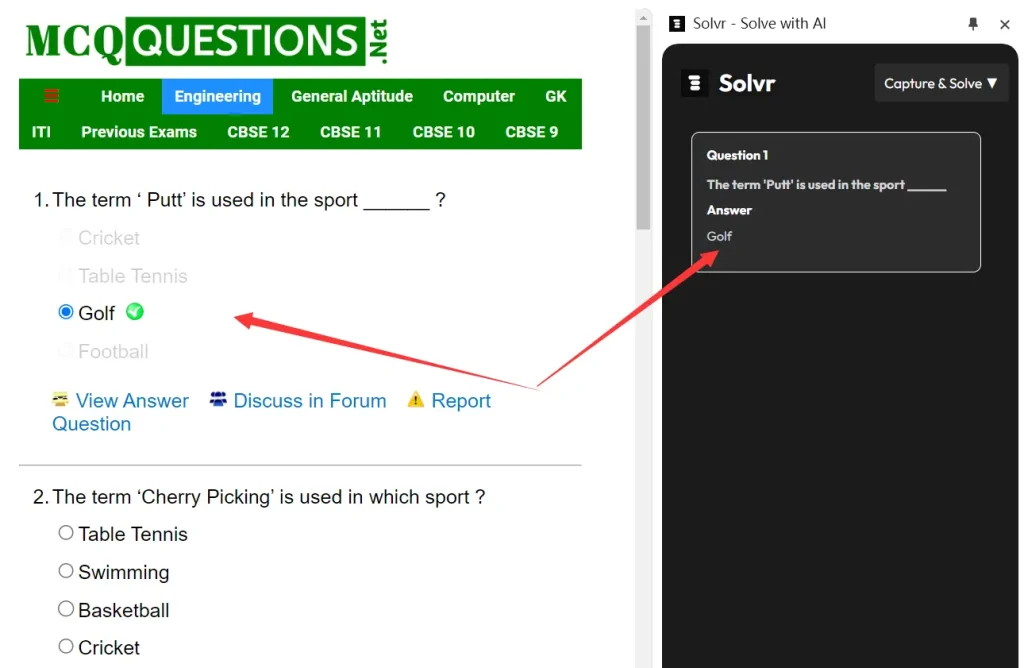
You can also select text directly from a webpage. Right-click and choose “Solve with Solvr”. The extension then uses AI to answer your question based on the selected text.
For more complex problems, the Text & Solve function is useful. Simply type your question, and Solvr will generate an answer. For instance, I entered a 9th-grade physics problem:
A car is traveling at a constant speed of 20 m/s. If it takes the car 5 seconds to come to a complete stop, what is the car's acceleration?
Solvr not only provided the correct answer (-4 m/s²) but also showed the steps to solve it:
The car's acceleration can be calculated using the following formula: Acceleration (a) = (Final velocity (vf) - Initial velocity (vi)) / Time (t) Given: * Initial velocity (vi) = 20 m/s * Final velocity (vf) = 0 m/s (since the car comes to a complete stop) * Time (t) = 5 seconds Therefore, the car's acceleration is: a = (0 - 20) / 5 = -4 m/s² The negative sign indicates that the car is decelerating, meaning it is slowing down.
How to use it:
1. Download and Install: Get Solvr from the Chrome Web Store.
2. Activate and Pin: Enable the extension and pin it to your browser’s address bar for easy access.
3. Open the Solvr Panel: Click the Solvr icon to open the panel and choose your preferred mode.
- Capture & Solve: Ideal for image-based questions, like diagrams or multiple-choice questions.
- Text & Solve: Perfect for any text-based question or problem.
FAQs:
Q: How does Solvr work?
A: Solvr uses AI to analyze and solve questions. You can take screenshots of questions, type them directly, or select text to get instant answers.
Q: Is Solvr free to use?
A: Yes, Solvr is completely free and available as a browser extension.
Q: What types of questions can Solvr solve?
A: Solvr can handle a wide range of questions, from multiple-choice to complex problems, including subjects like physics and math.