Press Pitch Generator is a free AI-powered email generator that creates structured, ready-to-send email pitches for journalists and media outlets.
It helps startup founders and marketing professionals turn basic company information into a concise, ready-to-send outreach email.
Type basic details about your company and announcement, and then you will get a structured pitch email you can copy and send immediately.
Features
- Structured Email Format: Generates pitch emails that follow professional PR standards and include all necessary components.
- Subject Line Creation: Produces press-ready subject lines that grab attention and communicate your announcement clearly.
- Multiple Announcement Types: Supports various announcements, including product launches, funding rounds, partnerships, acquisitions, feature releases, market expansions, milestones, awards, executive hires, and events.
- Instant Generation: Creates complete pitch emails in seconds after you submit the form.
- Copy-Paste Ready: Outputs final text you can use immediately.
- Free Access: Available at no cost to all users.
Use Cases
- Startup Launches: Founders can generate pitches to announce their company is coming out of stealth mode or launching publicly.
- Funding Announcements: Startups can use the tool to share news about raising capital from venture capitalists or angel investors.
- Partnership News: Companies can create emails to inform the media about strategic alliances with other organizations.
- Milestone Achievements: Teams can draft pitches to highlight reaching specific user counts or revenue goals.
- New Feature Releases: Product managers can use the generator to alert the press about significant updates to their software.
Case Studies
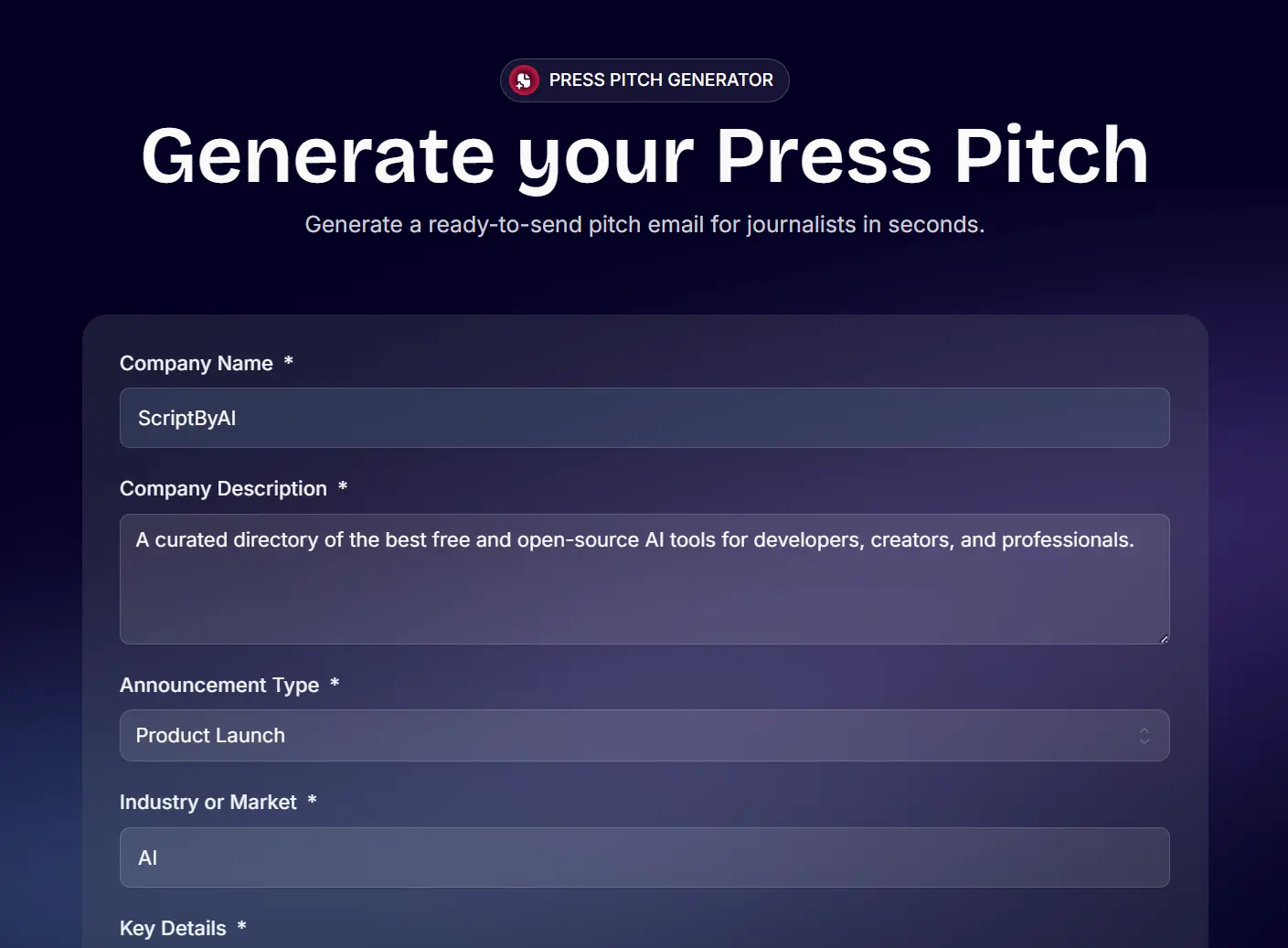
I tested Press Pitch myself to see if the output was actually usable for a real campaign. I used the details from my AI directory project, “ScriptByAI,” to simulate a public launch announcement.
I entered the company name and a one-sentence description: “ScriptByAI is changing how developers and creators find AI tools.” I selected “Product Launch” as the announcement type and added key details: 10,000 beta users, $1.5M raised, and a Microsoft partnership.
The tool generated a subject line immediately: “ScriptByAI launches with 10K users and Microsoft partnership.”
The body text was surprisingly sharp. It didn’t add unnecessary fluff. It stated the value proposition clearly and used bullet points for the metrics I provided. The draft required almost no editing before it was ready to send.
Hi,

ScriptByAI is changing how developers and creators find AI tools. We built a curated directory of the best free and open-source AI tools to help professionals save time and build smarter.

Today, we’re launching publicly after a successful beta with 10K users. We’ve also raised $1.5M and formed a strategic partnership with Microsoft to expand our reach.

• 10K beta users
• $1.5M raised
• Partnership with Microsoft

Our early traction shows strong demand for easy access to quality AI tools. I’d love to share more or arrange an interview with our founder if you’re interested.

Best,
[Founder’s Name]
This test proved that the tool understands how to prioritize hard data over marketing jargon, which is exactly what reporters look for.
How to Use Press Pitch
1. Visit the Press Pitch Generator website and type your company name and a single sentence that describes what your company does.
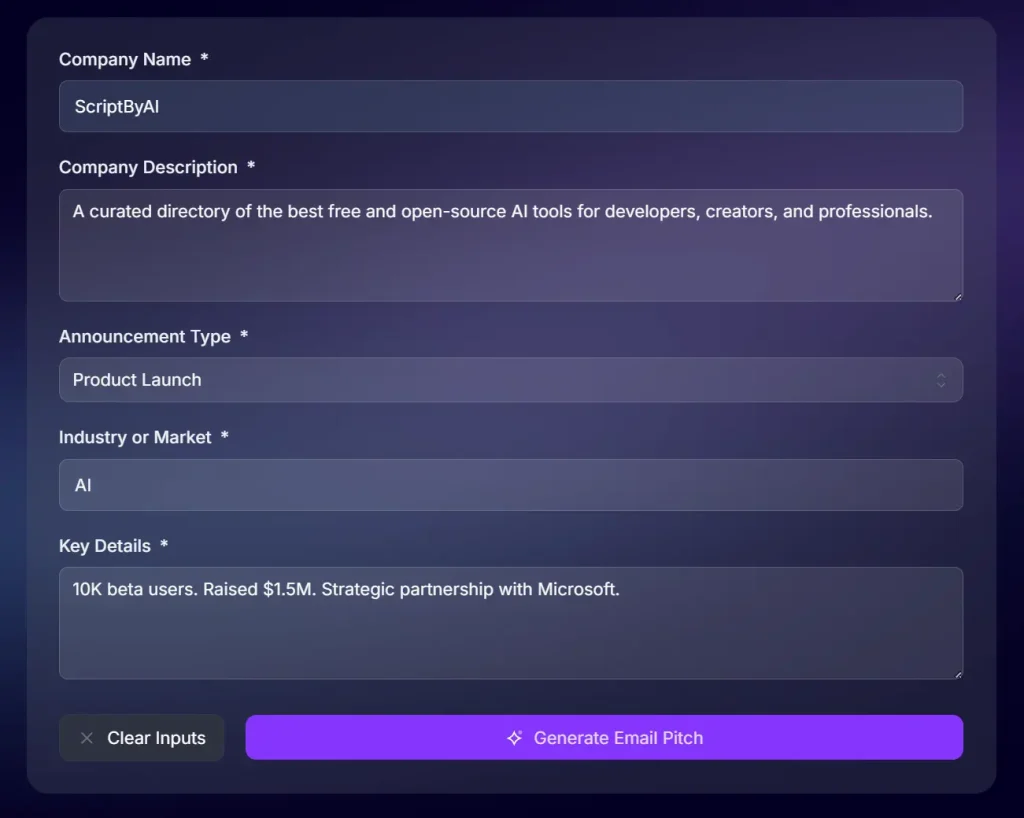
2. Choose the announcement type that fits your news from the dropdown menu. Your options include product launch, company launch, funding announcement, acquisition, partnership, new feature, market expansion, milestone, award, executive hire, or event. The tool adjusts the email structure based on your selection.
3. Enter your sector like “AI,” “fintech,” “healthtech,” or “consumer apps.” This helps frame your story in the right context.
4. Include 2-3 specific data points that make your announcement newsworthy. Examples: “10K beta users,” “Raised $1.3M,” “Partnership with Toyota,” or “Processing 1M transactions daily.”
5. Click “Generate Email Pitch” and wait a few seconds. The tool processes your inputs and creates a complete email.
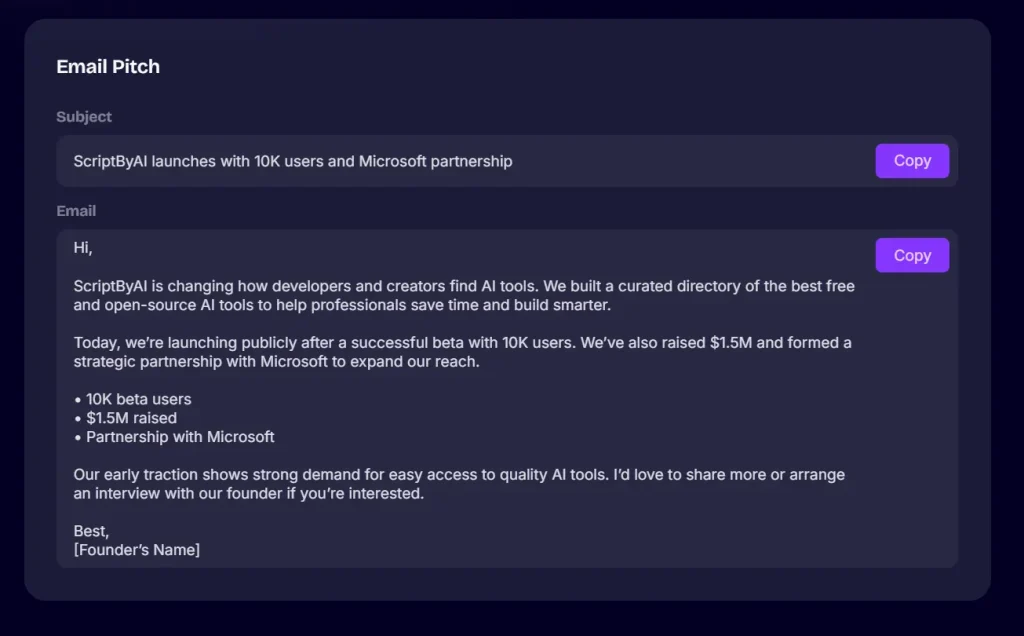
6. Copy the output to your email client and make necessary tweaks before sending.
Pros
- Zero Cost: The tool is completely free to use.
- Time Efficiency: It produces a draft in seconds.
- Focus on Brevity: The AI forces you to stick to the most important facts.
Cons
- Limited Customization: You cannot adjust the tone or style of the output.
- No Distribution: The tool generates text but does not send emails or provide journalist contacts.
Related Resources
- Journalist Hunt: The paid journalist database service from the same team.
- HARO (Help a Reporter Out): Sign up to receive daily requests from journalists looking for sources.
- Muck Rack: Search for journalists by beat and outlet.
FAQs
Q: Do I need to create an account to use Press Pitch?
A: No. The tool is completely open access. You can visit the page and generate as many pitches as you want.
Q: Can I save my generated pitches for later?
A: The tool doesn’t save your outputs. You’ll need to copy the generated text and save it yourself in a document or notes app.
Q: What makes a press pitch effective?
A: Good pitches are concise (under 200 words), lead with the most newsworthy information, include specific data points, and explain why the story matters to the journalist’s audience. They also offer easy next steps like interview availability.
Q: Should I send the same pitch to all journalists?
A: No. Use the generated pitch as your base template, then customize it for each journalist. Reference their recent articles and explain why your story fits their beat.
Q: What announcement details should I include in the key details field?
A: Focus on concrete numbers and notable partnerships. Examples: user counts, revenue figures, funding amounts, percentage growth, major customers, strategic partnerships, or geographic expansion details.
Q: How do I know if my pitch is too long?
A: Most generated pitches are 150-200 words. If your final version exceeds 250 words after editing, you’re probably including too much detail. Journalists prefer brevity.