Gptpdf is a free, open-source Python project that uses Large Language Models with vision support, like GPT-4o, to convert PDF files into Markdown.
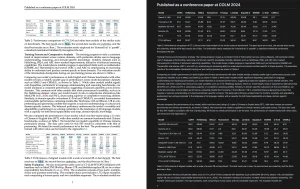
It excels at parsing typography, math formulas, tables, pictures, and charts with high accuracy. The average cost per page processed is a mere $0.013.
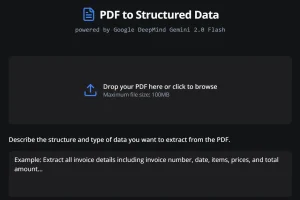
In addition, Gptpdf offers a web-based user interface, which allows anyone to convert PDF to Markdown directly in the browser.
How it works:
Gptpdf utilizes the PyMuPDF library to analyze the PDF. This identifies and marks all non-text elements. Then, a LLM like GPT-4o steps in. It processes the marked content and generates a clean Markdown file.
How to use it:
1. Install the Gptpdf package using pip:
pip install gptpdf
2. Import the necessary module:
from gptpdf import parse_pdf
3. Set your OpenAI API key:
api_key = 'Your OpenAI API Key'
4. Parse the PDF you provide:
content, image_paths = parse_pdf(pdf_path, api_key=api_key)
5. Print the content:
print(content)
6. Customize the conversion process using the following parameters:
- pdf_path: Path to the PDF file.
- output_dir: Directory to store images and the Markdown file. Default is
'./'. - api_key: OpenAI API key. If not provided, the
OPENAI_API_KEYenvironment variable will be used. - base_url: OpenAI base URL. Modify this to use other large model services with OpenAI API interfaces.
- model: Model to use, default is
'gpt-4o'. - verbose: If
True, displays parsed content in the command line. Default isFalse. - gpt_worker: Number of GPT parsing worker threads. Increase this for faster parsing if your machine allows it.
- prompt: Custom prompts to guide the model.
def parse_pdf(
    pdf_path: str,
    output_dir: str = './',
    prompt: Optional[Dict] = None,
    api_key: Optional[str] = None,
    base_url: Optional[str] = None,
    model: str = 'gpt-4o',
    verbose: bool = False,
    gpt_worker: int = 1
) -> Tuple[str, List[str]]:
7. For a browser-based experience, Gptpdf provides a convenient web interface.
pip install -r requirements.txt
8. Set your OpenAI API key using environment variables:
export OPENAI_BASE_URL=https://api.xxxx.com/v1
export OPENAI_API_KEY=sk-xxxxx
9. Start the server:
python main.py
# or
flask --app main.py run
10. Access the Gptpdf UI at http://127.0.0.1:5000.