Nutrient Document Engine
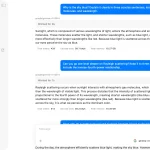
The Nutrient Document Engine MCP Server connects your AI agents, like Claude or Cursor, directly to your documents. It lets you perform complex document processing tasks using natural language.
Instead of writing scripts for things like data extraction or redaction, you just tell your AI what to do. You can use it to pull text from a PDF, split a large contract into sections, or remove sensitive information from tax forms, all through a simple conversation.
Features List
- Content Access: Extract text, search through documents, render pages as images, and pull out form data or tables.
- Document Editing: Split documents into smaller files, add watermarks, make copies, and fill out PDF forms automatically.
- Security: Find and redact sensitive data like social security numbers or credit card information using pre-built patterns or your own custom rules.
- Annotations: Add, read, or remove document annotations such as highlights, sticky notes, and stamps.
- System Management: Discover what documents are available, look up file metadata, and check the server’s operational status.
Use Cases
- Automated Invoice Processing: An AI agent can scan a folder of invoices, extract details like names, invoice numbers, and amounts, and then organize that data.
- Secure Document Sharing: A legal aide can ask an AI to redact all personal information from a batch of contracts before sharing them. The server handles the redaction and prepares clean versions of the files.
- Interactive Report Analysis: You can upload a lengthy report and ask your AI to summarize a specific section or extract a particular data table. The server retrieves just the information you need, right when you need it.
- Batch PDF Form Filling: A developer can set up a workflow where an AI agent takes customer data from a database and uses the server to populate hundreds of PDF registration forms automatically.
How to Use It
1. Clone the Nutrient Document Engine MCP server from GitHub and start the engine:
git clone https://github.com/PSPDFKit/nutrient-document-engine-mcp.git
cd nutrient-document-engine-mcp
docker-compose up -d
2. Tell Claude Desktop where to find the MCP server. Go to Settings → Developer → Edit Config in the Claude app and add the following JSON configuration:
{
  "mcpServers": {
    "nutrient-document-engine": {
      "command": "npx",
      "args": ["-y", "@nutrient-sdk/document-engine-mcp-server"],
      "env": {
        "DASHBOARD_USERNAME": "admin",
        "DASHBOARD_PASSWORD": "password",
        "DOCUMENT_ENGINE_BASE_URL": "http://localhost:5000",
        "DOCUMENT_ENGINE_API_AUTH_TOKEN": "secret"
      }
    }
  }
}
3. Close and reopen Claude Desktop for the new configuration to take effect.
4. Upload and Process Documents
- Open a web browser and navigate to
http://localhost:5100/dashboard. - Drag and drop the documents you want to work with into the dashboard.
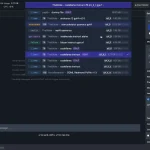
- Go back to Claude Desktop and start asking it to perform tasks, like “List my current documents and extract the text from the contract file.”
FAQs
Q: Do I need a paid license to try this?
A: No, the server runs in an evaluation mode by default. This version has some limitations and will place watermarks on documents. To remove these, you need to purchase a license from Nutrient.
Q: Where are my documents stored and processed?
A: Your documents are handled locally. The Nutrient Document Engine runs in a Docker container on your own machine, and the dashboard for uploading files is also hosted locally.
Q: What kind of information can it redact automatically?
A: It comes with preset patterns for common sensitive data like SSNs and credit card numbers. You can also create your own custom redaction rules using regular expressions (regex) for more specific needs.
Latest MCP Servers
Paper Search
Codebase Memory
CVE
Featured MCP Servers
Codebase Memory
Notion
Claude Peers
FAQs
Q: What exactly is the Model Context Protocol (MCP)?
A: MCP is an open standard, like a common language, that lets AI applications (clients) and external data sources or tools (servers) talk to each other. It helps AI models get the context (data, instructions, tools) they need from outside systems to give more accurate and relevant responses. Think of it as a universal adapter for AI connections.
Q: How is MCP different from OpenAI's function calling or plugins?
A: While OpenAI's tools allow models to use specific external functions, MCP is a broader, open standard. It covers not just tool use, but also providing structured data (Resources) and instruction templates (Prompts) as context. Being an open standard means it's not tied to one company's models or platform. OpenAI has even started adopting MCP in its Agents SDK.
Q: Can I use MCP with frameworks like LangChain?
A: Yes, MCP is designed to complement frameworks like LangChain or LlamaIndex. Instead of relying solely on custom connectors within these frameworks, you can use MCP as a standardized bridge to connect to various tools and data sources. There's potential for interoperability, like converting MCP tools into LangChain tools.
Q: Why was MCP created? What problem does it solve?
A: It was created because large language models often lack real-time information and connecting them to external data/tools required custom, complex integrations for each pair. MCP solves this by providing a standard way to connect, reducing development time, complexity, and cost, and enabling better interoperability between different AI models and tools.
Q: Is MCP secure? What are the main risks?
A: Security is a major consideration. While MCP includes principles like user consent and control, risks exist. These include potential server compromises leading to token theft, indirect prompt injection attacks, excessive permissions, context data leakage, session hijacking, and vulnerabilities in server implementations. Implementing robust security measures like OAuth 2.1, TLS, strict permissions, and monitoring is crucial.
Q: Who is behind MCP?
A: MCP was initially developed and open-sourced by Anthropic. However, it's an open standard with active contributions from the community, including companies like Microsoft and VMware Tanzu who maintain official SDKs.