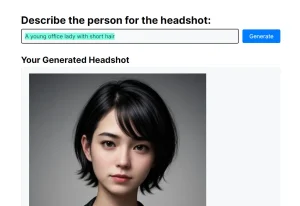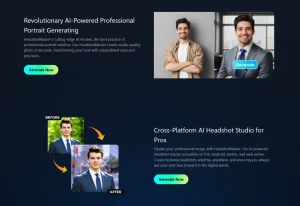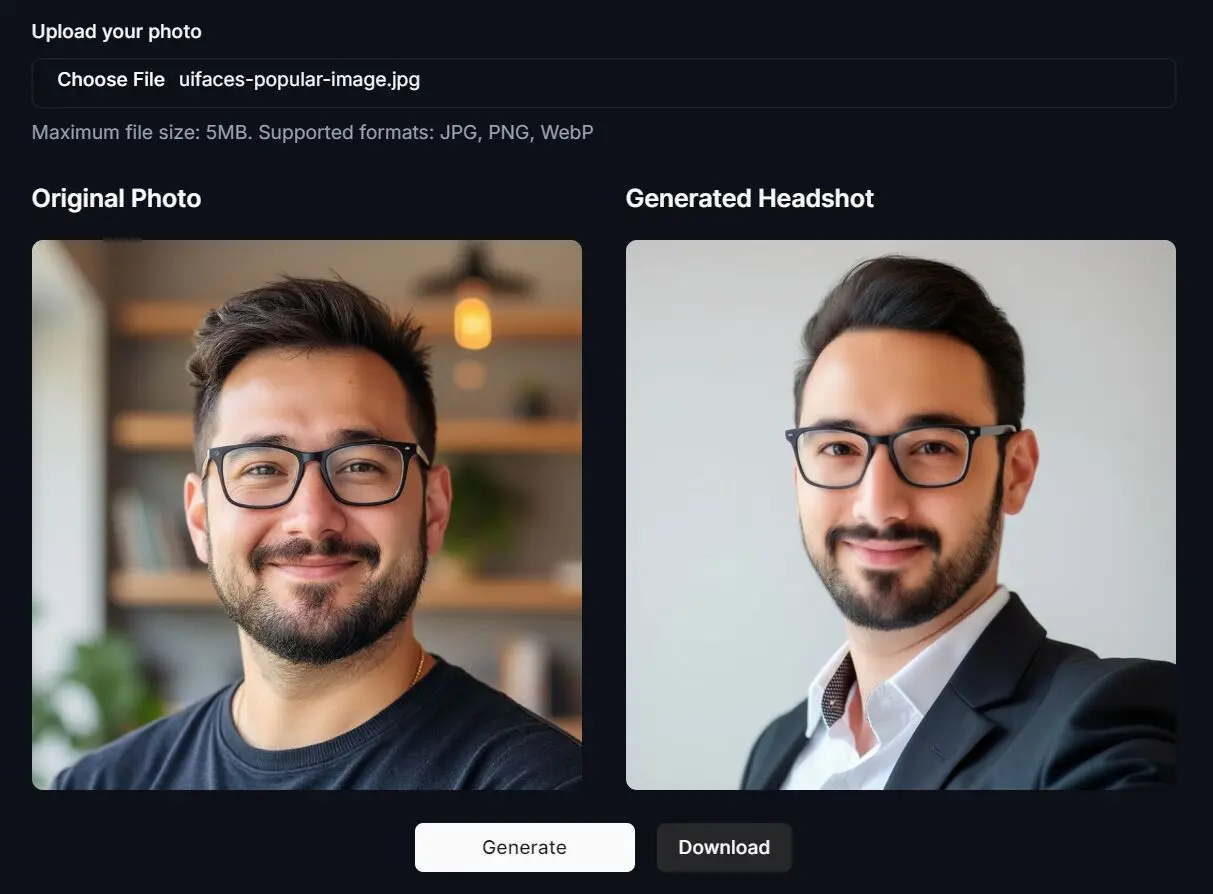
Need a professional headshot but don’t want to pay for a photographer? The Free AI Headshot Generator turns your selfies into polished, business-ready portraits in seconds—no sign-up, no cost, and no storage of your images.
This tool is aimed squarely at anyone needing a quick, professional-looking photo without spending money or time they don’t have. Think job seekers, developers updating their profiles, freelancers, maybe even students. It uses AI to rework your existing photo into something more polished.
Examples



Features
- Completely Free Service – Unlike many competitors that offer limited free trials before requiring payment, this tool provides its basic headshot generation without any cost
- Rapid Processing – In my testing, the tool consistently delivered results within seconds of uploading photos
- Professional-Quality Output – The generated headshots maintain a natural appearance while enhancing professional qualities
- No Account Required – You can start using the tool immediately without registration barriers
- Privacy-Focused – All photo processing happens in real-time with no image storage
- Format Flexibility – Supports JPG, PNG, and WebP formats for both input and output
Use Cases
- Professional Networking – LinkedIn profiles with professional headshots receive significantly more attention and connection requests
- Job Applications – Adding a professional headshot to resumes and application portfolios can create a more personal connection with recruiters
- Corporate Directories – Teams can maintain consistent, professional appearance across company materials
- Social Media Profiles – Creating a consistent professional image across platforms where business networking occurs
- Small Business Branding – Entrepreneurs and small teams can present a polished image without professional photography costs
How To Use It
- Visit the Free AI Headshot Generator website and upload a clear selfie or portrait. The tool accepts files up to 5MB in JPG, PNG, or WebP formats.
- For best results, I recommend using a front-facing photo with good lighting and a neutral background. The AI performs better with uncluttered images.
- Click the Generate button and wait briefly. In my tests, processing typically completed in 3-10 seconds, depending on server load.
- Once generation is complete, review your new professional headshot and click Download to save it to your device.
- The downloaded image is ready to use immediately for profiles, applications, or other professional purposes.
From my experience, the process is remarkably smooth compared to other free tools I’ve tested, which often involve multiple steps or create watermarked outputs.
Pros
- Zero Cost – Genuinely free service without hidden charges
- No Technical Skills Required – Interface is accessible even to non-technical users
- Quick Results – Entire process from upload to download typically takes less than 10 seconds
- Commercial Usage Rights – Full rights to use the generated images for both personal and business purposes
- No Registration Barriers – Immediate access without creating accounts or providing personal information
Cons
- Limited Style Options – Currently offers only standard professional styles (though additional options are planned)
- Basic Editing Only – No advanced customization options for fine-tuning results
- File Size Limitation – 5MB maximum may require pre-compression of higher-resolution photos
- Occasional Processing Delays – During peak usage times, generation can take slightly longer
FAQs
Q: Does the tool keep my photos?
A: According to their site, no. They state that uploaded photos and the generated headshots are not stored on their servers. Processing happens in real-time.
Q: What kind of photo works best?
A: Use a clear, well-lit photo where you’re facing forward. Avoid blurry shots, weird angles, or complex backgrounds. Keep it under 5MB and in JPG, PNG, or WebP format. Good input equals better output.
Q: Can I use the generated headshot for my business LinkedIn?
A: Yes, they state you get full rights for personal and commercial use. So, LinkedIn, resumes, websites – all should be fine.
Q: Will the AI headshot look exactly like me?
A: It will look like a version of you, generally quite recognizable but styled professionally. Sometimes AI smooths features or makes subtle changes. It might not capture every nuance of your expression, but it does a decent job creating a usable professional image from a selfie.
Q: What makes a good headshot photo?
A: A good headshot should clearly show your face, have appropriate lighting without harsh shadows, and feature a professional or neutral background. Natural expressions tend to work better than forced smiles in my testing.
Give It a Try?
Look, if you need a professional-looking headshot right now and don’t want to spend any money, this Free AI Headshot Generator is definitely worth checking out. It’s incredibly simple, fast, and the privacy aspect is handled well.
The results might not beat a professional photographer, obviously, but they are often surprisingly good – certainly better than a poorly cropped selfie. Given it costs nothing and requires no signup, there’s really no downside to uploading a good photo and seeing what it spits out.
Have you tried this or similar tools? Let me know what you think or if you have any tips for getting the best results!