nlsh(Natural Language Shell) is a free, open-source command-line tool that translates plain English into executable shell commands.
Type what you want in natural language, and the CLI generates the actual terminal syntax you need. Your command history stays private on your machine.
The CLI runs locally on macOS and Linux systems. It connects to your choice of AI provider (currently supporting Google’s Gemini) to interpret your requests and produce accurate shell commands.
Features
- Instant Command Translation: Converts requests like “list all python files” into
find . -name "*.py"without manual lookup. - Privacy-First Architecture: Operates locally and only sends prompts to your chosen AI provider.
- API Management: Switch between different LLM providers using the built-in
!apicommand to update your API keys securely. - Direct Command Execution: Mix natural language with traditional commands using
!cmdfor workflows that need both approaches.
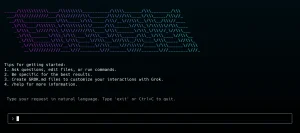
See It In Action
How To Use It
1. Install Natural Language Shell on your macOS or Linux system. The installer sets up the CLI and prompts you to configure your AI provider API key. You’ll need a Gemini API key from Google AI studio to use the service.
curl -fsSL https://raw.githubusercontent.com/junaid-mahmood/nlsh/main/install.sh | bash2. Launch the CLI:
nlsh3. Type your request in plain English at the prompt. For example:
- “list all python files” generates
find . -name "*.py" - “git commit with message fixed bug” generates
git commit -m "fixed bug" - “count lines in main.go” generates
wc -l main.go - “kill process running on port 3000” generates
lsof -t -i:3000 | xargs kill
4. Available system commands:
- !api: Changes your LLM provider API key. The tool stores credentials securely and currently supports Gemini as the AI backend.
- !help: Displays the complete help menu with all available special commands and keyboard shortcuts.
- !cmd: Executes a raw shell command directly without natural language processing. Use this when you already know the exact command syntax and want to bypass AI interpretation.
5. Uninstall the CLI:
curl -fsSL https://raw.githubusercontent.com/junaid-mahmood/nlsh/main/uninstall.sh | bashPros
- Reduces Cognitive Load: You focus on the task goal rather than syntax memorization.
- Beginner Friendly: New developers perform complex operations without deep shell knowledge.
- Minimal Setup: Installation is a single curl command. No Docker containers, Python environments, or complex dependencies clutter your system.
Cons
- macOS and Linux Only: Windows users cannot install or run nlsh today.
- AI Accuracy Variance: The generated command depends on the LLM’s training. Ambiguous requests like “clean up files” may produce unsafe rm commands.
Related Resources
- Gemini API Documentation: Set up your API key and understand usage limits for the AI backend.
- The Art of Command Line: Learn command-line fundamentals that complement natural language tools.
- Explain Shell: Paste generated commands to get detailed breakdowns of what each part does.
- Free CLI Tools: Discover more free, open-source, AI-powered CLI tools.
FAQs
Q: Does Natural Language Shell execute commands automatically?
A: No. nlsh displays the generated command first. You press Enter to run it or edit it beforehand.
Q: How much does Natural Language Shell cost?
A: The tool itself is free and open source. You pay only for Gemini API usage through your Google account, which has a free tier for light use.
Q: What happens if the AI returns a wrong command?
A: You see the incorrect command before execution. Cancel with Ctrl+C and rephrase your request.
Q: Does Natural Language Shell work offline?
A: No. The tool requires an internet connection to send your natural language requests to the AI provider API.
Q: Can I use OpenAI or Claude instead of Gemini?
A: Not currently. The tool only supports Gemini as the LLM provider. The open-source nature means you could modify the code to add other providers yourself.
Q: Can I train the tool to understand my specific workflow?
A: No. Each request is processed independently by the AI provider. The tool doesn’t learn from your previous commands or build a personalized model of your usage patterns.