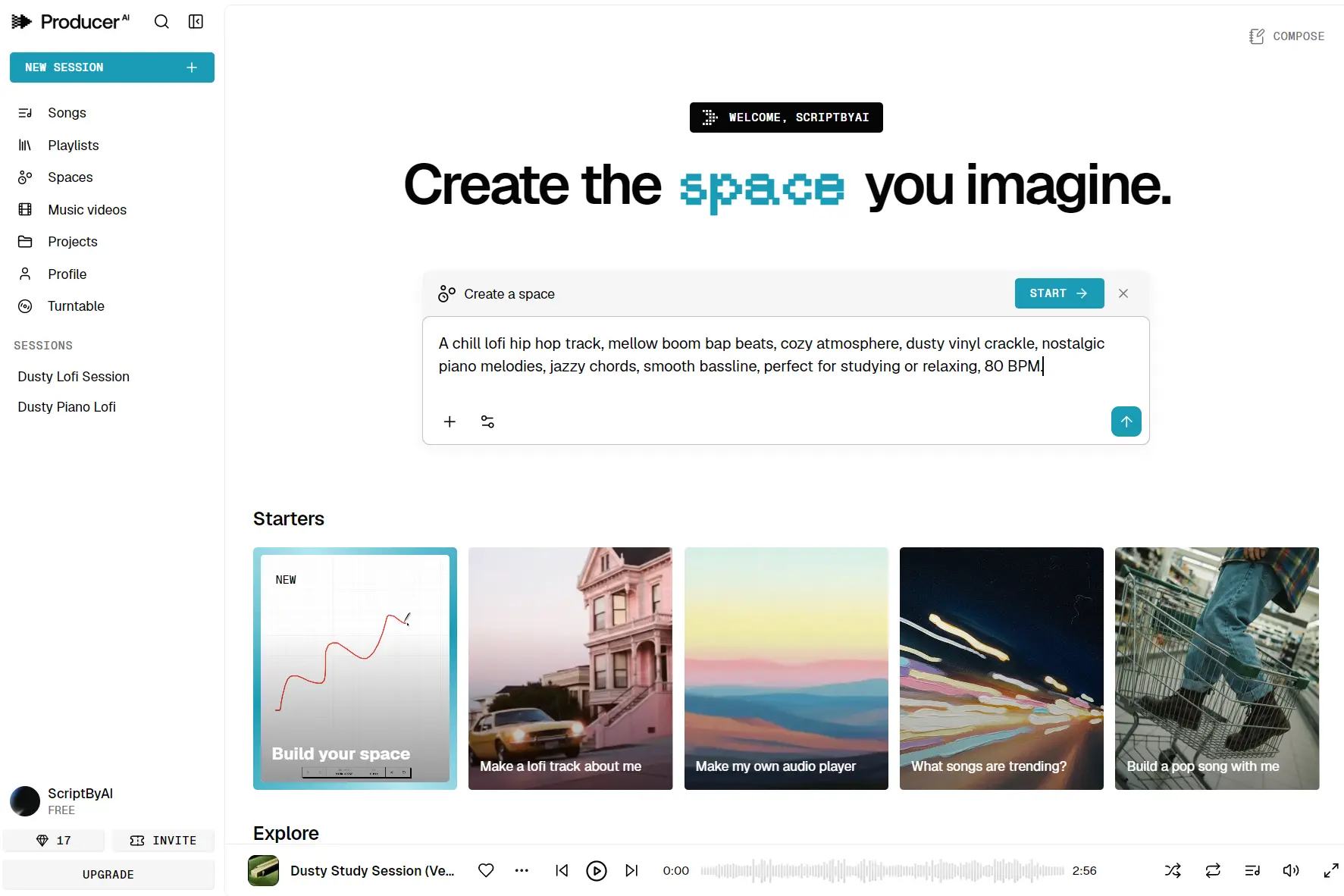
Producer.ai is a free AI music generation platform that turns text prompts into full-length, studio-quality songs. You can interact with it the way you would with a human producer, back and forth, refining lyrics, adjusting arrangements, swapping genres, and iterating on tracks until they match your creative vision.
Google acquired Producer.ai in February 2026 and brought its team into Google Labs and Google DeepMind. The platform originated from Riffusion, an open-source text-to-music project launched in 2022 by Seth Forsgren and Hayk Martiros. It rebranded as Producer.ai in July 2025 before the Google acquisition seven months later.
Producer.ai currently runs on Google’s Lyria 3 music model, Gemini for chat orchestration, Veo for music video generation, and Nano Banana for album art. It is globally available across 250+ countries with no waitlist, and free access remains available through a daily credit top-up system.
Features
- Chat-Based Music Creation: Generates songs from natural language prompts through a conversational chatbox powered by Gemini.
- Full-Length Song Output: Produces complete tracks with rich musicality, dynamic arrangements, and natural vocals.
- Lyria 3 Music Model: Uses Google DeepMind’s high-fidelity, professional-grade generative music model for generation.
- Granular Track Controls: Adjusts specific parameters such as tempo, time-aligned lyrics, reverb, and low-end punch.
- Remix and Stem Tools: Extends tracks, swaps stems, and replaces individual sections of existing songs.
- AI Music Video Generation: Creates visual accompaniments for songs through Google’s Veo video model.
- Album Art Generation: Produces cover artwork through the Nano Banana image model.
- Spaces: Lets you build custom instruments, audio effects, and even mini DAW environments through natural language and code.
- Style Personalization: Learns your creative preferences over time as you generate more tracks.
- Community Platform: Supports publishing songs, creating playlists, and following other artists.
Demos
Use Cases
- Songwriting from scratch: You have a lyric or a melody in your head, but you don’t play an instrument. Type “make a lo-fi beat with a sad piano and mumble rap vocals” and get a full demo in seconds.
- Overcoming creative blocks: You’re stuck on a bridge or can’t decide on a genre switch. You ask the AI “what if this went into a heavy drop here?” and it generates variations for you to pick from.
- Personalized audio gifts: You create a custom birthday song for a friend, complete with inside-joke lyrics and a music video.
- Rapid prototyping for producers: A professional producer uses the Spaces feature to invent a new synth sound by describing it, then exports the stem to their DAW for final mixing.
- Social media content: You can generate a 90-second track and a matching video loop for a TikTok or Reel in one workflow.
How to Use It
1. Go to producer.ai and sign up. Free accounts receive a daily top-up of credits, with two concurrent generation slots.
2. Type your initial idea in plain language. A short prompt like “upbeat funk track with brass stabs” will get you a full song. A detailed prompt describing key, tempo, instrumentation, and mood will get you something closer to your vision on the first try.
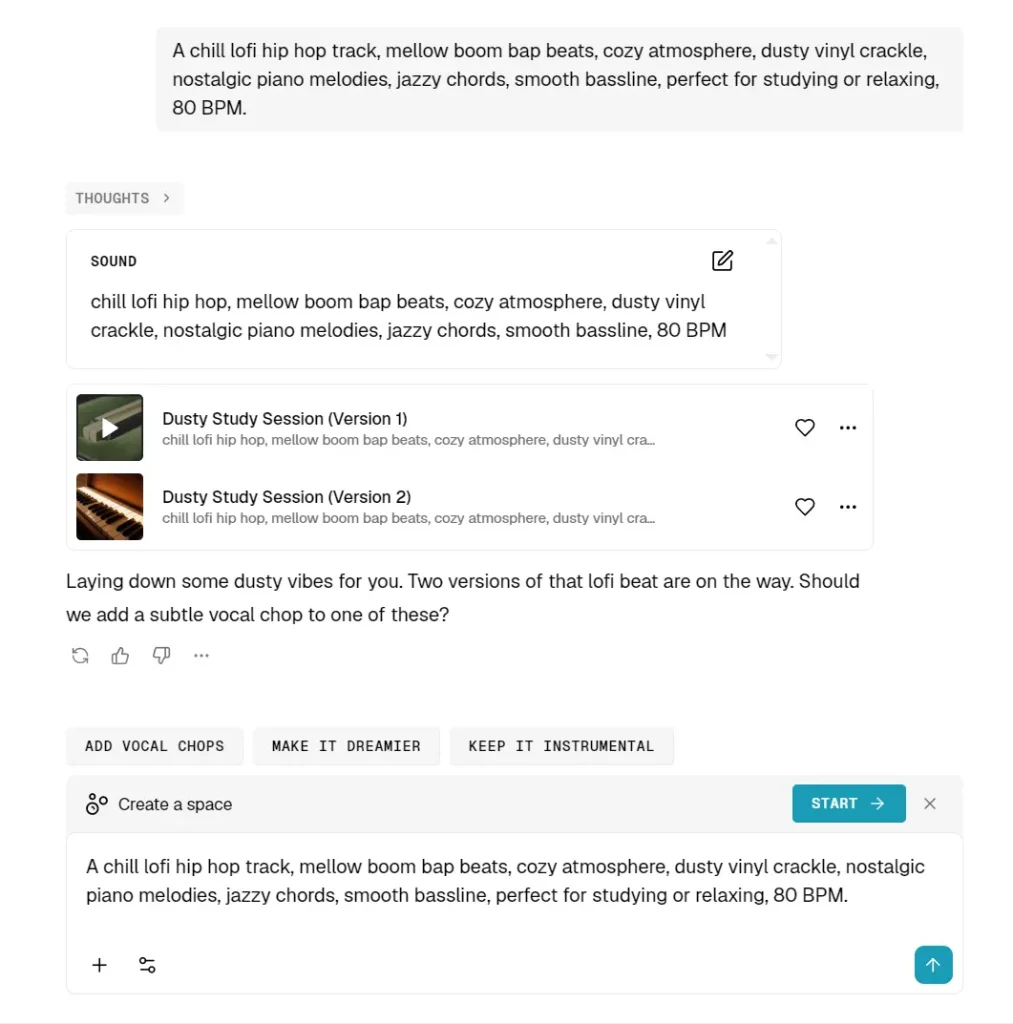
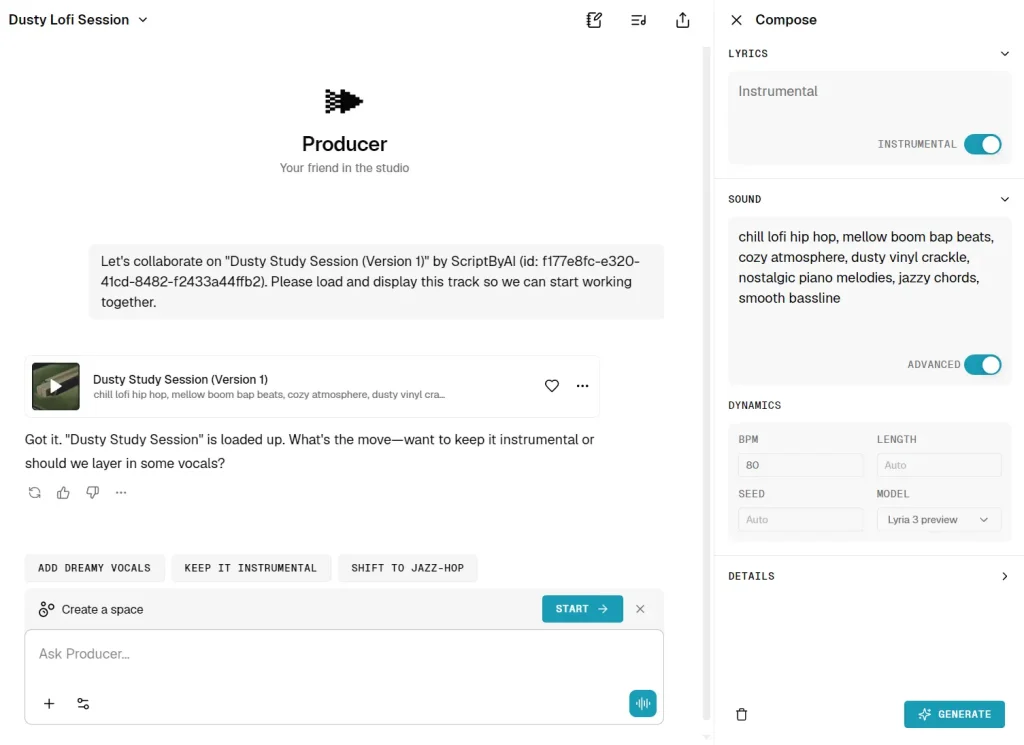
3. After the first generation, treat the output as a starting draft. Ask the AI to make the chorus louder, add a breakdown at 1:30, or shift the mood from energetic to melancholic. Producer.ai tracks the context of your conversation and applies changes to the specific elements you describe.
4. Once you have a track you like, you can go deeper. The platform lets you swap individual stems (vocals, bass, drums, melody), extend the track forward or backward, or generate variations on a specific section.
5. Publish your track to the Producer.ai community, create a playlist, or export for personal use. Free accounts are for non-commercial use. Paid plans (starting at $8/month) include commercial rights.
Pros
- Free Tier Is Genuinely Usable: The daily credit top-up gives real access to the tool.
- Chat-Native Workflow: The iterative conversation model mirrors how actual music production works.
- Google’s Model Stack: Access to Lyria 3, Veo, and Nano Banana in a single platform.
- Spaces Feature Is Unique: No competing free tool lets you build custom instruments through natural language.
- Personalization Over Time: The platform adapts to your style as you create more tracks.
- Community Built In: Publishing, playlists, and artist discovery are native to the platform.
Cons
- Free Plan Is Non-Commercial: You cannot use free-tier outputs for monetized content without upgrading.
- Credit System Can Be Limiting: Heavy users on the free plan will hit the daily cap fast.
- SynthID Watermarking: All outputs carry Google’s AI watermark.
- No Offline Mode: The platform is fully browser-based with no desktop app or offline export workflow.
Related Resources
- Producer.ai Docs : The official introduction guide covering the core workflow and platform architecture.
- Producer.ai Pricing Page: Full breakdown of free and paid plan tiers with credit allocations.
- Google DeepMind Lyria 3: Technical overview of the music model powering Producer.ai.
- Google DeepMind Veo: Documentation for the video generation model used for AI music videos.
- SynthID by Google DeepMind: Information on the watermarking system embedded in all Producer.ai outputs.
- Google Labs Blog ProducerAI Announcement: The official Google announcement covering the acquisition and platform roadmap.
- Best AI Music Generators: Discover the 10 best AI music generators all over the world.
FAQs
Q: How is Producer.ai different from Suno or Udio?
A: Suno and Udio both use a prompt-in, audio-out model where you submit a description and receive a finished track. Producer.ai centers the workflow on back-and-forth conversation, so you refine a track iteratively over multiple exchanges. It also adds video generation, custom instrument creation through Spaces, and style personalization that builds over time.
Q: What is “Spaces” in Producer.ai?
A: Spaces is a feature that lets users build fully custom audio tools like instruments, effects processors, or even node-based modular environments, through natural language prompts or code. These mini-apps are shareable and remixable across the community. It is one of the most technically ambitious features on the platform and points toward Producer.ai becoming something closer to a programmable audio environment than a simple generator.
Q: Can I use Producer.ai outputs commercially?
A: Free plan outputs are for non-commercial use only. The Starter plan at $8/month includes commercial rights, which covers monetized YouTube content, client work, and similar applications. The Plus and Member tiers add more credits and higher concurrency for heavier commercial workloads.