MemPalace is a free, open-source AI memory system that stores every AI conversation verbatim and makes the full history searchable across sessions. It runs entirely on your device and works with all major AI platforms like ChatGPT, Claude, and Gemini.
The system solves a problem that every developer, team lead, and power AI user hits eventually: six months of architecture decisions, debugging rationale, and project context live in chat windows that reset every session.
MemPalace applies the classical method of loci, the ancient memory palace technique, to organize that history into a navigable structure of wings, halls, rooms, closets, and drawers.
The spatial hierarchy is not cosmetic. Tests on 22,000+ real conversation memories show the palace structure produces a 34% retrieval improvement over flat semantic search.
Background and Inspiration
The project was co-created by actress Milla Jovovich (known for Resident Evil and The Fifth Element) and engineer Ben Sigman. Milla documented the inspiration in social media posts and videos: after months of meticulously filing AI conversations, she found that even the best-organized files were poorly retrieved by LLMs.
Drawing from classical mnemonic techniques (the memory palace used by ancient Greek orators), she architected the virtual palace structure, while Ben engineered the implementation, compression dialect, and integrations. The core philosophy: “Store everything, then make it findable.” This contrasts with competitors (e.g., Mem0, Mastra) that use LLMs to decide what to keep, leading to information loss.
As of April 7, 2026, MemPalace has rapidly gained 5.1k GitHub stars and 506 forks, going viral due to its benchmark performance and unexpected creator involvement.
Features
- Organizes all conversation history into a hierarchical palace structure of wings (people or projects), halls (memory types), rooms (specific topics), closets (compressed summaries), and drawers (verbatim originals).
- Stores all content verbatim in drawers so no context, reasoning, or trade-off detail is lost.
- Compresses critical facts using AAAK, a lossless 30x shorthand dialect readable by any LLM without a decoder.
- Loads an AI’s working context in approximately 170 tokens.
- Achieves 96.6% R@5 on LongMemEval with zero API calls and 100% with optional Haiku reranking.
- Creates tunnels that automatically cross-reference identical rooms across different wings, so the same topic (e.g., auth-migration) stays linked across a person wing and a project wing.
- Detects contradictions against the knowledge graph, flagging attribution conflicts, wrong tenure data, and stale dates before they reach the AI.
- Supports a temporal entity-relationship knowledge graph in local SQLite, with validity windows, invalidation, and point-in-time queries.
- Exposes 19 MCP tools for Claude, ChatGPT, and Cursor-compatible agents, covering palace read/write, knowledge graph, navigation, and agent diaries.
- Supports specialist agents, each with its own wing and AAAK diary, so a reviewer agent, architect agent, and ops agent each maintain separate memory without bloating your CLAUDE.md.
- Provides Claude Code auto-save hooks that trigger a structured memory save every 15 messages and an emergency save before context compression.
- Mines three data types: project files (
projectsmode), conversation exports from Claude/ChatGPT/Slack (convosmode), and general data auto-classified into decisions, preferences, milestones, problems, and emotional context (generalmode).
Use Cases
- Search old architecture debates to recover why a team chose GraphQL, Clerk, Postgres, or another stack decision.
- Mine Claude, ChatGPT, and Slack exports so future sessions can recall debugging history and milestone discussions.
- Feed local LLMs a compact wake up context before each session.
- Query project specific memory inside one wing when you manage several apps at the same time.
- Maintain specialist agent memory for code review, architecture, or operations work.
How to Use It
Table Of Contents
Get Started
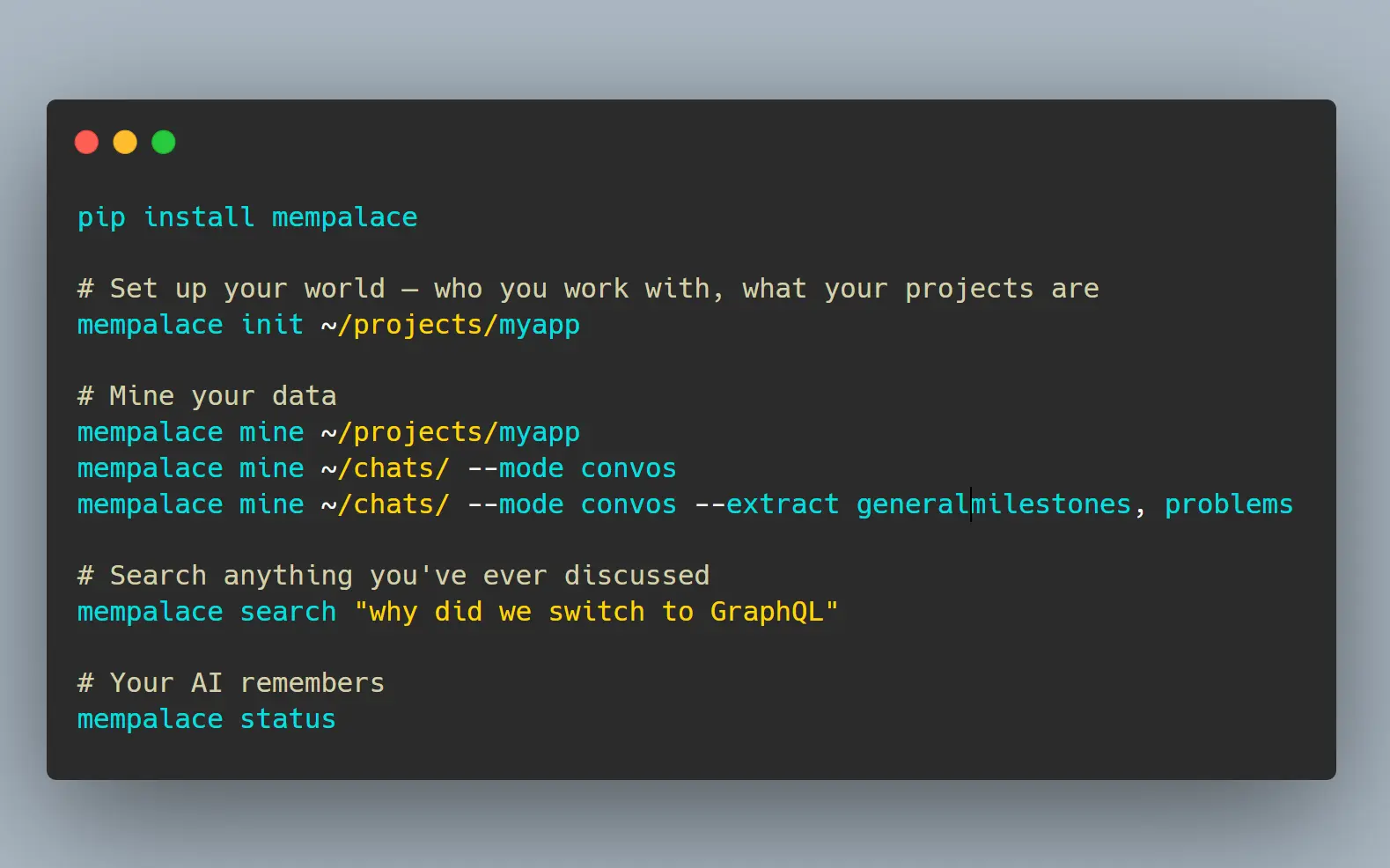
1. Install MemPalace with pip:
pip install mempalace2. Run the guided onboarding for a project directory. This generates your wing configuration, AAAK bootstrap, and identity file:
mempalace init ~/projects/myapp3. Choose the mining mode that fits your data source:
# Mine project files: code, docs, notes
mempalace mine ~/projects/myapp
# Mine conversation exports (Claude, ChatGPT, Slack)
mempalace mine~/chats/ --mode convos
# Mine conversations and auto-classify into decisions, preferences, milestones, problems
mempalace mine ~/chats/ --mode convos --extract general
# Tag a mining run with a specific wing
mempalace mine ~/chats/orion/ --mode convos --wing orion
Some chat exports concatenate multiple sessions into one file. Split them first:
mempalace split ~/chats/
mempalace split ~/chats/ --dry-run
mempalace split ~/chats/ --min-sessions 3
4. Search anything:
mempalace search "why did we switch to GraphQL"
mempalace search "database decision" --wing orion
mempalace search "auth decisions" --room auth-migration
5. Load context into any AI:
For cloud models via MCP (Claude, ChatGPT, Cursor), connect once:
claude mcp add mempalace -- python -m mempalace.mcp_serverAfter that, the AI calls mempalace_search automatically. You no longer run search commands manually.
For local models without MCP support, generate the wake-up context and paste it into the system prompt:
mempalace wake-up > context.txtOr search on demand and inject results into a prompt:
mempalace search "auth decisions" > results.txtYou can also call the Python API directly:
from mempalace.searcher import search_memories
results = search_memories("auth decisions", palace_path="~/.mempalace/palace")
6. Compressing a wing:
mempalace compress --wing myapp7. Status check:
mempalace statusAll Available Commands
| Command | Description |
|---|---|
mempalace init <dir> | Guided onboarding: generates AAAK bootstrap and wing config |
mempalace mine <dir> | Mine project files (code, docs, notes) |
mempalace mine <dir> --mode convos | Mine conversation exports |
mempalace mine <dir> --mode convos --extract general | Mine and auto-classify into memory types |
mempalace mine <dir> --mode convos --wing <name> | Tag mining run with a wing name |
mempalace split <dir> | Split concatenated transcripts into per-session files |
mempalace split <dir> --dry-run | Preview split without writing files |
mempalace split <dir> --min-sessions 3 | Only split files with 3 or more sessions |
mempalace search "<query>" | Semantic search across all closets |
mempalace search "<query>" --wing <name> | Search within a specific wing |
mempalace search "<query>" --room <name> | Search within a specific room |
mempalace wake-up | Load L0 + L1 context (~170 tokens) |
mempalace wake-up --wing <name> | Load project-specific context |
mempalace compress --wing <name> | AAAK compress a wing |
mempalace status | Palace overview |
All commands accept --palace <path> to override the default palace location.
Available MCP Tools
Palace (read)
| Tool | Description |
|---|---|
mempalace_status | Palace overview, AAAK spec, and memory protocol |
mempalace_list_wings | Wings with memory counts |
mempalace_list_rooms | Rooms within a wing |
mempalace_get_taxonomy | Full wing → room → count tree |
mempalace_search | Semantic search with wing and room filters |
mempalace_check_duplicate | Check for duplicates before filing |
mempalace_get_aaak_spec | AAAK dialect reference |
Palace (write)
| Tool | Description |
|---|---|
mempalace_add_drawer | File verbatim content |
mempalace_delete_drawer | Remove by ID |
Knowledge Graph
| Tool | Description |
|---|---|
mempalace_kg_query | Entity relationships with time filtering |
mempalace_kg_add | Add new facts |
mempalace_kg_invalidate | Mark facts as ended |
mempalace_kg_timeline | Chronological entity story |
mempalace_kg_stats | Graph overview |
Navigation
| Tool | Description |
|---|---|
mempalace_traverse | Walk the graph from a room across wings |
mempalace_find_tunnels | Find rooms bridging two wings |
mempalace_graph_stats | Graph connectivity overview |
Agent Diary
| Tool | Description |
|---|---|
mempalace_diary_write | Write an AAAK diary entry |
mempalace_diary_read | Read recent diary entries |
Auto-Save Hooks for Claude Code
Add both hooks to your Claude Code configuration:
{
  "hooks": {
    "Stop": [{"matcher": "", "hooks": [{"type": "command", "command": "/path/to/mempalace/hooks/mempal_save_hook.sh"}]}],
    "PreCompact": [{"matcher": "", "hooks": [{"type": "command", "command": "/path/to/mempalace/hooks/mempal_precompact_hook.sh"}]}]
  }
}
The Stop hook saves every 15 messages, capturing topics, decisions, quotes, and code changes. The PreCompact hook fires before context compression to prevent data loss during window shrinkage.
Memory Stack Layers
| Layer | Content | Size | Load Trigger |
|---|---|---|---|
| L0 | AI identity | ~50 tokens | Always |
| L1 | Team, projects, preferences (AAAK) | ~120 tokens | Always |
| L2 | Recent sessions, current project room | On demand | Topic match |
| L3 | Deep semantic search across all closets | On demand | Explicit query |
Configuration Files
Global config at ~/.mempalace/config.json:
{
  "palace_path": "/custom/path/to/palace",
  "collection_name": "mempalace_drawers",
  "people_map": {"Kai": "KAI", "Priya": "PRI"}
}
Wing config at ~/.mempalace/wing_config.json (generated by mempalace init):
{
  "default_wing": "wing_general",
  "wings": {
    "wing_kai": {"type": "person", "keywords": ["kai", "kai's"]},
    "wing_driftwood": {"type": "project", "keywords": ["driftwood", "analytics", "saas"]}
  }
}
Identity file at ~/.mempalace/identity.txt: plain text loaded every session as Layer 0.
Pros
- Free and open-source.
- Runs entirely offline.
- Highest published LongMemEval score (96.6% raw, 100% hybrid).
- Works with any LLM that reads text, including local models like Llama and Mistral.
- Includes contradiction detection and a temporal knowledge graph.
Cons
- Local LLMs require manual context injection via CLI commands.
- Some transcript exports need manual splitting before mining.
Related Resources
- MemPalace Benchmarks: Full LongMemEval, LoCoMo, and MemBench results with reproduction instructions.
- ChromaDB Documentation: Reference for the vector database MemPalace uses for semantic search.
- MCP Overview: Specification for the protocol MemPalace uses to expose its 19 tools to compatible AI agents.
- Claude Code Hooks Documentation: Setup guide for the auto-save and pre-compaction hooks.
- SQLite: Review the local database engine behind the knowledge graph layer.
- Method of Loci: Read the classical memory technique that inspired the palace layout.
FAQs
Q: What is AAAK and why does it matter?
A: AAAK is a lossless shorthand dialect built for AI agents. It compresses natural language context by roughly 30x without discarding any information, so a passage that takes 1,000 tokens in English fits in about 120 tokens in AAAK.
Q: How is MemPalace different from Mem0 or Zep?
A: Mem0 and Zep use LLMs to decide which information is worth keeping, which reduces storage cost but also discards the reasoning behind decisions. MemPalace stores everything verbatim and uses palace structure plus semantic search to retrieve only what a given query needs. It also runs entirely offline at no cost, where Mem0 starts at $19/month and Zep at $25/month.
Q: What conversation formats does MemPalace support?
A: The normalize.py module converts five chat export formats into a standard transcript format for mining. Claude, ChatGPT, and Slack exports are explicitly supported.
Q: Is there any risk of data leaving my machine?
A: No. MemPalace runs entirely on your machine using ChromaDB for vector storage and SQLite for the knowledge graph. No network calls occur after installation. Running it with a local model means zero external communication at any stage.
Q: What does the knowledge graph add on top of semantic search?
A: The knowledge graph stores entity-relationship triples with validity windows, so you can query what was true about a person or project on a specific past date. It also drives contradiction detection, catching attribution errors, wrong tenure data, and stale dates against stored facts before they influence an AI response.
Q: How does MemPalace handle multiple projects without mixing context?
A: Each project gets its own wing. Search commands accept a --wing flag to scope results, and the palace structure’s rooms and halls further narrow retrieval within a wing. Cross-project connections are explicit tunnels that form only when the same room name appears in multiple wings.