Google Analytics
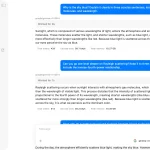
The Google Analytics MCP Server connects Google Analytics 4 data directly to Claude, Cursor, and other Model Context Protocol clients.
It allows you access to over 200 dimensions and metrics without writing complex API calls or learning Google Analytics query syntax.
Features
- 📊 Natural Language Queries – Ask questions about your website data in plain English
- 🔗 Direct GA4 Integration – Connect seamlessly with Google Analytics 4 properties
- 📈 200+ Metrics & Dimensions – Access comprehensive analytics data including traffic, conversions, and e-commerce
- 🎯 Multi-Dimensional Analysis – Combine different data points for deeper insights
- ⚡ Real-Time Data Access – Query current and historical analytics data instantly
- 🌍 Geographic & Demographic Insights – Analyze user behavior by location, device, and demographics
- 💰 E-commerce Analytics – Track revenue, conversions, and product performance
- 📱 Cross-Platform Compatible – Works with Claude, Cursor, and other MCP clients
Use Cases
- Marketing Performance Analysis: Digital marketers can quickly assess campaign effectiveness by asking questions like “Which traffic sources drove the most conversions last month?” without navigating through GA4’s interface or writing custom reports.
- Content Strategy Optimization: Content creators and SEO specialists can identify top-performing pages, analyze user engagement patterns, and track content performance over time through conversational queries about page views, bounce rates, and user behavior.
- E-commerce Revenue Tracking: Online store owners can monitor sales performance, identify best-selling products, and analyze customer purchasing patterns by querying revenue metrics, transaction data, and product performance in natural language.
- Technical Performance Monitoring: Developers and site administrators can track user experience metrics across different devices and browsers, identify technical issues affecting user engagement, and monitor site performance without complex dashboard configurations.
How to Use It
1. Before installing the MCP server, verify your Python environment and gather the required Google Analytics credentials:
Check Python Version:
python --version  # Need 3.8+
python3 --version
pip --version
Required Components:
- Python 3.8 or higher
- Google Analytics 4 property with existing data
- Google Cloud service account with Analytics API access
2. Google Analytics Credentials Configuration
Create Service Account in Google Cloud Console:
- Navigate to the Google Cloud Console and create or select your project
- Enable required APIs by searching for “Google Analytics Reporting API” and “Google Analytics Data API” in the API Library
- Create a new service account under “APIs & Services” → “Credentials”
- Generate and download a JSON key file for the service account
- Note the service account email from the JSON file (format:
[email protected])
Grant GA4 Access:
- Open Google Analytics and select your GA4 property
- Navigate to Admin → Property access management
- Add the service account email as a “Viewer” user
- Locate your GA4 Property ID (numeric value, not the Measurement ID starting with “G-“)
Installation
Method 1: pip Installation (Recommended)
pip install google-analytics-mcpAdd this configuration to your MCP client settings:
{
  "mcpServers": {
    "ga4-analytics": {
      "command": "python3",
      "args": ["-m", "ga4_mcp_server"],
      "env": {
        "GOOGLE_APPLICATION_CREDENTIALS": "/path/to/service-account-key.json",
        "GA4_PROPERTY_ID": "123456789"
      }
    }
  }
}
Method 2: GitHub Installation
git clone https://github.com/surendranb/google-analytics-mcp.git
cd google-analytics-mcp
python3 -m venv venv
source venv/bin/activate
pip install -r requirements.txt
Configuration for GitHub installation:
{
  "mcpServers": {
    "ga4-analytics": {
      "command": "/full/path/to/venv/bin/python",
      "args": ["/full/path/to/ga4_mcp_server.py"],
      "env": {
        "GOOGLE_APPLICATION_CREDENTIALS": "/path/to/service-account-key.json",
        "GA4_PROPERTY_ID": "123456789"
      }
    }
  }
}
Available Tools and Methods
get_ga4_data– Retrieve custom analytics data with specified dimensions and metricslist_dimension_categories– Browse available dimension groupings (Geography, Technology, Traffic Source, etc.)list_metric_categories– Explore metric categories (User Metrics, E-commerce, Events, etc.)get_dimensions_by_category– List specific dimensions within a categoryget_metrics_by_category– Show metrics available for a particular category
Query Examples
Traffic Analysis:
- “Show me website traffic for the past week broken down by device type”
- “Compare bounce rates between organic search and paid advertising traffic”
Geographic Insights:
- “Which countries generated the most revenue last month?”
- “Show me user engagement rates by city for the past 30 days”
E-commerce Performance:
- “What are my top 10 products by revenue this quarter?”
- “Compare conversion rates between different traffic sources”
Content Analysis:
- “Which pages have the highest engagement rates?”
- “Show me session duration trends for my blog posts”
FAQs
Q: Can I use this with Universal Analytics (GA3) properties?
A: No, this MCP server specifically supports Google Analytics 4 properties only. Universal Analytics was sunset in July 2023, and this server uses the GA4 Data API which is incompatible with legacy GA3 data.
Q: What’s the difference between Property ID and Measurement ID?
A: The Property ID is a numeric value (like 123456789) that you’ll find in your GA4 property settings under “Property details.” The Measurement ID starts with “G-” and is used for tracking code implementation. You need the numeric Property ID for this MCP server.
Q: How do I troubleshoot “No module named ga4_mcp_server” errors?
A: This typically occurs when Python can’t locate the installed module. Try using pip3 install --user google-analytics-mcp for a user-specific installation, or verify you’re using the correct Python command (python vs python3) that matches your installation method.
Q: Are there rate limits when querying GA4 data?
A: Yes, Google Analytics has both daily quotas and per-second rate limits. If you encounter quota errors, reduce your date ranges or add delays between large queries. The server handles standard rate limiting, but extremely frequent requests may hit API boundaries.
Q: Can I query real-time data or only historical data?
A: The GA4 Data API primarily provides processed data that’s typically 24-48 hours behind real-time. For real-time analytics, you’d need to use Google’s Real-time Reporting API, which isn’t currently supported by this MCP server.
Q: What happens if my service account loses GA4 access?
A: If your service account is removed from the GA4 property or loses permissions, you’ll receive authentication errors. Re-add the service account email to your GA4 property with at least “Viewer” permissions to restore access.
Latest MCP Servers
Paper Search
Codebase Memory
CVE
Featured MCP Servers
Codebase Memory
Notion
Claude Peers
FAQs
Q: What exactly is the Model Context Protocol (MCP)?
A: MCP is an open standard, like a common language, that lets AI applications (clients) and external data sources or tools (servers) talk to each other. It helps AI models get the context (data, instructions, tools) they need from outside systems to give more accurate and relevant responses. Think of it as a universal adapter for AI connections.
Q: How is MCP different from OpenAI's function calling or plugins?
A: While OpenAI's tools allow models to use specific external functions, MCP is a broader, open standard. It covers not just tool use, but also providing structured data (Resources) and instruction templates (Prompts) as context. Being an open standard means it's not tied to one company's models or platform. OpenAI has even started adopting MCP in its Agents SDK.
Q: Can I use MCP with frameworks like LangChain?
A: Yes, MCP is designed to complement frameworks like LangChain or LlamaIndex. Instead of relying solely on custom connectors within these frameworks, you can use MCP as a standardized bridge to connect to various tools and data sources. There's potential for interoperability, like converting MCP tools into LangChain tools.
Q: Why was MCP created? What problem does it solve?
A: It was created because large language models often lack real-time information and connecting them to external data/tools required custom, complex integrations for each pair. MCP solves this by providing a standard way to connect, reducing development time, complexity, and cost, and enabling better interoperability between different AI models and tools.
Q: Is MCP secure? What are the main risks?
A: Security is a major consideration. While MCP includes principles like user consent and control, risks exist. These include potential server compromises leading to token theft, indirect prompt injection attacks, excessive permissions, context data leakage, session hijacking, and vulnerabilities in server implementations. Implementing robust security measures like OAuth 2.1, TLS, strict permissions, and monitoring is crucial.
Q: Who is behind MCP?
A: MCP was initially developed and open-sourced by Anthropic. However, it's an open standard with active contributions from the community, including companies like Microsoft and VMware Tanzu who maintain official SDKs.