VIDEO OCEAN is an AI-driven video generation platform that allows you to transform text, images, or custom characters into short, professional-quality videos in just a few minutes.
Designed for ease of use, this platform serves content creators, designers, developers, and anyone who needs quick video content without extensive experience in video editing.
VIDEO OCEAN is built on the Open-Sora model, a popular video production framework designed to democratize efficient video creation. This open-source model, which has amassed over 22,000 stars on GitHub, leverages several advanced technologies to provide high-quality video production accessible to a broad audience.
The platform’s ability to handle text, image, and character inputs for video creation stems from Open-Sora’s versatile architecture. This open-source backing positions Video Ocean as a community-driven solution, benefiting from continuous development and improvements within the Open-Sora ecosystem.
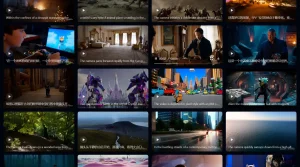
Example Videos:
Features
- Instant Video Creation: Convert your ideas, images, or characters into engaging video content quickly. Just upload your content or input a text prompt, and VIDEO OCEAN takes care of the rest.
- Consistent Character Rendering: Maintain uniformity in facial features across video frames. This feature ensures a coherent look throughout the video, an essential capability for character-based videos.
- User-Friendly Interface: The platform is designed for all users, eliminating the need for prior video editing skills. Simple settings make it easy to create quality videos on the go.
- Efficient Processing: VIDEO OCEAN’s Open-Sora model optimizes computational efficiency, so videos render fast without sacrificing quality, even when multiple users are active.
- High-Quality Output: Choose between 360p and 720p resolutions for polished video results suitable for a range of applications.
How to Use It
1. Visit the VIDEO OCEAN platform and register for a free account.
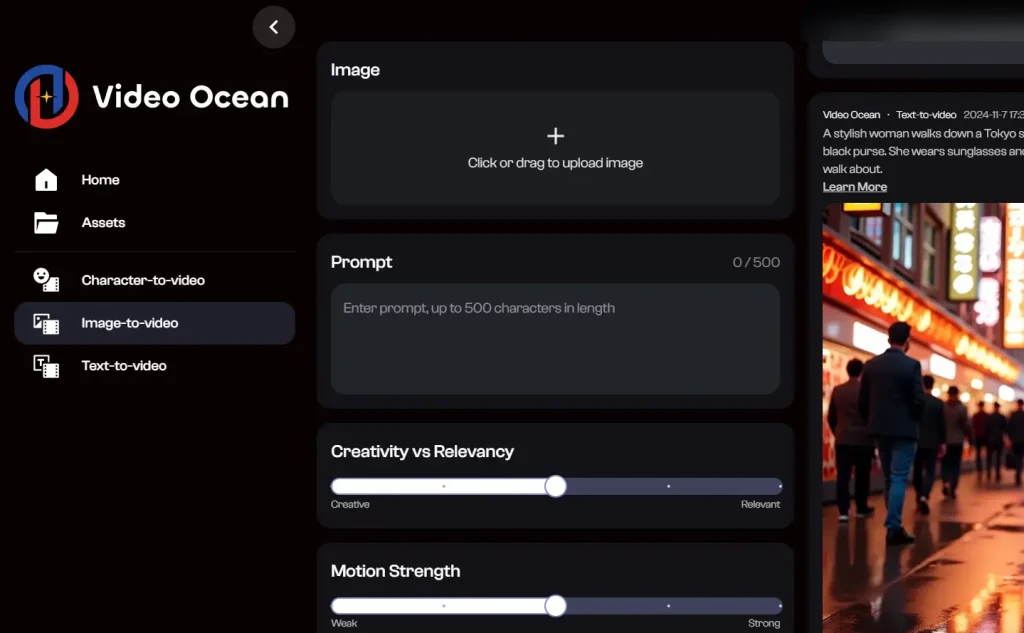
2. For Image to Video:
- Upload an image.
- Crop the image to fit the desired video resolution.
- Enter a text prompt describing the video you want the AI to generate.
- Adjust the Creativity vs. Relevancy and Motion Strength settings.
- Select the resolution (360p or 720p).
- Click the “Generate” button, and your video will be ready in a few minutes.
3. For Text to Video:
- Enter a text prompt describing the video you want the AI to generate.
- Select the aspect ratio (16:9, 4:3, 1:1, 3:4, or 9:16).
- Adjust the Creativity vs. Relevancy and Motion Strength settings.
- Click the “Generate” button, and your video will be ready in a few minutes.
4. For Character to Video:
- Create and name a character by uploading images with clearly visible faces.
- Enter a text prompt describing the video you want the AI to generate.
- Adjust the Creativity vs. Relevancy and Motion Strength settings.
- Select the resolution (360p or 720p) and aspect ratio (16:9, 4:3, 1:1, 3:4, or 9:16).
- Click the “Generate” button, and your video will be ready in a few minutes.
Pros
- Free to use.
- Simple interface.
- Fast video generation.
- Multiple input methods (text, images, character).
- Consistent character rendering.
Cons
- Limited resolution (360p/720p).
- Watermarks on videos.
FAQs
Q: How many videos can I generate for free?
A: Upon registration, you receive 100 points, equivalent to 100 video generations.
Q: Can I remove the watermark?
A: Currently, watermark removal is not available.
Q: How long does video generation typically take?
A: While the rendering is fast, wait times can vary due to platform demand, typically a few minutes.