Frontend developers repeat the same work constantly: writing boilerplate components, converting Figma frames to CSS, debugging state issues, and scaffolding unit tests. The work does not get faster with experience. It just gets more familiar.
The AI tool market for developers has expanded fast enough that choosing well has become its own problem. Many tools advertise free plans that expire after a handful of requests. Others produce plausible-looking code that diverges from the conventions of the framework you are actually using.
This article introduces 10 free AI tools that address specific frontend workflows: code completion, UI generation, design-to-code conversion, full-stack app building, and automated test generation. Each has a free tier that supports sustained use, not just an initial demo.
Let’s get started.
TL;DR
| Tool | Free plan | Key features | Best for |
|---|---|---|---|
| GitHub Copilot | 2,000 completions + 50 chats/mo | Inline completion, chat, agent mode | General coding in VS Code or JetBrains |
| Google Stitch + AI Studio | 350 standard gens/mo, fully free | Prompt-to-UI, AI Studio code pipeline | UI design-to-code via Google ecosystem |
| Windsurf | Unlimited completions, capped agent | AI IDE, Cascade agent, codebase indexing | AI-native coding with project awareness |
| Cursor | Hobby plan (limited model requests) | Composer agent, full codebase indexing | Professional devs needing deep context |
| OpenAI Codex | Free (limited-time promo); $20/mo (Plus) | CLI agent, cloud tasks, GPT-5.4 powered | Agentic coding tasks from CLI or ChatGPT |
| Vercel v0 | $5/mo credits included | Prompt-to-React/Tailwind, image input | UI prototyping and component generation |
| Bolt.new | 1M tokens/mo | In-browser runtime, live preview, deploy | Fast full-stack prototyping |
| Builder.io Visual Copilot | Free up to 5 users (beta) | Figma-to-React/Vue/HTML, multi-framework | Figma-to-code for design-dev teams |
| Qodo (formerly CodiumAI) | 250 LLM credits/mo | Test generation, PR review, IDE plugin | Automated tests and code quality for JS/React |
| Lovable.dev | 5 credits/day | Full-stack app builder, Supabase, GitHub sync | Rapid full-stack app prototyping |
The 10 Best free AI tools for frontend developers
Table Of Contents
- GitHub Copilot: mainstream AI pair programming
- Google Stitch + AI Studio: prompt-to-UI with a full design-to-code pipeline
- Windsurf: AI-native IDE with project-level awareness
- Cursor: deep context AI IDE for complex frontend projects
- OpenAI Codex: agentic coding from CLI and cloud
- Vercel v0: prompt-to-React UI generation
- Bolt.new: full-stack AI agent with in-browser development
- Builder.io Visual Copilot: Figma-to-code for design-development teams
- Qodo (formerly CodiumAI): test generation and code review for JS and React
- Lovable.dev: AI-powered full-stack app builder
GitHub Copilot: mainstream AI pair programming
Best for: Frontend developers on GitHub who use VS Code, JetBrains, or Neovim and want a reliable, deeply connected assistant in their existing setup.
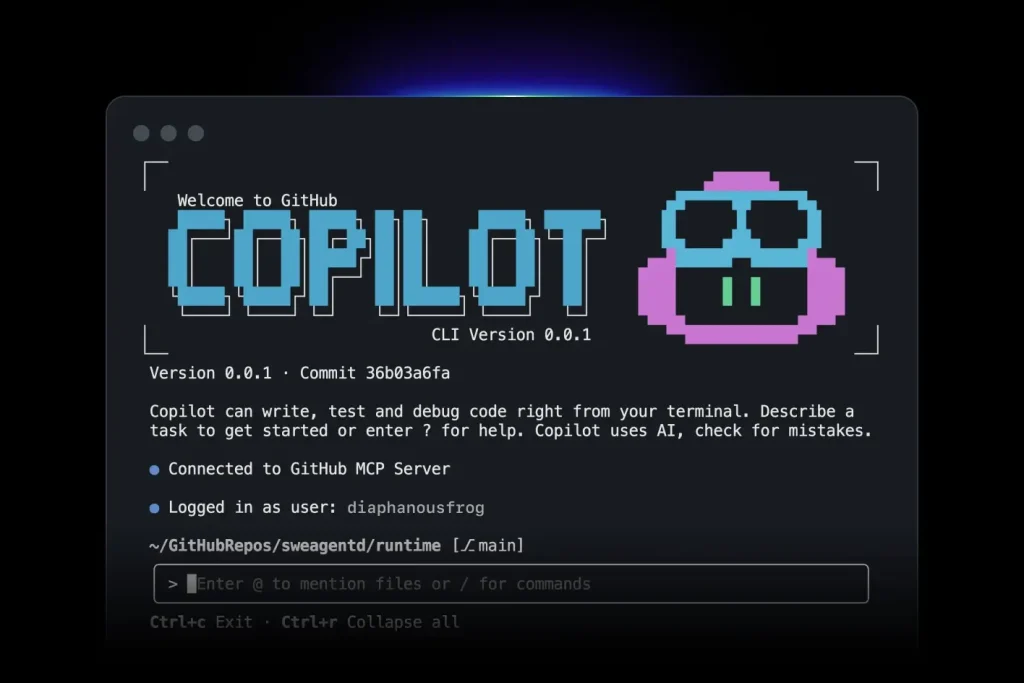
GitHub Copilot added a free individual tier in late 2024. It covers inline code completions and an AI chat sidebar, both operating inside the IDE. The free plan includes access to Haiku 4.5, GPT-5 mini, and more.
Features:
- Inline code completion for JavaScript, TypeScript, React, Vue, and CSS
- Chat sidebar for code explanation, refactoring, and component generation
- Agent mode for multi-file edits
- VS Code, JetBrains, and Neovim support
Free plan details:
- 2,000 completions and 50 chat or agent requests per month
- No credit card required
- Limits reset monthly
Use cases:
- Generate React components from JSX comments
- Convert CSS modules to Tailwind
- Identify bugs in a useEffect hook through chat
Pros:
- High-quality JS/TS completions
- Tight GitHub and VS Code integration
- Access to multiple frontier models on the free tier
Cons:
- Monthly caps limit heavy daily users
- No fine-grained model selection on the free plan
Website: https://github.com/features/copilot
Google Stitch + AI Studio: prompt-to-UI with a full design-to-code pipeline
Best for: Developers and designers who want to go from a natural language prompt to exported React or HTML/CSS code through Google’s connected design and development tools.
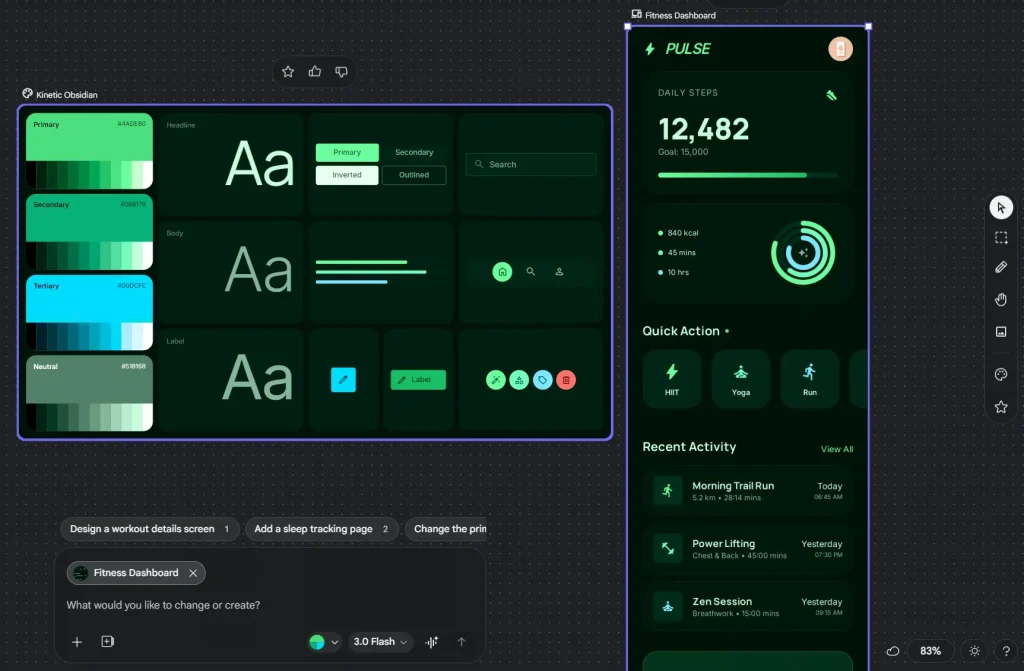
Google Stitch launched at Google I/O 2025 and received a major update in March 2026, evolving into an AI-native design canvas powered by Gemini. It generates high-fidelity UI designs from text prompts, uploaded sketches, or screenshots. Designs export directly to Figma or to Google AI Studio, where the Antigravity agent converts them into TypeScript or React codebases. The combined Stitch-to-AI Studio workflow covers the full span from visual concept to working frontend code, and both tools are free.
Features:
- Text, image, or sketch input to multi-screen UI designs on an infinite canvas
- Two model modes: Gemini 3 Flash (standard, 350 gens/mo) and Gemini 3.1 Pro (experimental, 50 gens/mo)
- Voice interaction and a project-level design agent
- Interactive prototype mode: connect screens and preview user flows with one click
- One-click export to Figma, Google AI Studio, or raw HTML/CSS/React code
- DESIGN.md for exporting and reusing design system rules across projects
- MCP server for connecting Stitch to coding agents including Cursor and Gemini CLI
Free plan details:
- 350 standard generations per month; 50 experimental (higher quality) per month
- Completely free as a Google Labs product; requires a Google account
- Google AI Studio’s Build mode (Antigravity agent) is also free to use
- No installation required; fully browser-based
Use cases:
- Describe an admin dashboard in plain language, generate multi-screen designs in Stitch, then export to AI Studio to produce the TypeScript frontend codebase
- Upload a wireframe or screenshot, convert it to a high-fidelity design, and paste directly into Figma for refinement
- Use the Stitch MCP server to pull design context into Cursor and generate React components from the live design state
Pros:
- Completely free with a generous monthly generation limit
- Direct Figma export with editable layers and Auto Layout
- The Stitch-to-AI-Studio pipeline covers both design and code generation in one workflow
- Voice interaction speeds up iteration
Cons:
- Generated code is a scaffold and needs adaptation to fit an existing codebase
- No support for animations or advanced component interactions
- As a Google Labs product, pricing and access terms may change
- Experimental mode (higher quality) has a tighter monthly cap at 50 generations
Website: https://stitch.withgoogle.com / https://aistudio.google.com
Windsurf: AI-native IDE with project-level awareness
Best for: Frontend developers who want an AI-first editor with unlimited free completions and project-wide context.
Windsurf is a standalone editor built on VS Code. It ships with AI completions and an agentic assistant called Cascade. Cascade operates across a full project, understands file relationships, and executes multi-step tasks from a single prompt.
Features:
- Unlimited code completions on the free tier
- Cascade agent for project-wide tasks and multi-file edits
- VS Code interface and extension compatibility
- Codebase indexing for context-aware suggestions
Free plan details:
- Unlimited tab completions for individuals
- Cascade agentic prompts capped at approximately 25 per month
- Login required
Use cases:
- Scaffold a React/Tailwind landing page and let Cascade wire basic routes and layout
- Ask Cascade to locate and fix all deprecated Next.js API usages across a repo
- Use completions to build custom hooks and component scaffolding
Pros:
- Unlimited completions is a meaningful advantage over capped alternatives
- Project-level context awareness produces more relevant suggestions
- Built around AI from the start, not added on top of an existing editor
Cons:
- Requires switching editors
- Heavy Cascade agent usage hits the monthly free cap quickly
Website: https://codeium.com/windsurf
Cursor: deep context AI IDE for complex frontend projects
Best for: Professional frontend developers who need codebase-aware AI with fast, accurate multi-file edits.
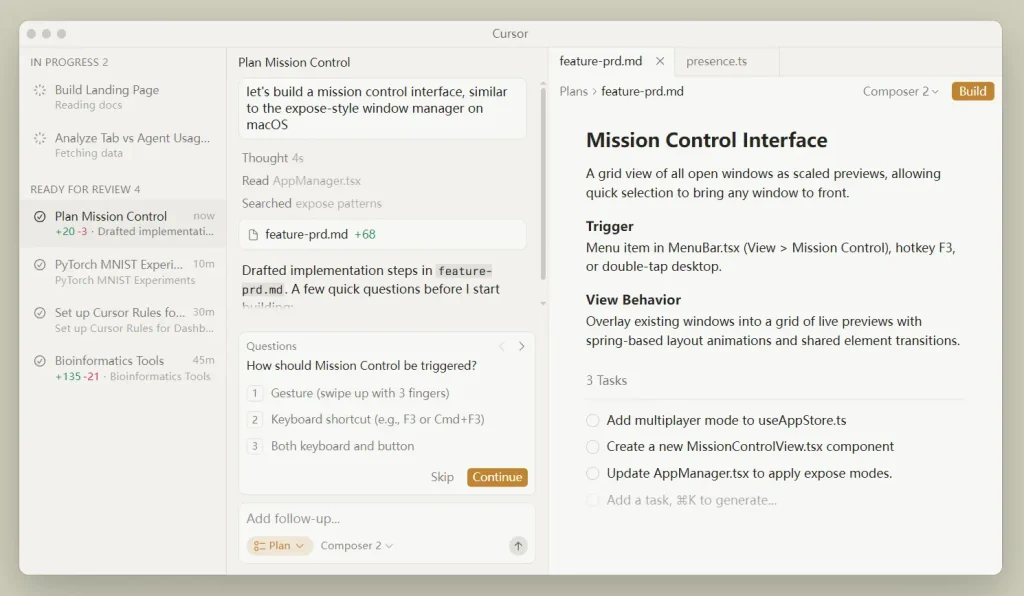
Cursor is an AI-first editor forked from VS Code. Its Composer feature handles multi-file edits from a single instruction. The editor indexes the full codebase and uses that context to generate more relevant suggestions than a standard code assistant can produce by looking at only the current file.
Features:
- Composer (agent) mode for multi-file edits
- Tab completion with multi-line prediction
- Full codebase indexing
- AI chat with file-specific context
Free plan details:
- Hobby plan is free with no credit card required
- Limited requests to high-end models per month
- Tab completions capped on the free tier
Use cases:
- Convert a React class component to a functional component with hooks, adding Tailwind classes throughout
- Generate a dashboard page with sidebar, header, and a responsive data table using Shadcn UI
Pros:
- Familiar VS Code interface
- Fast and context-aware output even on large codebases
- Strong track record in developer communities for complex refactoring tasks
Cons:
- High-end model access runs out quickly on the free tier
- Requires installing a dedicated IDE
Website: https://cursor.com
OpenAI Codex: agentic coding from CLI and cloud
Best for: Developers who want a powerful coding agent accessible from the terminal or through ChatGPT, with the ability to run tasks locally or in a cloud sandbox.
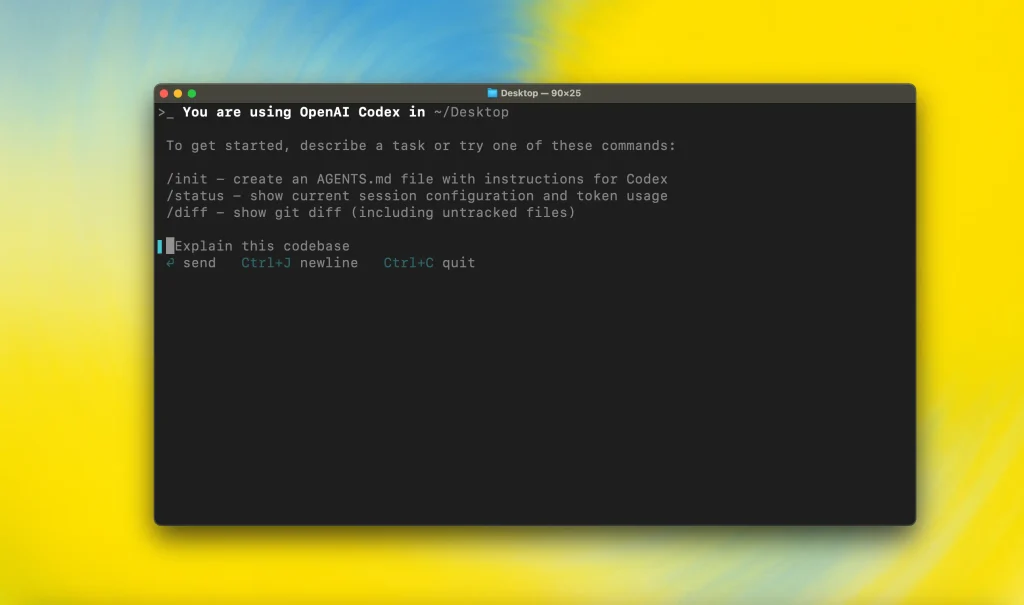
OpenAI Codex is an AI coding agent rebuilt and relaunched in 2025 as both a cloud agent and an open-source CLI tool. It runs tasks in isolated sandboxed environments, can work on multiple tasks in parallel, and reads AGENTS.md configuration files to understand project conventions. Both the CLI and the cloud agent are powered by GPT-5.4.
Features:
- Codex CLI: open-source command-line agent for local coding tasks
- Cloud agent accessible through ChatGPT for parallel task execution
- AGENTS.md support to align output with project coding standards
- GitHub PR review, issue triage, and CI/CD integration
- Multi-file edits with test runner integration and iterative debugging
Free plan details:
- Currently accessible on ChatGPT Free and Go plans as a limited-time promotion; this is not a permanent free tier
- Standard sustained access requires ChatGPT Plus at $20/month (30–150 messages per 5-hour window)
- The CLI can be configured with an OpenAI API key for pay-as-you-go access at standard token rates
Use cases:
- Run the CLI to refactor all API fetch calls across a Next.js project to use a unified error-handling wrapper
- Use the cloud agent to review a pull request and flag logic bugs before merging
- Configure AGENTS.md to enforce project conventions and let Codex generate tests that match those standards
Pros:
- CLI is open source and runs entirely locally
- Parallel task execution handles large refactoring jobs across multiple files
- GPT-5.4 produces high-quality, human-readable code patches with good adherence to project style
Cons:
- The current free access is a limited-time promotional offer; sustained use requires ChatGPT Plus at $20/month
- Does not have a dedicated IDE; depends on CLI or the ChatGPT web interface
- Complex tasks consume usage limits faster than simple ones
Website: https://openai.com/codex
Vercel v0: prompt-to-React UI generation
Best for: React and Next.js developers who want to generate UI components and layouts from text or image input.
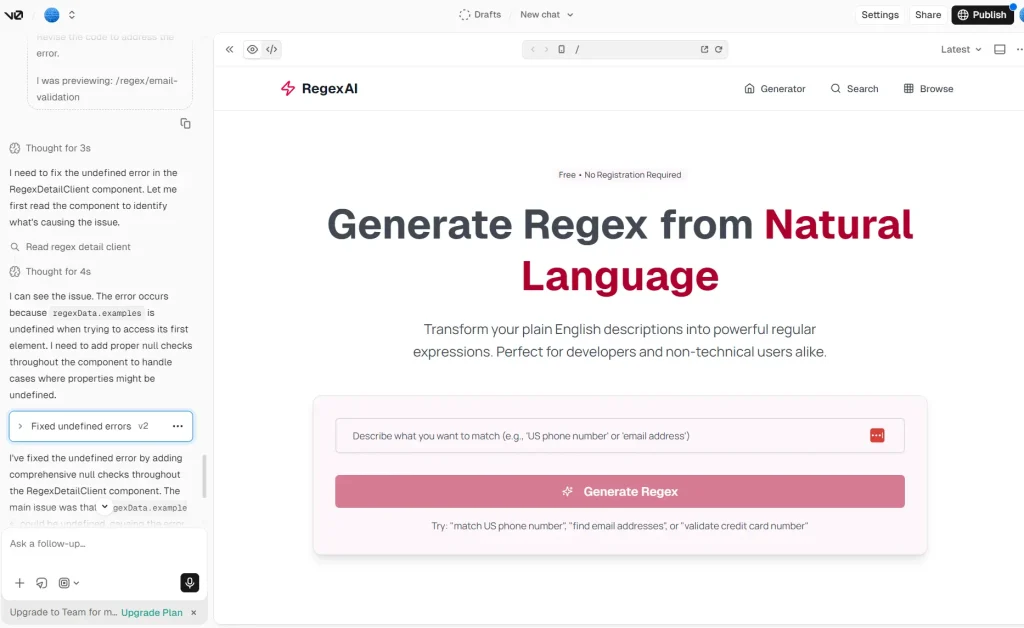
v0 generates React components styled with Tailwind CSS from natural language prompts or uploaded screenshots. The output uses functional components, Shadcn UI, and Next.js-compatible structure. Code exports directly to a project or repo.
Features:
- Text prompt to React/Tailwind component
- Screenshot or image input to code
- Visual editor for iterating on generated designs
- Vercel project integration and CLI export
Free plan details:
- Free tier includes $5 in monthly credits
- Public generations only on the free plan
- Sign-in via GitHub or Vercel account required
Use cases:
- Generate an admin dashboard shell with navigation, data tables, and filters
- Turn a screenshot of a hero section into editable React/Tailwind code
- Iterate on a multi-step form layout through prompt refinements
Pros:
- Fast UI prototyping with current React/Tailwind conventions
- Good fit for Next.js teams who already use the Vercel ecosystem
- Image-to-code works well on clean, well-structured screenshots
Cons:
- React and Tailwind only; no Vue or Angular output
- Generated components often need manual accessibility corrections
Website: https://v0.app
Bolt.new: full-stack AI agent with in-browser development
Best for: Developers who want to build and preview full-stack apps fast with no local environment to configure.
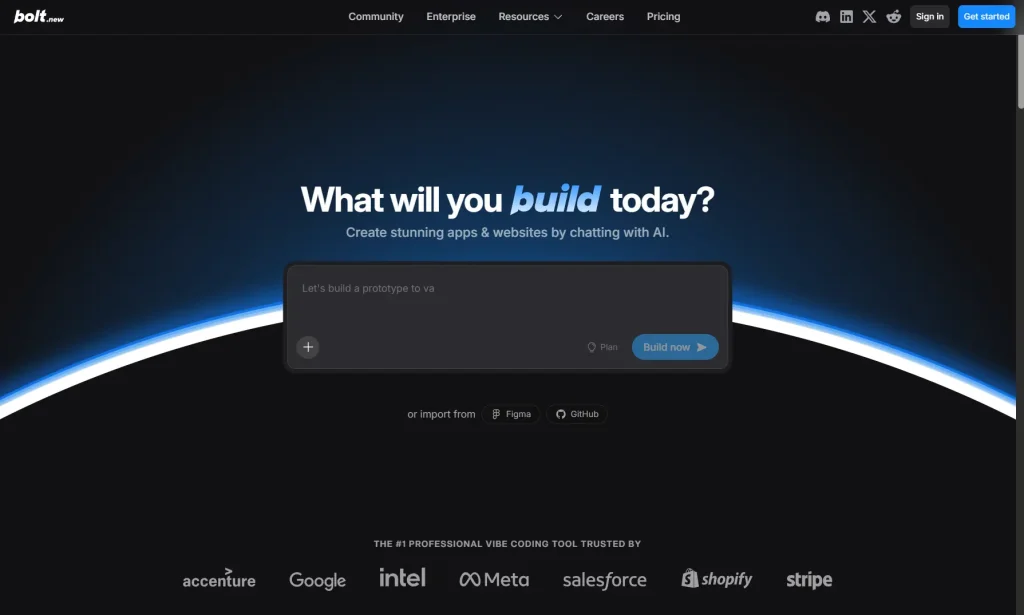
Bolt.new runs a full Node.js environment inside the browser using WebContainers. It generates React and Node.js code, shows a live preview as the AI builds, and deploys directly to Netlify or Vercel. Frontend prototyping, component debugging, and layout work all run entirely in the browser; no local environment is needed.
Features:
- In-browser Node.js runtime via WebContainers
- React/Vite frontend and Node/Express backend generation
- Live development preview
- One-click deployment to Netlify or Vercel
Free plan details:
- Free tier includes 1M tokens per month with a 300K daily limit
- All projects on the free plan are public
- No local setup required
Use cases:
- Build a task management UI with a Kanban board and dark mode
- Debug state management bugs through interactive prompts with a live preview
- Generate a landing page with animations and export to Vercel
Pros:
- No local environment setup needed
- Handles multi-file tasks with a live dev server
- Fast from prompt to a working, shareable preview
Cons:
- Browser-based runtime has limits for large or complex projects
- All free projects are public
Website: https://bolt.new
Builder.io Visual Copilot: Figma-to-code for design-development teams
Best for: Teams that run a Figma-first workflow and need production-grade React, Vue, or HTML output from design files.
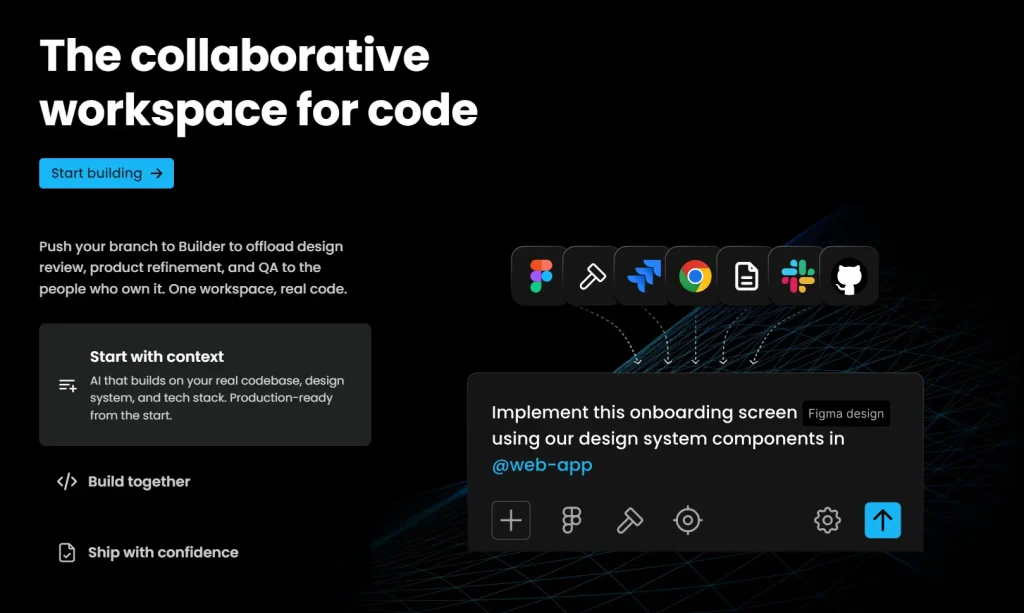
Visual Copilot is a Figma plugin from Builder.io. It converts selected frames into responsive code for multiple frameworks using the Mitosis pipeline. Output options include React, Vue, Angular, and HTML/Tailwind from the same design source.
Features:
- Convert Figma designs to responsive code across multiple frameworks
- React, Vue, Angular, and HTML/Tailwind output from a single Figma source
- Website-to-Figma import for reverse design extraction
- GitHub and VS Code integration via the Builder platform
Free plan details:
- Builder.io free plan covers up to 5 users and includes Figma plugin access
- AI features in Visual Copilot have been free during beta; limits may shift as the product matures
- Login required
Use cases:
- Export a Figma marketing page to React/Tailwind and refine in code
- Convert a design system into reusable component code across frameworks
- Import an existing website into Figma, revise with designers, and re-export as HTML/CSS
Pros:
- Multi-framework output from a single Figma design is a meaningful time saver for design-dev teams
- Reduces manual translation between design and implementation code
Cons:
- Some advanced features may move out of the free tier as the product matures
- Requires designers to adopt the Figma plugin workflow
Website: https://www.builder.io
Qodo (formerly CodiumAI): test generation and code review for JS and React
Best for: Frontend developers who want to raise test coverage and catch logic bugs before code reaches production.
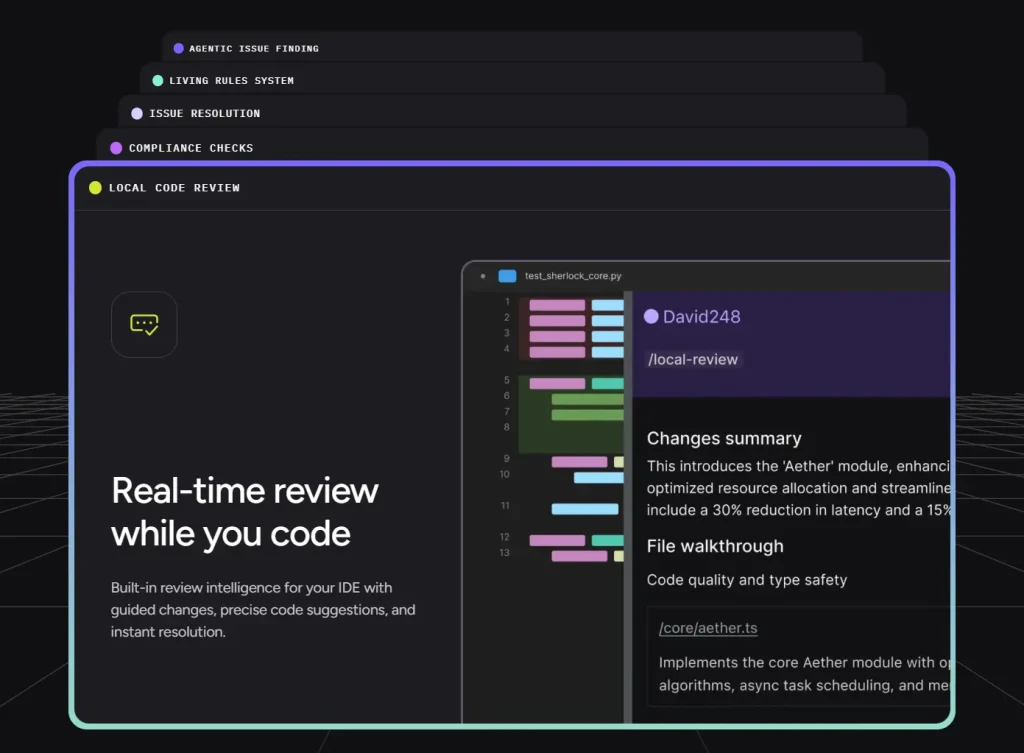
Overview: CodiumAI rebranded as Qodo in 2024. The platform focuses on code integrity across three tools: Qodo Gen (IDE plugin for code generation and test writing), Qodo Merge (PR review agent), and Qodo Cover (test coverage via CI). It analyzes JavaScript and TypeScript functions and React components to generate Jest, Vitest, and React Testing Library tests. It supports multiple models including GPT, Claude, and local models via Ollama. Qodo 2.0 shipped in February 2026 with a multi-agent code review architecture and an expanded context engine.
Features:
- Analyzes functions and components to generate test cases with edge case coverage
- PR review agent that scans for bugs, logic gaps, and security issues inline on GitHub, GitLab, and Bitbucket
- VS Code and JetBrains plugins
- Local LLM support via Ollama for teams with strict data policies
Free plan details:
- Developer tier: up to 250 LLM credits per month (75 base; promotional cap currently at 250)
- Credits reset 30 days from first use; premium models like GPT-4o consume credits faster
- Using a local model via Ollama bypasses the cloud credit limit entirely
- No credit card required
Use cases:
- Generate Jest tests for a React component based on its props and state
- Create unit tests for utility functions such as validators, formatters, and state reducers
- Use the PR review agent to catch logic bugs and security issues before merge
Pros:
- Strong test generation quality with realistic edge case coverage
- Local LLM support makes it usable at no cost with Ollama
- The PR review agent adds a second automated review layer at no extra manual cost
Cons:
- 250 monthly credits run out quickly for developers actively working on multiple projects
- Not a general code completion tool; value depends on existing testing practices
Website: https://www.qodo.ai
Lovable.dev: AI-powered full-stack app builder
Best for: Frontend developers and founders who want to go from a prompt to a working, deployed React application with a real backend.
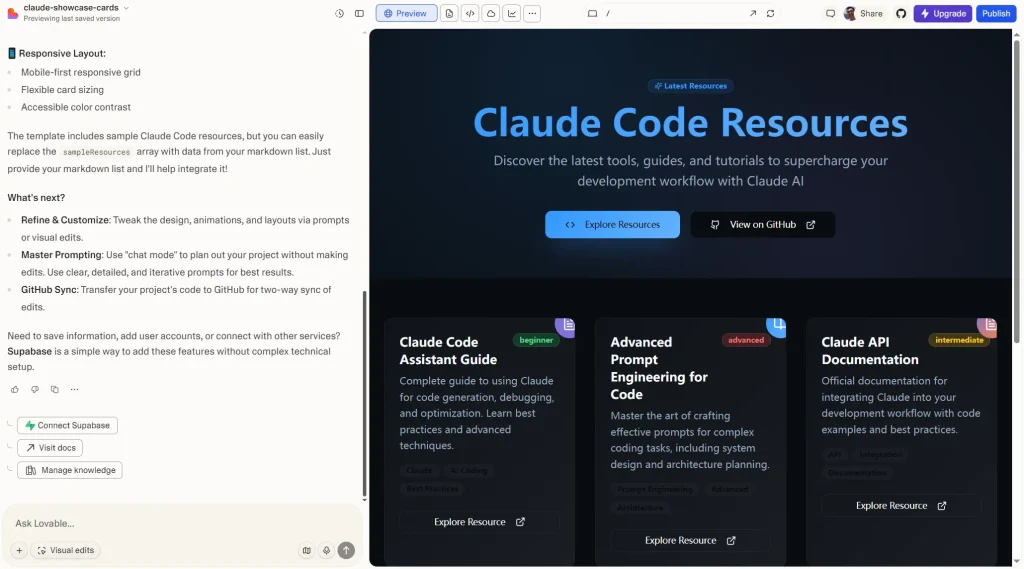
Overview: Lovable generates full-stack web applications from natural language prompts. It produces React frontends with Tailwind CSS, connects to Supabase for authentication and database, and syncs code to GitHub so developers retain full ownership. An Agent Mode handles autonomous debugging and multi-step development tasks. Lovable closed a $330M Series B at a $6.6B valuation in December 2025, reaching $200M ARR, which reflects strong adoption beyond early experimentation.
Features:
- Natural language to full-stack React/Tailwind application
- Native Supabase integration for authentication, PostgreSQL database, and file storage
- GitHub sync for full code ownership and export
- Agent Mode for autonomous debugging and iterative development
- Visual Edits for clicking directly on UI elements to modify them
Free plan details:
- 5 credits per day, no credit card required
- Public projects only, hosted on a lovable.app subdomain
- Up to 5 subdomains for deployment, with room for 20 collaborators
Use cases:
- Build a CRM dashboard connected to Supabase that displays customer data and supports CSV export
- Generate a multi-page marketing site with contact forms and Stripe payment flows
- Use Agent Mode to debug a broken authentication flow across multiple components
Pros:
- Full-stack output including backend, authentication, and database in one prompt
- Code exports to GitHub, so you own the output and can move off the platform
- Strong React/Tailwind code quality with modern component conventions
Cons:
- 5 daily credits run out fast when iterating; a full session can hit the cap in 30–60 minutes
- Free projects are public with a Lovable subdomain
- Sustained use requires the Starter plan at $20/month or higher
Website: https://lovable.dev
Best AI tools for frontend developers by use case
Best for UI generation: Vercel v0 produces the most consistent React/Tailwind component output from prompts and screenshots. Google Stitch covers design-level UI generation with a direct export path to code via AI Studio.
Best for code completion: GitHub Copilot Free and Windsurf both serve well daily. Windsurf has unlimited completions; Copilot covers more IDEs and gives access to multiple frontier models on the free tier.
Best for debugging: Qodo’s PR review agent catches logic bugs and security issues at the pull request stage. Cursor and Copilot both support interactive debugging through IDE chat for in-session issues.
Best for CSS and layout assistance: Vercel v0 handles Tailwind layout generation well. Google Stitch covers responsive layout design and exports clean HTML/Tailwind code from visual designs.
Best for rapid prototyping: Bolt.new produces a working, previewable app in a browser with no local setup. Lovable adds a full Supabase backend and GitHub sync when the prototype needs to grow into a real product.
Best for Figma-to-code: Builder.io Visual Copilot outputs multi-framework code from a single Figma source. Google Stitch covers the earlier stage where designs do not yet exist in Figma.
FAQs
Q: What is the best free AI tool for frontend developers?
A: The right choice depends on the task. For daily coding, GitHub Copilot Free or Codex cover most needs. For UI prototyping from prompts, Vercel v0 or Google Stitch are faster. For full-stack app generation, Bolt.new and Lovable both produce working apps from a single description.
Q: Can AI tools generate production-ready frontend code?
A: They can generate solid starting points. Production readiness still requires manual review. Accessibility attributes, semantic HTML, error states, and edge cases need correction after generation.
Q: Are free AI coding tools reliable for daily use?
A: Code completion tools like GitHub Copilot and Windsurf perform consistently on standard JS/TS patterns. UI generation tools produce better results on well-scoped prompts than on complex or ambiguous ones. Reliability varies by task type, and complex or custom outputs require cleanup regardless of which tool generated them.
Q: Do AI tools write secure frontend code?
A: AI tools write standard code, but they occasionally introduce security vulnerabilities. You must review the resulting code for common issues like cross-site scripting vulnerabilities or improper data validation. You hold the final responsibility for the security of your application.
Q: Do AI tools replace frontend developers?
A: No, AI tools do not replace developers. They function as assistants that automate repetitive typing and basic logic generation. Developers must still plan the application architecture, review the code, and solve complex business problems.
Final thoughts
The 10 tools in this list cover the main categories of AI assistance relevant to frontend work: code completion, UI generation, design-to-code, full-stack app building, and automated test generation. Most have a free tier that supports real development sessions.
Note that none of these AI tools generate perfect output on the first pass. The value is in compressing the mechanical parts of frontend work, which frees up time for decisions that actually require a developer’s judgment.
If you did not find the exact AI tool you want in this list, browse the following links on ScriptByAI.com. You will find more free AI tools and developer resources that reduce manual coding and speed up your daily work:
- 7 Best CLI AI Coding Agents
- The Ultimate Claude Code Resource List
- 10 Best Free Agent Skills for Claude Code & AI Workflows
- 100+ Free AI Tools for Developers
Last Edited: Mar 30, 2026