10 Best & 100% Free AI Image Background Remove Tools (2026)
Remove image backgrounds instantly with these 10 free AI tools. No hidden fees or watermarks. Perfect for product photos, design work, and social media.
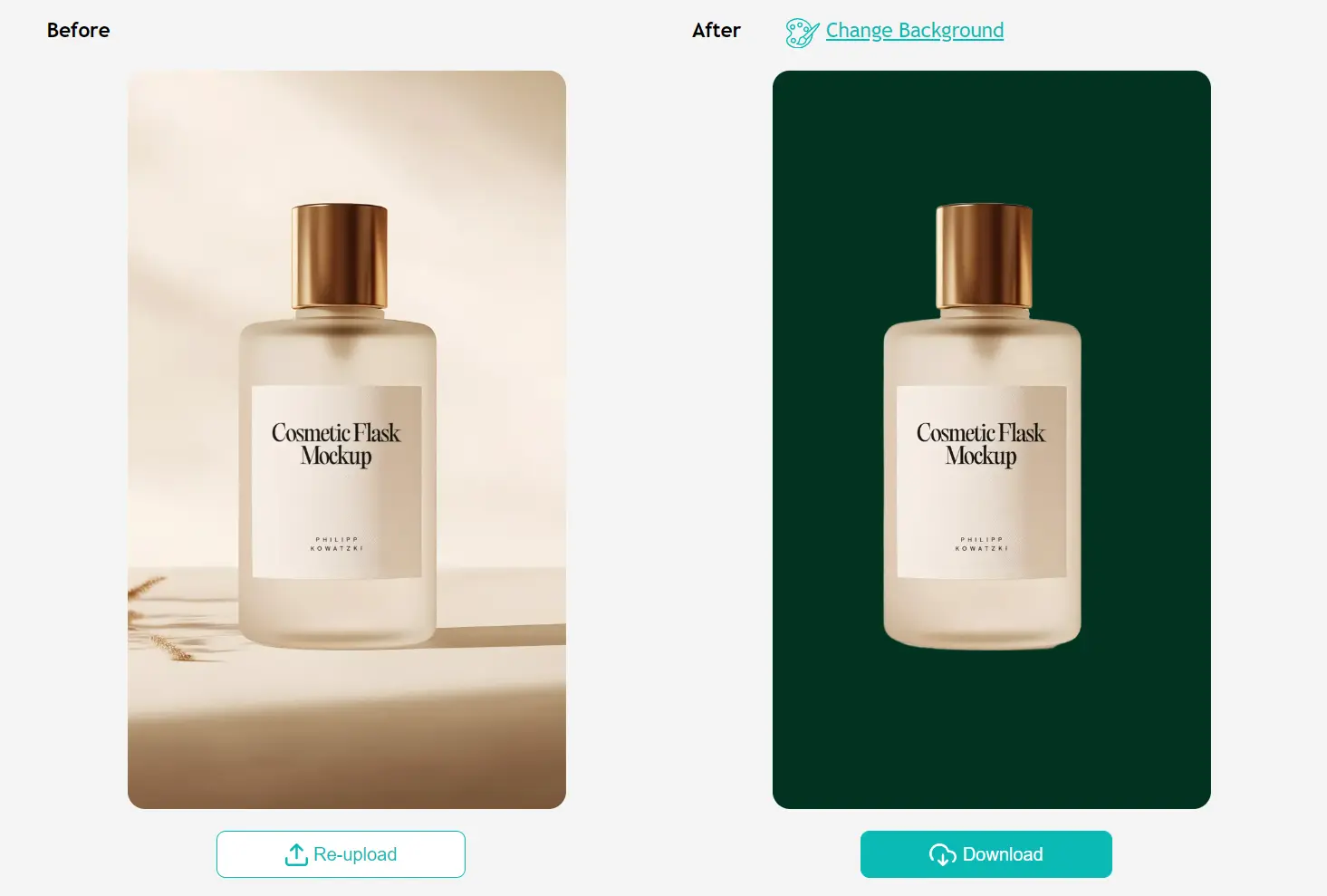
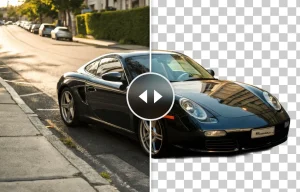
AI background removal tools have become indispensable for anyone working with digital images in 2026. These tools use LLMs to automatically detect subjects in photos and separate them from their backgrounds. The output is typically a transparent PNG file that you can place on any new background or use directly in designs, product listings, and social media posts.
The demand for background removal has grown significantly across ecommerce, content creation, and design workflows. Product photographers need clean white backgrounds for marketplace listings. Social media managers need quick edits for profile pictures and promotional graphics. Designers need isolated elements for compositions. Traditional manual editing in Photoshop takes time and skill, but AI tools now deliver comparable results in seconds.
All tools listed in this article are genuinely free to use. No trials that expire after three images. No watermarks on outputs. No hidden paywalls after signup. Each tool offers real value without payment.
TL;DR
| Tool | Processing Type | Best For |
|---|---|---|
| BEN2 | Cloud (HuggingFace) | Video Editors & High-End Design |
| Bulk Removal | Cloud | E-commerce (Amazon/Shopify) |
| Outline Picture | Cloud | YouTube Thumbnails & Stickers |
| CutItOut | Local (Browser) | Complex images needing fine-tuning |
| RMBG-2.0 | Cloud (HuggingFace) | Professional Product Photography |
| BGNix | Local (Browser) | Sensitive/Personal Photos |
| Remove-BG | Local (WebGPU) | Quick, high-volume tasks |
| Ezremove | Cloud | Casual/Quick use |
| rmbg-tool | Local (Browser) | Developers & Tech-savvy users |
| FileConv | Cloud | General daily usage |
What Are AI Image Background Removal Tools?
AI image background removal tools process digital images to separate foreground subjects from their backgrounds. The process creates a clean cutout of the main subject—a person, product, animal, or object—and removes everything behind it.
The most common output is a PNG file with a transparent background. This format preserves the subject with clean edges and lets you place it on any new background without visible seams. Some tools also let you replace the original background with a solid color or custom image.
How AI Background Removal Works
AI background removal relies on deep learning models trained on thousands of labeled images. These models learn to identify which parts of an image belong to the main subject and which parts constitute the background.
The process starts with subject detection. The AI analyzes the image and identifies the primary object or person based on visual cues like contrast, edges, color patterns, and object shapes. More advanced models recognize specific categories like humans, animals, products, and vehicles.
Edge segmentation comes next. The AI traces the boundary between subject and background with pixel-level precision. This step is critical for complex areas like hair, fur, transparent objects, and fine details. Models use techniques like matting to handle semi-transparent pixels and soft edges.
The AI then separates foreground from background. It assigns each pixel a value indicating whether it belongs to the subject or background. Pixels with high confidence are kept or removed entirely. Pixels on the boundary receive intermediate values to preserve smooth edges.
The final output is typically a PNG file with an alpha channel. The alpha channel stores transparency information for each pixel. Subject pixels are opaque, background pixels are fully transparent, and edge pixels have partial transparency for smooth blending.
Top 10 Free AI Image Background Remove Tools
Table Of Contents
- 1. BEN2 – High-Accuracy AI Background Remover for Images and Videos
- 2. Bulk Image Background Removal – Automated Batch Processing
- 3. Outline Picture – Background Removal with Custom Strokes
- 4. BGNix – Privacy-First Browser-Based Background Removal
- 5. rmbg-tool – Local AI Background Removal with Image Generation
- 6. EzRemove AI – Automatic Background Removal in Five Seconds
- 7. Remove-BG – Fast WebGPU-Powered Browser Tool
- 8. CutItOut – Privacy-First Tool with Manual Refinement
- 9. RMBG-2.0 – Advanced Model for Professional Product Photos
- 10. FileConv Remove BG – Simple Free Background Eraser
1. BEN2 – High-Accuracy AI Background Remover for Images and Videos
Best for: Professionals working with high-resolution content and video projects
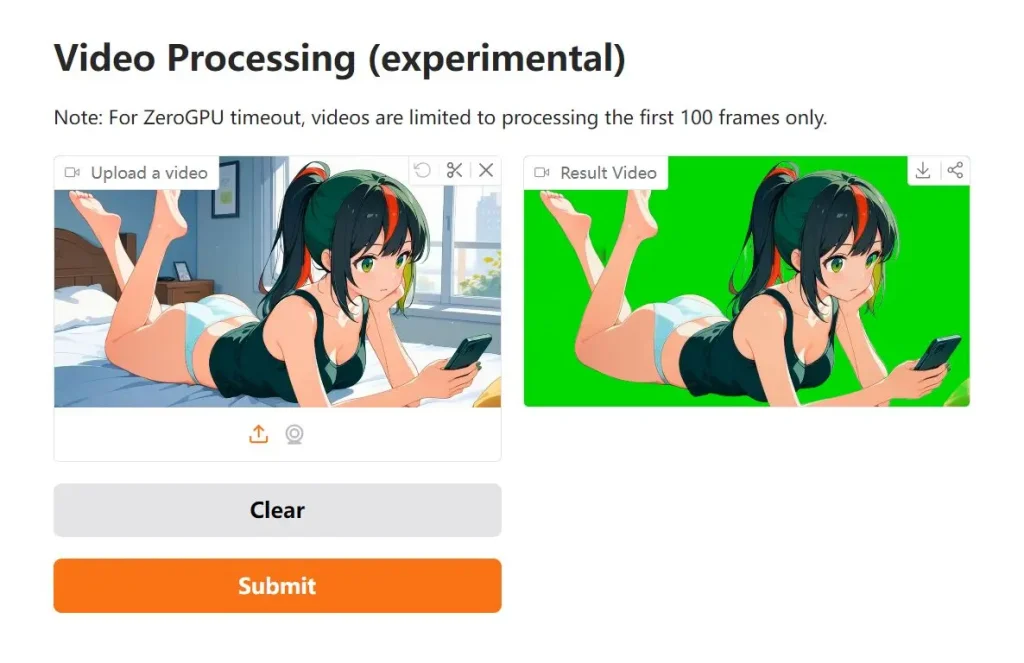
Overview: BEN2 (Background Erase Network) is an open-source AI tool built for high-accuracy background removal from both images and videos. It uses a Confidence Guided Matting (CGM) pipeline that refines areas where initial removal shows uncertainty. The tool processes 4K content without quality loss and excels at handling difficult areas like hair and fur.
Key Features:
- Confidence Guided Matting refiner network that targets uncertain pixels for better accuracy
- 4K resolution support for professional photography and video work
- Superior hair matting capabilities that preserve fine details
Pros:
- Handles video background removal, not just static images
- Open-source base model available for customization
- Maintains quality at very high resolutions
Cons:
- May have a learning curve for users unfamiliar with advanced tools
- Requires more processing power than simpler alternatives
Website: https://huggingface.co/spaces/PramaLLC/BEN2
2. Bulk Image Background Removal – Automated Batch Processing

Best for: Ecommerce sellers and photographers processing large image sets
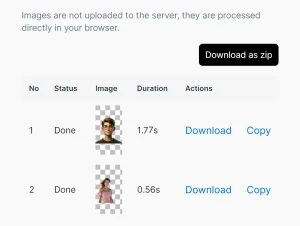
Overview: This free AI tool removes backgrounds from multiple images at once. It automatically identifies key elements—people, products, objects—and removes backgrounds without manual selection. The tool saves significant time compared to editing each image individually in Photoshop or similar software.
Key Features:
- Batch processing capability for multiple images
- Automatic subject detection across various image types
- Clean PNG output with transparent backgrounds
Pros:
- Processes multiple images in one session
- Saves hours on repetitive background removal tasks
- Works well with simple, distinct backgrounds
Cons:
- Performance decreases with very complex backgrounds or low contrast between subject and background
- Best results require images with clear subject separation
Website: https://imagetoolshub.com/tools/bulk-image-background-removal/
3. Outline Picture – Background Removal with Custom Strokes
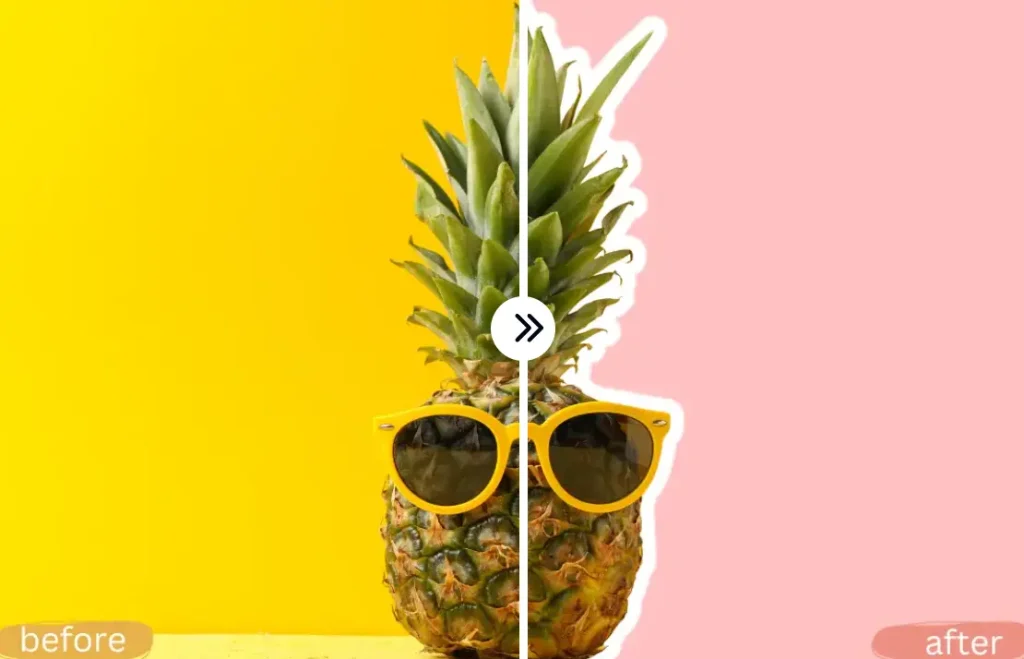
Best for: Social media graphics and content that needs visual emphasis
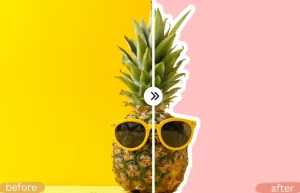
Overview: Outline Picture removes backgrounds and adds colored outlines around subjects in one workflow. You can create transparent PNGs or enhance subjects with custom stroke colors. This combination makes images more impactful for social media posts, thumbnails, and promotional graphics.
Key Features:
- Background removal with transparent PNG output
- Custom colored outline addition around subjects
- Handles both simple and complex images with multiple elements
Pros:
- Two-in-one functionality saves time on social media graphics
- No design experience required
- Successfully processes intricate images like people against busy backgrounds
Cons:
- Outline feature may not be needed for all use cases
- Limited control over outline thickness or style
Website: https://outlineimage.org/
4. BGNix – Privacy-First Browser-Based Background Removal

Best for: Users concerned about data privacy and security
Overview: BGNix is an open-source tool that removes backgrounds entirely in your browser. Images never upload to external servers. All processing happens locally on your device. This approach eliminates privacy concerns about sensitive images ending up in cloud storage or training datasets.
Key Features:
- Complete local processing with zero server uploads
- Optional WebGPU acceleration for faster performance
- Multi-language support (English, Japanese, Chinese)
Pros:
- Complete privacy protection for sensitive images
- Works across web, iOS, and Android platforms
- No subscription fees or usage limits
Cons:
- Performance depends on your device capabilities
- WebGPU acceleration requires compatible browsers
Website: https://www.bgnix.com/
5. rmbg-tool – Local AI Background Removal with Image Generation
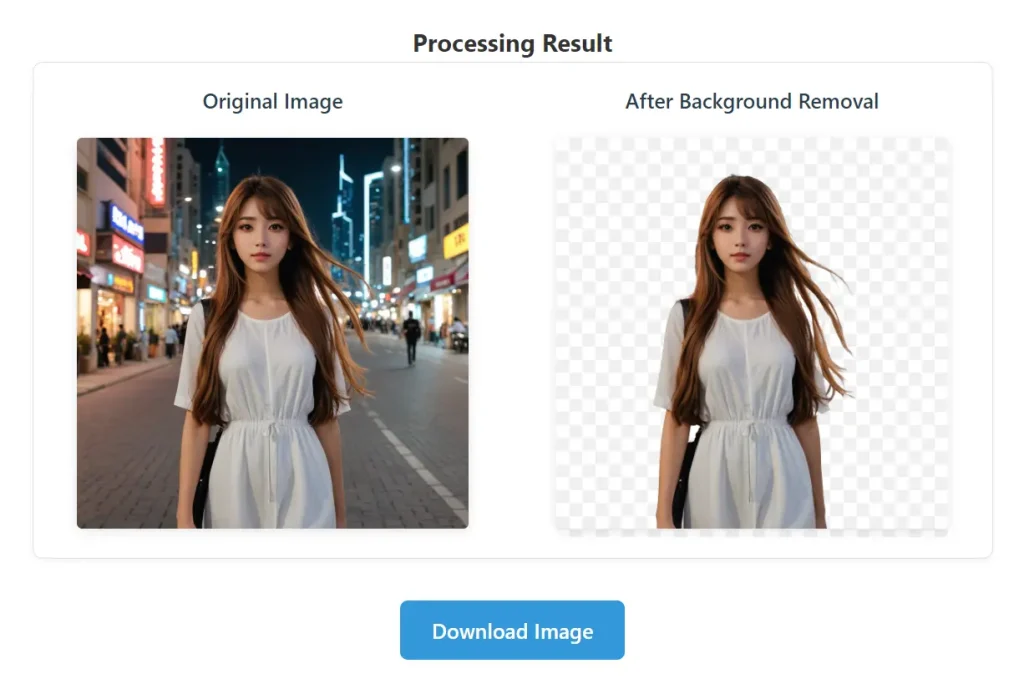
Best for: Developers and privacy-focused users who want local processing
Overview: rmbg-tool runs the RMBG-1.4 model directly in your browser without sending images to remote servers. The tool includes an AI image generation feature that creates new backgrounds using APIs from Hugging Face, Replicate, or Stability AI. As an open-source project, you can inspect the code or modify it for custom needs.
Key Features:
- Local processing using the RMBG-1.4 model trained on 12,000+ images
- AI image generation for creating custom backgrounds
- Supports JPG and PNG uploads with drag-and-drop functionality
Pros:
- Complete privacy with local processing
- Open-source code available for customization
- High-quality model handles people,objects, and animals accurately
Cons:
- Image generation requires API key setup
- Need technical knowledge for advanced features
Website: https://steamedbread2333.github.io/rmbg-tool/
6. EzRemove AI – Automatic Background Removal in Five Seconds
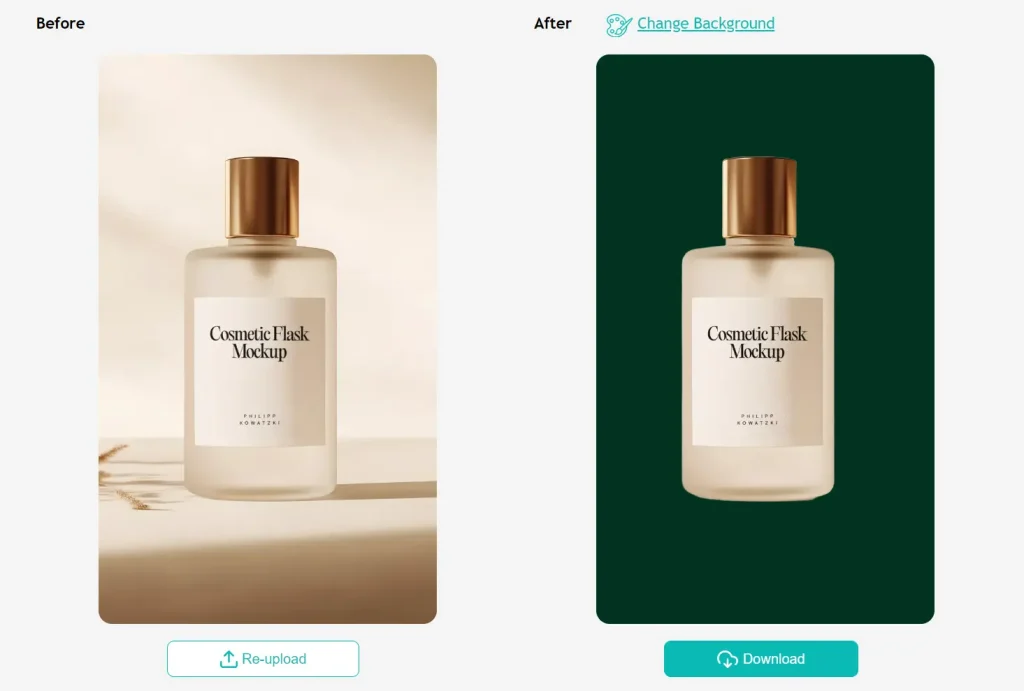
Best for: Quick edits and product photography
Overview: EzRemove processes images in approximately five seconds using machine learning algorithms trained on complex edges and fine details. The tool creates transparent PNG files and offers custom background replacement with solid colors, white backgrounds, or uploaded images.
Key Features:
- Fast processing with approximately five-second turnaround
- Transparent PNG creation for design projects
- Custom background replacement options
Pros:
- Very fast processing speed
- Handles complex edges and fine details like hair strands
- Multiple format support (JPG, PNG, WEBP)
Cons:
- Limited advanced editing options
- Reliant on internet connection for processing
Website: https://ezremove.ai/
7. Remove-BG – Fast WebGPU-Powered Browser Tool
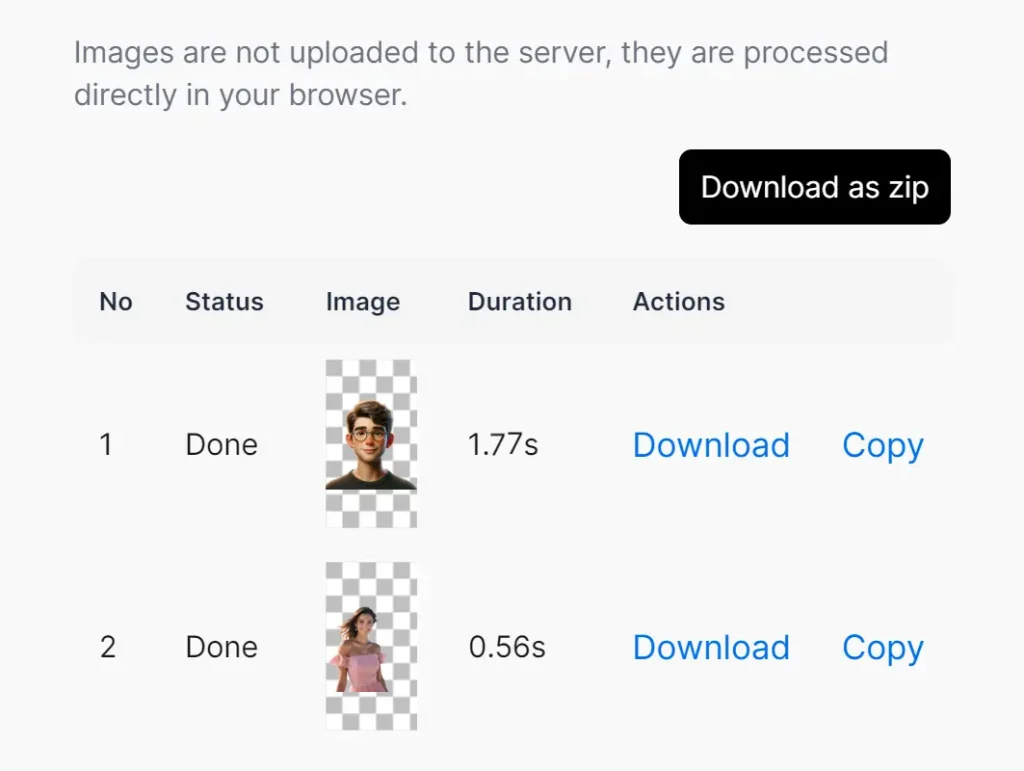
Best for: Professional users who need speed and accuracy
Overview: Remove-BG uses WebGPU to process images directly in your browser with exceptional speed. Tests show processing times under one second for 1024×1024 images. The tool uses the RMBG model via transformer.js, trained on diverse datasets spanning stock photos, ecommerce, gaming, and advertising.
Key Features:
- WebGPU acceleration for sub-second processing
- RMBG model trained on diverse image types
- Works with both simple and complex backgrounds
Pros:
- Extremely fast processing (under 1 second for standard images)
- Accurate extraction from both simple and complex backgrounds
- No quality loss in final outputs
Cons:
- Requires WebGPU-compatible browser for full speed
- Processing happens in browser, so performance varies by device
Website: https://bannerify.co/tools/remove-bg
8. CutItOut – Privacy-First Tool with Manual Refinement

Best for: Detailed editing work and complex images
Overview: CutItOut uses the U2-Net deep learning model and WebAssembly to process images locally. The tool includes a Magic Brush feature for selecting areas by color similarity and a Restore Mode with ghost overlay for precise edge work. All processing happens on your device with no server uploads.
Key Features:
- U2-Net model for salient object detection
- Magic Brush tool for color-based selection
- Zoom and pan controls for detailed edge work
Pros:
- Complete privacy with local processing
- Manual refinement tools for complex edits
- Full-resolution export with no watermarks or restrictions
Cons:
- Manual refinement requires more time than fully automatic tools
- Learning curve for advanced features
Website: https://cut-it-out.vercel.app/
9. RMBG-2.0 – Advanced Model for Professional Product Photos

Best for: Commercial projects and professional ecommerce work
Overview: RMBG-2.0 from BRIA AI separates foreground elements from backgrounds with high precision. The model is trained on over 15,000 manually labeled, high-resolution images and delivers results comparable to leading industry tools. The training data includes balanced representation across different subjects and scenarios.
Key Features:
- RMBG-2.0 model with pixel-wise accuracy
- Training on diverse datasets (stock images, ecommerce, gaming, advertising)
- Commercial use suitable for enterprise content creation
Pros:
- Professional-grade accuracy for demanding projects
- Trained on balanced, diverse dataset
- Handles product photos, portraits, and marketing materials
Cons:
- Source-available for non-commercial use (commercial licensing may apply)
- Web-based processing only
Website: https://huggingface.co/spaces/briaai/BRIA-RMBG-2.0
10. FileConv Remove BG – Simple Free Background Eraser

Best for: General purpose quick tasks and unlimited editing
Overview: FileConv Remove BG uses AI to identify and remove backgrounds from photos, graphics, and logos. The tool is completely free with unlimited edits. Processing is automated and delivers results in seconds without manual cutting or selection.
Key Features:
- Works on photos, graphics, and logos
- Unlimited free edits
- Automated processing with no manual work required
Pros:
- No limits on number of images processed
- Simple interface for quick tasks
- Handles multiple image types
Cons:
- Basic feature set compared to specialized tools
- Limited information about underlying AI model
Website: https://fileconv.online/remove-bg
Best Choices by Scenario
Best for product photos: RMBG-2.0 offers professional-grade accuracy trained specifically on ecommerce images. Remove-BG is another strong option with extremely fast processing.
Best for social media graphics: Outline Picture adds colored outlines that make subjects pop on social feeds. EzRemove works well for quick profile picture edits.
Best for designers: CutItOut provides manual refinement tools for precise control. BEN2 handles high-resolution work at 4K quality.
Best for bulk background removal: Bulk Image Background Removal processes multiple images at once, saving hours on repetitive tasks.
Best for quick one-off images: Remove-BG delivers results in under one second. EzRemove processes images in approximately five seconds.
Best no-signup option: BGNix, rmbg-tool, Remove-BG, and CutItOut all work without account creation or registration.
How to Use AI Background Removal Tools Effectively
Use images with high contrast between subject and background when possible. Clear color differences help AI models identify boundaries more accurately. A person wearing dark clothing against a light wall is easier to process than someone in gray against a gray background.
Avoid cluttered backgrounds if you have control over the original photo. Simple, relatively uniform backgrounds produce cleaner results with less manual refinement needed. Studio photos with solid backdrops work better than busy outdoor scenes.
Check edge quality around hair, hands, and other complex areas after processing. These regions often need attention because fine details are difficult for AI to handle perfectly. Some tools offer manual refinement options to fix problem areas.
FAQs
Q: Are these background removal tools really free?
A: Yes, all tools listed in this article offer genuine free background removal without watermarks or hidden fees. Some tools like rmbg-tool and BGNix are open-source projects. Others like EzRemove and FileConv Remove BG are free web services.
Q: Do they add watermarks?
A: No, none of these tools add watermarks to processed images. You receive clean PNG files with transparent backgrounds that you can use directly in your projects.
Q: Can I use them for commercial projects?
A: Most tools allow commercial use of processed images. BGNix, rmbg-tool, CutItOut, and Remove-BG explicitly support this. RMBG-2.0 is source-available for non-commercial use, but commercial licensing may be available through BRIA AI. Check the specific terms for each tool if you plan to use processed images in products you sell or client work you bill for.
Q: Do I need to sign up?
A: NO. All tools list here work without any signup or account creation.
Q: Which tools work best for product images?
A: RMBG-2.0 and Remove-BG both excel at product photography. RMBG-2.0 was trained specifically on ecommerce images and delivers professional results. Remove-BG handles various product types accurately and processes images in under one second. For bulk product editing, Bulk Image Background Removal processes multiple images at once.
Q: Are uploaded images stored?
A: Privacy policies vary by tool. BGNix, rmbg-tool, Remove-BG, and CutItOut process images entirely in your browser without uploading them to servers. Your images never leave your device. Other tools temporarily upload images for processing but typically delete them after a short period. Check each tool’s privacy policy if you work with sensitive or confidential images.
More Best & Free AI Image Tools:
- 10 Best AI Image Enhancers and Upscalers
- 10 Best AI Image Editors to Edit Photos Fast
- 10 Best AI Image Generators
- 10 Best Free AI Face Swap Tools