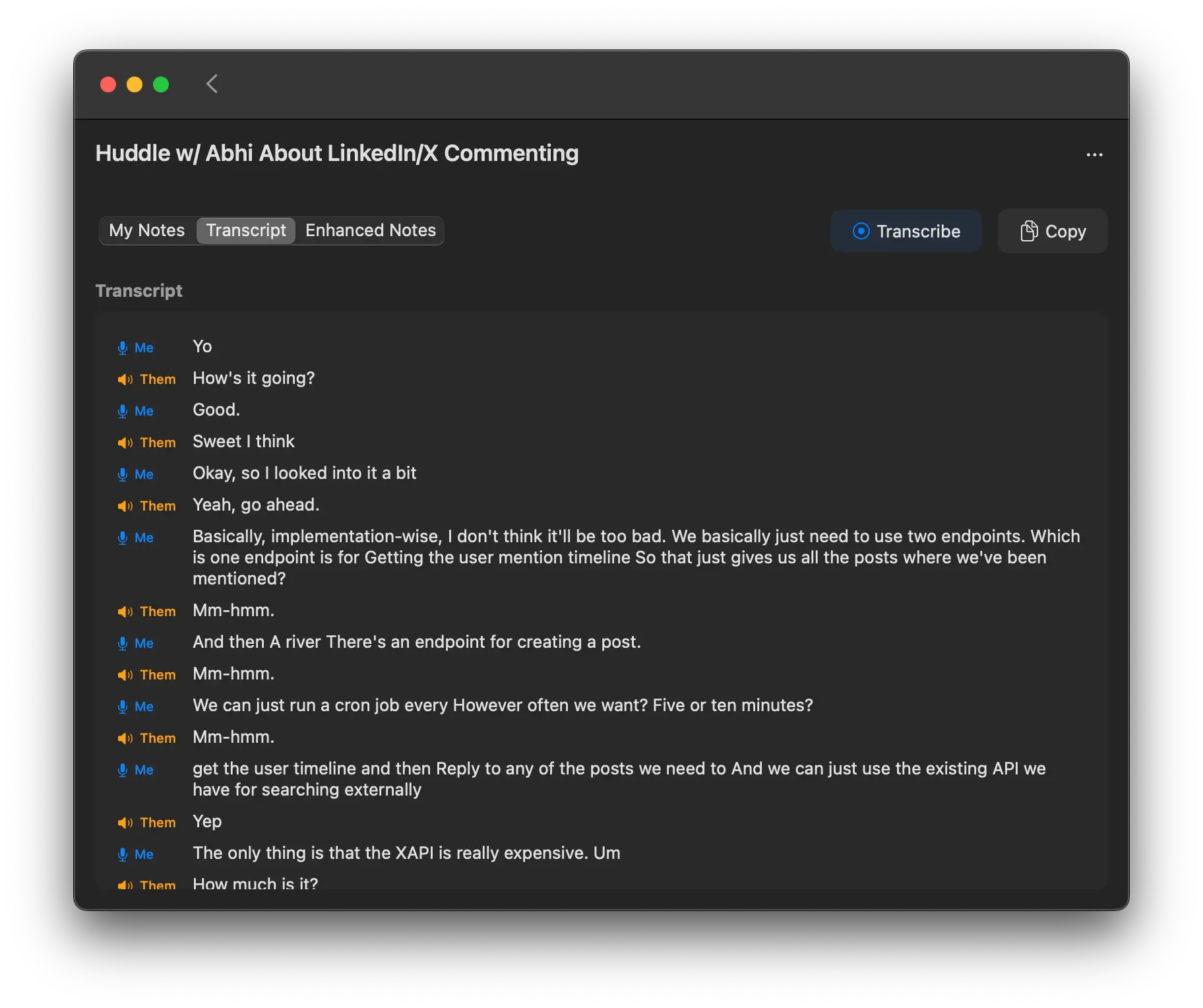
Meetingnotes is a free, open-source AI-powered notetaker for macOS that records, transcribes, and summarizes your meetings using your own OpenAI API key.
It handles both microphone and system audio, provides a live transcript, and generates AI-enhanced summaries while keeping all your data stored locally on your device.
Features
- Local Data Storage: All recordings, transcripts, and notes are stored on your computer, never in the cloud.
- Live Transcription: Get a real-time transcript of your meeting by recording both your microphone and system audio.
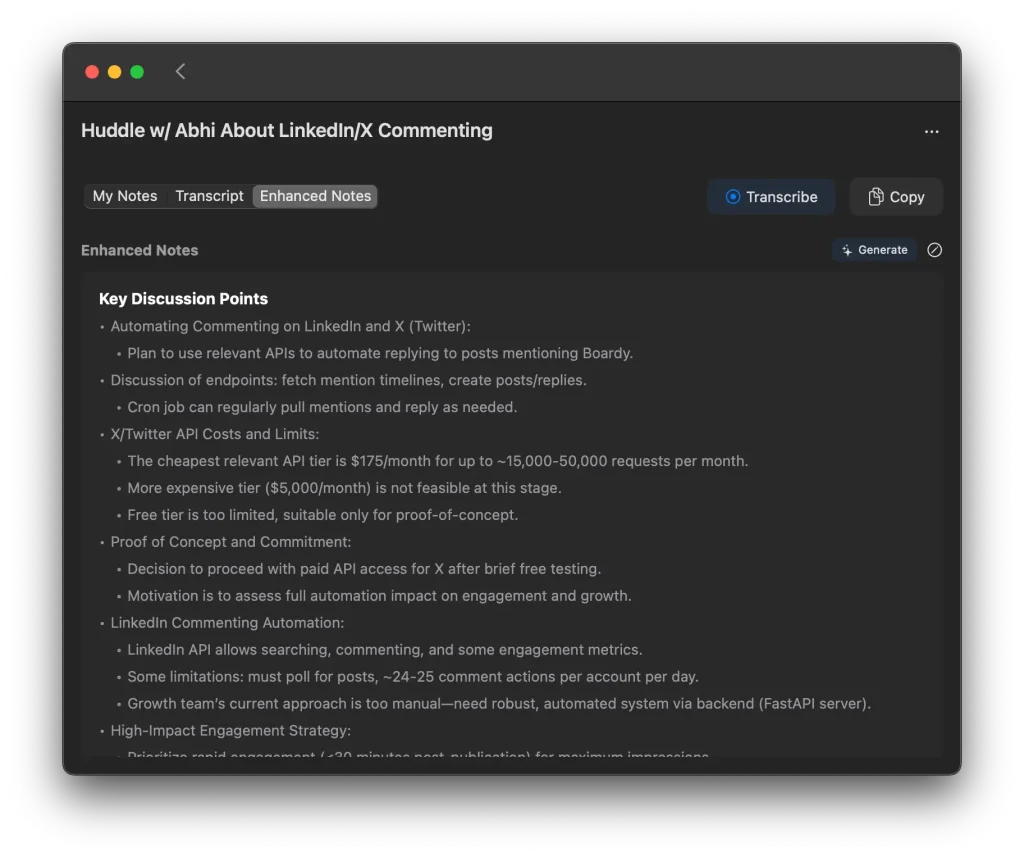
- AI-Enhanced Notes: It automatically generates summaries from the transcript, and you can add your own manual notes for more context.
- Bring Your Own API Key: Connect your OpenAI account to directly pay for what you use.
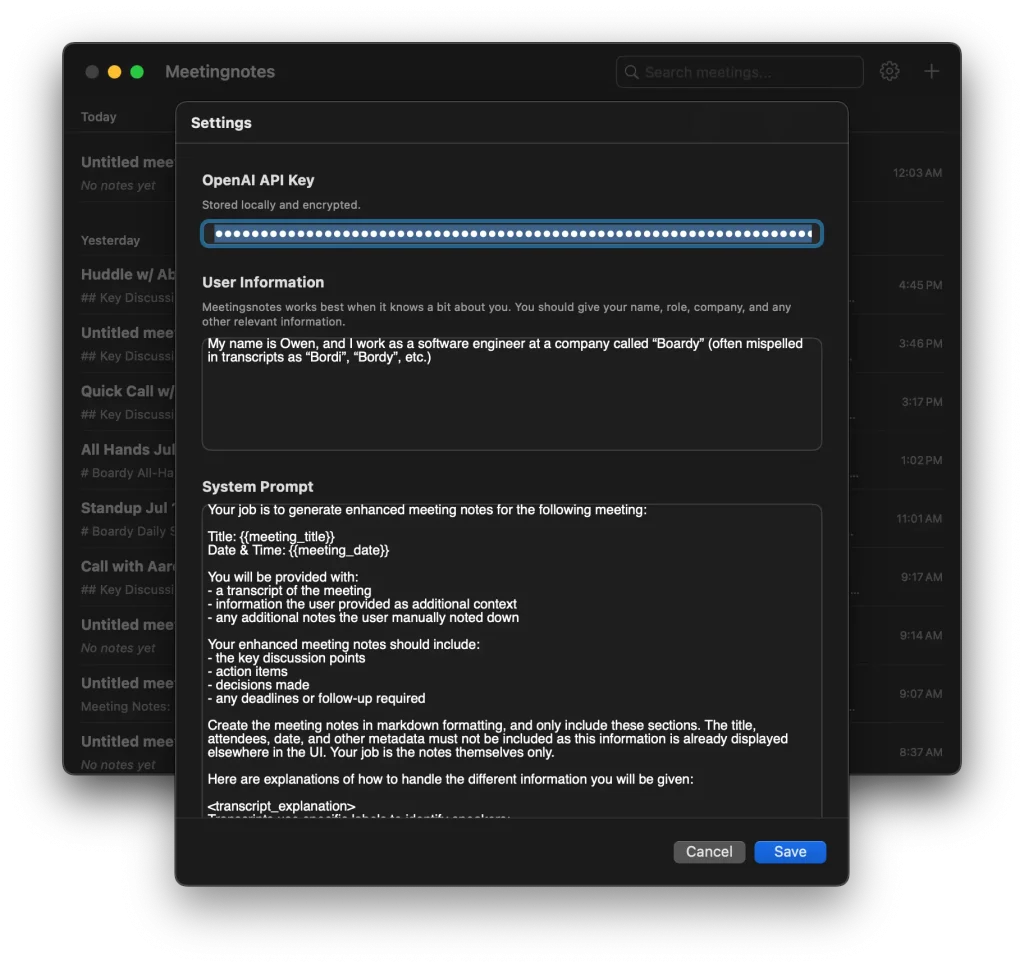
- Customizable Prompts: You can edit the system prompt used for generating summaries to fit your specific needs.
- Search Functionality: Easily search through past meetings to find the information you need.
- No Subscriptions: The application is 100% free to use, forever, with no premium tiers.
Use Cases
- Engineering team standups: Record daily standup meetings to capture technical discussions, blockers, and sprint progress without missing details while focusing on the conversation.
- Client calls and consultations: Generate professional meeting summaries for client records while maintaining full confidentiality since no data leaves your device.
- Product planning sessions: Capture feature discussions, user feedback, and roadmap decisions during brainstorming meetings for later reference and follow-up.
- Academic research interviews: Transcribe interviews and research discussions with complete privacy assurance for sensitive academic work.
- Remote team meetings: Create accurate meeting records for distributed teams where participants may miss nuances due to audio quality or time zone fatigue.
How to Use It
1. Download the DMG file from the official website and install Meetingnotes on your macOS device. The application requires macOS and won’t run on Windows or Linux systems currently.
2. Open the app and complete the onboarding process by entering your OpenAI API key in the settings. You can obtain an API key from the OpenAI platform and will be charged directly by OpenAI based on usage.
3. Start a new meeting by clicking the record button. Meetingnotes will begin capturing both your microphone input and system audio, which means it can record both your voice and audio from video conferencing applications like Zoom or Google Meet.
4. Watch the live transcript appear in real-time as the meeting progresses. You can add additional manual notes directly in the interface while the AI handles the automatic transcription.
5. When the meeting ends, stop the recording and wait for the AI to generate enhanced notes. The system will process your transcript and create a structured summary based on the selected template and prompt configuration.
6. Review and edit the generated notes as needed, then use the copy functionality to transfer the content to your preferred documentation system or email the summary to participants.
Pros
- Completely Free: The app itself has no cost or subscription fees.
- Total Privacy: Your meeting data never leaves your local machine.
- Cost-Effective: Paying for API usage is significantly cheaper than most subscription-based AI notetakers.
- Open Source: The code is available on GitHub for anyone to inspect, modify, or contribute to.
- No Meeting Bot: It records audio locally, so you don’t have an awkward AI bot joining your calls.
Cons
- macOS Only: Currently, the tool is only available for macOS users.
- Requires OpenAI Account: You need to set up an OpenAI account and add billing information to get an API key.
- Manual Start/Stop: You have to remember to start and stop the recording for each meeting.
- No Cloud Sync: Since everything is local, there’s no way to access your notes from other devices.
FAQs
Q: How much does Meetingnotes cost to use?
A: The application itself is completely free, but you’ll pay OpenAI directly for API usage. Typical costs run about $0.20 per hour of meetings when using the recommended GPT-4o-mini models for both transcription and summarization. You can monitor costs through your OpenAI dashboard.
Q: What happens if my internet connection drops during a meeting?
A: The recording and transcription continue working offline since processing happens locally on your device. However, the AI enhancement that generates summaries requires an internet connection to communicate with OpenAI’s API, so that processing would be delayed until connectivity returns.
Q: Is there a limit on meeting length or file size?
A: The application doesn’t impose artificial limits on recording duration, but longer meetings will consume more API credits for transcription and summarization. Your available storage space and OpenAI account limits are the practical constraints.