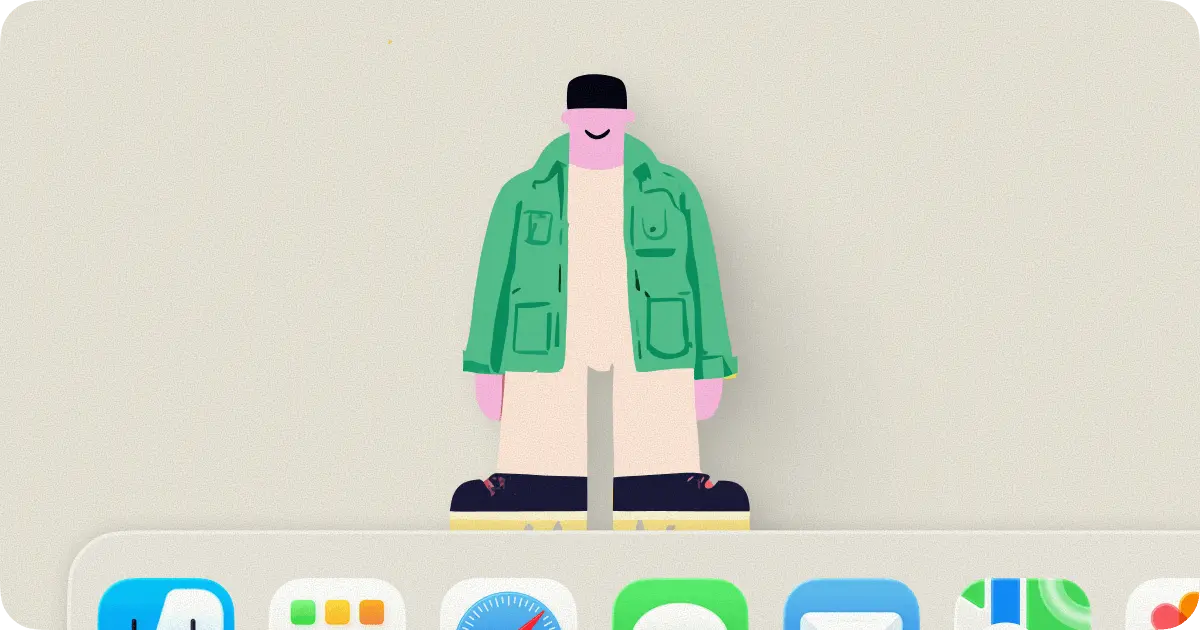
lil agents is a free, open-source macOS app that places two animated AI characters, Bruce and Jazz, above your dock. Each character runs its own independent AI session.
Click one to open a themed terminal popover. You can then chat, write code, or work through a problem. They pace back and forth, display thinking bubbles as your agent works, and play a sound effect when the response lands.
The app currently supports four CLI AI agents: Claude Code, OpenAI Codex, GitHub Copilot, and Google Gemini. You can select the currently enabled agent at any time via the menu bar.
Features
- Animated characters rendered from transparent HEVC video walk back and forth above the macOS dock in real time.
- Each character opens a separate AI agent with its own session on click.
- Four themes: Peach, Midnight, Cloud, and Moss.
- A copy button in the title bar copies the last AI response to the clipboard.
- Thinking bubbles display playful phrases in real time as the agent processes a request.
- Sound effects play on response completion.
Use Cases
- Run two parallel AI sessions simultaneously: use Bruce with Claude Code for your main codebase question and Jazz with Gemini CLI for a secondary research thread, all from the same desktop.
- Keep lil agents open as a persistent code assistant overlay during long coding sessions, clicking a character any time a question comes up in your editor.
- Switch to GitHub Copilot CLI from the menubar mid-session when a question maps better to your repository context than a general model.
- Use the
/copyslash command to instantly move the last AI response into a document, terminal, or pull request description.
How to Use It
1. lil agents requires macOS Sonoma 14.0+. Check your version under Apple menu > About This Mac before proceeding.
2. The app needs at least one of the following CLIs installed and authenticated. Install whichever backends you plan to use:
Claude Code
curl -fsSL https://claude.ai/install.sh | shOpenAI Codex
npm install -g @openai/codexGitHub Copilot CLI
brew install copilot-cliGoogle Gemini CLI
npm install -g @google/gemini-cliEach CLI handles its own authentication. Complete that authentication step per the respective provider’s documentation before launching lil agents, as the app passes conversations directly to the CLI process and does not manage credentials itself.
3. Download and open lil agents. The onboarding flow will guide you through the initial setup on your first launch.
4. Switch between any installed CLI AI agents from the menubar. You can change backends at any point without restarting the app.
5. Click Bruce or Jazz to open that character’s themed terminal popover. Type your prompt in the chat input and press Enter. The character displays a thinking bubble as the agent processes the request. A sound plays when the response is ready.
6. Slash Commands
| Command | Action |
|---|---|
/clear | Clears the current chat session history |
/copy | Copies the last AI response to the clipboard |
/help | Displays available commands in the chat window |
The title bar also includes a standalone Copy last response button that mirrors the
/copycommand for quick mouse access.
Pros
- Runs entirely locally on your Mac.
- Works on both Intel and Apple Silicon Macs.
- No account or login required.
- Open source under the MIT license.
Cons
- Only available for macOS Sonoma or newer.
- Depends on third-party CLI AI agents.
- No voice input or advanced UI features.
Related Resources
- Claude Code documentation: Official reference for installing, authenticating, and using the Claude Code CLI.
- OpenAI Codex: Setup guide and usage documentation for the Codex CLI backend.
- GitHub Copilot CLI: Authentication and command reference for the Copilot CLI backend.
- Google Gemini CLI: Installation and configuration instructions for the Gemini CLI backend.
- 7 Best CLI AI Coding Agents
FAQs
Q: Do I need to pay for any part of lil agents?
A: The app is 100% free and open-source under the MIT license. The costs, if any, come from the CLI backends you connect to. Claude Code, GitHub Copilot, and the others have their own pricing tiers.
Q: Does lil agents read or store my conversations?
A: No. The app passes your input directly to the CLI process you selected and does not intercept, log, or transmit chat content.
Q: Does lil agents support Apple Silicon natively?
A: Yes. The binary is universal and runs natively on both Apple Silicon and Intel Macs.
Q: How does the auto-update work and what data does it send?
A: lil agents uses the Sparkle framework to check for updates. The only data transmitted is your app version and macOS version.