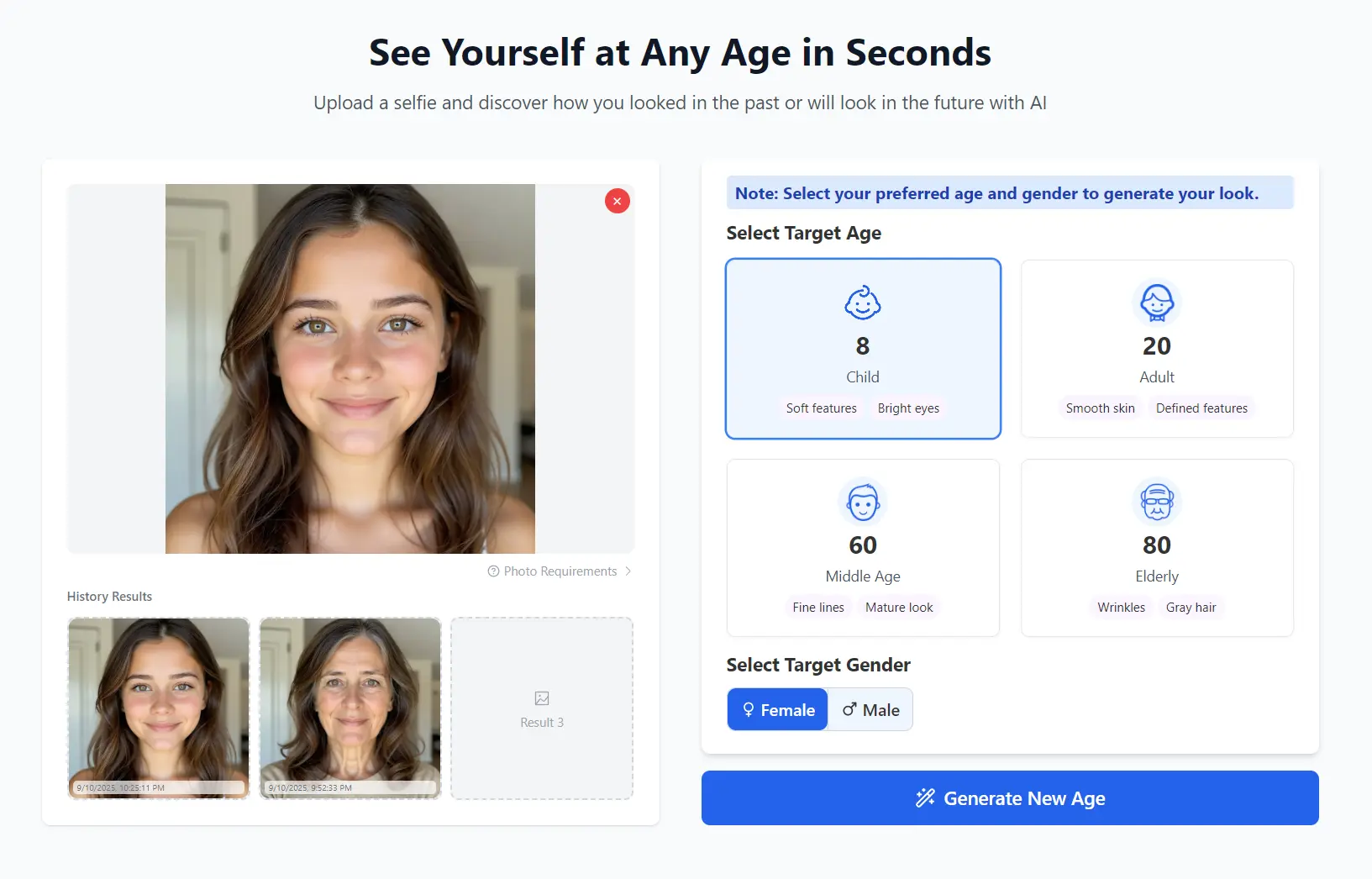
AI Age Filter is a free AI-powered tool that generates younger or older versions of your face from a single photo.
It utilizes advanced Stable Diffusion models to create hyper-realistic aging and de-aging effects across various life stages, from childhood to the elderly years.
I’ve seen a lot of these aging apps pop up, and many of them are either behind a paywall or a bit sketchy with your data.
This one’s different. It processes everything locally in your browser, which means your photos never leave your device. That’s a huge plus for me.
Features
- Privacy Protection: Photos are processed locally in your browser and never uploaded to external servers. No personal images are stored, saved, or shared with third parties.
- Lightning-Fast Processing: Age progression results appear in under three seconds using optimized AI models and advanced processing infrastructure.
- Scientific Accuracy: Achieves 95% accuracy rate through scientifically-verified aging patterns and machine learning algorithms trained on thousands of real aging progressions.
- Free Access: No subscription fees, hidden charges, or watermarks. Users receive unlimited age progressions with full download rights.
- Multiple Age Options: Transform your appearance to show childhood, teenage, adult, middle age, and elderly versions with realistic aging effects.
- HD Quality Downloads: Results can be downloaded in high-definition PNG format or as animated GIF files for sharing across social media platforms.
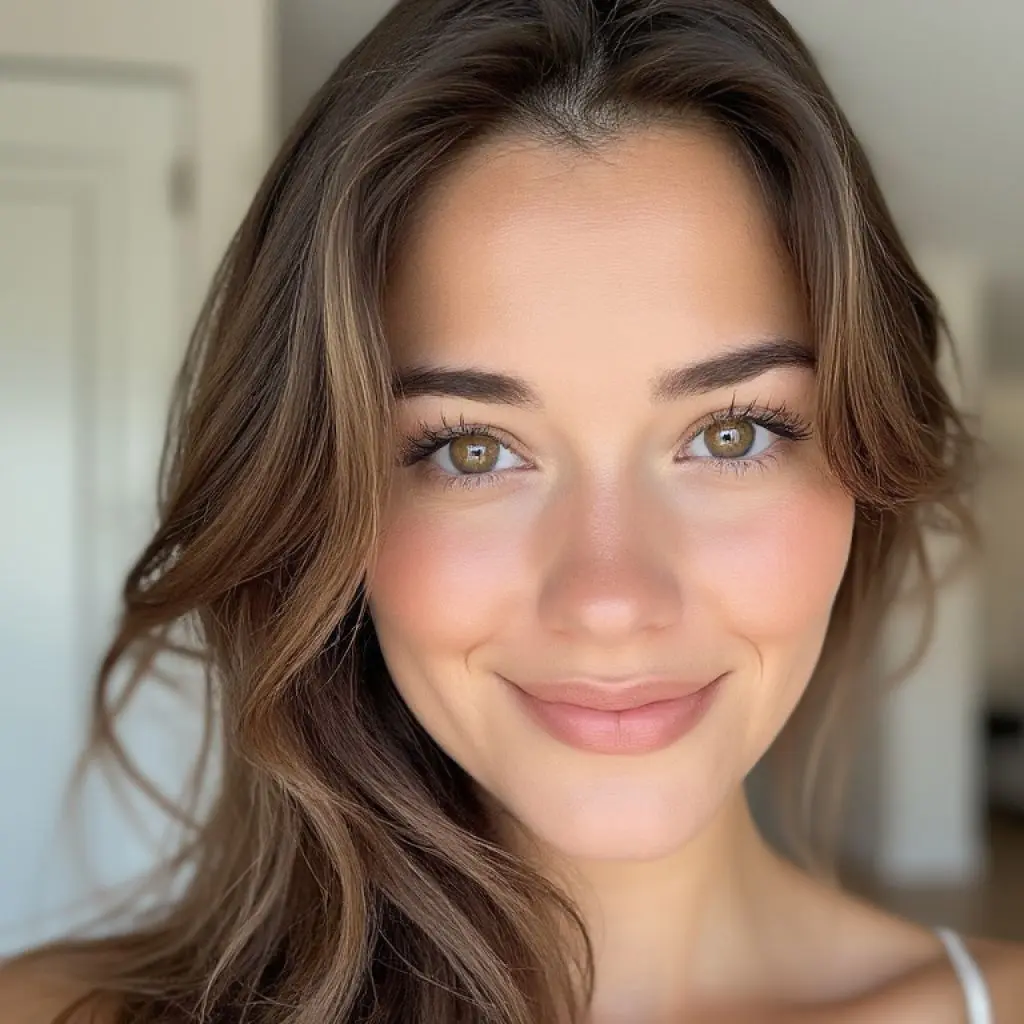
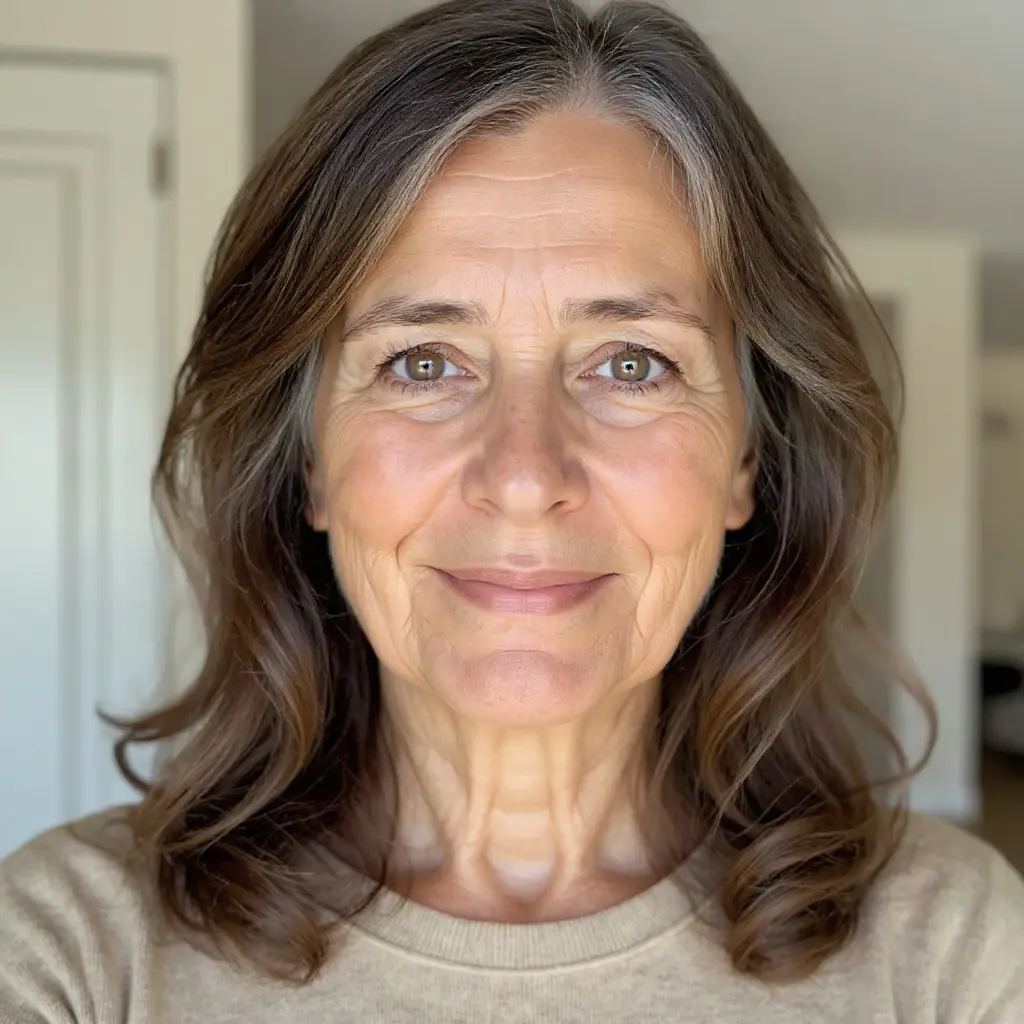
Examples

Use Cases
- Social Media Fun: Create and share entertaining before-and-after images on platforms like Instagram or Facebook to engage with friends and followers.
- Content Creation: Generate unique visuals for blogs, videos, or marketing campaigns that touch on themes of aging, time, or personal growth.
- Personal Curiosity: Simply satisfy your curiosity about what you looked like as a child or what you might look like in your golden years.
- Creative Projects: Artists and designers can use the tool to visualize characters at different ages for stories, illustrations, or other creative endeavors.
How to Use It
1. Go to the AI Age Filter website and either drag and drop your image directly onto the upload area or click to browse and select a photo from your device.
The tool accepts JPG, JPEG, PNG, and WebP formats with a maximum file size of 20MB.
For optimal results, use clear, well-lit photos where your face is clearly visible and facing forward. Avoid images with heavy shadows, extreme angles, or multiple faces.
2. Choose the appropriate gender setting and select your target age range from the available options.
The tool currently offers four main age categories: Child (around age 8 with soft features and bright eyes), Adult (around age 20 with smooth skin and defined features), Middle Age (around age 60 with fine lines and mature appearance), and Elderly (around age 80 with wrinkles and gray hair characteristics).
3. Click the generate button and wait for the AI to process your image. Results typically appear within three seconds.
4. Review the generated age progression and if satisfied with the outcome, download your transformed image in PNG or animated GIF format. You can then share the results on social media or keep them for personal use.
The platform currently limits users to two age progressions per day to manage server resources while maintaining free access for all users.
Pros
- No Sign-Up Required: You can use the tool immediately without creating an account or providing personal information.
- Client-Side Processing: Since images are processed in your browser, your privacy is fully protected.
- High-Quality Output: The results are surprisingly realistic and high-resolution, avoiding the cartoonish look of some other filters.
- Speed: The transformation is incredibly fast, taking only a few seconds from upload to result.
Cons
- Daily Usage Limits: The two-uses-per-day restriction can frustrate users who want to experiment with multiple photos or age ranges during a single session.
- Limited Age Granularity: Four broad age categories may not provide the specific age targeting some users desire for particular projects or curiosity.
- Photo Quality Dependencies: Results heavily depend on input photo quality, lighting conditions, and facial clarity, potentially disappointing users with suboptimal source images.
- No Batch Processing: Users must process images individually, making it time-consuming for those wanting to age multiple photos.
- Generic Aging Patterns: The tool applies general aging algorithms rather than considering individual genetic factors, family history, or lifestyle influences on aging.
FAQs
Q: How accurate are the age progression results?
A: The AI Age Filter achieves approximately 95% accuracy by using scientifically-verified aging patterns and machine learning algorithms trained on thousands of real aging progressions. However, individual results may vary based on genetics, lifestyle factors, and environmental influences that the AI cannot account for. The results should be viewed as entertaining projections rather than precise predictions.
Q: Can I use the tool for commercial purposes?
A: Yes, you have full commercial rights to use, share, and distribute your age progression results.
Q: Can the tool work with group photos or multiple faces?
A: The AI Age Filter works best with single-person photos where one face is clearly visible and facing forward. Group photos or images with multiple faces may not produce optimal results, as the AI is optimized for individual facial analysis and transformation.
Related Free AI Tools
- How Old Do You Look? Reveal Your Apparent Age With Face Age AI
- Analyze Facial Beauty with Google AI – Attractiveness Scale
- Free AI Beauty Test: How Attractive Are You?