AgentQL
AgentQL MCP is a Model Context Protocol (MCP) server that integrates AgentQL’s robust data extraction capabilities.
This server enables developers to extract structured data from web pages using natural language prompts.
Features
- 🌐 Extract structured data from any web page
- 🧠 Natural language prompts for data extraction
- 🔌 Easy integration with AI-powered development tools
- 🚀 Npm package for quick installation and setup
- 🔑 API key authentication for secure access
Use Cases
- E-commerce product research: Quickly gather pricing, specifications, and reviews from multiple online stores.
- Content aggregation: Automatically extract articles, blog posts, or news items from various websites for analysis or republishing.
- Market analysis: Collect stock prices, company information, or economic indicators from financial websites.
- Academic research: Extract data from online journals, papers, or databases for literature reviews or meta-analyses.
How to Use It
1. Install the package:
npm install -g agentql-mcp2. Get an API key from the AgentQL Dev Portal.
3. Configure your preferred MCP-compatible application: For Claude Desktop:
- Open Settings (⌘ + ,)
- Go to Developer section
- Edit
claude_desktop_config.json - Add the following to the
mcpServersdictionary:json "agentql": { "command": "npx", "args": ["-y", "agentql-mcp"], "env": { "AGENTQL_API_KEY": "YOUR_API_KEY" } } - Restart the app For Cursor:
- Open Settings
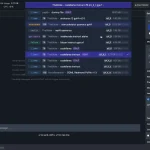
- Go to MCP > MCP Servers
- Click “+ Add new MCP Server”
- Enter:
- Name: “agentql”
- Type: “command”
- Command:
env AGENTQL_API_KEY=YOUR_API_KEY npx -y agentql-mcp
- Open MCP Configuration Panel
- Click “Add custom server+”
- Add to
~/.codeium/windsurf/mcp_config.json:json "agentql": { "command": "npx", "args": ["-y", "agentql-mcp"], "env": { "AGENTQL_API_KEY": "YOUR_API_KEY" } }
4. Use the extract-web-data tool in your AI-powered app with a prompt like:
Extract the list of videos from the page https://www.youtube.com/results?search_query=agentql, every video should have a title, an author name, a number of views and a url to the video. Make sure to exclude ads items. Format this as a markdown table.5. If needed, add “use tools” or “use agentql tool” to your prompt.
FAQs
Q: What types of data can I extract using AgentQL MCP Server?
A: You can extract any structured data from web pages, including text, numbers, lists, and tables. The flexibility of natural language prompts allows you to specify exactly what data you need.
Q: How accurate is the data extraction?
A: The accuracy depends on the clarity of your prompt and the structure of the target website. In general, AgentQL provides high-accuracy extraction, but it’s always good to verify critical data.
Q: Can I use AgentQL MCP Server for large-scale web scraping?
A: While AgentQL is powerful, it’s important to respect website terms of service and legal limitations on web scraping. For large-scale operations, consider reaching out to website owners for permission or API access.
Q: How do I troubleshoot if the extraction isn’t working as expected?
A: First, ensure your API key is correctly set. Then, try refining your prompt to be more specific. If issues persist, you can use the MCP Inspector for debugging by running npm run inspector in the project directory.
Q: Is there a limit to the number of extractions I can perform?
A: Usage limits depend on your AgentQL plan. Check the Dev Portal for your current limits and upgrade options if needed.
Latest MCP Servers
Paper Search
Codebase Memory
CVE
Featured MCP Servers
Codebase Memory
Notion
Claude Peers
FAQs
Q: What exactly is the Model Context Protocol (MCP)?
A: MCP is an open standard, like a common language, that lets AI applications (clients) and external data sources or tools (servers) talk to each other. It helps AI models get the context (data, instructions, tools) they need from outside systems to give more accurate and relevant responses. Think of it as a universal adapter for AI connections.
Q: How is MCP different from OpenAI's function calling or plugins?
A: While OpenAI's tools allow models to use specific external functions, MCP is a broader, open standard. It covers not just tool use, but also providing structured data (Resources) and instruction templates (Prompts) as context. Being an open standard means it's not tied to one company's models or platform. OpenAI has even started adopting MCP in its Agents SDK.
Q: Can I use MCP with frameworks like LangChain?
A: Yes, MCP is designed to complement frameworks like LangChain or LlamaIndex. Instead of relying solely on custom connectors within these frameworks, you can use MCP as a standardized bridge to connect to various tools and data sources. There's potential for interoperability, like converting MCP tools into LangChain tools.
Q: Why was MCP created? What problem does it solve?
A: It was created because large language models often lack real-time information and connecting them to external data/tools required custom, complex integrations for each pair. MCP solves this by providing a standard way to connect, reducing development time, complexity, and cost, and enabling better interoperability between different AI models and tools.
Q: Is MCP secure? What are the main risks?
A: Security is a major consideration. While MCP includes principles like user consent and control, risks exist. These include potential server compromises leading to token theft, indirect prompt injection attacks, excessive permissions, context data leakage, session hijacking, and vulnerabilities in server implementations. Implementing robust security measures like OAuth 2.1, TLS, strict permissions, and monitoring is crucial.
Q: Who is behind MCP?
A: MCP was initially developed and open-sourced by Anthropic. However, it's an open standard with active contributions from the community, including companies like Microsoft and VMware Tanzu who maintain official SDKs.