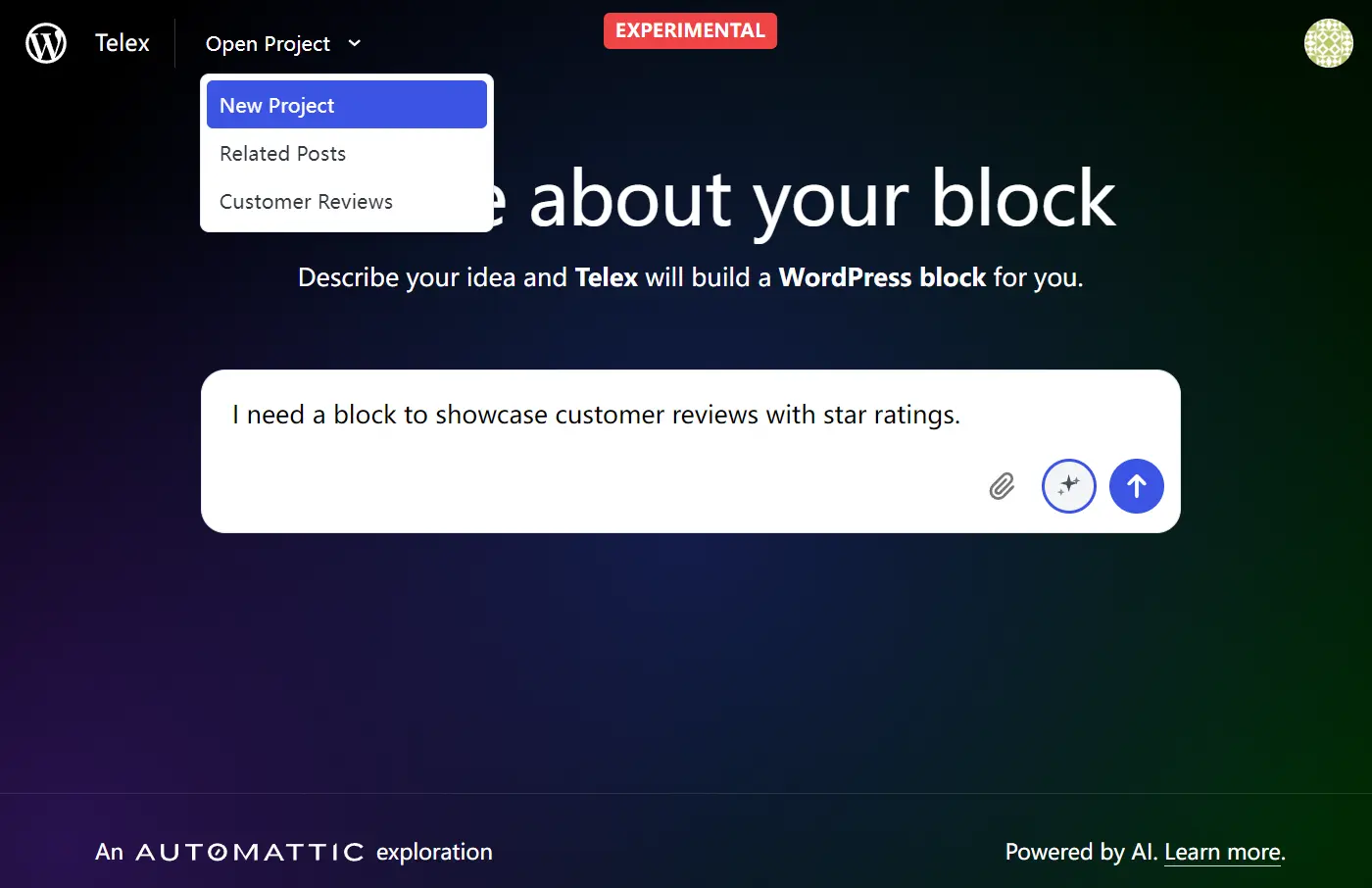
Telex is an experimental AI tool from Automattic that creates custom Gutenberg blocks for WordPress from a simple text description.
You describe the block you need, and Telex generates a downloadable zip file that you can install as a plugin on your WordPress site.
Features
- Natural Language Block Generation: Convert plain English descriptions into functional WordPress blocks without writing code.
- AI-Powered Prompt Enhancement: Built-in feature that refines vague descriptions into detailed prompts the AI can execute properly.
- Instant Plugin Creation: Generates complete WordPress plugins as downloadable ZIP files ready for installation.
- Live Preview Environment: Provides a demo WordPress site where you can test your new block before downloading.
- Code Editor Access: Allows direct editing of generated code for users who want to make customizations.
- XML File Upload Support: Accept existing block configurations for modification and enhancement.
How to Use It
1. Visit the Telex tool and log in with your WordPress.com credentials.
2. Type a basic description of what you want. For example, “I need a block to showcase customer reviews with star ratings.”
3. Click the magic star icon to “Improve prompt with AI.” This transforms your simple request into something more detailed like “Create a WordPress block titled “Customer Reviews” that displays user testimonials with star ratings. Include a customizable field for the review text, an area to input the reviewer’s name, and a star rating selector (1 to 5 stars).”
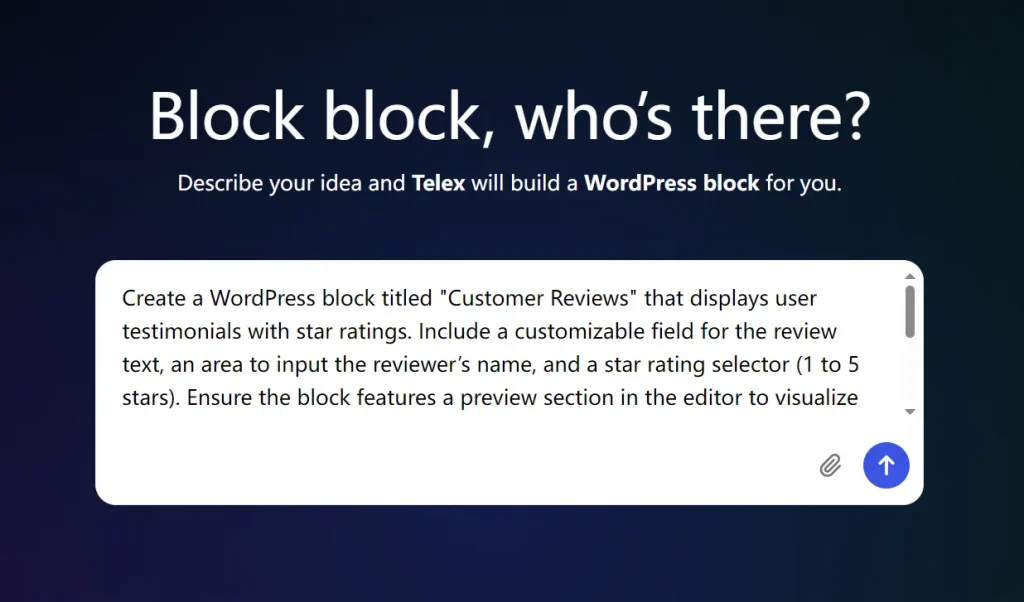
4. Hit enter and watch the AI generate your block. The process typically takes 30-60 seconds. Telex creates a complete plugin package and launches a preview environment where you can see your block in action.
5. Test the block functionality in the demo site. Add content, check responsiveness, and verify it meets your requirements. If you need adjustments, you can edit the code directly in the provided editor.
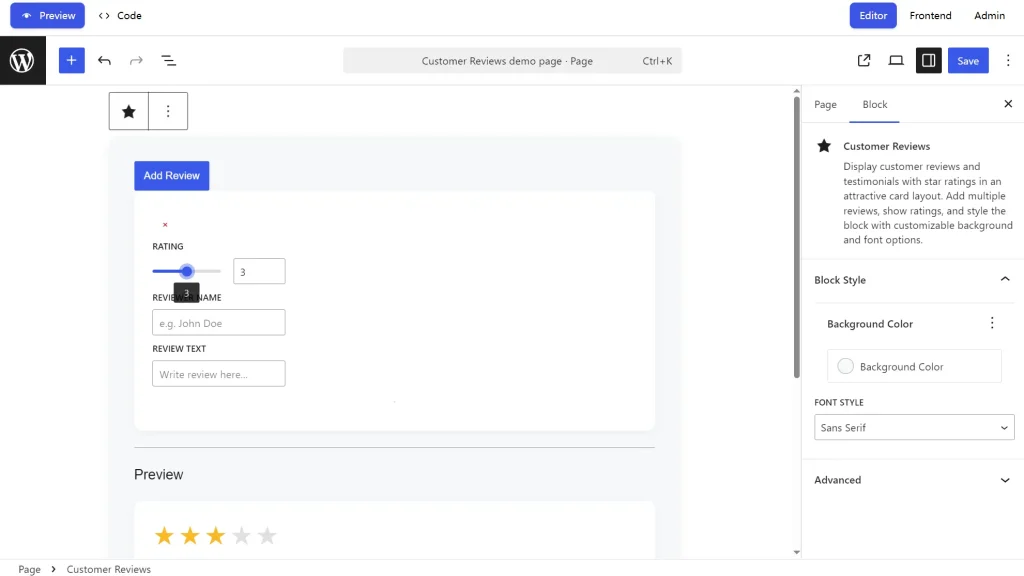
6. Once satisfied, download the ZIP file. Install it like any WordPress plugin: go to Plugins > Add New > Upload Plugin, select your ZIP file, and activate. Your custom block will appear in the Gutenberg editor, ready to use across your site.
Pros
- Zero Coding Required: Creates functional WordPress blocks from natural language descriptions without technical knowledge.
- Rapid Prototyping: Generates working blocks in minutes instead of hours or days of development time.
- Built-in Prompt Assistance: AI-powered prompt enhancement helps users articulate their needs more effectively.
- Complete Plugin Generation: Produces ready-to-install ZIP files with proper WordPress plugin structure and metadata.
- Live Testing Environment: Provides immediate preview capabilities without affecting your live website.
- Free Access: No subscription fees or usage limits during the experimental phase.
Cons
- Experimental Status: Tool is in beta testing with potential bugs and reliability issues.
- Limited Complexity: Complex interactive features or advanced functionality may not generate correctly.
- Code Quality Variance: Generated code quality may be inconsistent, requiring manual review for production use.
Related Resources
- WordPress Block Editor Handbook: Official guide for understanding Gutenberg block development and customization.
- Automattic AI Experiments: Official page showcasing other AI tools and experiments from the WordPress parent company.
- WordPress Plugin Directory: Repository of existing plugins that might serve as alternatives to custom block creation.
- Block Pattern Directory: Collection of pre-built block arrangements and designs for inspiration.
FAQs
Q: Do I need a paid WordPress.com account to use Telex?
A: No, a free WordPress.com account is all you need to access and use Telex.
Q: Is the code generated by Telex reliable for a live website?
A: Since Telex is an experimental tool, it is recommended for testing and learning purposes. The generated code may require manual review and modification before being used on a live site.
Q: Can I modify the generated block code after downloading?
A: Absolutely. The generated plugin includes standard PHP, JavaScript, and CSS files that you can edit using any code editor. The live preview environment also includes a built-in code editor for immediate modifications.
Q: What happens if the generated block doesn’t work properly?
A: Since Telex is experimental, some blocks may need adjustments. You can edit the code directly, use the AI prompt improvement feature to refine your request, or try describing your needs differently. The tool works best with clear, specific descriptions.