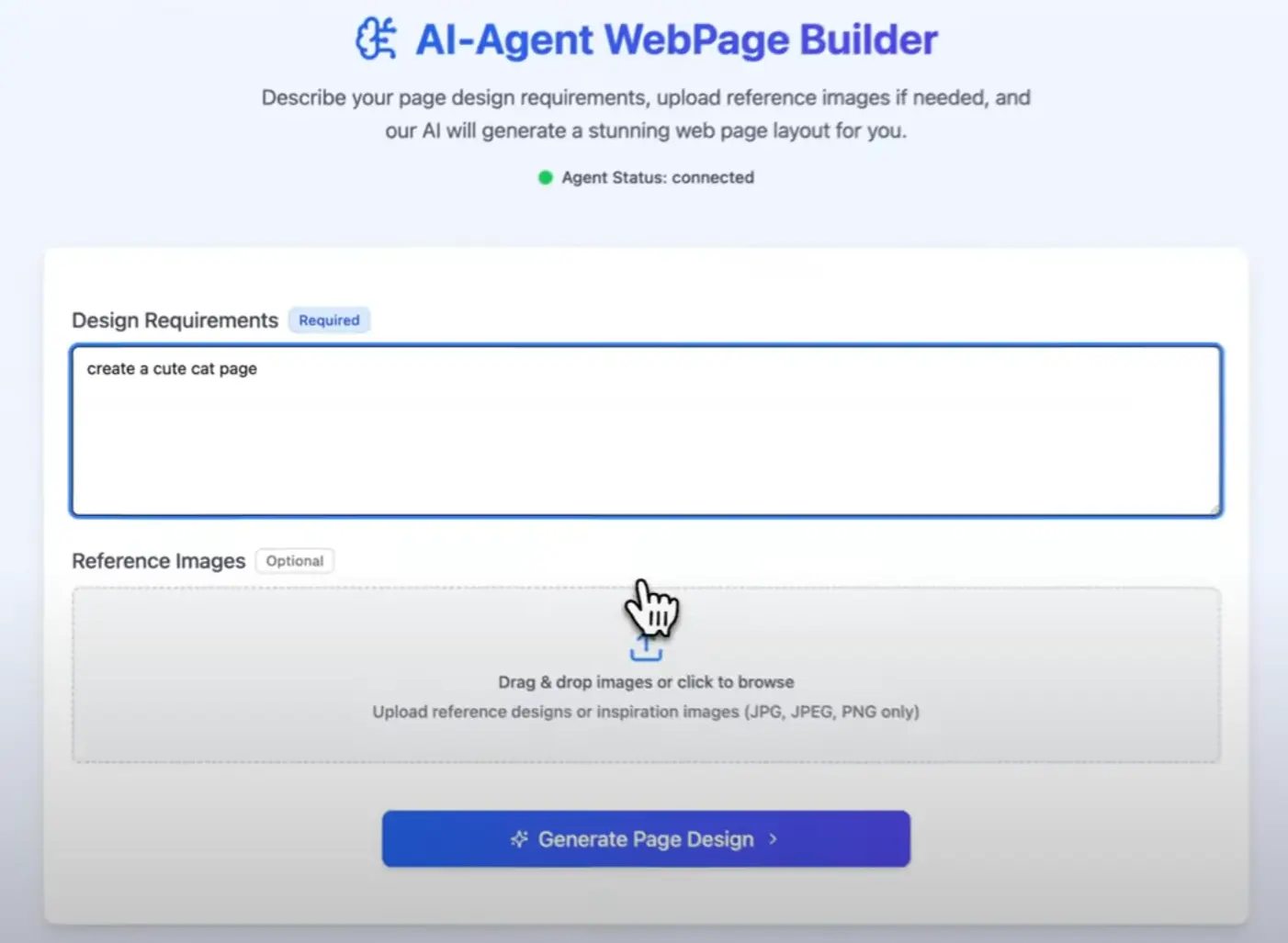
Most AI-powered website builders (like v0.dev, bolt.new) lock you into their platform—this one doesn’t. The Open Source Web Design AI Agent lets you generate and edit web pages dynamically while keeping everything in your own infrastructure.
This tool combines Claude AI with a React-based front-end and Cloudflare’s infrastructure to create an experience that feels like having a web designer instantly available to implement your ideas.
Features
- AI-powered layout generation – The agent creates responsive web layouts based on your requirements using Claude’s understanding of design principles
- Interactive component editing – Every UI component on the page can be edited directly in the browser
- Real-time status updates – WebSocket connections provide instant feedback during the design generation process
- Cloudflare infrastructure – Built on Workers and R2 storage for reliable, scalable performance
- Self-hosted control – Complete ownership of your data and design assets
Use Cases
- Rapid prototyping – When I need to quickly visualize a concept for client approval without spending hours in design software
- Content microsites – Creating targeted landing pages for specific campaigns or product launches
- Design iteration – Testing multiple layout variations before committing to final development
- Client collaboration – Showing clients real-time adjustments during feedback sessions
Installation
1. Download or clone the Web Design AI Agent from Github.
2. Install dependencies:
git clone https://github.com/mggger/WebCraft.git
cd WebCraft
npm install
3. Edit wrangler.toml to link your R2 bucket.
[[r2_buckets]]
binding = "R2_BUCKET"
bucket_name = "your-bucket-name"  # Must enable CORS for images later!
4. Add your Anthropic key (Claude 3 works best) and a custom R2 endpoint.
ANTHROPIC_API_KEY = "your-anthropic-api-key" # Paste your key
R2_ENDPOINT_URL = "https://your-r2-custom-domain.com" # Or the public R2.dev URL
Here’s the gotcha I ran into: That R2_ENDPOINT_URL. The generated pages need to load images from this R2 bucket URL. If you don’t have CORS (Cross-Origin Resource Sharing) configured correctly on your R2 bucket to allow requests from your Cloudflare Worker’s domain (or localhost during dev), the images just won’t load. Took me a bit of head-scratching until I remembered to check the R2 bucket settings in the Cloudflare dashboard and add the appropriate CORS policy. Make sure your policy allows GET requests from the origin your app is running on.
5. Start the development server with hot reloading:
npm start
6. Pushed everything up to Cloudflare:
npm run deploy
Pros
- Speed – Creates functional layouts in minutes instead of hours
- Flexibility – The component editing system allows for detailed customization
- Full ownership – Self-hosted means you control all your data and designs
- Cost-effective – Only pay for the Claude API usage you need
Cons
- Technical setup – Requires familiarity with Cloudflare and API configuration
- CORS configuration – Image handling depends on proper R2 setup, which can be tricky
- Limited animation support – Complex interactions need manual implementation
See It In Action
Related Resources
- Anthropic Documentation: https://docs.anthropic.com/ (To understand Claude models and API usage)
- Cloudflare Workers Docs: https://developers.cloudflare.com/workers/
- Cloudflare R2 Docs: https://developers.cloudflare.com/r2/ (Pay attention to the CORS section!)
- Craft.js Documentation: https://craft.js.org/ (To see what the editor component can do)
Frequently Asked Questions
Q: Is this tool completely free to use?
A: The software itself is open source (so, free code-wise), but running it isn’t entirely free. You’ll need an Anthropic API key, and Claude API calls have associated costs. Cloudflare Workers and R2 also have generous free tiers, but heavy usage could incur charges.
Q: How good is the AI-generated web design? Does it look professional?
A: Think of it as a starting point generator or an assistant, not a replacement for a designer. It can generate functional layouts and structures based on your prompts, but the aesthetics might be basic or occasionally quirky. You’ll almost certainly want to use the real-time editor (or dive into the code) to refine the output.
Q: Can I swap out Claude for a different AI model like GPT-4 or an open-source one?
A: As described, it’s built specifically for the Anthropic Claude API. Swapping models would require significant code changes to adapt the API calls, request/response handling, and potentially the prompting strategy. It’s possible since it’s open source, but not a simple configuration switch.
Q: Help! The web page generates, but none of the images are showing up!
A: This is almost certainly the R2 CORS issue I mentioned. Go back to your R2 bucket settings in the Cloudflare dashboard. Make sure your CORS policy allows GET requests from the origin (URL) where you are viewing the web page (e.g., http://localhost:xxxx for local dev, or your *.workers.dev/custom domain for deployed).
Q: Is this ready to build complex, production-grade websites?
A: I’d lean towards using it more for prototyping, internal tools, or as a foundation you heavily customize. While the Cloudflare backend is robust, the AI generation aspect might not consistently produce the pixel-perfect, complex results needed for a high-stakes production site without significant manual oversight and editing.
Try It Out
Look, if you’re comfortable working with Cloudflare, have an Anthropic key handy, and like the idea of AI giving you a head start on web layouts that you can then tweak visually, this open-source agent is definitely worth exploring. It’s a neat combination of technologies.
Download it, try setting it up (remember that CORS config!), and see if it fits into your workflow. I’m curious to hear what others think or if you find any clever uses for it. Let me know in the comments if you give it a try!