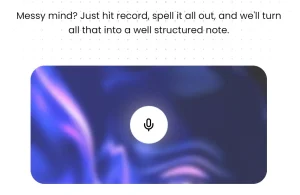
Whisper AI is an open-source audio transcription tool that converts your voice notes into structured, usable text.
It takes the raw output from your recordings and uses AI to clean and transform it into various formats, including articles, blogs, lists, emails, and more.
Features
- Real-time Audio Recording: Record audio directly through your web browser with a simple click-to-record interface that captures high-quality audio for transcription.
- File Upload Support: Upload existing audio files in various formats, which are securely stored in Amazon S3 cloud storage for processing.
- AI-Powered Transcription: Uses Together.ai’s advanced Whisper model to convert speech to text with high accuracy across different accents and speaking styles.
- Content Transformation: Transform raw transcriptions into structured formats, including blog posts, bullet-point lists, professional emails, meeting summaries, and custom formats.
- Dashboard Management: Access a centralized dashboard to view, edit, and organize all your transcriptions with search and filtering capabilities.
Use Cases
- Meeting Documentation: Convert recorded business meetings, client calls, and team discussions into organized meeting minutes with action items and key decisions highlighted.
- Content Creation: Transform brainstorming sessions, interviews, and verbal content ideas into structured blog posts, articles, or social media content ready for editing and publication.
- Academic Research: Transcribe recorded lectures, interviews, and research discussions into searchable text documents that can be referenced and quoted in academic work.
- Journalism and Interviews: Convert recorded interviews with sources into accurate transcripts that can be fact-checked and quoted in news articles or feature stories.
- Personal Note-Taking: Record voice memos, thoughts, and ideas on-the-go, then transform them into organized notes, to-do lists, or personal journal entries.
How to Self-host It
1. Clone the repo from GitHub and set up your local environment.
2. Create accounts for the required services: Together.ai (LLM), Upstash (Redis), AWS (S3), Neon (PostgreSQL), and Clerk (authentication).
3. Set up your .env file using .example.env as a template. Fill in your API keys and connection strings.
# API Keys
TOGETHER_API_KEY=your_together_api_key

# Clerk for Auth
NEXT_PUBLIC_CLERK_PUBLISHABLE_KEY=
CLERK_SECRET_KEY=
NEXT_PUBLIC_CLERK_SIGN_IN_FORCE_REDIRECT_URL=/whispers
NEXT_PUBLIC_CLERK_SIGN_UP_FORCE_REDIRECT_URL=/whispers

# S3 AWS Credentials to upload Audio Files
S3_UPLOAD_KEY=
S3_UPLOAD_SECRET=
S3_UPLOAD_BUCKET=
S3_UPLOAD_REGION=

# Upstash Redis for rate limiting
UPSTASH_REDIS_REST_URL=
UPSTASH_REDIS_REST_TOKEN=

# Neon for the postgres DB
DATABASE_URL=
4. Install dependencies:
pnpm install5. Start the dev server:
pnpm run dev
6. Open the app in your browser.
How to Use It
1. Create your free account by visiting the Whisper AI website and signing up through the Clerk authentication system. You’ll need to provide basic information and verify your email address to access the transcription features.
2. Once logged in, you can begin transcribing audio in two ways. For real-time recording, click the red record button in the main interface and speak clearly into your microphone. The application will capture your audio and display a visual indicator to show the recording progress. Click stop when finished speaking.
3. For existing audio files, use the upload feature to select files from your computer. The system accepts common audio formats and automatically uploads files to secure cloud storage for processing.
4. After recording or uploading, the transcription process begins automatically. Together.ai’s Whisper model processes your audio and generates an initial text transcript, which typically takes 10-30 seconds depending on audio length.
5. Review the generated transcript for accuracy. While the AI transcription is generally reliable, you can make manual edits to correct any misheard words or add punctuation for clarity.
6. Choose your transformation option from the available formats. Select “Blog Post” to convert your transcript into article-style content with headers and paragraphs, “Summary” to create condensed key points, or “Email” to format the content for professional correspondence.
7. Access your completed transcriptions through the dashboard, where you can search, filter, and manage all your converted content. Each transcription is saved automatically and remains accessible for future reference or additional editing.
Pros
- More than just transcription: The ability to transform the text into different formats is the main advantage over simpler transcription tools.
- Free, open-source software: You don’t pay for the application itself, just for the usage of the underlying APIs you connect to it.
- Full data control: By self-hosting, your audio files and transcriptions are stored in your own S3 bucket and database, not on a third-party platform.
- Modern and customizable: The tech stack is built on popular, well-documented tools, making it easier for developers to modify.
Cons
- Requires technical setup for self-hosting: This isn’t a one-click install for a non-technical user. You need to be comfortable setting up multiple cloud services and managing API keys.
- Dependent on external services: Its functionality is tied to several third-party APIs. If one of those services has an outage, it will affect the app.
- Potential for running costs: While the software is free, the API calls to Together.ai, file storage on S3, and database hosting will incur costs depending on your usage.
Related Resources
- Together AI Documentation: https://docs.together.ai/ – Complete API documentation and guides for the underlying transcription service powering Whisper AI.
- OpenAI Whisper Model: https://openai.com/research/whisper – Technical details about the original Whisper model architecture and capabilities that inspired this implementation.
- Clerk Authentication Guide: https://clerk.com/docs – User management and authentication system documentation for integration and troubleshooting.
- Vercel Deployment Guide: https://vercel.com/docs – Hosting platform documentation for deploying your own instance of the application.
FAQs
Q: What audio formats does Whisper AI support for upload and transcription?
A: Whisper AI accepts most common audio formats, including MP3, WAV, M4A, and FLAC files. The system automatically processes these formats through the Together.ai Whisper model. For best results, use clear audio recordings with minimal background noise and speaking rates between 120-180 words per minute.
Q: Is there a limit on audio file length or number of transcriptions I can process?
A: The application includes rate limiting through Upstash Redis to prevent system abuse, but specific limits are not publicly documented. Audio file length limits depend on the Together.ai service capabilities. For heavy usage requirements, consider setting up your own instance or contacting the developer about usage policies.
Q: How secure is my audio data and can I delete transcriptions permanently?
A: Audio files are stored securely in Amazon S3 with proper encryption, and user authentication is handled through Clerk’s security protocols. You can delete transcriptions from your dashboard, and the system provides standard data protection practices. For maximum privacy, consider deploying your own instance where you control all data storage and processing.