SarvScribe is a free AI tool that transforms audio or video into accurate text transcriptions directly in your web browser.
This tool addresses common frustrations with online transcription services – privacy concerns, internet dependency, and complex interfaces. It keeps your audio/video files secure and private by running entirely in your browser through open-source AI speech recognition models: Xenova’s whisper-tiny.en or whisper-base.en.
Features
- Local Operation: All audio processing occurs on your device.
- Offline Functionality: Operate without an internet connection.
- File Upload: Transcribe audio and video files stored on your computer.
- Link Sharing: Generate transcriptions from audio or video content available online via URLs.
- Real-Time Recording: Record spoken content directly through your browser and receive immediate transcription.
- Timestamped Output: Transcriptions include timestamps, facilitating easy navigation and referencing of specific audio segments.
- Text and JSON Export: Save your transcriptions in either TXT or JSON format for further use and integration with other applications.
Use Cases
- Meeting Transcription: Record and transcribe meeting discussions for detailed record-keeping and follow-up actions.
- Lecture Note-Taking: Students can record lectures and generate transcripts for review and study.
- Interview Documentation: Journalists and researchers can transcribe interviews for accurate capture of spoken information.
- Content Creation: Generate text transcripts from video or audio content for subtitles, blog posts, or scripts.
- Accessibility: Create text versions of audio content to improve accessibility for individuals with hearing impairments.
How To Use It
1. Go to the SarvScribe web application.
2. Select your preferred input method. Upload the audio or video file from your device, paste the URL of the online content, or prepare to record your voice directly.
3. For first-time use, allow a brief period for the necessary LLMs to download to your local machine. This download is a one-time requirement.
4. Click the ‘Transcribe Audio’ button. The application will process your audio or video input.
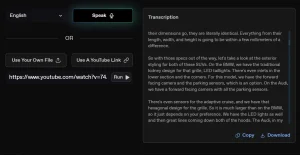
5. Review the generated transcription. The text will be displayed with corresponding timestamps for each segment of speech. For instance:
00:00
Love Voice provides a complimentary online service that converts text into speech, TTS, for free.
00:08
We offer a wide range of AI voices.
00:12
Simply input your text, choose a voice and either download the resulting MP3 file or listen to it directly.
6. Once the transcription is complete, select either TXT or JSON to save the output for subsequent use.
Pros
- Privacy-Focused: Local processing for data confidentiality.
- Operates Offline: No internet connection required after initial setup.
- Versatile Input Options: Supports file uploads, link sharing, and real-time recording.
Cons
- Initial Download: Requires a one-time download of language models.
- Model Size: The “tiny” model might have limitations in accuracy compared to larger models, particularly with accents or background noise.
FAQs
Q: Is my audio data sent to a remote server for transcription?
A: No, all audio processing happens directly on your computer.
Q: What file formats does SarvScribe support?
A: The tool supports common audio and video file formats compatible with browser-based processing.
Q: Is there a limit to the length of audio I can transcribe?
A: The limitations may depend on your browser’s capabilities and your device’s resources, but generally, it can handle reasonably long audio files.
Q: How accurate is the transcription?
A: SarvScribe provides accurate transcriptions, but the quality can depend on the clarity of the audio. Background noise may affect accuracy.