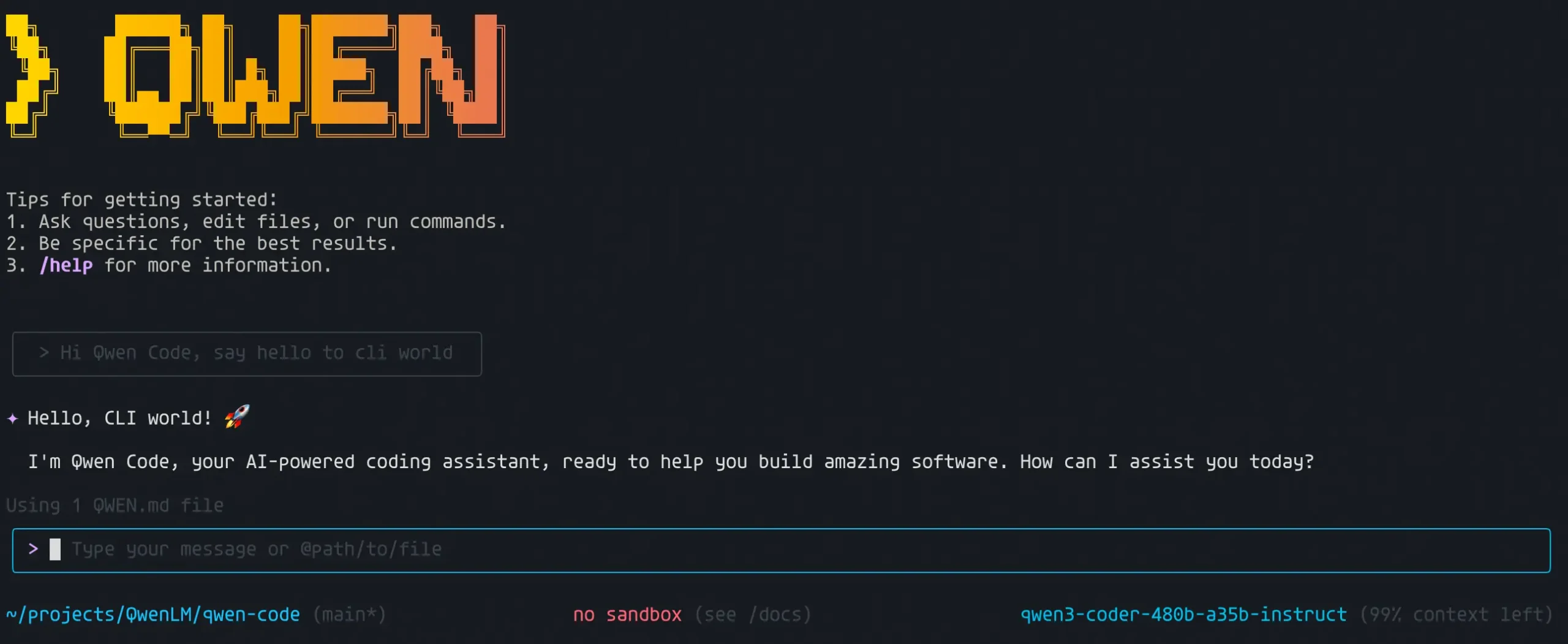
Qwen Code is an open-source command-line AI workflow tool that helps you work with large codebases, automate tasks, and understand complex code.
It’s an adaptation of Gemini CLI but optimized for Qwen3-Coder model, the most powerful agentic code model available.
# Install & Download
npm install -g @qwen-code/qwen-code
The main idea behind Qwen Code is to give you an AI coding assistant that can reason about your code on a large scale.
You can ask it to explain architectural components, refactor functions, or even analyze git commits over time.
Key Features
- Repository-Scale Code Understanding: Analyzes and comprehends large codebases beyond traditional AI context limits, providing insights into system architecture and component relationships.
- Intelligent Code Editing: Refactors functions, classes, and modules with context-aware suggestions for improved readability and performance.
- Workflow Automation: Handles operational tasks like pull request analysis, git commit summaries, and complex rebases automatically.
- Enhanced Qwen-Coder Integration: Features an optimized parser specifically designed for Qwen3-Coder models, ensuring better accuracy and performance.
- Natural Language Interface: Interact with your codebase using plain English queries, making complex analysis accessible without memorizing commands.
- Multi-Format Processing: Handles various file types and can perform tasks like batch image conversion alongside code analysis.
Use Cases
- Security Assessment: Query security mechanisms in place and identify potential vulnerabilities across large codebases.
- Legacy Code Analysis: When inheriting an unfamiliar codebase, ask questions like “What are the core business logic components?” or “How does the data flow work?” to quickly understand system architecture.
- Code Quality Improvement: Identify optimization opportunities with queries like “What parts of this module can be optimized?” and get specific refactoring suggestions with proper design patterns.
- Documentation Generation: Automatically create detailed JSDoc comments, API documentation, and unit tests for existing code components.
- Development Workflow Automation: Analyze git commit history, group changes by feature and team member, or automate repetitive file processing tasks.
How To Use It
1. To get started, make sure you have the latest NPM and Node.js v20+ installed.
2. Install the tool globally via npm:
npm install -g @qwen-code/qwen-code3. Verify installation:
qwen --version4. Set up your Qwen API credentials (you can also create a .env file in your project):
export OPENAI_API_KEY="your_api_key_here"
export OPENAI_BASE_URL="your_api_base_url_here"
export OPENAI_MODEL="your_api_model_here"
5. Navigate to your project directory and start the interactive session:
cd your-project/
qwen
6. Then use natural language queries like:
- “Describe the main pieces of this system’s architecture”
- “Refactor this function to improve readability and performance”
- “Generate comprehensive JSDoc comments for this function”
The tool will analyze your codebase and provide contextual responses and suggestions.
Pros
- Free and Open-Source: Qwen Code is free to use and open-source.
- Powerful Underlying Model: It uses the Qwen3-Coder model, which is one of the most capable open-source coding models available.
- Command-Line Interface: For developers who live in the terminal, a CLI tool is a natural fit for their workflow.
- Large Context Window: The underlying models support a large context window. This allows the AI to understand and reason about large codebases.
Cons
- Command-Line Only: There is no graphical user interface.
- Requires API Key: You need to get an API key to use the CLI.
- Learning Curve: Getting the most out of the CLI requires some experimentation and learning.
Related Resources
- Qwen3-Coder Official Repository: The underlying AI model powering Qwen Code with detailed documentation and model specifications.
- Qwen Team Blog: Regular updates on Qwen model developments and new features.
- Node.js Official Download: Required runtime environment for installation.
- Gemini CLI: The original project that Qwen Code is adapted from.
- Grok CLI: Open Alternative to Claude Code and Gemini CLI.
- Daili Code: A Gemini CLI Alternative with Any LLM Support.
- Qwen Code: Open-source Command-line AI Agent.
FAQs
Q: How does Qwen Code handle large codebases that exceed typical AI context windows?
A: Qwen Code uses an enhanced parser optimized for Qwen3-Coder models, which support 256K tokens natively and can extend to 1M tokens. This allows the tool to maintain context across large repositories and provide coherent analysis of complex system architectures.
Q: Is there a cost associated with using Qwen Code?
A: The tool itself is free and open source, but it requires API access to Qwen models. Depending on your usage volume and the API provider, there may be costs associated with the API calls. Check with your chosen Qwen API provider for specific pricing details.
Q: How does Qwen Code compare to GitHub Copilot?
A: Qwen Code is a command-line tool that you interact with in a question-and-answer format, while GitHub Copilot is an extension for your code editor that provides real-time code suggestions. They serve different purposes, but both can help you write code more efficiently.
Q: What operating systems does Qwen Code run on?
A: Since it’s a Node.js application, it runs on any operating system that supports Node.js, including Windows, macOS, and Linux.