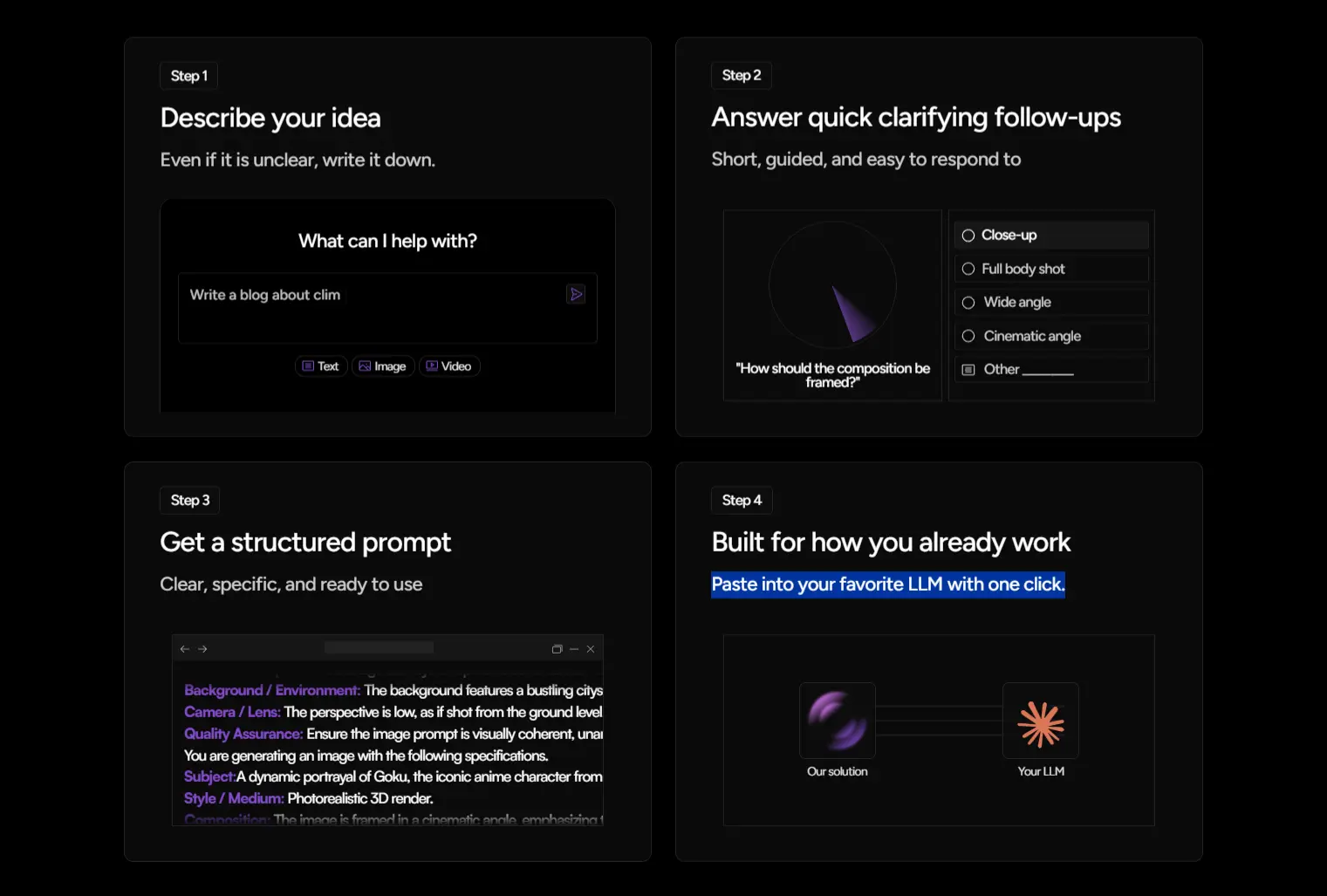
Promptly is a free, AI-powered prompt optimization tool that turns rough ideas into structured AI prompts ready for your favorite LLMs like ChatGPT, Claude, and Gemini.
Enter a basic draft prompt, answer a short questionnaire, and the app generates a highly specific prompt based on those answers.
This reduces randomness and lowers token usage across text, image, and video models. You spend less time rewriting prompts and get more consistent outputs.
Features
- Analyzes original draft prompts to generate a targeted refinement questionnaire.
- Adapts structure and questions for text, image, or video prompts.
- Uses a Language-of-Thoughts (LoT) methodology to identify ambiguities and expand vague concepts.
- Generates readable, editable plain-text prompts with no hidden automation.
- Lowers overall token usage through clear and focused instructions.
Use Cases
- Write a blog article prompt with defined audience, tone, and constraints.
- Build consistent prompts for AI image generation with clear composition details.
- Prepare structured prompts for video scripts or storyboard generation.
- Standardize prompt formats across different AI tools in a team workflow.
- Refine unclear client requests into usable AI instructions.
Case Studies
1. I tested Promptly to write an article about AI. I entered a very basic draft prompt into the input box.
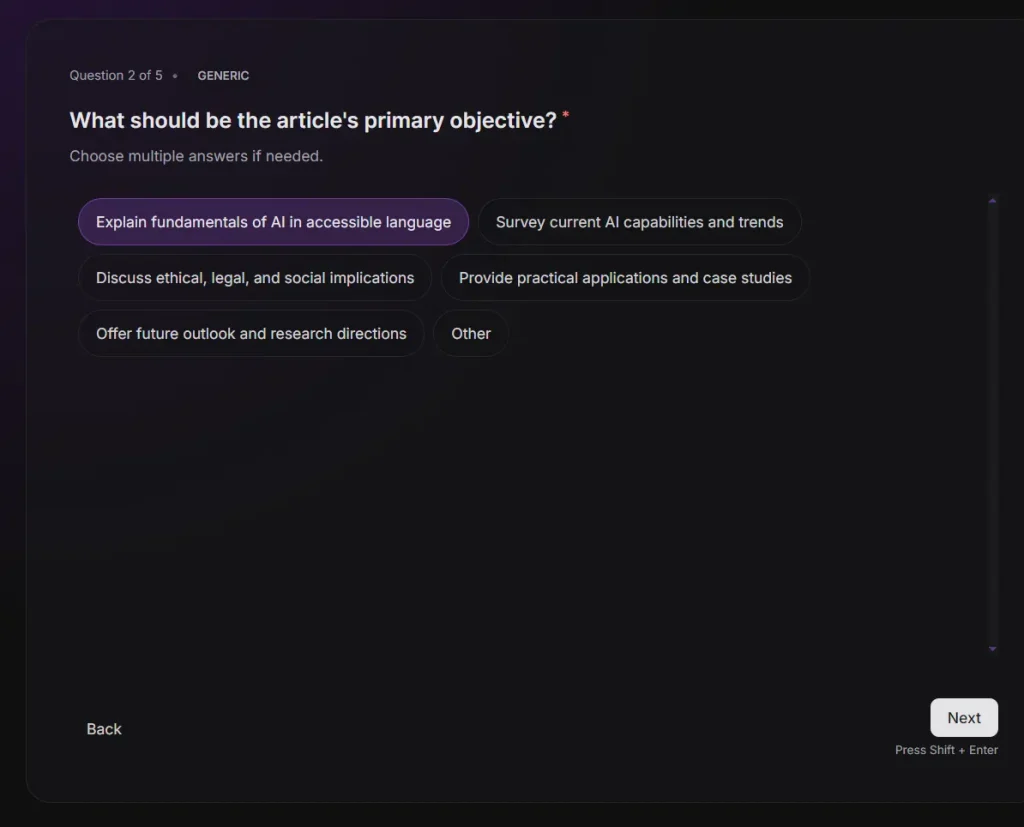
Write an article about AI2. The tool immediately analyzed my request and generated a five-step questionnaire. I selected “Tech professionals or researchers” for the target audience. I chose “Explain fundamentals of AI in accessible language” for the primary objective. I picked a high level non technical tone and a short 800 to 1200 word format. I also added a constraint to include real world case studies of AI deployments in industry.
3. The tool generated a detailed, structured prompt based on my selections. The output included specific sections for Objective Key Context Constraints and Output Instructions. I pasted this text into Claude and received a perfectly formatted article on the first try.
Role:
AI Article Writer

Objective:
Produce a single cohesive article about Artificial Intelligence that explains fundamentals in accessible language, targeted toward tech professionals or researchers, with a high-level, non-technical approach. The piece should be approximately 800–1200 words and include real-world case studies of AI deployments in industry.

Key Context:
- Target audience: Tech professionals or researchers seeking an accessible overview of AI fundamentals.
- Scope: High-level, non-technical explanation suitable for readers without deep technical background.
- Length and format: Short article, approximately 800–1200 words, presented as a single cohesive piece.
- Content requirements: Include real-world case studies illustrating AI deployments in industry.

Constraints:
- Maintain a high-level, non-technical tone; avoid deep mathematical or coding detail.
- Structure the article clearly with smooth transitions; no disjointed sections.
- Ensure accuracy and up-to-date relevance; avoid speculative claims beyond widely accepted knowledge.

Output Instructions:
- Start with a concise engaging headline (without heavy jargon).
- Use a clear, readable prose style appropriate for professionals.
- Include 2–3 real-world case studies (brief, concrete examples with outcomes).
- Include a brief section on common misconceptions and ethical considerations.
- Conclude with a forward-looking takeaway about AI impact.
- Present the final piece as plain text, with paragraphs separated by blank lines; no bullet lists unless used sparingly within the article body for readability.

Final Instruction:
Provide the final answer directly.
How to Use It
1. Go to Trypromptlyapp.com and register a free account.
2. Type your initial idea into the input field. Even if it’s unclear, write it down.
3. The AI analyzes your input and generates a set of questions. Each question focuses on a specific aspect of your prompt. For example:
Select answers from the provided options or use the “Other” field for custom input.
What is the target audience for the article?
- General public with high school level understanding
- Tech professionals or researchers
- Business leaders and decision-makers
- Students or educators
- Policy makers and ethicists
- Other
What should be the article’s primary objective?
- Explain fundamentals of AI in accessible language
- Survey current AI capabilities and trends
- Discuss ethical, legal, and social implications
- Provide practical applications and case studies
- Offer future outlook and research directions
- Other
What depth and tone do you prefer?
- High-level overview, non-technical
- Moderately technical with approachable explanations
- In-depth, technical with code/examples (if applicable)
- Other
What length and format should the article follow?
- Short (~800-1200 words), single cohesive piece
- Standard (~1500-2000 words), sections with headings
- Long-form (>2500 words), comprehensive coverage with subsections
- Other
Any constraints or topics to include or avoid?
- Include real-world case studies (e.g., deployments in industry)
- Discuss ethical considerations and bias mitigation
- Focus on AI safety and governance
- Avoid speculative claims about AGI
- Highlight AI in specific sectors (health, finance, etc.)
- Do not include code or technical diagrams
- Avoid critical or negative framing about AI
- Other
4. Click the Submit button and the tool processes your answers and outputs a complete, structured prompt.
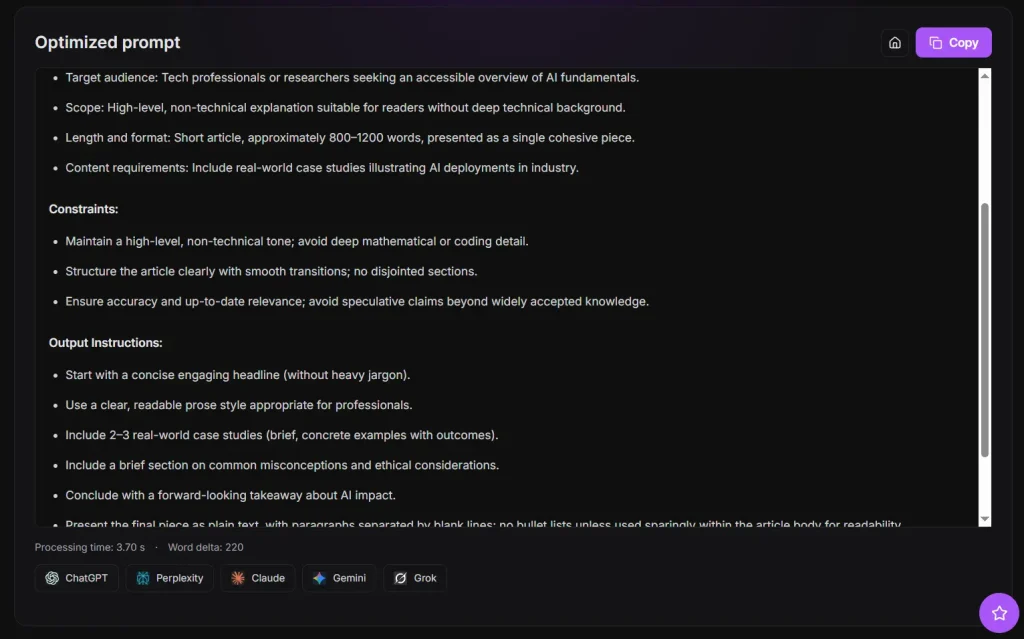
5. Copy the final prompt and paste it into ChatGPT, Claude, Gemini, or any other LLM. You can edit the prompt directly before using it.
Pros
- Stops the trial-and-error cycle by clarifying intent before the model responds.
- Works for text, image, and video prompts.
- Outputs plain text you can edit, reuse, or adapt.
- Reduces token usage by reducing unnecessary back-and-forth with the LLM.
- Helps you learn better prompting by showing you what questions to ask yourself.
Cons
- Requires registration to use.
- Not a real-time tool.
Related Resources
- OpenAI Prompt Engineering Guide: Read OpenAI’s documentation on structuring effective requests for large language models.
- Anthropic Prompt Engineering: Practice advanced techniques for Claude through a hands-on learning repository.
FAQs
Q: What makes Promptly different from writing prompts manually?
A: Promptly forces you to define missing context through structured questions. This reduces vague instructions and improves output consistency.
Q: Is it suitable for beginners?
A: Yes. Beginners can generate usable prompts without deep prompt engineering knowledge.
Q: How much time does the refinement process take?
A: Most sessions take under two minutes. You paste your idea and answer a small number of short questions.
Q: What happens to my prompts and data?
A: Prompts are treated as sensitive data. They are processed to generate your output, not reviewed by humans or reused without consent .