StreamingKokoroJS is a free, open-source text-to-speech tool that converts text to natural-sounding speech directly in your browser.
It uses the Kokoro-JS library and the Kokoro-82M model to generate speech directly in local. This means no server-side processing and no sending your text data anywhere.
Features
- 100% Client-Side Processing: Everything happens in your browser; no data is sent to any server. This is great for privacy and offline use.
- WebGPU Acceleration: It automatically uses WebGPU if your browser and hardware support it. This makes the speech generation faster. If WebGPU isn’t available, it falls back to WASM (WebAssembly).
- Streaming Audio Generation: The tool processes text in chunks. You start hearing the audio as it’s being generated, so you don’t have to wait for the whole thing to finish.
- Smart Text Chunking: It’s designed to split text intelligently to help maintain a more natural flow in the generated speech.
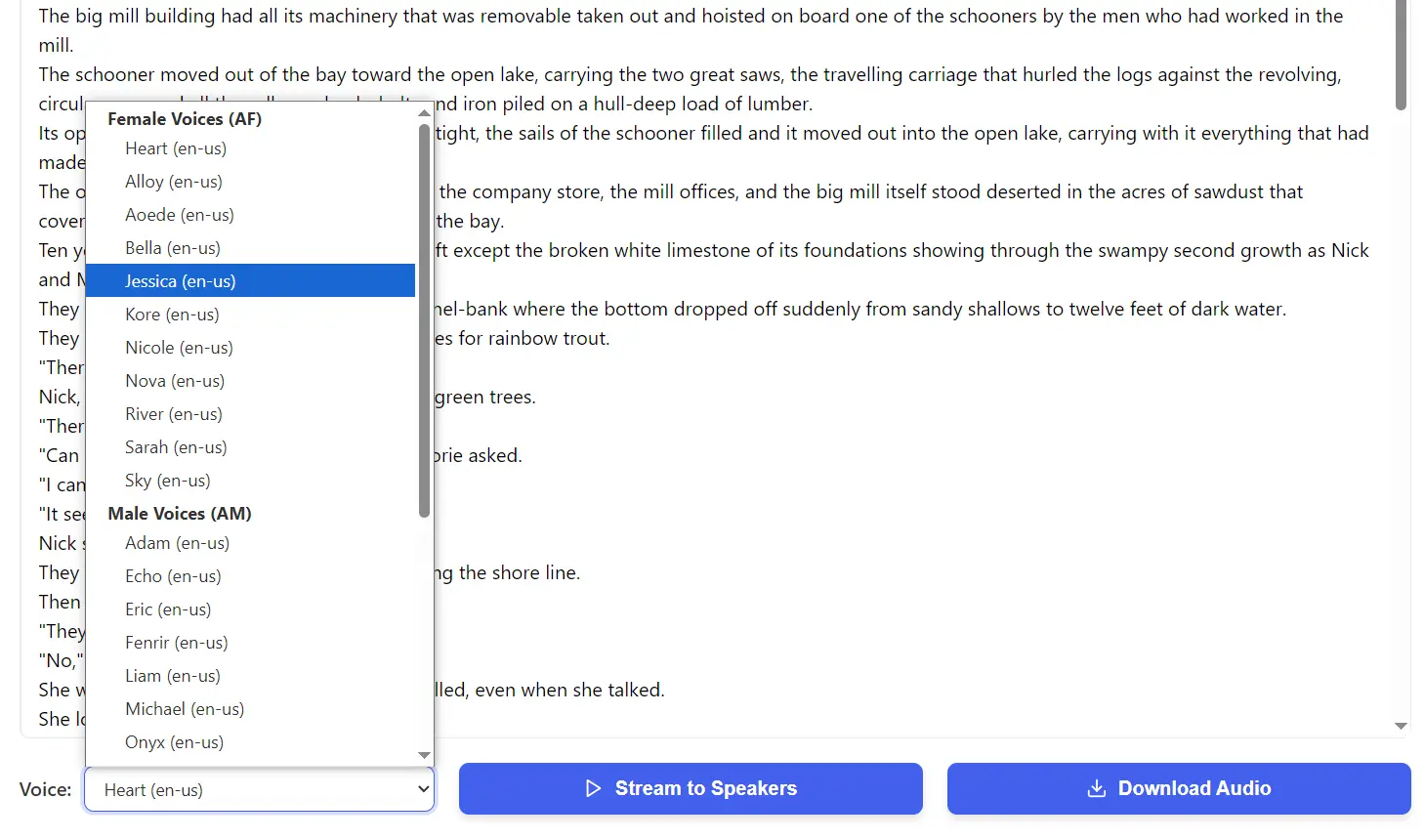
- Multiple Voice Styles: You can choose from various voice styles, which also cover different languages.
- Audio Download: Once the speech is generated, you can save the audio as a file to your computer.
- Fully Open Source: Every part of it, from Kokoro-JS to the model it uses, is open source (Apache 2 License).
Use Cases
- Quick Voiceovers for Drafts: If you’re creating video content and need a temporary voiceover to time your visuals, this is a fast way to get it without much fuss.
- Accessibility: For individuals who benefit from text being read aloud, this offers an offline and private option.
- Prototyping Applications: Developers building web applications that need TTS capabilities can use this for local development and testing, especially if they want to avoid API calls during early stages.
- Learning and Pronunciation: If you’re learning a new language supported by one of the voice models, you could use it to hear text pronounced.
- Private Note-Taking/Reading: If you have sensitive text you want read aloud but are (understandably) hesitant to paste it into an online cloud-based TTS service, this tool keeps it all on your machine.
How To Use It
1. You can either clone the repository from GitHub and run it with a local web server, or just visit the official demo page.
2. The first time you use it, your browser will download the Kokoro-82M-v1.0-ONNX model. This is about 300 MB. The good news is that it gets cached, so you only do this once.
3. Type or paste the text you want to convert.
4. Choose a voice from the dropdown menu.
5. Click the “Stream to Speakers” button. The audio will start playing as it’s generated.
6. Or click “Download Audio” to process the text and save the resulting audio as a file.
Pros
- Privacy: No data leaves your computer—perfect for sensitive content
- No Usage Limits: Generate as much speech as needed without subscription fees
- Works Offline: Perfect for areas with limited connectivity
- Fast Processing: WebGPU acceleration delivers surprisingly quick results
- No Account Required: Start using immediately without registration
Cons
- Initial Download: First use requires downloading a 300MB model
- Browser Compatibility: Works best in Chrome/Edge with WebGPU support
- Firefox Issues: Currently has compatibility problems with Firefox
- Resource Intensive: Requires decent hardware for smooth operation
- Limited Voice Options: Fewer voices compared to cloud-based alternatives
Related Resources
- Kokoro-JS GitHub Repository: https://github.com/hexgrad/kokoro/tree/main/kokoro.js – The underlying JavaScript library.
- Kokoro-82M-v1.0-ONNX Model Card: https://huggingface.co/onnx-community/Kokoro-82M-v1.0-ONNX – Information about the TTS model used.
- Hugging Face Transformers.js: https://huggingface.co/docs/transformers.js – The library that helps run these kinds of models in the browser.
FAQs
Q: Does Streaming-KokoroJS send my text to a server?
A: No, all processing happens 100% locally in your web browser. Your text data is not sent anywhere.
Q: Do I need to install anything to use the online demo?
A: No software installation is needed for the online demo. However, your browser will download a ~300MB model file the first time you use it, which is then cached for future use.
Q: What is WebGPU, and do I need it?
A: WebGPU is a new web technology that allows web applications to use your computer’s graphics card (GPU) for general computations, which can speed up tasks like AI model processing. Streaming-KokoroJS can use it for faster performance if available. If not, it will use WebAssembly (WASM) as a fallback, which works on most modern browsers but might be a bit slower.
Q: Is the audio quality comparable to professional services?
A: The audio quality is quite good for a model running entirely in the browser. However, large-scale commercial TTS services often use much bigger models and more server resources, so they might offer more natural or emotive speech in some cases. For many common uses, especially where privacy and offline access are key, Streaming-KokoroJS is a very capable option.