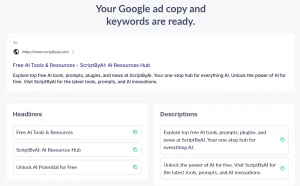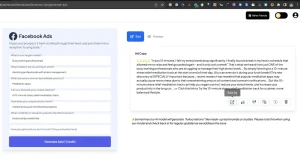
Pomelli is a free AI-powered marketing tool from Google Labs and DeepMind that helps small and medium-sized businesses generate on-brand social media campaigns.
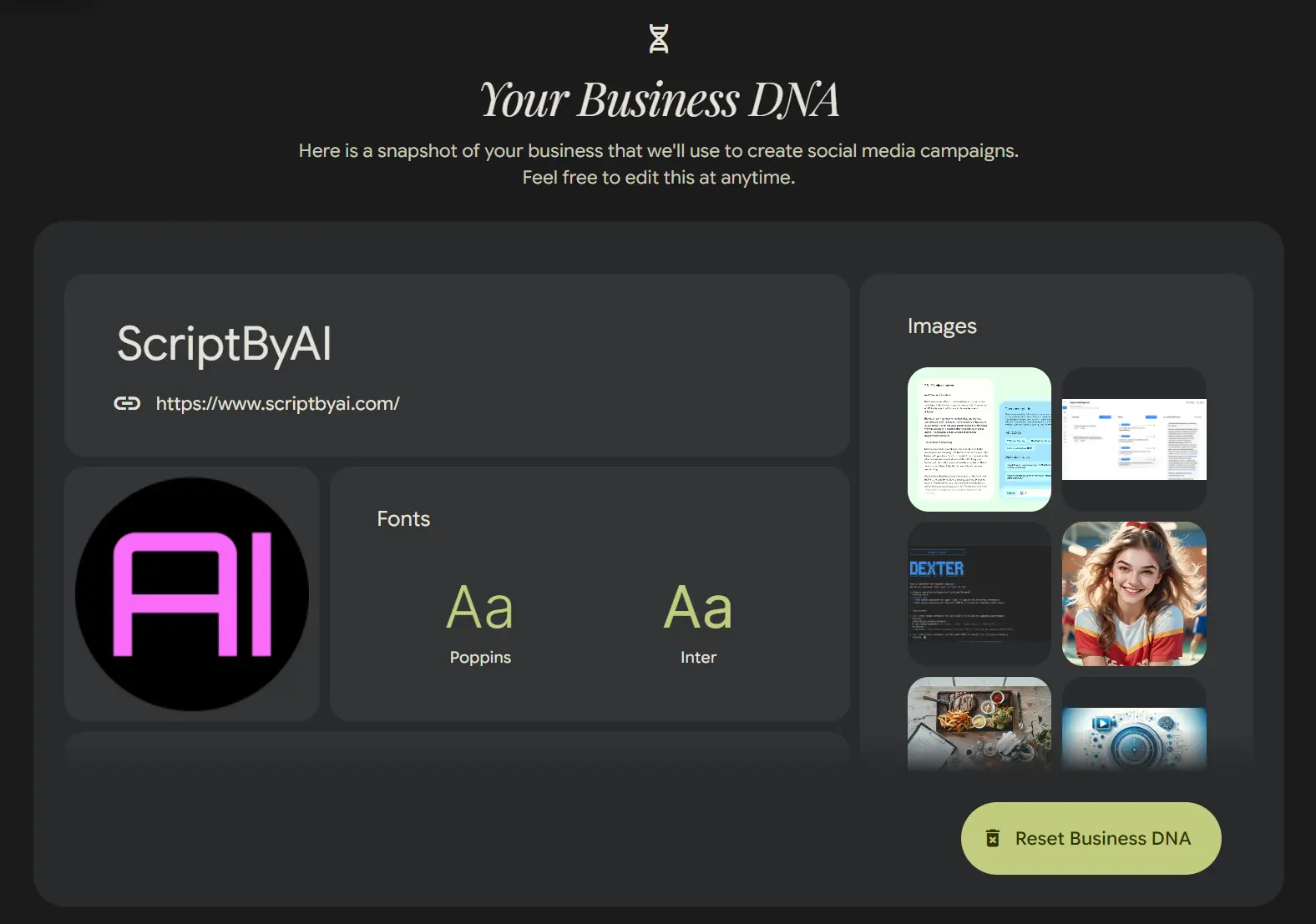
This experimental AI tool creates what Google refers to as a “Business DNA” profile from your existing online presence, then utilizes this profile to generate campaign assets that match your brand.
Features
Pomelli operates through a three-step workflow that handles brand analysis, campaign generation, and asset creation. Here’s what the tool can do:
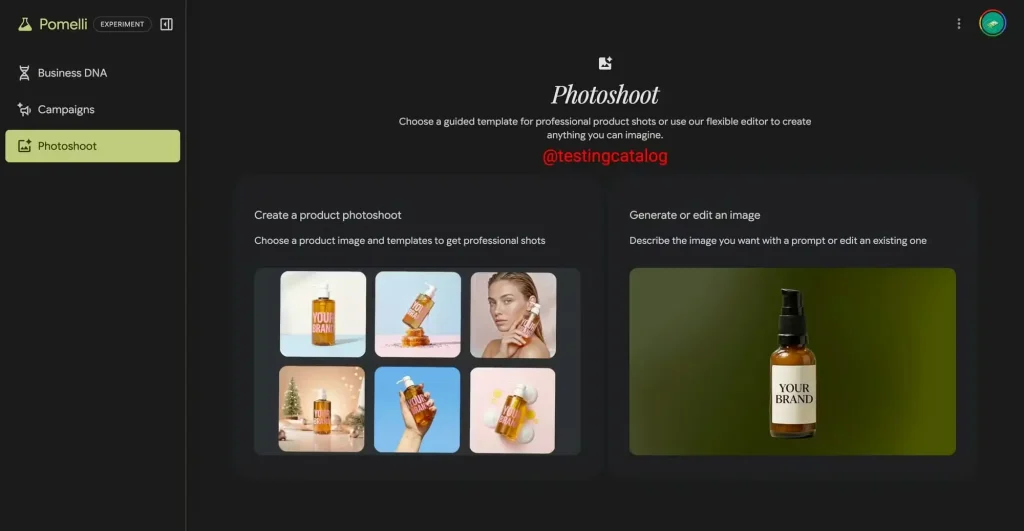
Photoshoot (NEW)
You can start from a single image of your product and easily create high quality, customized product shots to elevate your marketing. It also allows you to create and edit your own product images from scratch. Describe the image you want or upload any image as a reference to create custom assets quickly.
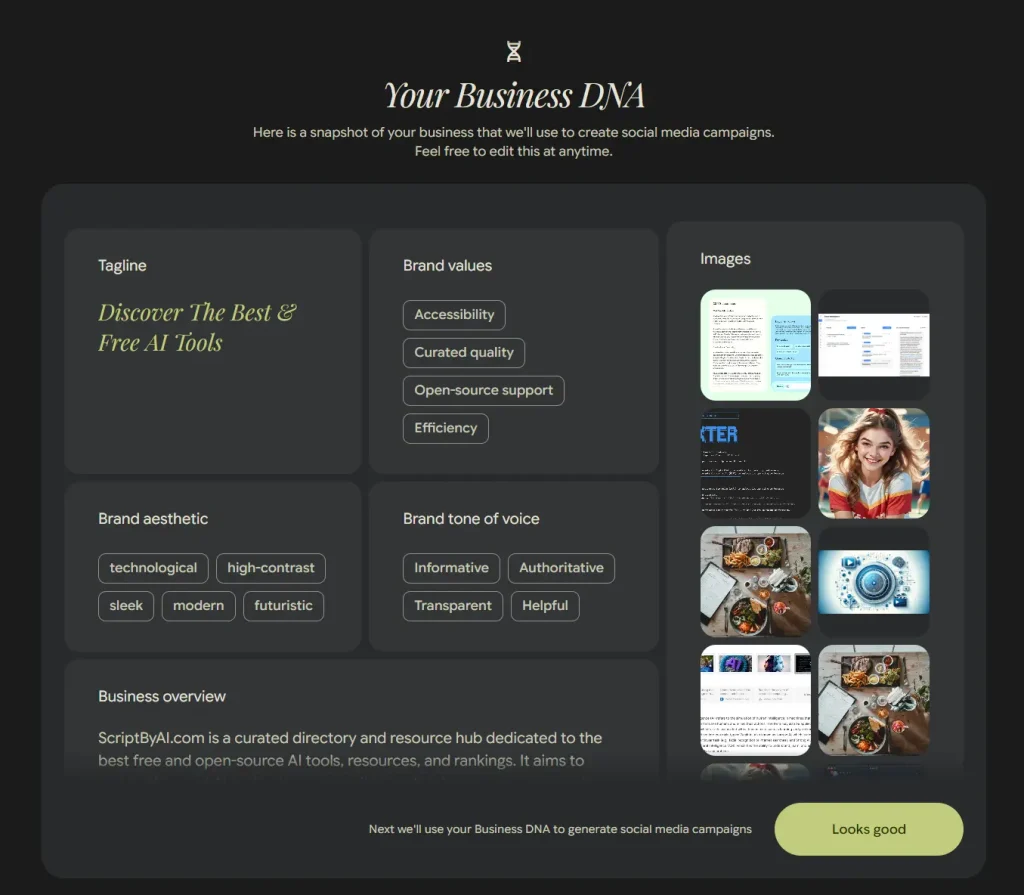
Business DNA Creation
Scans your website to extract brand elements like color schemes, typography, tone of voice, and existing imagery. The AI builds a comprehensive brand profile without requiring manual uploads or lengthy setup processes.
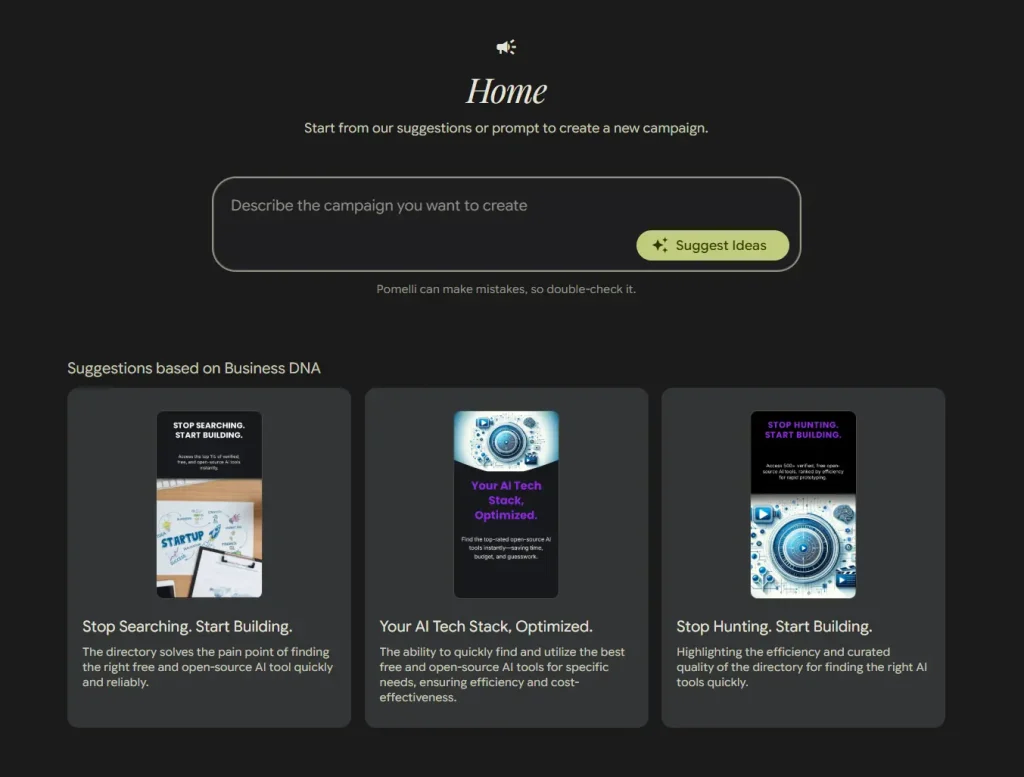
Automated Campaign Ideas
Generates tailored campaign concepts based on your business identity. The tool produces multiple creative angles and marketing approaches to help overcome the blank-page problem many small businesses face.
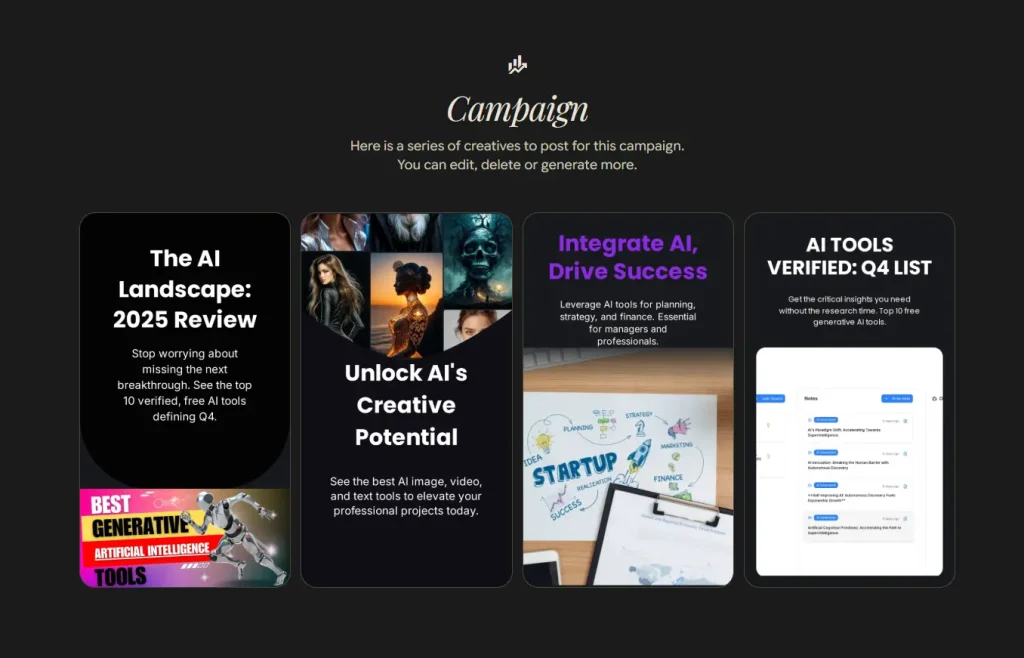
Platform-Ready Asset Generation
Creates high-quality marketing materials sized and formatted for different channels (social media posts, ads, website graphics). Each asset maintains consistency with your Business DNA profile.
Natural Language Editing
Lets you refine generated content using simple text commands like “make the tone more energetic” or “emphasize our sustainability focus” without needing design software skills.
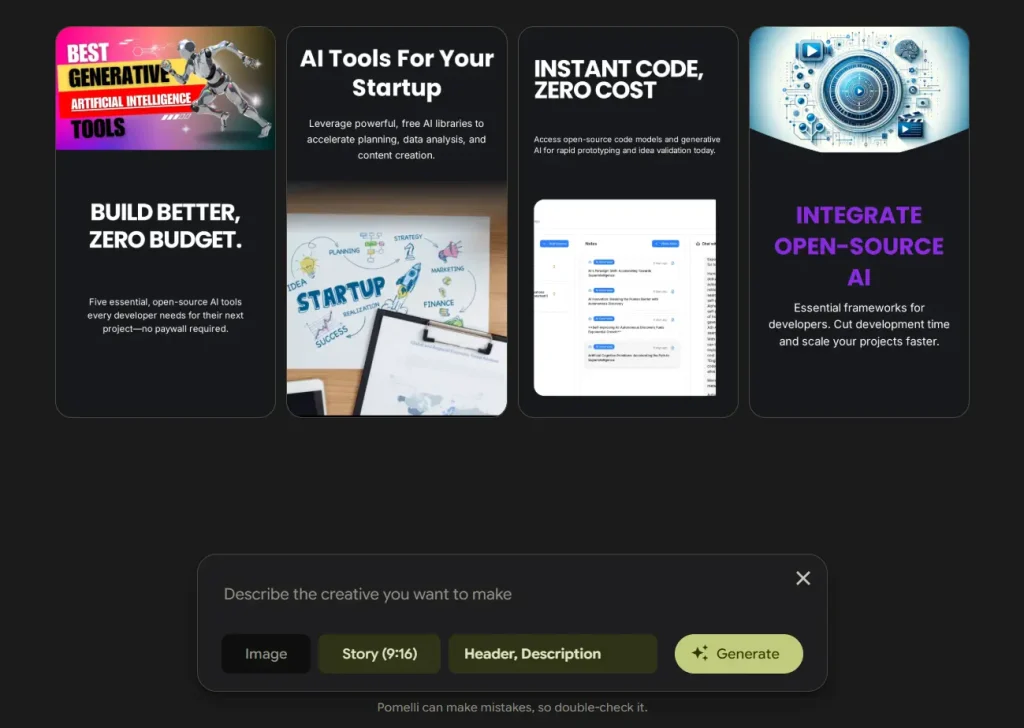
In-Tool Customization
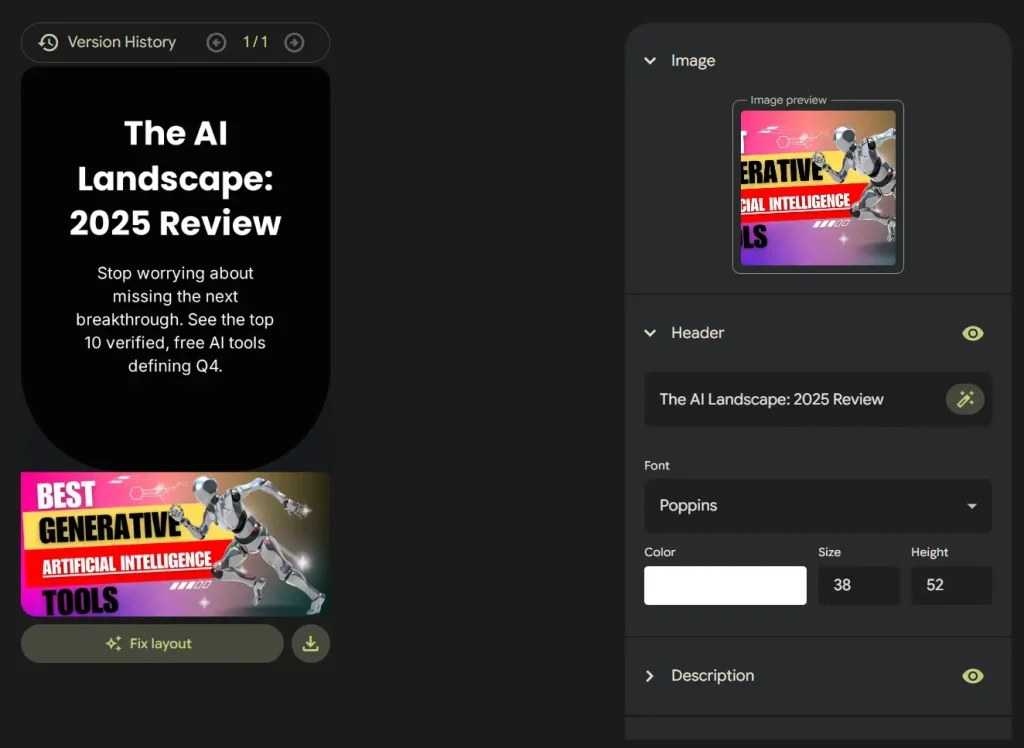
Includes built-in editors for adjusting text, swapping images, changing layouts, and modifying call-to-action buttons. You can fine-tune every element before downloading.
Multi-Format Export
Downloads finished assets ready for immediate use across your marketing channels. No additional formatting or conversion needed.

Use Cases
- Product Launches: When introducing a new product, you can use Pomelli to quickly generate a full suite of promotional materials. Just point it to the new product page on your website, and it can create announcement posts, feature highlights, and call-to-action graphics that match your existing brand style.
- Seasonal Campaigns: For holidays or seasonal sales, you can prompt Pomelli to create themed content. For example, you could ask for “a campaign for our winter sale with a cozy feel,” and it will generate relevant visuals and copy based on your Business DNA.
- Daily Social Media Content: If you need to maintain an active presence on social media, Pomelli can help generate a steady stream of on-brand content. It can create posts based on your blog articles, company news, or general business themes, saving you hours of content creation time each week.
How to Use It
1. Log in to Pomelli through Google Labs using your Google account.
The tool is currently only available in the United States, Canada, Australia, and New Zealand.
2. Enter your business website address and click Continue.
3. Pomelli scans your site to gather brand information, including color schemes, fonts, imagery, and content tone. This process typically takes 5-10 minutes (sometimes longer during peak usage times).
4. Review your Business DNA profile when it appears. You’ll see a card displaying your logo, brand fonts, main color palette, homepage images, product capabilities, and positioning keywords. This profile serves as the foundation for all generated content. Edit any elements that don’t accurately represent your brand.
5. Click “looks good” to proceed to campaign generation. The AI automatically creates several preview creatives based on your Business DNA. These initial examples show how your brand translates into marketing assets.
6. Describe your campaign in the input box or click “Suggest Idea” to let the AI generate campaign ideas automatically.
7. Click “Generate ideas” to create a series of marketing assets for your chosen campaign. Browse through the options and select the creatives that match your goals. You can generate additional variations or delete ones that don’t work.
8. Fine-tune individual assets by clicking on them.
9. Add a call-to-action button if your asset needs one (not included by default). Click the “Generate” button to create a CTA styled to match your brand’s existing buttons and color scheme.
10. Use the “Fix Layout” button if text edits create alignment issues. This tool adjusts spacing and positioning to maintain visual balance after you’ve changed copy length or formatting.
11. Download your finished assets when you’re satisfied with the results. All files are ready for immediate upload to your marketing channels.
Pros
- Quick Brand Analysis: The automatic website scanning eliminates hours of manual brand guideline creation.
- True Brand Consistency: Unlike generic templates, every generated asset pulls from your actual brand identity.
- Campaign Ideation Support: The suggestion feature helps when you’re stuck on what to promote.
- Platform Adaptation: Generated assets automatically size and format for different channels. You don’t manually resize images or adjust layouts for Instagram versus Facebook specifications.
- Rapid Iteration: Creating multiple variations for testing takes minutes instead of days. Small teams can run proper A/B tests without the budget for multiple designer revisions.
Cons
- Limited Geographic Availability: The beta currently only serves the United States, Canada, Australia, and New Zealand with English-only support.
- Monotonous Design Aesthetic: The generated layouts and visual styles tend toward a similar look across different businesses. The templates don’t offer much variation in creative direction or contemporary design trends.
- Weak Background Control: You can’t easily modify or customize the background images beyond what Pomelli scrapes from your site.
- Experimental Status Limitations: As Google notes, it’s an early experiment and “might take some time to get things right”. Features may be incomplete or buggy, and the tool could change substantially or even be discontinued.
Related Resources
- Google Labs: The official Google Labs platform where you can access Pomelli and other experimental AI tools from Google’s research teams.
- Google’s Official Pomelli Announcement: The launch blog post with detailed information about how the tool works and Google’s vision for AI-assisted marketing.
- Google DeepMind: Learn about the AI research organization behind Pomelli’s underlying technology and their other work in practical AI applications.
FAQs
Q: Do I need any design experience to use Pomelli?
A: No design skills are required. The tool handles visual composition automatically based on your website’s existing branding. You make adjustments using simple text commands like “make this more playful” rather than manipulating design elements directly.
Q: How accurate is the Business DNA profile?
A: Accuracy depends entirely on your website quality. If your site has clear branding (consistent colors, defined fonts, professional imagery), Pomelli produces a solid profile. Sites with minimal content, inconsistent styling, or mostly text will generate weaker profiles that may not capture your actual brand identity. You can manually edit the profile before generating campaigns.
Q: How does Pomelli compare to tools like Canva or Adobe Express?
A: Pomelli emphasizes end-to-end automation through its Business DNA approach, whereas Canva and Adobe provide template libraries requiring more manual work. Pomelli generates content faster but offers less creative control and variety. Think of Pomelli as a rapid-generation tool for brand-consistent content versus traditional design platforms that give you more flexibility but require more time investment.
Q: What happens if I don’t like the generated campaigns?
A: You can regenerate ideas as many times as needed, edit individual elements within the tool, or provide more specific prompts about tone and focus. The iterative approach works best—start with the AI suggestions, then refine based on what’s close to your vision. You’re not stuck with the first generation.
Q: Is my business data private when using Pomelli?
A: Pomelli analyzes only publicly available website data that anyone could access by visiting your site. Google hasn’t published detailed privacy documentation for this experimental tool. Review any generated content for accuracy and check that it doesn’t expose information you didn’t intend to share publicly.
Q: Can Pomelli create video content?
A: The current beta focuses on static image assets and text copy. Video generation isn’t available yet, though some analysts suggest future versions might incorporate video features given Google’s other AI capabilities.
Changelog
02/20/2026
- Google Pomelli 2.0