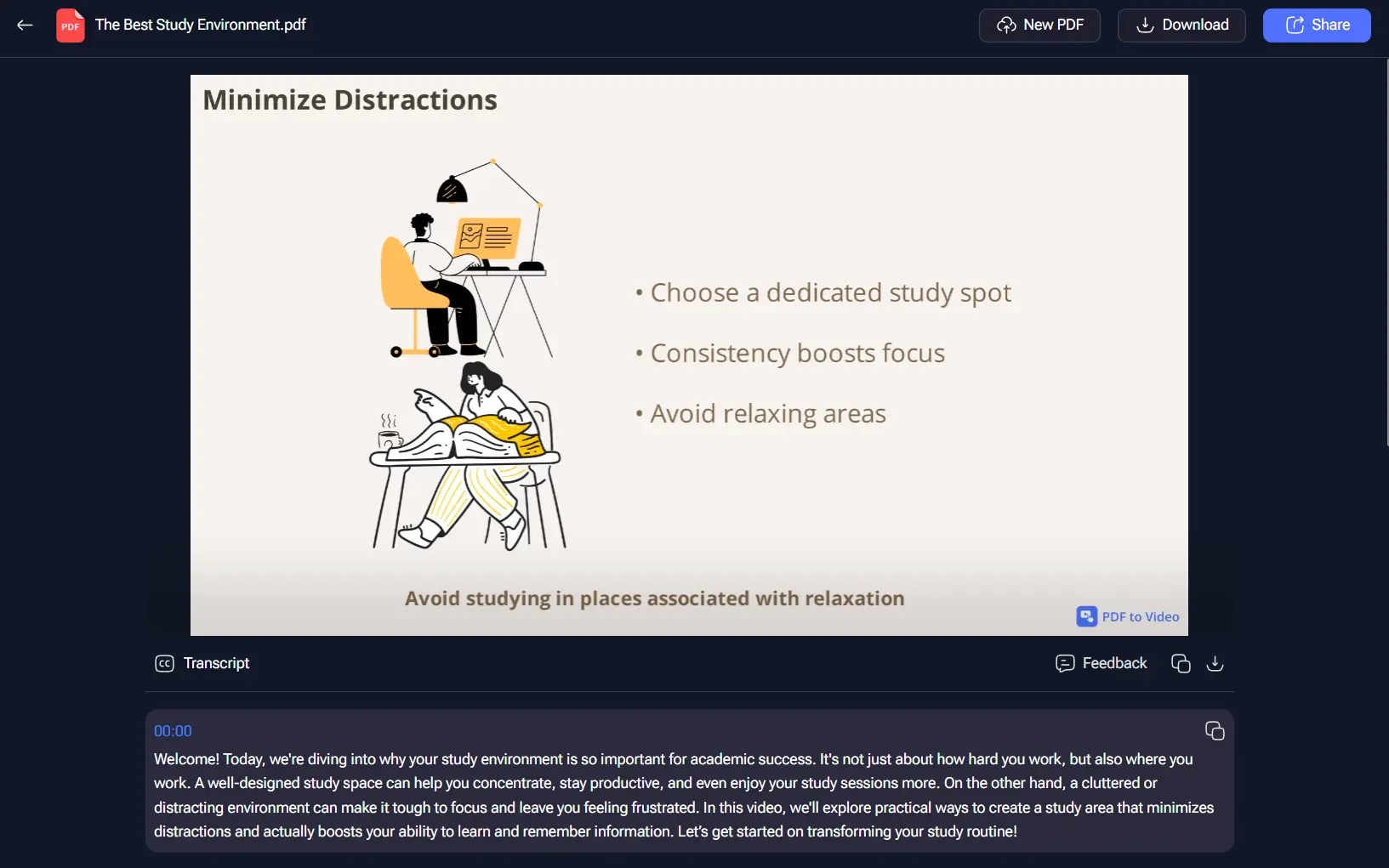
PDFtoVideo.ai is a free AI-powered video generation tool that transforms PDF documents, text prompts, and article links into professional explainer videos with narration and visual elements.
It’s perfect for anyone who needs to create engaging visual content for learning, marketing, or social media.
Features
- Lightning-Fast Generation: Creates complete videos with narration in under a minute, with most single-page PDFs processing in tens of seconds.
- Multiple Input Formats: Accepts PDF uploads (up to 80 pages), direct text input, prompts, and article URLs as source material.
- Flexible Video Formats: Generates videos in 16:9 (landscape), 9:16 (vertical), and 1:1 (square) aspect ratios to match different platform requirements.
- Extended Length Support: Produces videos up to 15 minutes long, accommodating both short explainers and comprehensive presentations.
- Multilingual Voice Options: Provides natural-sounding AI narration in multiple languages with various voice selections.
- Brand Customization: Allows custom title styling and brand logo integration directly into the video output.
- No Registration Required: Functions as a completely free tool without requiring account creation or login credentials.
Preview
Here’s an example video I generated from a resume PDF:
Use Cases
- Educators: Convert lecture notes or research papers into video lessons for students.
- Marketers: Turn whitepapers, case studies, or blog posts into promotional videos for social media.
- Students: Create video summaries of their notes or presentations for easier revision.
- Content Creators: Quickly generate explainer videos on various topics to share with their audience.
- Businesses: Transform internal training documents or reports into easily digestible videos for employees.
How To Use It
1. Visit pdftovideo.ai and select a PDF file from your local device. The tool accepts PDF documents up to 80 pages in length.
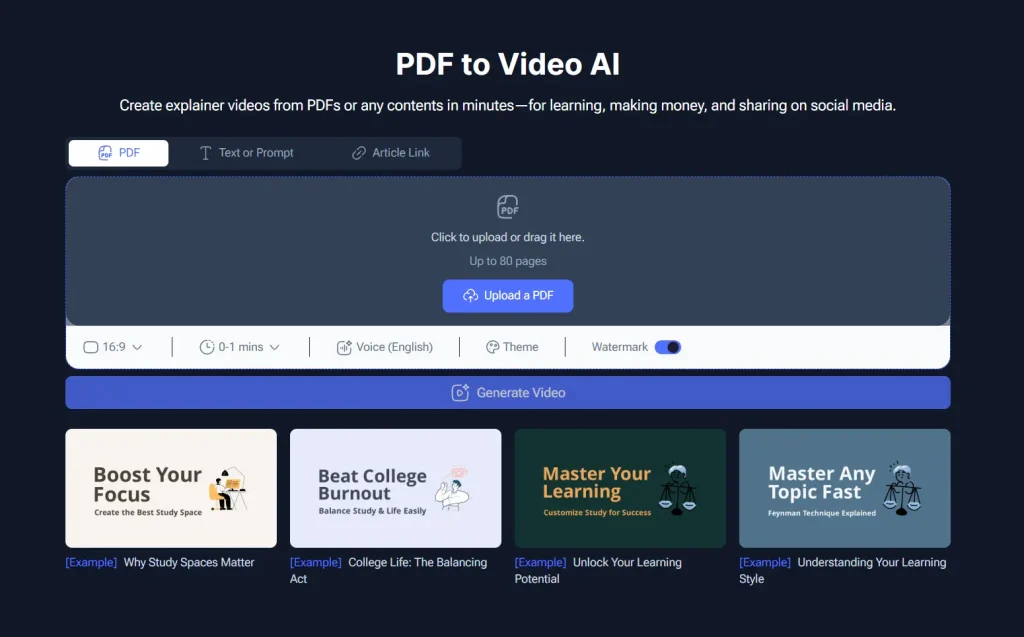
2. Alternatively, you can paste text directly into the input field, enter a custom prompt, or provide a URL to an online article.
3. Customize your video settings based on your intended use. Select your preferred aspect ratio from the available options: 16:9 for YouTube and desktop viewing, 9:16 for TikTok and Instagram Stories, or 1:1 for Instagram posts and Facebook content. Choose your desired video length anywhere from 30 seconds to 15 minutes.
4. Configure the audio and visual elements. Browse through the available AI voices and select one that matches your content tone and target audience. Choose your preferred language from the supported options. If you want to maintain brand consistency, upload your logo and customize the title color scheme to match your organization’s visual identity.

5. Review the watermark setting and decide whether to include or remove it based on your content’s intended use.
6. Click the “Generate Video” button to begin the AI processing. The generation time varies based on your PDF’s length and complexity, but most single-page documents complete within 30-60 seconds. Longer documents may take several minutes to process fully.
7. Once generation completes, preview your video using the built-in player. The platform also displays the AI-generated transcript below the video, allowing you to review the narration content for accuracy and completeness.

8. If satisfied with the result, click the download button to save the video file to your device.
Pros
- Completely free: No hidden costs or subscriptions.
- No registration required: Start creating videos right away without any sign-up process.
- Fast and efficient: Generate videos in a matter of seconds.
- Customization options: Personalize your videos with different resolutions, voices, and branding.
Cons
- Limited video editing features: The tool is primarily for video generation and lacks advanced editing capabilities.
- Dependent on input quality: The quality of the generated video is influenced by the quality of the source PDF or text.
- Potential for watermarks: While currently free, there might be limitations like watermarked exports in the future.
FAQs
Q: How long does PDFtoVideo.ai remain free to use?
A: The platform currently operates as a completely free service without registration requirements. However, video generation involves significant computational resources, which suggests this free model may transition to paid tiers as the service scales. You should take advantage of the current free access while available and monitor for any announced changes to the pricing structure.
Q: What PDF formats and sizes work best with the tool?
A: PDFtoVideo.ai performs optimally with text-based PDFs containing clear, readable content up to 80 pages in length. Documents with standard formatting, minimal complex graphics, and well-structured text yield the best results.
Q: How does the AI narration quality compare to human voice recordings?
A: The AI-generated voices provide natural-sounding narration that works well for most professional and educational applications. While the quality rivals human recordings for clarity and pronunciation, subtle elements like emotional inflection, emphasis, and cultural nuances may differ from professional voice talent. The voices work particularly well for instructional content, presentations, and informational videos where clear communication takes priority over dramatic delivery.