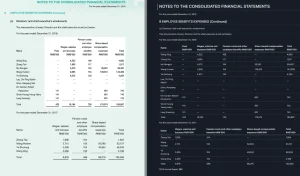
MarkPDFDown is a free, open-source, command-line tool that uses multimodal LLMs (like OpenAI’s GPT models) to turn PDF files into clean Markdown.
It’s particularly good at handling technical documentation, research papers, and reports where elements like code blocks and tables need to stay intact.
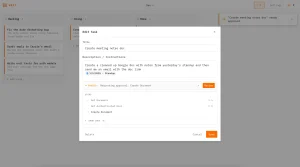
It also handles converting images to Markdown, which is useful for grabbing text from screenshots or diagrams.
Features
- PDF to Markdown Conversion: Transforms any PDF document into properly structured Markdown with preserved formatting.
- Image to Markdown Processing: Converts images containing text, tables, or diagrams directly into Markdown format.
- Multimodal AI Understanding: Uses advanced AI models to comprehend document structure and visual layout.
- Format Preservation: Maintains headings, lists, tables, code blocks, and hierarchical document structure.
- Customizable AI Models: Configure different OpenAI models based on your accuracy and cost requirements.
- Batch Processing: Handle multiple pages or documents efficiently through command-line operations.
- Docker Support: Run conversions in containerized environments for consistent deployment.
Preview

How to Use It
1. Get an API key from OpenAI. The tool uses its models to analyze the documents, so this step is required. You’ll set this key as an environment variable in your terminal.
export OPENAI_API_KEY="your-api-key"
export OPENAI_API_BASE="your-api-base"  # Optional
export OPENAI_DEFAULT_MODEL="your-model"  # Optional
2. The recommended installation method uses uv, a modern Python package manager that handles dependencies more efficiently than pip.
curl -LsSf https://astral.sh/uv/install.sh | shThen, clone the MarkPDFDown repository from GitHub and install the dependencies:
git clone https://github.com/MarkPDFdown/markpdfdown.git
cd markpdfdown
uv sync
3. Once installed, you run the tool from your terminal. The command pipes your input file to the script and redirects the output to a new Markdown file.
For a PDF:
python main.py < file.pdf > output.mdFor an image:
python main.py < image.png > output.md4. If you prefer using Docker, the process becomes even simpler:
docker run -i -e OPENAI_API_KEY=your-api-key jorbenzhu/markpdfdown < file.pdf > output.md
5. For very large PDFs, the conversion can take a moment. I find it helpful to run a single page through first to confirm the output quality before processing the entire document. You can do this by specifying start and end pages.
Pros
- High Accuracy: It’s much better accuracy than most free online converters.
- Preserves Complex Formatting: This is its biggest strength. It handles tables, nested lists, and code blocks exceptionally well.
- Open Source: The tool is free to use, and you can inspect or modify the code yourself.
- Scriptable: As a command-line tool, it’s easy to integrate into automated workflows and scripts.
- No File Uploads: The processing happens locally, calling the AI model via its API. Your documents aren’t uploaded to a random third-party website.
Cons
- Requires Technical Setup: It’s not a simple drag-and-drop web tool. You need to be comfortable with the command line, Git, and managing API keys.
- API Costs: While the tool itself is free, it relies on the OpenAI API, which is a paid service. The costs are generally low for converting individual documents, but it’s not entirely free to operate.
- Dependent on AI Model: The quality of the output is directly tied to the performance of the underlying OpenAI model you use.
Related Resources
- OpenAI API Documentation: Learn about different models and pricing for optimizing your conversion costs.
- Docker Documentation: Learn containerization for deploying MarkPDFDown in production environments.
FAQs
Q: Can MarkPDFDown handle scanned PDFs?
A: Yes, because it uses a multimodal model, it can process images of text. A scanned PDF is essentially an image, so it can extract and structure the text from it. It also directly supports image file inputs like PNG and JPG.
Q: How is this different from other “PDF to Markdown” online tools?
A: Most free online tools use older OCR technology that just extracts text and often messes up the formatting. MarkPDFDown uses an AI vision model to understand the layout of the page, distinguishing a heading from a paragraph or a table from a list, which results in a much cleaner and more accurate Markdown file.
Q: Can I use a different AI model, like a local one?
A: The tool is designed to work with the OpenAI API. You can customize the model (e.g., gpt-4o vs gpt-4-turbo) by setting the OPENAI_DEFAULT_MODEL environment variable. Pointing it to a different API endpoint, like a local model, is also possible by setting the OPENAI_API_BASE.