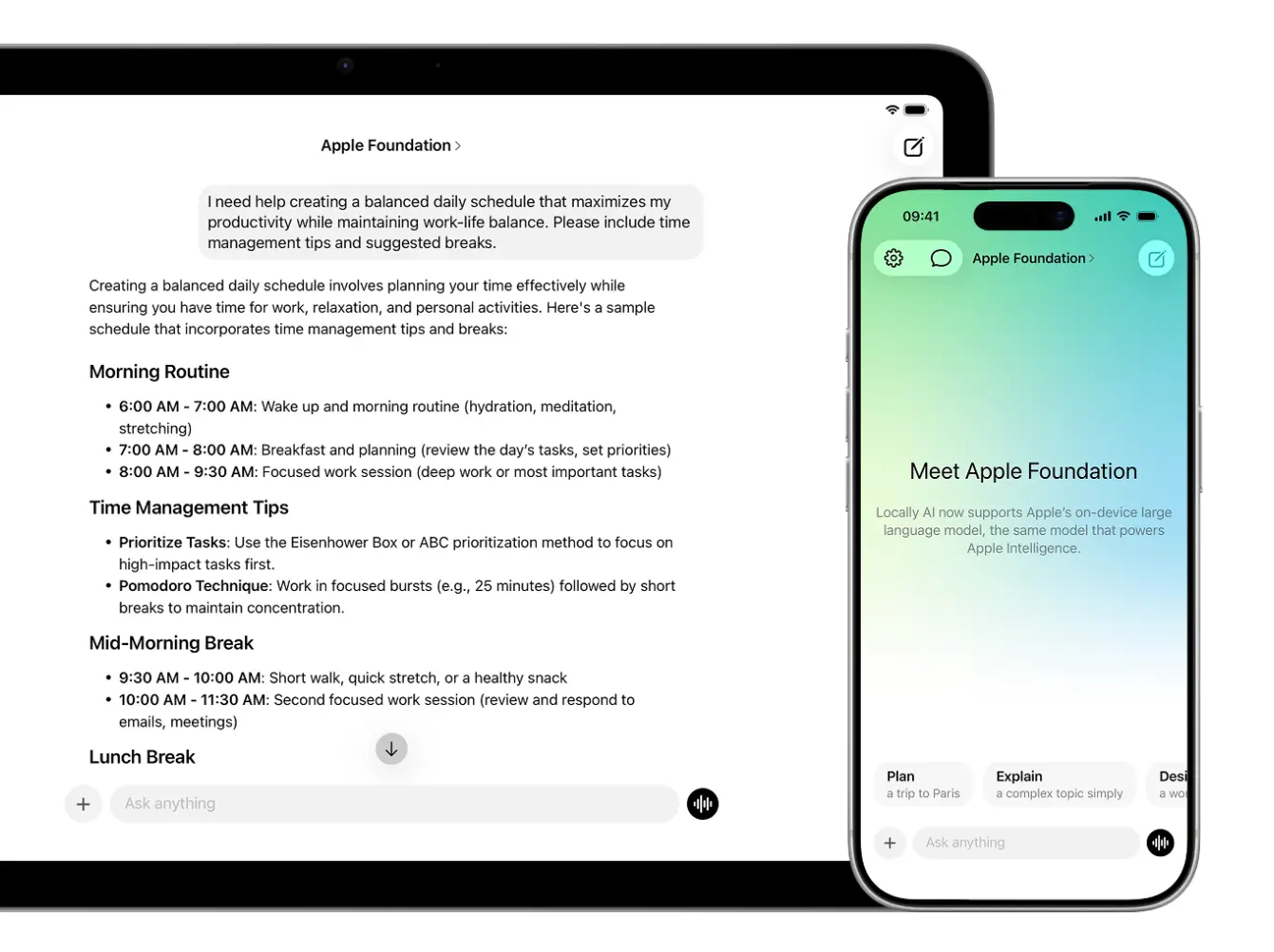
Locally AI is a free mobile and desktop application that runs open-source AI models completely offline on your iPhone, iPad, and Mac.
The app processes everything locally on your device without requiring an internet connection, login, or any data collection. It uses Apple’s MLX framework to optimize performance specifically for Apple Silicon chips.
Features
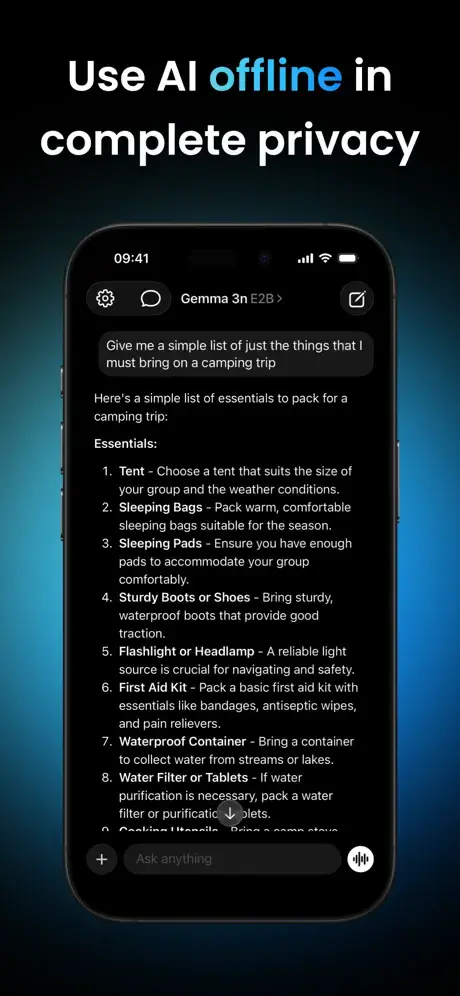
- Local & Offline: The app runs completely offline after you download a model. Your conversations and data never leave your device.
- Support for Multiple AI Models: Choose from top open-source models including Meta Llama, Google Gemma, Qwen, DeepSeek, Hugging Face SmolLM, IBM Granite, Deep Cogito Cogito, and Liquid AI LFM models.
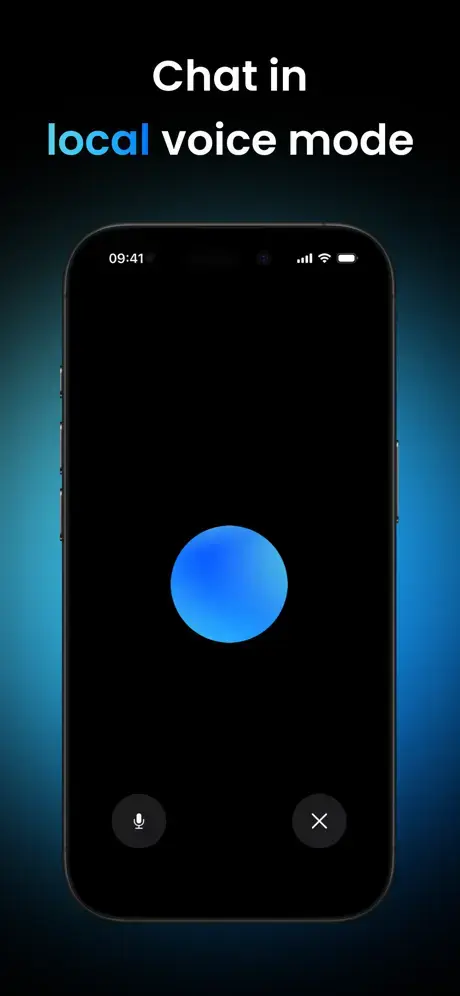
- Local Voice Mode: Talk with AI models using on-device voice recognition and synthesis.
- Language and Vision Models: Process both text and images using state-of-the-art AI models.
- Siri Integration: Launch conversations with your local AI models using Siri commands. Just say “Hey, Locally AI” to start interacting with your on-device assistant.
- Customizable System Prompts: Modify the AI’s behavior and personality by customizing the system prompt.
- Quick Access Controls: Access the app directly from Control Center, Lock Screen, or the Action Button on iPhone.
- Apple Shortcuts Integration: Create automated workflows using the Shortcuts app. Trigger AI actions, process text, or chain multiple operations together.
- Apple Silicon Optimization: The app uses MLX, Apple’s machine learning framework, to maximize performance on M-series and A-series chips.
Use Cases
- Secure Document Analysis: Summarize sensitive emails or notes. The data remains on the device.
- Travel and Commuting: You can continue working during flights or subway rides.
- Coding Assistance: Developers can run coding models like DeepSeek or Qwen on their Mac.
- Personal Assistant Automation: You can build custom Siri workflows. For example, you can create a shortcut that takes your voice input, processes it through a local Llama model, and saves the result to your Notes app.
How to Use It
1. Download the app from the App Store. Open Locally AI after installation.
2. Navigate to the Models section in the app. Browse the list of available AI models. Each model displays information about its size, capabilities, and recommended hardware requirements. Tap a model to begin downloading it to your device.
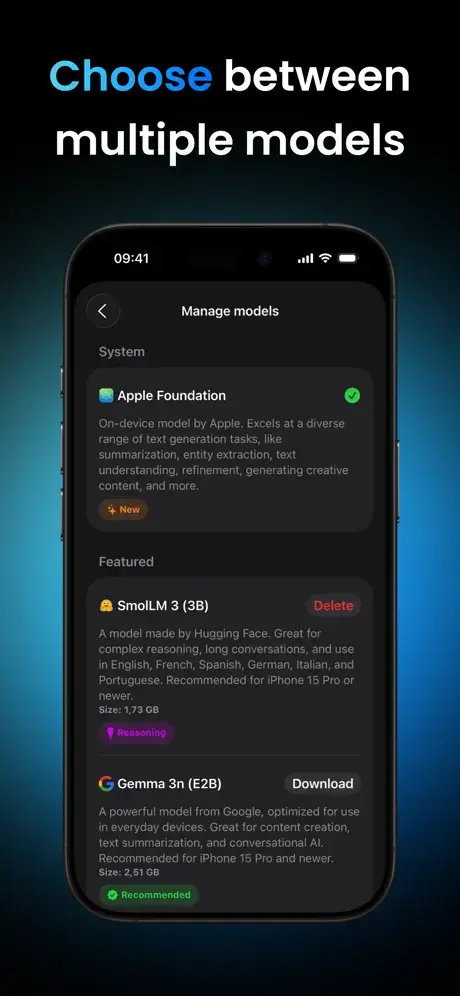
3. Wait for the model to finish downloading. Once complete, return to the chat interface. Select the downloaded model from the model picker. Start typing your message or question in the chatbox. The AI processes your input and responds entirely on your device.
4. Use Voice Mode by tapping the microphone icon in the chatbox. Speak your question or prompt naturally. The app transcribes your speech, processes it through the AI model, and responds with synthesized voice output.
5. Customize the system prompt by accessing Settings. Find the System Prompt option. Edit the text to define how the AI should behave, what role it should take, or what constraints it should follow. Save your changes and return to chat.
6. Set up quick access by opening Control Center settings on your iPhone or iPad. Add the Locally AI widget for one-tap access. Configure the LockScreen to include the Locally AI action. On iPhone 15 Pro or later, assign Locally AI to the Action Button.
7. Create automated workflows using the Shortcuts app. Open Shortcuts and create a new automation. Add a Locally AI action from the available actions list. Configure the action with your prompt, selected model, and output destination. Test the shortcut and activate the automation.

Pros
- Total Privacy: No data leaves the device.
- Zero Cost: The app and the models are free to use.
- No Login: You can use the tool immediately without creating an account.
- Hardware Optimization: The app runs efficiently on Apple Silicon via MLX.
Cons
- Storage Usage: LLMs require significant space on your device.
- Battery Drain: Local processing consumes more power than cloud-based apps.
- Hardware Dependent: You need a recent device with Apple Silicon for acceptable performance.
Related Resources
- MLX Framework Documentation: Learn about Apple’s machine learning framework that powers Locally AI.
- Llama Model Card: Explore Meta’s Llama model family and their capabilities.
- Gemma Model Documentation: Review Google’s Gemma models and their technical specifications.
- Qwen Model Repository: Access Alibaba’s Qwen multilingual and vision models.
- DeepSeek R1 Information: Read about DeepSeek’s reasoning and coding models.
- Apple Shortcuts User Guide: Master automation workflows to integrate Locally AI into your daily tasks.
FAQs
Q: How much storage space do I need for Locally AI?
A: The app itself is small, but AI models range from 500MB to 8GB each. A device with at least 10GB of free storage is recommended if you plan to download multiple models. Larger models provide better quality but require more space.
Q: Can I use Locally AI while my phone is in airplane mode?
A: Yes. Once you download a model, the app works completely offline. Airplane mode, no cellular connection, or no Wi-Fi won’t affect functionality.
Q: How do Locally AI models compare to ChatGPT or Claude?
A: Locally AI models are smaller and less capable than frontier models like Gemini, GPT or Claude Opus. For complex reasoning, nuanced writing, or specialized knowledge, cloud-based models still perform better. However, Locally AI excels in privacy, offline access, and handling sensitive information you don’t want leaving your device. For many everyday tasks, the quality gap is minimal.
Q: Will using Locally AI drain my battery quickly?
A: AI models do consume power, but Apple Silicon optimization keeps battery usage reasonable. Short conversations have minimal impact. Extended sessions with large models or vision processing will drain battery faster.
Q: Which model should I download first?
A: Start with a smaller model like Gemma 3n or SmolLM to test the app and understand how on-device AI works. These models download quickly and run smoothly on most devices. After getting comfortable, experiment with larger models like DeepSeek or Qwen for better quality responses.