NSFW File Detector provides an open-source solution to identify NSFW content in various file types. Based on Falconsai/nsfw_image_detection model, a Fine-Tuned Vision Transformer (ViT) designed for NSFW image classification.
Built on top of Python, it runs on most servers without requiring a GPU, thanks to its CPU-only inference support.
I recognize the challenges faced by content moderators, parents, and businesses in filtering sensitive material. NSFW File Detector aims to ease that burden with a simple, efficient solution. Anyone can use it to scan images, PDFs, and even videos for NSFW content without cost.
This detector uses AI to analyze files and provides a clear “NSFW” or “Normal” label, along with confidence scores. It can be accessible for individuals and organizations without technical expertise.
Try NSFW Detector Online (using Public API).
Features
- AI-Based Detection: Employs advanced AI for highly accurate identification of NSFW content.
- CPU-Only Inference: Functions effectively on most servers without GPU support.
- Multi-CPU Acceleration: Automatically utilizes multiple CPUs to speed up the detection process.
- Simple Classification: Provides clear results with only two categories: “nsfw” or “normal.”
- API Access: Offers an API for easy integration into other applications or workflows.
- Docker Deployment: Supports easy distributed deployment via Docker.
- Local Operation: Ensures data security by processing files locally without external data transfer.
- Wide File Type Support: Analyzes images, PDFs, videos, and files within compressed packages.
- Public API Option: Provides a free public API for quick checks without installation.
- Instant Detection: Performs immediate analysis upon file selection, returning results quickly.
- No Data Retention: Files uploaded to the public API are not stored and are deleted immediately after analysis.
Use Cases
- Content Moderation Platforms: Social media sites and forums can automatically filter user-generated content.
- Parental Control: Parents can use the tool to monitor the media accessed by children.
- Business Compliance: Companies can ensure their digital assets comply with content guidelines.
- Educational Institutions: Schools and universities can prevent the distribution of inappropriate materials.
- Data Security Audits: Organizations can scan stored files to ensure compliance with data policies.
Case Studies
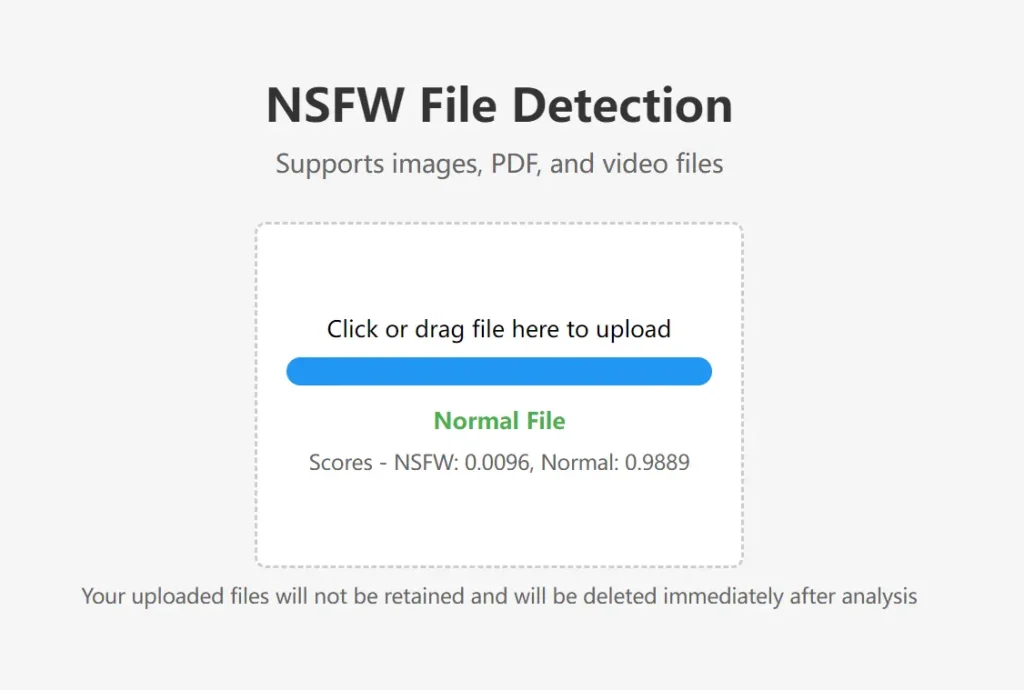
I tested the NSFW File Detector with various images and documents. For a landscape photo, the tool returned “Scores – NSFW: 0.0096, Normal: 0.9889,” confirming it as a safe file.
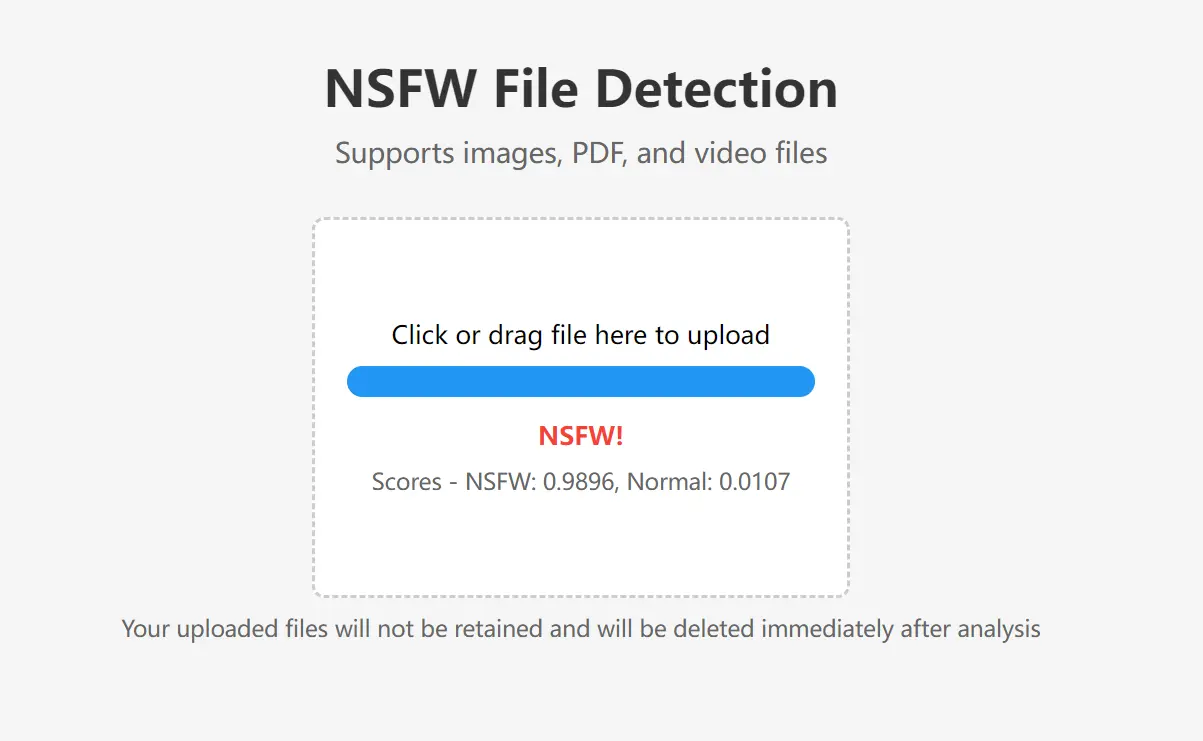
When I scanned an image with potentially explicit content, the tool reported “Scores – NSFW: 0.9896, Normal: 0.0107,” accurately identifying it as NSFW. These tests demonstrated the tool’s accuracy and reliability in distinguishing between appropriate and inappropriate content.
How to Implement It
1. Run the following command to deploy the tool locally:
bash docker run -d -p 3333:3333 --name nsfw-detector vxlink/nsfw_detector:latest2. Detect Content via API. Upload files for analysis with this command:
bash curl -X POST -F "file=@/path/to/image.jpg" http://localhost:3333/check3. Use the Built-In Web Interface. Access the interface at http://localhost:3333 for a user-friendly experience.
4. Try the Public API. Note that the public API has a limit of 30 requests per minute.
bash curl -X POST -F "file=@/path/to/image.jpg" https://vx.link/public/nsfwPros
- Free and Open-Source: Accessible to anyone with no licensing costs.
- Data Privacy: Uploaded files are deleted after processing.
- No GPU Required: Reduces hardware dependency.
- Comprehensive Support: Handles a wide range of file types.
- Scalable: Suited for distributed environments.
Cons
- Limited API Rate: Public API capped at 30 requests per minute.
- Higher Memory Use: May require up to 2GB of memory during peak loads.
Performance Requirements
- Memory: Up to 2GB
- No GPU needed
- Supports x86_64 and ARM64 architectures
Related Resources
- Docker Documentation: Guide to installing and using Docker.
- cURL Manual: Instructions on using cURL for API requests.
- NSFW File Detector: GitHub Repo.