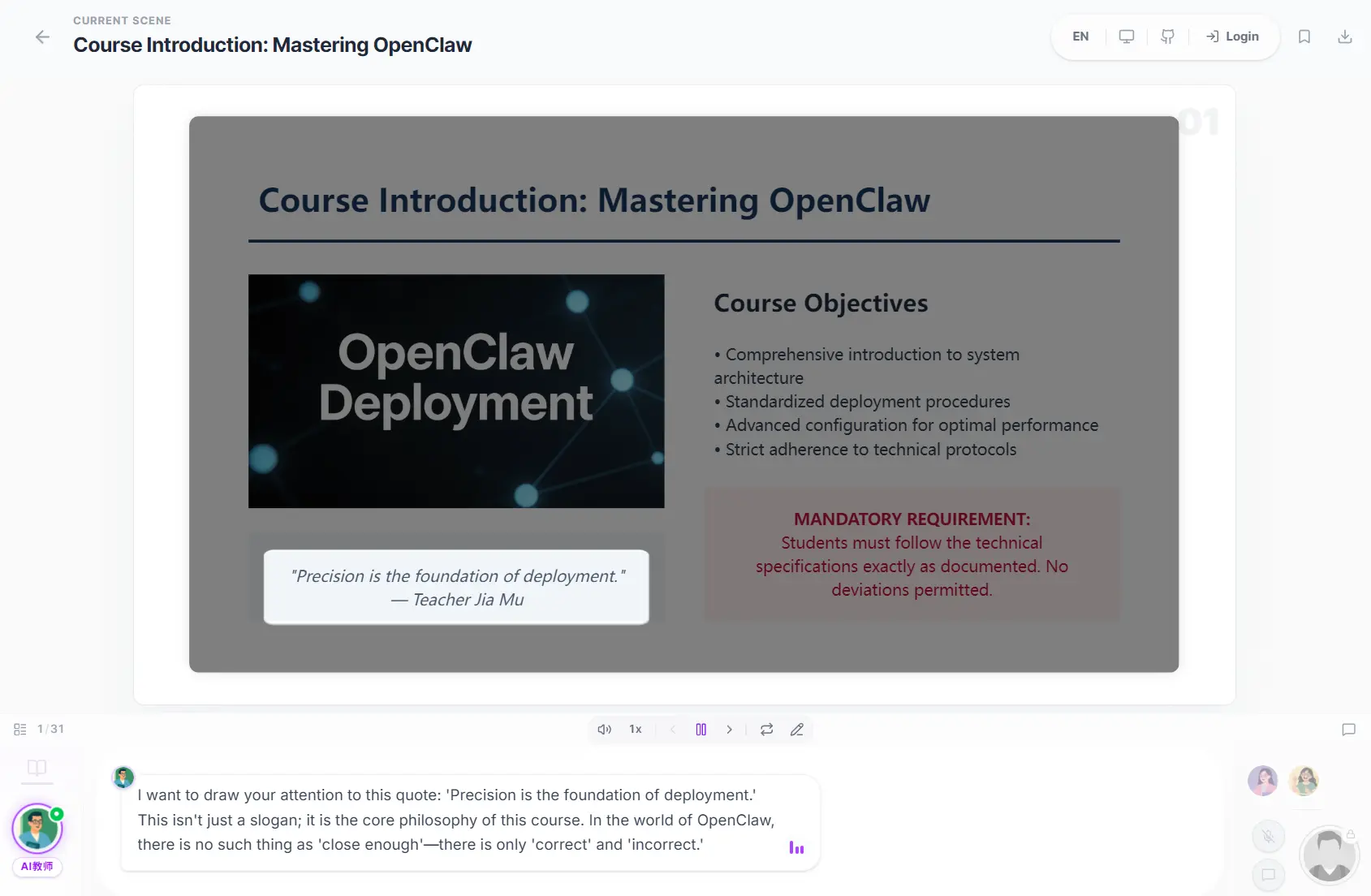
OpenMAIC (Open Multi-Agent Interactive Classroom) is a free, open-source AI education platform that converts any topic or document into a fully interactive classroom experience.
It orchestrates multiple AI agents to generate slides, quizzes, interactive simulations, and project-based learning modules. Those agents can speak, draw on a shared whiteboard, and hold real-time discussions with you.
Your AI “classroom” is not a single chatbot with a polished skin. Multiple agents take turns lecturing, debating, and calling on you. It’s more like a live study group than a Q&A box.
The project has academic roots. It accompanies a peer-reviewed paper published in the Journal of Computer Science and Technology. This is not a proof-of-concept demo. The codebase is a full Next.js 16 application with roughly 18 server-side API endpoints, a LangGraph-powered orchestration layer, and 55+ React custom hooks.
Features
- Generates a full lesson outline from a plain-text topic description or an uploaded document.
- Generate 4 scene types per lesson: slides with voice narration, interactive quizzes, HTML-based simulations, and project-based learning activities.
- Runs AI agents through a LangGraph state machine that manages speaking turns, whiteboard actions, and live discussions.
- Executes 28+ action types at runtime, including speech, whiteboard drawing, text annotations, chart rendering, spotlight effects, and laser pointer animations.
- Grades quiz responses in real time and delivers AI-generated feedback per answer.
- Supports speech recognition so you can talk to your AI teacher via microphone.
- Exports finished lessons as editable
.pptxfiles with LaTeX formula support or as self-contained interactive.htmlpages. - Supports OpenAI, Anthropic, Google Gemini, DeepSeek, and any OpenAI-compatible API as the LLM backend.
- Integrates with OpenClaw to trigger classroom generation directly from Feishu, Slack, Discord, Telegram, and 20+ other messaging apps.
- Searches the web during class so AI agents can incorporate current information into lessons.
- Parses complex PDFs with optional MinerU integration for tables, formulas, and scanned documents.
Official Examples
How to Use It
Table Of Contents
Clone and Install
git clone https://github.com/THU-MAIC/OpenMAIC.git
cd OpenMAIC
pnpm install
Configure Your LLM Provider
Copy the example environment file:
cp .env.example .env.localOpen .env.local and add at least one provider API key to get started.
OPENAI_API_KEY=sk-...
ANTHROPIC_API_KEY=sk-ant-...
GOOGLE_API_KEY=...
Or create a server-providers.yml file in the project root for YAML-based configuration:
providers:
  openai:
    apiKey: sk-...
  anthropic:
    apiKey: sk-ant-...
Supported LLM Providers
| Provider | Notes |
|---|---|
| OpenAI | GPT-4o and compatible models |
| Anthropic | Claude models |
| Google Gemini | Recommended default |
| DeepSeek | DeepSeek-V3 and others |
| OpenAI-compatible | Any third-party API using the OpenAI specification |
The recommended model is Gemini 3 Flash for the best balance of quality and generation speed. Gemini 3.1 Pro gives higher quality at slower speeds. To set Gemini as the default server model, add this line to .env.local:
DEFAULT_MODEL=google:gemini-3-flash-previewRun Locally
pnpm devOpen http://localhost:3000 in your browser. Type a topic or upload a document, then click generate.
Production Build
pnpm build && pnpm startDeployment Options
Vercel:
Fork the repo, import it into Vercel, add your API key environment variables, and deploy. A one-click deploy button is also available in the GitHub README.
Docker:
cp .env.example .env.local
# Add your API keys to .env.local, then:
docker compose up --build
OpenClaw (no local server required): Install the OpenMAIC skill to your OpenClaw instance with one command:
clawhub install openmaicOr copy it manually:
mkdir -p ~/.openclaw/skills
cp -R /path/to/OpenMAIC/skills/openmaic ~/.openclaw/skills/openmaic
The skill supports two modes. In hosted mode, grab an access code from open.maic.chat and save it in your OpenClaw config. In self-hosted mode, the skill walks you through cloning, configuring, and starting the server step by step, and every action prompts for your confirmation first.
Configure the skill via ~/.openclaw/openclaw.json:
{
  "skills": {
    "entries": {
      "openmaic": {
        "config": {
          "accessCode": "sk-xxx",          // Hosted mode: access code from open.maic.chat
          "repoDir": "/path/to/OpenMAIC",  // Self-hosted: local repo path
          "url": "http://localhost:3000"   // Self-hosted: server URL
        }
      }
    }
  }
}
OpenClaw Skills
| Phase | What It Does |
|---|---|
| Clone | Detects an existing checkout or asks before cloning and installing |
| Startup | Lets you pick pnpm dev, pnpm build && pnpm start, or Docker |
| Provider Keys | Recommends a provider path; you edit .env.local yourself |
| Generation | Submits an async generation job and polls until the classroom link is ready |
Optional: Advanced PDF Parsing with MinerU
For PDFs with complex tables, math formulas, or scanned pages, connect MinerU for better accuracy. Use the MinerU official API or self-host your own instance.
Add these variables to .env.local:
PDF_MINERU_BASE_URL=https://...
PDF_MINERU_API_KEY=...    # Required only if using a protected MinerU instance
Pros
- Generates complete interactive lessons from just a topic or document in minutes.
- Creates a genuine classroom atmosphere with multiple AI agents who discuss, debate, and respond to interruptions.
- Exports to PowerPoint so you can edit slides or share them with students who aren’t using the platform.
- Runs locally with Docker or deploys to Vercel in minutes.
- Integrates with messaging apps via OpenClaw so you can generate classrooms without opening a browser.
- Completely free and open-source under AGPL-3.0.
Cons
- Requires valid API keys for LLM providers.
- Generation takes 1-2 minutes, depending on lesson complexity and which model you choose.
- Can occasionally hallucinate facts.
FAQs
Q: Do I need to pay for anything to run OpenMAIC?
A: You will need at least one LLM API key from a provider like OpenAI, Anthropic, or Google Gemini.
Q: Can I run OpenMAIC with a local LLM?
A: Yes. OpenMAIC supports any OpenAI-compatible API and most local model servers such as Ollama or LM Studio.
Q: How long does it take to generate a classroom?
A: Generation time depends on lesson complexity and your chosen model. A short topic like “explain bubble sort” with 4-5 scenes typically takes 1-3 minutes using Gemini 3 Flash. Longer lessons or heavier models can take 5-10 minutes.
Q: What file types can I upload as source material?
A: PDF documents are the primary upload format. OpenMAIC parses text, tables, and images from the PDF to build lessons. Plain-text topic descriptions work well if you do not have a document to upload.
Q: How does the whiteboard work during class?
A: The whiteboard is SVG-based and rendered by AI agents in real time. Agents can draw shapes, write text, sketch flowcharts, and solve equations step by step. The whiteboard is shared across all agents in a session, so a second agent can add to or annotate what the first one drew.