Memorizer
Memorizer is an MCP server built on .NET that lets your AI assistants store, find, and link memories using vector embeddings.
You can use it to build a proper long-term memory for any AI agent, so it doesn’t have to start from scratch in every conversation.
It can recall past interactions, stored files, or any other structured data you feed it.
Features
- 🧠 Structured Memory: Store memories with vector embeddings for semantic context.
- 🔍 Semantic Search: Find memories based on meaning, not just keywords, thanks to vector similarity.
- 🏷️ Tag Filtering: Narrow down search results by applying tags to your memories.
- 🕸️ Knowledge Graphs: Link related memories together to create a graph of knowledge.
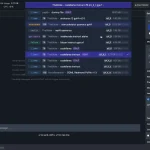
- 🖥️ Web Interface: A handy UI to manually add, edit, search, or just look at the memories your agent has stored.
- 🔌 MCP Integration: Connects to any MCP-compatible client with a simple configuration.
Use Cases
- Smarter Chatbots: You could build a customer support bot that remembers a user’s entire interaction history. No more asking for the same information over and over. The bot can retrieve past conversations and context instantly.
- Internal Knowledge Agent: Feed all your team’s documentation, meeting notes, and project specs into Memorizer. Then, you can have an AI agent that your team can query in natural language to find information, instead of digging through folders of documents.
- Developer Assistants: Imagine an agent that you can teach about your codebase. It can store summaries and embeddings of different modules. When a new developer joins, they can ask the agent questions like “where is the payment processing logic?” and get pointed to the right files and explanations.
How to Use It
1. The fastest way to deploy Memorizer is through Docker Compose. Download the docker-compose.yml file from the repository and run:
docker-compose up -dThis command starts the complete infrastructure, including PostgreSQL with pgvector extension, PgAdmin for database management, Ollama for embeddings, and the Memorizer API server. The service becomes available at http://localhost:5000 with the web UI accessible at http://localhost:5000/ui.
2. Configure your MCP-compatible client by adding the following JSON configuration:
{
  "memorizer": {
    "url": "http://localhost:5000/sse"
  }
}
3. The MCP server exposes six primary tools through the MCP interface:
- store – Creates new memories with parameters including type (string), content (markdown format), source (origin identifier), tags (array for categorization), confidence (reliability score), relatedTo (optional memory ID for relationships), and relationshipType (optional relationship description).
- search – Performs semantic search with query (search terms), limit (maximum results), minSimilarity (threshold for relevance), and filterTags (array to narrow results by specific tags).
- get – Retrieves individual memories using the id parameter for direct memory access.
- getMany – Batch retrieval of multiple memories using the ids parameter (array of memory identifiers).
- delete – Removes memories permanently using the id parameter for cleanup operations.
- createRelationship – Establishes connections between memories using fromId (source memory), toId (target memory), and type (relationship description) parameters.
4. For development environments, build the container locally using the .NET 9.0 SDK:
dotnet publish -c Release /t:PublishContainer
docker-compose -f docker-compose.local.yml up -d
5. Add this system prompt to your AI agent configuration to maximize Memorizer usage:
"You have access to a long-term memory system via the Model Context Protocol (MCP) at the endpoint memorizer. Use the store tool to save important information with appropriate types, content, sources, tags, and confidence levels. Use search to find similar memories before storing new ones to avoid duplication. Use get and getMany for direct memory retrieval when you have specific IDs. Create relationships between related memories to build knowledge graphs. Delete outdated or incorrect memories to maintain data quality."
FAQs
Q: What embedding models does Memorizer support for vector generation?
A: Memorizer works with Ollama by default, which provides access to various embedding models. The system can be configured to use different embedding providers through the configuration settings. The choice of embedding model affects search quality and memory similarity calculations.
Q: How does the confidence scoring system work for stored memories?
A: Confidence scores range from 0.0 to 1.0 and indicate the reliability or certainty of stored information. Higher confidence scores (0.8-1.0) represent factual data or verified information, while lower scores (0.3-0.6) might indicate uncertain or speculative content. This helps agents prioritize more reliable memories during retrieval.
Q: Can I migrate existing memory data between different Memorizer instances?
A: Yes, since Memorizer uses PostgreSQL as its backend, you can export and import data using standard PostgreSQL tools. The schema migrations are handled automatically, but you’ll need to ensure vector embeddings are regenerated if you change embedding models between instances.
Q: How does tag filtering work with semantic search?
A: Tag filtering acts as a pre-filter before semantic search operations. When you specify filterTags, the system first narrows down memories to those containing the specified tags, then performs vector similarity search within that subset. This combines categorical organization with semantic relevance.
Q: What happens when I change embedding algorithms after storing memories?
A: Memorizer includes background job processing through Akka.NET that can re-embed existing memories when you change embedding algorithms. This process runs automatically to maintain search consistency, though it may take time for large memory collections to complete re-embedding.
Q: Does the web UI support bulk memory operations?
A: The web UI provides individual memory management capabilities, including creation, editing, viewing, and deletion. For bulk operations, you’ll need to use the MCP tools directly or access the underlying API endpoints. The UI focuses on manual oversight and system monitoring rather than batch processing.
Latest MCP Servers
Paper Search
Codebase Memory
CVE
Featured MCP Servers
Codebase Memory
Notion
Claude Peers
FAQs
Q: What exactly is the Model Context Protocol (MCP)?
A: MCP is an open standard, like a common language, that lets AI applications (clients) and external data sources or tools (servers) talk to each other. It helps AI models get the context (data, instructions, tools) they need from outside systems to give more accurate and relevant responses. Think of it as a universal adapter for AI connections.
Q: How is MCP different from OpenAI's function calling or plugins?
A: While OpenAI's tools allow models to use specific external functions, MCP is a broader, open standard. It covers not just tool use, but also providing structured data (Resources) and instruction templates (Prompts) as context. Being an open standard means it's not tied to one company's models or platform. OpenAI has even started adopting MCP in its Agents SDK.
Q: Can I use MCP with frameworks like LangChain?
A: Yes, MCP is designed to complement frameworks like LangChain or LlamaIndex. Instead of relying solely on custom connectors within these frameworks, you can use MCP as a standardized bridge to connect to various tools and data sources. There's potential for interoperability, like converting MCP tools into LangChain tools.
Q: Why was MCP created? What problem does it solve?
A: It was created because large language models often lack real-time information and connecting them to external data/tools required custom, complex integrations for each pair. MCP solves this by providing a standard way to connect, reducing development time, complexity, and cost, and enabling better interoperability between different AI models and tools.
Q: Is MCP secure? What are the main risks?
A: Security is a major consideration. While MCP includes principles like user consent and control, risks exist. These include potential server compromises leading to token theft, indirect prompt injection attacks, excessive permissions, context data leakage, session hijacking, and vulnerabilities in server implementations. Implementing robust security measures like OAuth 2.1, TLS, strict permissions, and monitoring is crucial.
Q: Who is behind MCP?
A: MCP was initially developed and open-sourced by Anthropic. However, it's an open standard with active contributions from the community, including companies like Microsoft and VMware Tanzu who maintain official SDKs.