AI LinkedIn Writer is an open-source tool that uses large language models (LLMs) like LLama 3 and Mixtral to generate LinkedIn posts.
Provide a brief description of your desired post, and the AI will create content with relevant hashtags, calls to action, and optional emojis, ready to engage your audience.
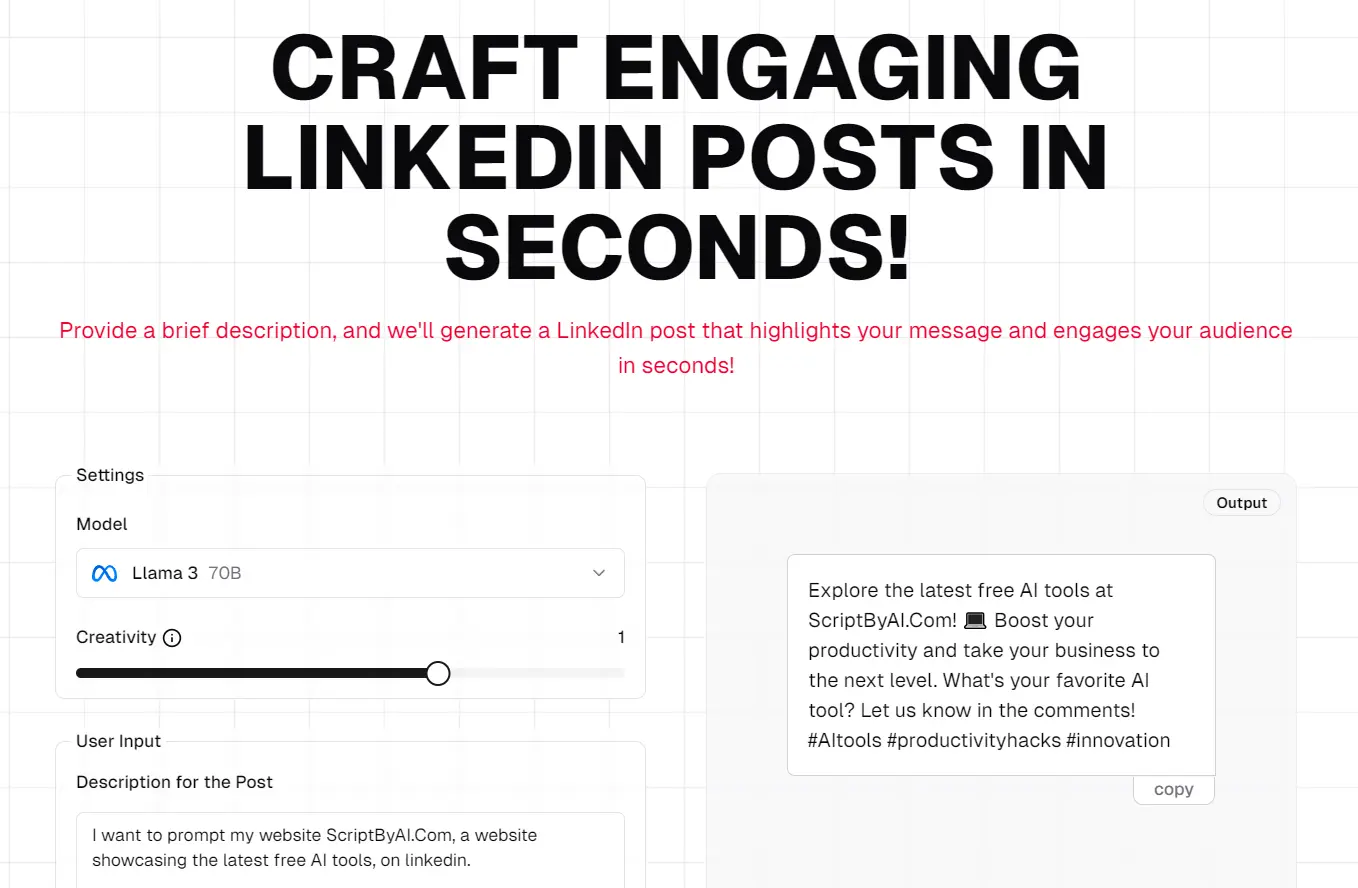
For example, when promoting my website focused on AI tools, the LLama 3 70B model produced this personal-focused post:
Discover the latest free AI tools at ScriptByAI.Com! 🚀💻 Enhance your workflows and take your productivity to the next level. Explore our curated collection of innovative AI tools and start creating today! 💡 #AItools #ProductivityHacks #Innovation
How to use it:
1. Visit the AI LinkedIn Writer playground.
2. Select a model: Choose from LLama 3 8B, LLama 3 70B, or Mixtral 3 8 X 7b.
3. Enter the Description: Provide a concise overview of the topic for your post.
4. Select the type: Choose either “Brand” or “Personal” based on your needs.
5. Select the tone: Opt for the tone that best aligns with your message (e.g., Professional, Casual, Funny).
6. Determine emoji usage: Choose whether to include emojis in your post.
7. Generate the post: Click the “Generate” button. The AI will create a LinkedIn post based on your input, incorporating relevant hashtags and a call to action.

8. Copy and paste: Click the copy button and paste the generated post into your LinkedIn post editor.