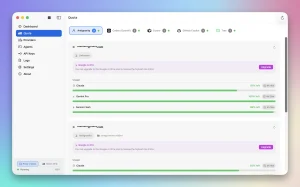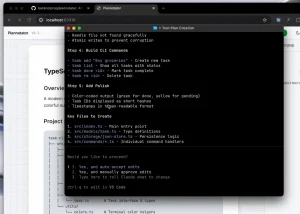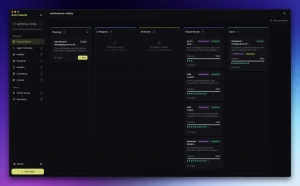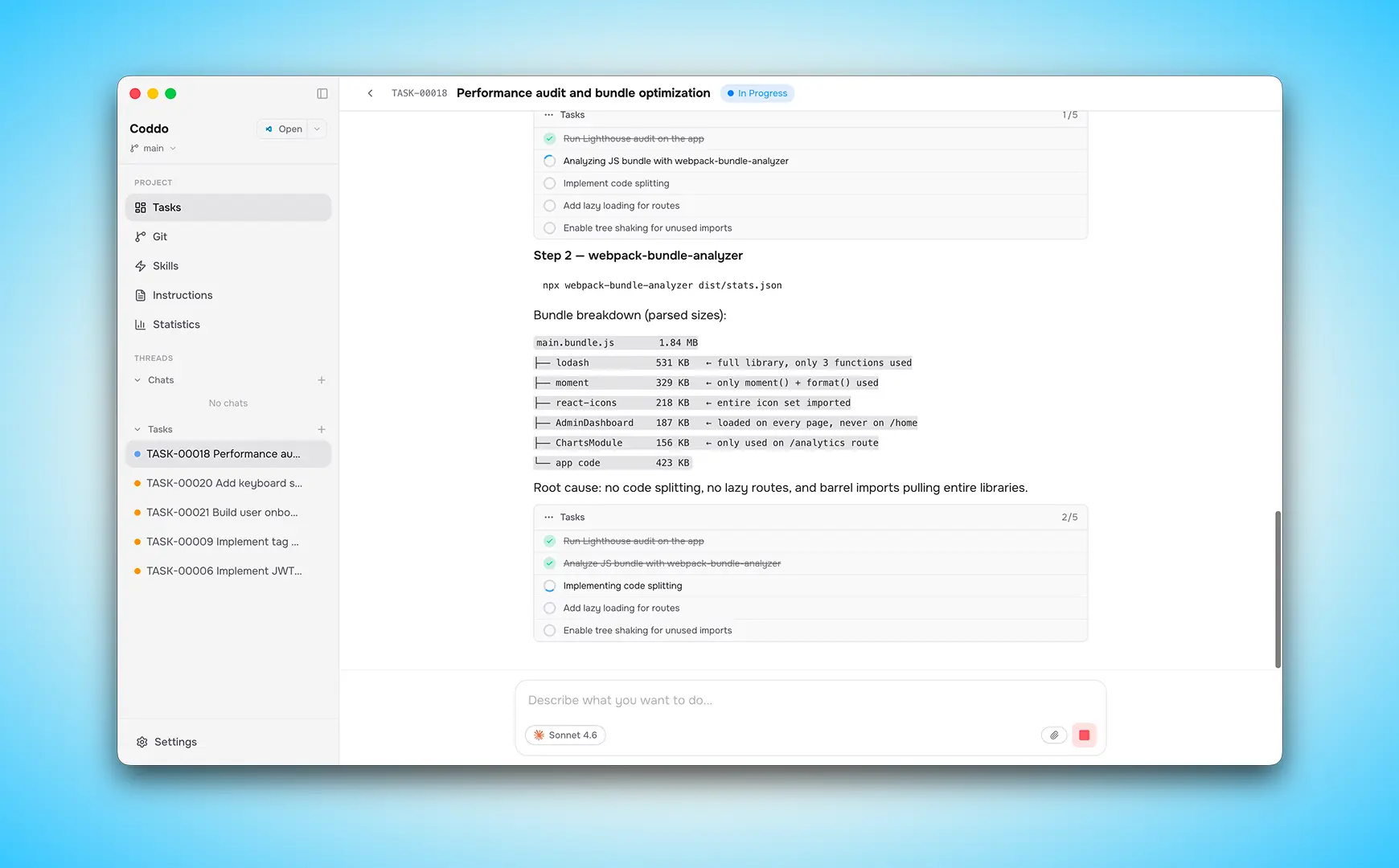
Coddo is a free macOS app that wraps Claude Code in a Kanban board, Chat UI, and Git panel. It picks up tasks from a queue, spins up an isolated Git branch for each one, delegates to Claude Code inside that branch, and moves the card to Review when finished.
The app currently allows you to run up to five tasks in parallel within a single Git worktree. This is the workflow most terminal-first Claude Code users have been assembling manually from scripts and sticky notes.
Features
- Streams Claude Code responses in real time through a chat UI with tool-use visualization, diff blocks, interactive question cards, and todo blocks.
- Organizes work across five Kanban columns: Backlog, Todo, In Progress, Review, and Done.
- Automatically creates a dedicated Git branch and isolated worktree for each task in worktree mode.
- Runs up to five worktree tasks in parallel, each in its own isolated copy of the repository.
- Links every Kanban task to a persistent chat thread stored locally in
.coddo/threads/. - Supports two chat modes: Execution (reads, writes, and runs code) and Plan (analyzes and proposes a strategy).
- Lets you choose between Claude Sonnet 4.6 (default), Opus 4.6, and Haiku 4.5 per chat or per task.
- Displays token count, duration, and API cost for every message.
- Handles Git branch creation, staging, committing, pushing, merging, and conflict resolution from a dedicated Git view.
- Generates and manages custom Skills, which are markdown instruction sets that give Claude Code project-specific expertise.
- Includes a built-in CLAUDE.md editor that can auto-generate project configuration by scanning the codebase.
- Shows coding activity through a stats dashboard with a GitHub-style activity heatmap, bar charts, and a task distribution donut chart.
- Accepts image attachments via drag-and-drop or clipboard paste in both chat and task creation.
- Sends native macOS notifications when a chat completes or Claude Code needs input.
- Persists all project data locally in a
.coddo/directory added automatically to.gitignore. - Opens each project in its own window for multi-project parallel work.
Use Cases
- Queue two independent features simultaneously: one task for a new API endpoint and another for a UI component.
- Use Plan mode before committing to a large refactor: send Claude Code into a complex module to map dependencies and propose an approach before a single file changes.
- Capture ideas as Backlog cards during a sprint, then drag them to Todo in priority order when you are ready to execute.
- Attach a Figma screenshot or design mockup to a task so Claude Code builds the component against the reference image.
Quick Start
1. Make sure you first have Claude Code installed and authenticated first.
Via the install script:
curl -fsSL https://claude.ai/install.sh | bashVia Homebrew:
brew install claude-codeVia npm:
npm install -g @anthropic-ai/claude-code2. Log in to Claude Code after installation so Coddo can detect your authentication status.
3. Download the macOS app from the Coddo website. Drag it into your Applications folder and launch it.
4. The first launch onboarding runs three checks: Claude Code installation, Claude Code authentication, and your Coddo account status. Sign in with Google or email and password.
5. From the Start Page, click New Project to create a new folder. Choose a parent directory, enter a project name, and Coddo initializes the directory structure:
To work on an existing codebase, click Open Project and select the folder. Coddo creates
.coddo/automatically.
your-project/
├── .coddo/
│   ├── threads/
│   ├── attachments/
│   ├── kanban.json
│   └── settings.json
├── CLAUDE.md
└── your code
Set Up CLAUDE.md
Click the CLAUDE.md icon in the sidebar. The editor opens as a full-screen overlay. Write the file manually or click Regenerate to have Coddo scan the codebase and auto-generate a project configuration.
A useful CLAUDE.md includes the tech stack and framework versions, build and test commands, naming conventions, file structure rules, and explicit rules Claude Code should always or never follow.
Create Tasks
Switch to the Kanban view and click + New Task. Each task supports the following fields:
| Field | Options / Notes |
|---|---|
| Title | Short label for the card |
| Instruction | Rich text with bold, italic, code, and lists |
| Tags | Color-coded labels; 12 colors available |
| Execution mode | Worktree / Direct / Last used |
| Model | Sonnet 4.6, Opus 4.6, Haiku 4.5 |
| Images | Drag-and-drop or clipboard paste |
| Base branch (worktree) | e.g., main; Coddo generates a branch name like coddo/1-fix-login |
| Auto-commit (direct) | Commits changes automatically when the task finishes |
New tasks land in Backlog. Drag them to Todo to queue them for execution.
Monitor Execution
The queue runner picks up Todo tasks and moves them to In Progress. Click any card to open the detail panel and watch the live conversation. During execution you can stop the task to pause Claude Code, cancel the task and return it to Backlog, or watch tool use, diff output, and todo blocks update in real time.
When Claude Code finishes, the task moves to Review. Check diffs in the chat panel. For worktree tasks, merge the branch from the Git view. For direct-mode tasks, stage and commit from the Changes tab. Move the card to Done.
Key Settings
Access settings via the gear icon in the sidebar.
| Setting | Options | Description |
|---|---|---|
| Theme | Light / Dark / System | UI appearance |
| Language | English / Français | Full UI translation |
| Default execution mode | Worktree / Direct / Last used | Mode applied to new tasks |
| Default chat mode | Execution / Plan | Mode applied to new chats |
| Concurrency | 1–5 | Maximum parallel worktree tasks |
| Direct mode auto-commit | On / Off | Auto-commit on task completion |
| Direct mode branch picker | On / Off | Branch selector on task creation |
| Default model (chat) | Sonnet 4.6 / Opus 4.6 / Haiku 4.5 | Per-chat model default |
| Default model (tasks) | Sonnet 4.6 / Opus 4.6 / Haiku 4.5 | Per-task model default |
Keyboard Shortcuts
| Shortcut | Action |
|---|---|
Cmd+N | New chat |
Cmd+T | New task |
Cmd+Shift+B | Create branch |
Cmd+Shift+S | Toggle sidebar |
Agent Skills
Skills are markdown instruction sets stored at two scopes:
| Scope | Location | Applies to |
|---|---|---|
| Project | .agents/skills/ in project root | Current project only |
| Global | ~/.claude/skills/ | All projects |
To create a skill: click + New Skill, describe what you need in plain language (the more specific the better), choose a scope, and Coddo generates the markdown content with AI.
To install from the community registry, scroll to the Recommended section and click the download icon.
Git Integration
| Operation | Location | Notes |
|---|---|---|
| Create branch | Git view > Branches tab | Names are sanitized automatically |
| Switch branch | Git view > Branches tab | Highlights current branch |
| Delete branch | Git view > Branches tab | Local and remote supported |
| View ahead/behind | Git view > Branches tab | Relative to remote |
| Stage files | Git view > Changes tab | Individual files or all at once |
| Commit | Git view > Changes tab | Custom commit message |
| Push | Git view > Changes tab | Uploads commits to remote |
| Fetch | Git view | Downloads remote changes without merging |
| Pull | Git view | Fetches and merges into current branch |
| Resolve conflicts | Automatic dialog | Opens when conflicts are detected on merge |
| Merge worktree branch | Git view | Run after reviewing a worktree task |
Pros
- Prevents context loss during long coding sessions.
- Parallel worktree execution saves waiting time.
- The built-in conflict resolution dialog accelerates branch merging.
- Local persistence keeps project data secure on your machine.
Cons
- The application only supports macOS.
- Direct mode restricts execution to one task at a time.
- You must possess an active Anthropic account to use the underlying engine.
Related Resources
- Claude Code Documentation: Official reference for Claude Code capabilities, CLAUDE.md configuration, and CLI usage.
- Coddo Documentation: Full feature reference and setup guides maintained by the Coddo team.
- Claude Code: Discover more free resources for Claude Code.
- The Ultimate Claude Code Resource List
FAQs
Q: Does Coddo cost money to use?
A: Coddo is free to download and use. The underlying Claude Code sessions consume Anthropic API tokens.
Q: How does Coddo differ from using Claude Code in the terminal?
A: The terminal allows you to run a Claude Code session at a time with no persistent task structure. Coddo adds a Kanban board that queues and tracks multiple tasks, automatic Git worktree management for parallel execution, a visual diff viewer, persistent chat threads linked to specific tasks, and a Skills system that applies your project conventions automatically.
Q: What happens to my data if I delete a project in Coddo?
A: All Coddo data lives locally in the .coddo/ directory inside your project folder. Deleting the project from Coddo removes chat threads, Kanban state, attachments, and settings. Your actual code files and Git history are unaffected.
Q: Can I use Coddo with models other than Claude?
A: No. Coddo is built specifically around Claude Code.
Q: What is Worktree mode and when should I use Direct mode?
A: Worktree mode creates a full isolated copy of the repository on a dedicated branch for each task. Direct mode runs Claude Code in your current working directory on whatever branch is active. It is faster and simpler but limited to one task at a time.