Llama OCR functions is an open-source TypeScript library that transforms any image into structured markdown with ease.
It uses the latest Llama 3.2 Vision model from Together AI to analyze images and deliver accurate markdown output. You can try the tool online at LlamaOCR.com to see results instantly.
Features
- Multiple Model Options: Supports free Llama 3.2 endpoint, Llama-3.2-11B-Vision, and Llama-3.2-90B-Vision models.
- Open-Source Library: Free to use and modify, with community support.
- Comprehensive Content Extraction: Includes headers, footers, subtexts, images, and tables in the markdown output.
- No Delimiter Markdown Output: Provides clean markdown output without code fences or extra delimiters.
- Multi-File Support: Works with local images and remote file URLs, with plans to support PDFs in the future.
Use Cases
- Content Creators: Convert text from event posters or social media graphics into blog posts or articles.
- Researchers: Extract text from scanned documents or research papers into a digital format for analysis.
- Students: Convert lecture notes from images into organized markdown notes.
- Developers: Integrate the library to automate the extraction of text from images in software applications.
- Designers: Extract text from design mockups or prototypes for documentation purposes.
Case Study
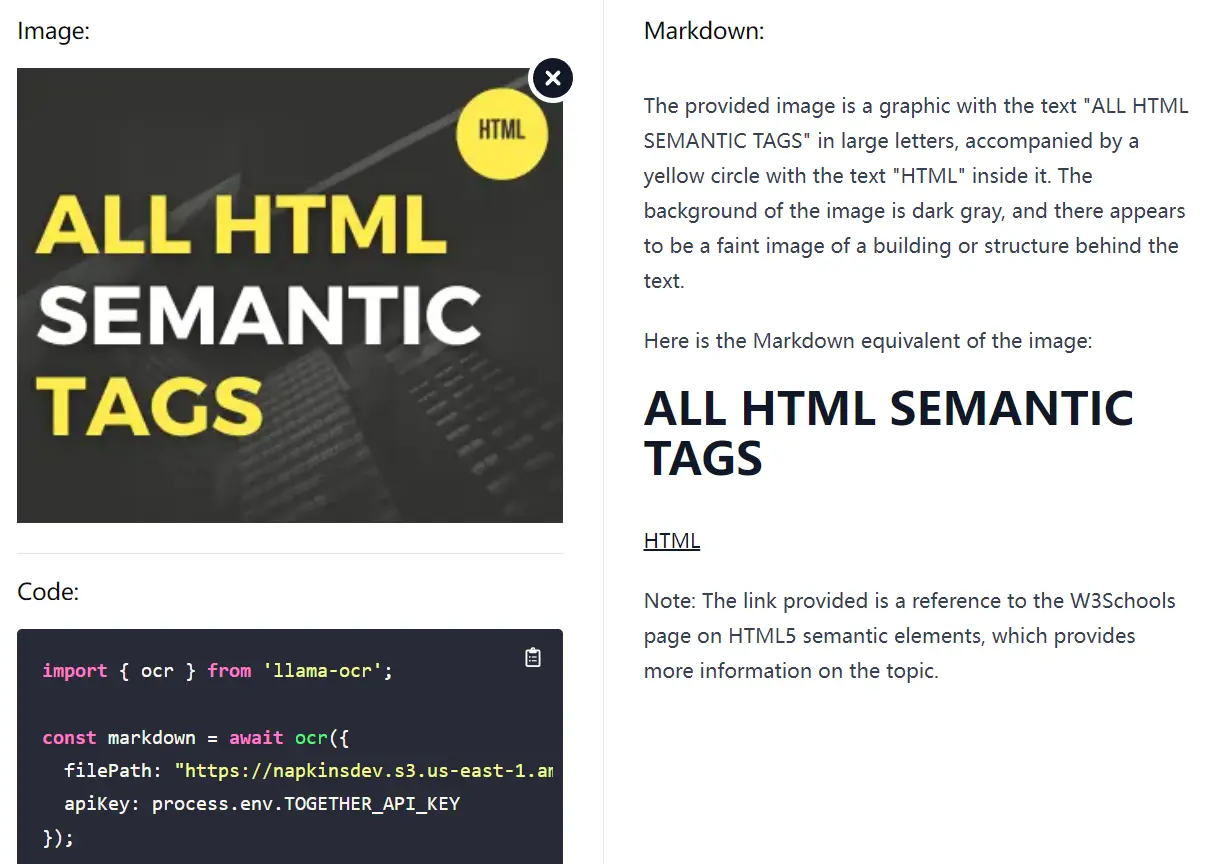
I tested Llama OCR with a banner containing “ALL HTML SEMANTIC TAGS” text.
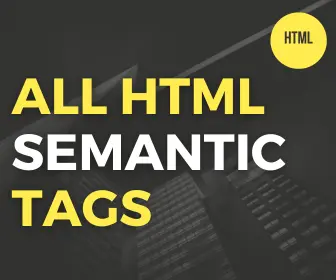
The tool first generated an accurate image description:
The provided image is a graphic with the text 'ALL HTML SEMANTIC TAGS' in large letters, accompanied by a yellow circle with the text 'HTML' inside it. The background of the image is dark gray, and there appears to be a faint image of a building or structure behind the text.
Next, it generated the markdown equivalent of the image:
ALL HTML SEMANTIC TAGS
HTML
In addition, the AI automatically added a link to W3Schools for the text “HTML.” This feature allowed my visitors to learn more about HTML quickly.
How to Implement
1. Install Llama OCR via NPM:
npm i llama-ocr2. Import the library into your project:
import { ocr } from "llama-ocr";3. Process an image file:
const markdown = await ocr({
  filePath: "./sample.jpg", // Your image path
  apiKey: "YOUR_API_KEY",   // Together AI API key
});
console.log(markdown);
4. You can specify the model if needed:
const markdown = await ocr({
  model: "Llama-3.2-90B-Vision", // Or "Llama-3.2-11B-Vision" or "free"
});
5. Tips
- Use premium models for faster processing.
- Test the hosted demo to experiment before implementation.
Pros
- Free tier available
- Simple API interface
- Multiple model options
- Supports local and remote images
- Automatic markdown formatting
- Built-in link generation
Cons
- API key required
- Rate limits on free tier
- Processing speed varies by model
- Limited to image inputs currently
FAQs
Q: Is Llama OCR free to use?
A: Yes, there is a free Llama 3.2 endpoint available, but paid options offer better performance.
Q: Do I need programming knowledge to use Llama OCR?
A: Basic knowledge of JavaScript and npm is required to implement the library in projects.
Q: Can Llama OCR handle complex images with multiple text elements?
A: Yes, Llama OCR can process images with various text elements, including headers, footers, and tables.
Q: Does Llama OCR support PDF files?
A: Currently, Llama OCR supports image files; PDF support is planned for future updates.
Q: How accurate is the text extraction?
A: Llama OCR provides high accuracy in text extraction, particularly with clear images.
Related Resources
- LlamaOCR.com – Online demo
- Together AI – API provider
- npm package
Try Llama OCR today for quick and accurate image to markdown conversion. Share your experience in the comments below and spread the word to others who might find it helpful.