Guidemaker is a free Chrome extension that silently documents your workflow as you work, then generates step-by-step guides using AI.
No manual screenshotting, no tedious writing—just open the extension, do your normal tasks, and let it build the tutorial for you.
Features
- Automatic Workflow Capture: Hit record, do your thing in Chrome, hit stop. It grabs screenshots and tracks clicks/typing.
- AI-Powered Text Generation: Translates your recorded actions into written steps. Saves a ton of typing.
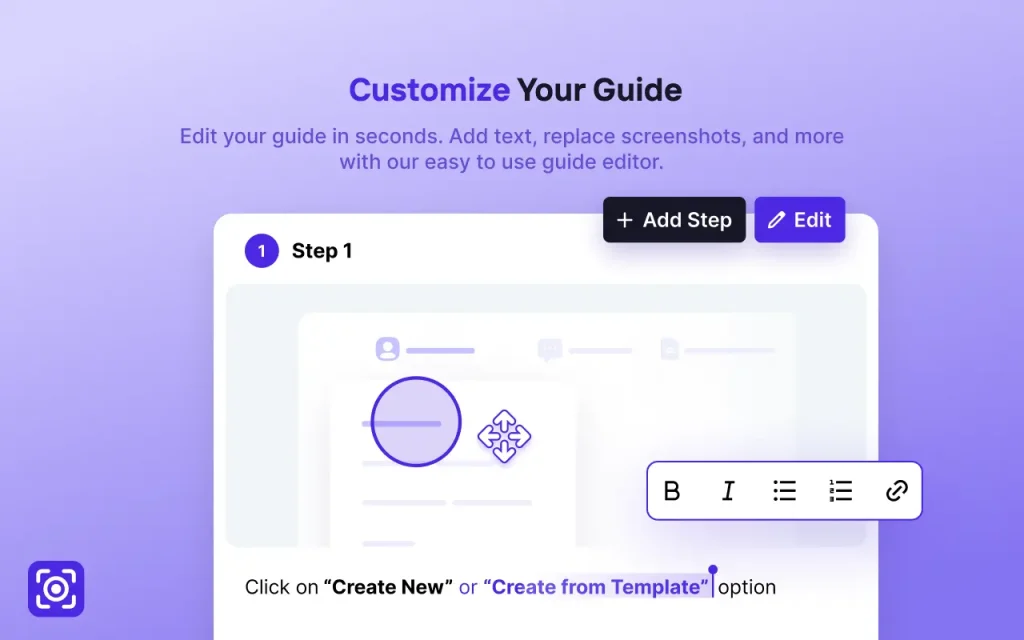
- Easy Guide Editor: Lets you quickly tweak the generated text, swap out screenshots, add annotations, or merge/delete steps. Pretty intuitive.
- Instant Sharing: Generates a unique link for each guide. You can share it directly or embed it elsewhere.
- Integrations: Plays nice with knowledge bases like Tettra (makes sense, since they built it) and allows embedding in other platforms.
- Unlimited Guides: No caps on how many guides you can create.
- Completely Free: No hidden costs, no premium tier for core features.
Use Cases & Real-World Examples
- Internal Team SOPs: Documenting processes like submitting expense reports, updating a project status in your PM tool, or configuring specific software settings. Quick to create, easy to share.
- Customer Support Guides: Showing clients how to use a feature in your web app or troubleshoot a common issue. Faster than writing it all out manually.
- Onboarding New Hires: Creating quick tutorials for company-specific tools or workflows. Helps them get up to speed without constant shoulder-tapping.
- Quick How-Tos for Friends/Family: Okay, maybe less professional, but genuinely useful for showing someone non-technical how to do something online without a lengthy phone call.
- Documenting Bug Replication: Recording the steps to reproduce a bug for a bug report. The visual steps help developers immensely.
How To Use Guidemaker
1. Install and activate Guidemaker from the Chrome Web Store.
2. Click the Guidemaker icon in your browser and turn on the recording feature.
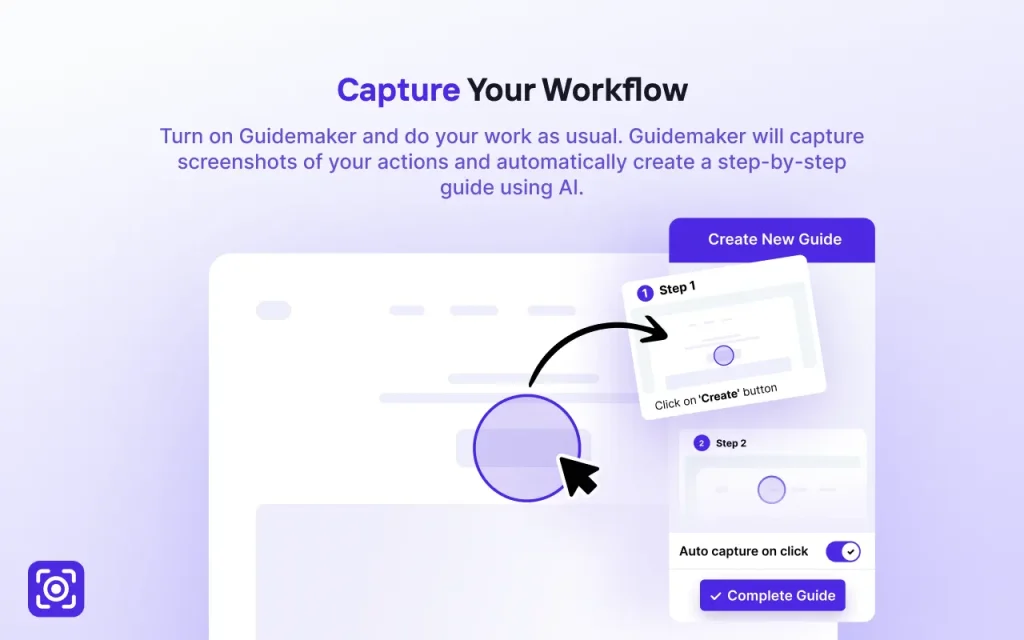
3. Complete the process you want to document naturally. Guidemaker will capture screenshots as you work.
4. Once finished, Guidemaker will generate a draft guide. Review and edit the text, replace any screenshots, and make adjustments as needed.
5. Generate a shareable link or embed the guide directly in your knowledge base.

Pros
- Completely free with no usage limits or hidden costs
- Time-saving automation that eliminates manual screenshot taking
- Easy learning curve with minimal setup required
- Clean interface for both guide creation and viewing
- Regular updates with new features being added
- Direct integration with knowledge base systems like Tettra
Cons
- Chrome-only availability (no Firefox, Safari, or other browser support)
- No desktop application for capturing non-browser workflows
- Limited customization for guide formatting and styling
- Occasional AI misinterpretation of more complex workflows
Related Resources
- Tettra Knowledge Base – The parent company’s main product
- Chrome Web Store – Where to download the extension
- Process Documentation Guide – Helpful best practices
FAQs
Q: How does the AI actually generate the steps?
A: It monitors your interactions with web elements (clicks on buttons, typing in fields, etc.) within the browser’s Document Object Model (DOM). It combines this interaction data with the screenshots to infer the action and generate a descriptive text step. It’s basically translating clicks and keystrokes within the webpage structure into human-readable instructions.
Q: Can I customize the look of the guides?
A: The editing focuses on content (text, images, steps). Customization of the overall look and feel (like branding colors or layouts) seems limited based on the core functionality described. It’s more about function than fancy design.
Q: Can I use Guidemaker for private or sensitive information?
A: While Guidemaker does process your screenshots through AI, I recommend being cautious with highly sensitive information. Consider creating guides with test data when documenting processes involving confidential information.
Q: Does Guidemaker work offline?
A: No, Guidemaker requires an internet connection to process your captured workflow through its AI system.
Q: Can I collaborate with others on guide creation?
A: Currently, guide editing is limited to the creator, but you can easily share the finished guides with team members.
Q: Are there plans for non-Chrome versions?
A: According to Tettra, they’re considering Mac, Windows, and mobile apps based on user demand.