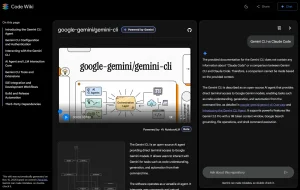
Ever jumped into a massive new codebase and felt completely lost? Yeah, me too. Trying to piece together the structure, figure out the core logic, or just get a high-level view can eat up days. Standard documentation helps – when it exists and is actually up-to-date. Often, it’s not. That’s where I found GitSummarize genuinely useful.
It’s a free, open-source AI tool built specifically for developers needing to quickly understand GitHub repositories. No complex setup, no steep learning curve. Its main purpose is to analyze a repo (public or even private, apparently) and spit out documentation using Gemini 2.5 Pro. Think of it as an AI assistant that reads the code for you and gives you the cheat sheet.
If you’re onboarding to a new project, trying to contribute to an open-source library you’ve never seen before, or just need to make sense of that legacy system nobody wants to touch, this tool might save you some serious time and headaches. Let’s dig into what it actually does.
Features
- System-level architecture overviews: Gives you the 30,000-foot view of how the project is put together.
- Per-directory and file summaries: Breaks down what each major part of the codebase likely does.
- Natural language descriptions: Explains the purpose, flow, and structure in plain English. Helpful for wrapping your head around the “why” behind the code.
- Business Logic and Rules Extraction: Tries to identify and explain key business rules embedded within the code. This can be gold for understanding complex application logic.
- Architecture diagrams and flows: Aims to provide visual representations of the codebase structure (though this seems to be a future goal based on their roadmap).
- Top LLM: The engine behind this tool is Google’s Gemini 2.5 Pro, which is pretty capable for this kind of analysis.
Case Study: Analyzing Next.js
The creators provide a live example using the vercel/next.js repository – a notoriously large and complex project. You can see it live here: https://gitsummarize.com/vercel/next.js
I checked this out, and it’s pretty comprehensive. The generated documentation covers:
- A high-level overview and repository structure.
- Details on build/config, development environment, linting.
- Breakdowns of specific major directories like
crates/,packages/,turbopack/,docs/,examples/,test/,.github/, etc. - Extracted business logic covering things like the Routing System, Rendering Engine, Data Fetching, Build System, Middleware, Caching, and more.

Seeing it applied to a real-world monster like Next.js gives a good sense of its capabilities. It’s not going to replace deep reading of the code, but it provides a structured overview that’s incredibly helpful for orientation.
How to Use It
1. The URL Trick (Easiest): This is the clever part. Find any GitHub repository URL, like https://github.com/vercel/next.js. Just replace hub with summarize in the URL: https://gitsummarize.com/vercel/next.js. Hit enter, and it should start generating the documentation hub on the fly. Super quick for public repos.
2. Website Interface: Go to the GitSummarize website and paste the GitHub repository URL into an input field.
3. Local Development / Self-Hosting: Since it’s open source (https://github.com/antarixxx/gitsummarize), you can run it yourself. This is useful if you hit rate limits or want to tinker.
- Clone the repo:
git clone https://github.com/antarixxx/gitsummarize
cd gitsummarize- Run the frontend (assuming Node.js/npm is installed):
npm run dev- Access it at
localhost:3000. You’ll probably need to set up the backend (FastAPI/Python) and database (Supabase/PostgreSQL) too, and configure API keys (like for Gemini) – check their repository README for the full self-hosting instructions. Self-hosting might also be the path for analyzing private repositories securely, depending on how they handle authentication.
Pros
- Time-saving: Turns days of code exploration into minutes of reading clear documentation
- Zero cost: Completely free to use (though with API rate limits)
- No setup required: Works directly via URL modification for instant access
- Comprehensive analysis: Covers architecture, individual files, and business logic
- Visual components: Includes diagrams that help visualize repository structure
- Works with private repos: Not limited to just public codebases
Cons
- Rate limits: Currently has usage restrictions due to Gemini API policies
- Not a replacement for human documentation: Still benefits from expert refinement
- May miss subtle intentions: Can summarize structure but might miss unusual design patterns or strategic decisions
- Documentation depth varies: Works better with well-structured repositories
- Still developing: Some features like architecture diagrams are being expanded
FAQs
Q: How accurate are the AI-generated summaries?
A: In my experience testing it and looking at the Next.js example, it’s generally pretty good for structural overviews, directory purposes, and identifying major components. However, AI isn’t infallible. It might misinterpret highly abstract code or miss subtle connections. Always treat the output as a very helpful starting point or draft, not gospel. Verify critical details yourself.
Q: What’s the tech stack behind GitSummarize?
A: It’s a modern web stack: Next.js/TypeScript/TailwindCSS frontend, FastAPI/Python backend, PostgreSQL (via Supabase) for the database, and Google’s Gemini 2.5 Pro for the AI heavy lifting. Hosted on Vercel and Render.