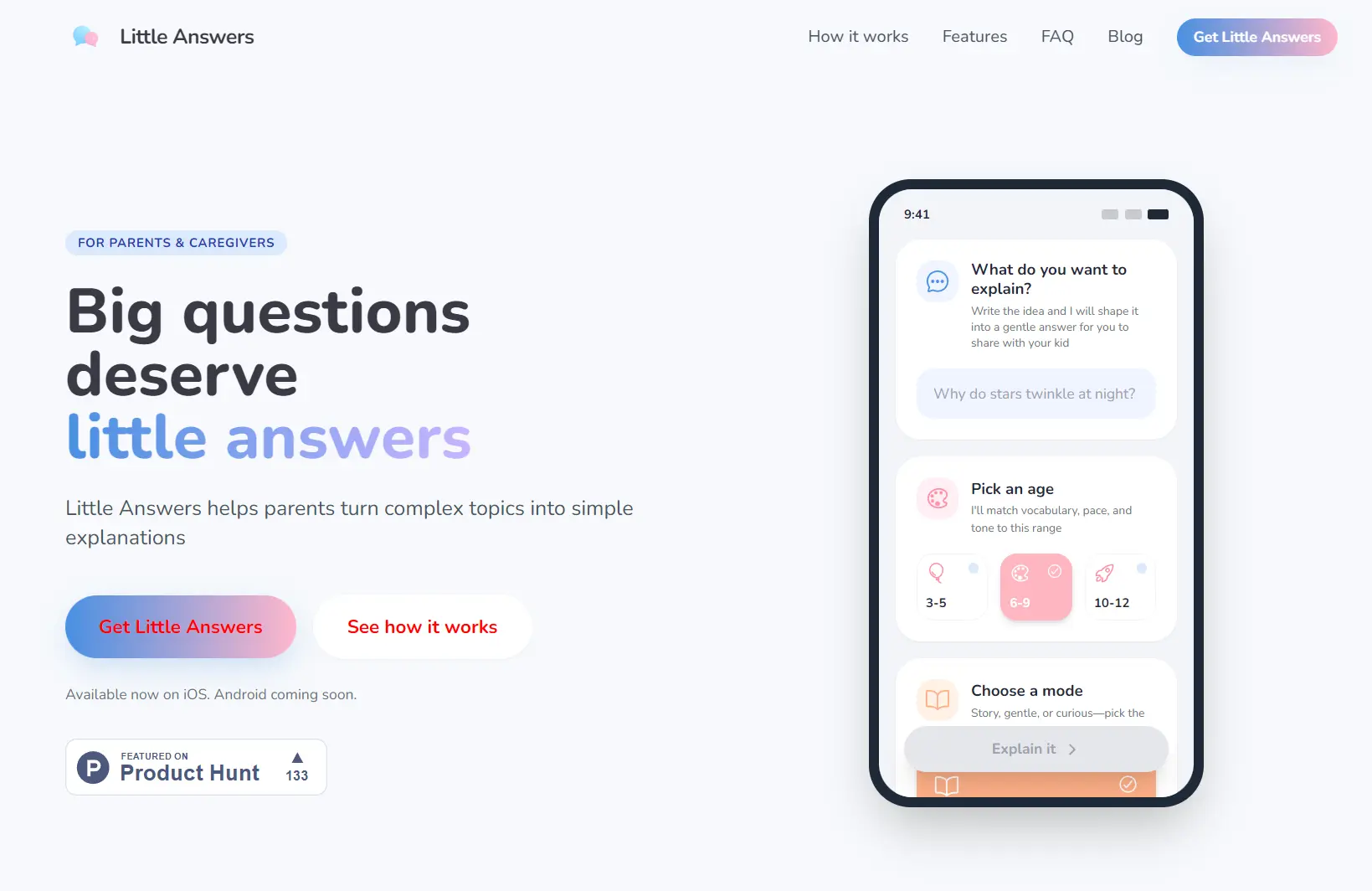
Little Answers is a free AI-powered mobile app that helps parents explain science, emotions, and big life questions to children in simple, age-appropriate language.
Type any question in any language, select the child’s age range (3-12), and you will receive scientifically accurate answers written in simple, warm language kids can understand.
Features
- Three Explanation Modes: Story Mode creates imaginative narratives (10-12 sentences), Gentle Mode provides short and calming responses, and Curious Mode delivers detailed scientific context for children who ask endless “why” questions.
- Age-Specific Vocabulary: The app adjusts sentence length, word complexity, and conceptual depth based on three age ranges: Toddlers (3-5), Early Elementary (6-9), and Pre-Teens (10-12).
- Multilingual Support: You can ask questions in any language and receive answers in that same language. The app auto-detects your input language without manual selection.
- Scientific Accuracy Notes: Each explanation includes adult-facing notes that explain the actual science behind the simplified answer.
- Follow-Up Question Suggestions: Provides guided conversation starters you can use immediately to keep discussions going naturally.
- Local Storage Only: Your question history never leaves your device. No cloud storage, no account requirement, no data sharing.
- Voice and Text Input: You can type questions or speak them aloud for hands-free operation.
How To Use It
1. Install Little Answers from the iOS App Store (Android version coming soon).
2. Type or speak the question your child asked. Use natural language exactly as you’d say it. Examples: “Why do we dream?” or “Where does rain come from?” The app works with any language input.
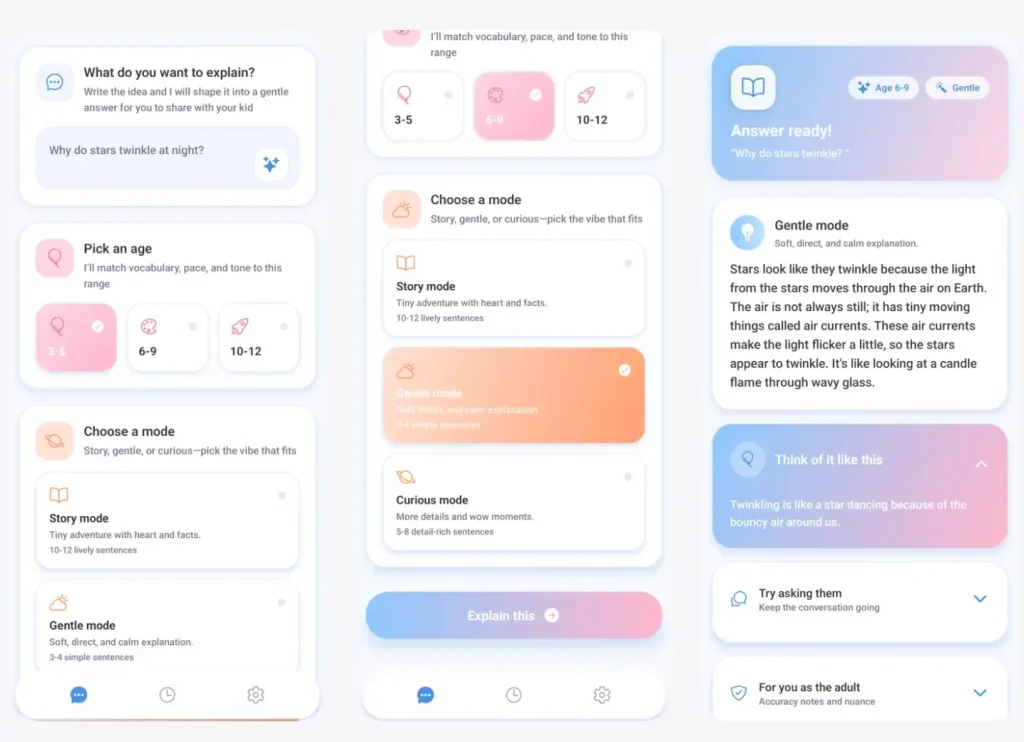
3. Choose from three options: 3-5 years, 6-9 years, or 10-12 years. This determines vocabulary complexity and explanation depth. You can change this for different children in the same family.
4. Select Story Mode for imaginative narratives, Gentle Mode for sensitive topics, or Curious Mode for detailed scientific explanations. Story Mode typically runs 10-12 sentences. Gentle Mode stays short. Curious Mode provides comprehensive answers.
5. The app generates a structured explanation instantly. Read through it first before sharing with your child. Check the adult accuracy notes to understand the science behind the simplified version.
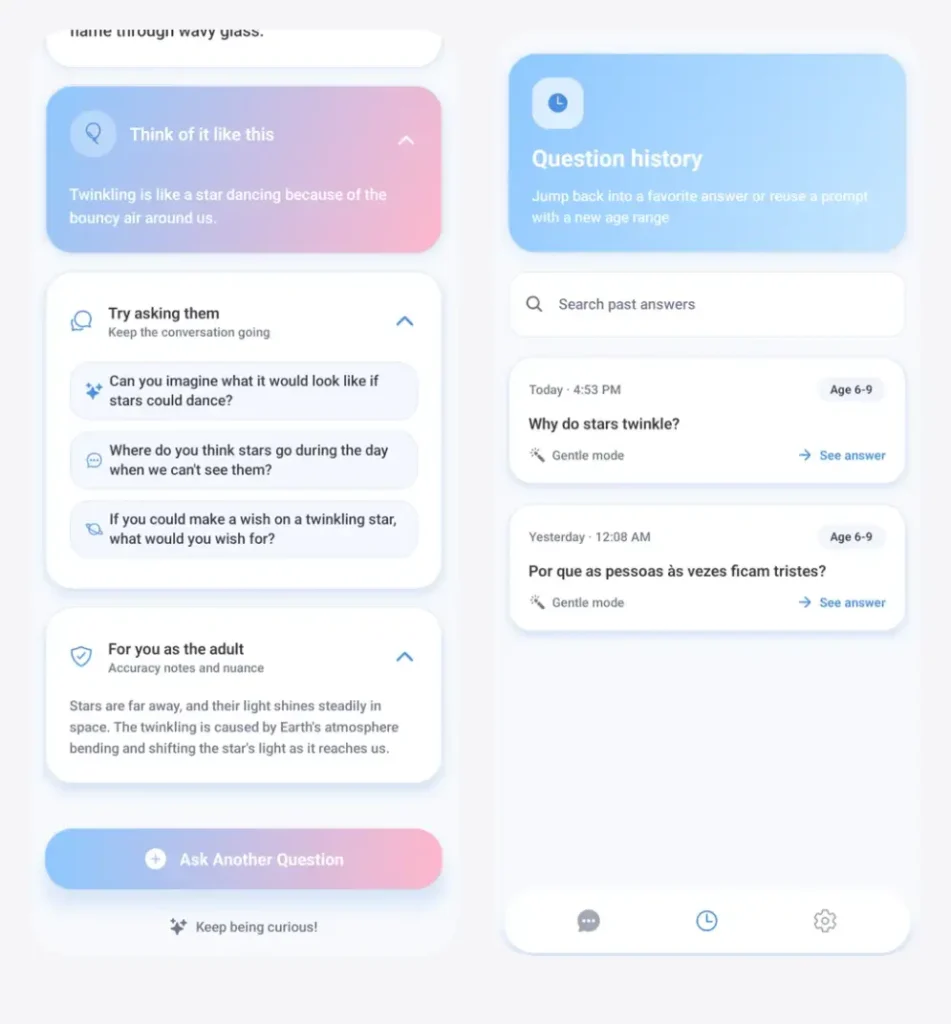
6. The app suggests conversation starters you can ask right away. These help extend discussions naturally without you having to invent follow-up topics on the spot.
Pros
- Instant Answer Generation: You get scientifically accurate explanations in seconds.
- True Privacy Protection: Your questions stay on your device only.
- Multilingual Flexibility: Bilingual families can switch between languages without changing settings or preferences.
- Mode Variety: You can match the answer to your child’s mood and the topic’s sensitivity level.
- Adult Context Provided: Accuracy notes help you understand the actual science so you can answer follow-up questions confidently.
- Teacher-Friendly Design: Classroom educators can use Curious Mode to supplement lesson plans.
Cons
- No Offline Mode for New Questions: You need an internet connection to generate answers.
- Limited Age Range: The app optimizes for ages 3-12 only.
- No Customization Options: You can’t adjust explanation length or create custom modes beyond the three provided options.
- Single-Question Format: The app handles one question at a time.
FAQs
Q: Can I edit the generated explanations before sharing them with my child?
A: The app doesn’t include built-in editing tools. You’ll need to mentally adjust or verbally rephrase answers if you want to customize them further.
Q: Does the app work offline after I’ve generated an answer?
A: Your saved question history remains accessible offline. You need internet connection only when generating new explanations. Past answers stay on your device permanently unless you manually delete them.
Q: What happens if my child asks an inappropriate question?
A: The app automatically defaults to Gentle Mode for sensitive topics. It provides factual, neutral language to avoid graphic details.
Q: Can I use this app for homeschooling curriculum support?
A: Yes. Curious Mode works well for science and social studies topics. Teachers and homeschooling parents use it to prepare lesson explanations or handle unexpected student questions during class time.
Q: How does the app maintain scientific accuracy across so many topics?
A: Little Answers uses AI models trained on verified scientific sources. Each explanation includes accuracy notes for adults that cite the real science.
Q: Will my child’s questions be used to train AI models?
A: No. Your conversations stay locally on your device. The app doesn’t build profiles on children or use your personal conversations for model training.
Q: What if the generated answer feels too advanced or too simple for my child?
A: You can regenerate the answer using a different age range. If your seven-year-old is advanced, try the 10-12 setting. If they’re struggling, drop down to the 3-5 range.