Web Codegen Scorer is a free, open-source, command-line tool developed by the Angular team for evaluating the quality of web code generated by large language models.
When you ask ChatGPT, Claude, or Gemini to write code, how do you know if it’s actually good? Most developers just run the code and see what breaks.
Web Codegen Scorer takes a more systematic approach by running automated tests for build success, accessibility, security vulnerabilities, runtime errors, and coding best practices.
You can compare different LLMs, test your custom prompts, and track how code quality changes over time.
Features
- Multi-Model Support: Works with any LLM that supports Genkit providers, including Gemini, OpenAI, Anthropic, and xAI Grok models.
- Framework Agnostic: Works with any web framework (React, Vue, Svelte) or vanilla JavaScript. Currently ships with pre-configured environments for Angular and Solid.js.
- Multiple Code Runners: Supports different execution environments including Genkit (default), Gemini CLI, Claude Code, and Codex to match your preferred coding workflow.
- Automated Quality Checks: Built-in ratings system evaluates build success, runtime errors, accessibility compliance, security issues, and adherence to coding best practices without manual code review.
- Self-Repair Capabilities: When the generated code fails to build or has errors, the tool can automatically attempt repairs by feeding error messages back to the LLM for correction.
- Visual Report Viewer: Generates detailed HTML reports showing side-by-side comparisons, screenshots of generated apps, and comprehensive quality metrics for each evaluation run.
- Prompt Testing Framework: Test different system prompts to find which instructions produce the best code for your specific project requirements.
- Model Context Protocol (MCP) Integration: Add MCP servers to provide additional context and tools to LLMs during code generation.
- Multi-Step Evaluation: Run workflows with multiple sequential prompts in the same directory, taking snapshots after each step to evaluate progressive development tasks.
- Customizable Test Commands: Define your own test suites that run against generated code, with automatic timeout handling and error capture for repair attempts.
Use Cases
- Prompt engineering optimization: Systematically test different system prompts to find the most effective instructions for your specific project requirements.
- Model comparison: Objectively compare code quality across different AI models using the same set of test prompts and evaluation criteria.
- Quality monitoring: Track how generated code quality changes over time as models evolve and improve.
- Framework testing: Evaluate how well different AI models handle specific web frameworks like Angular, React, or Vue.
- Team standardization: Establish consistent quality standards for AI-generated code across development teams.
How to Use It
1. Install the Web Codegen Scorer package globally via npm. You’ll need Node.js installed on your system first.
npm install -g web-codegen-scorer2. Set up API keys for whichever LLM providers you plan to test. The tool reads these from environment variables, so add them to your shell profile or export them temporarily.
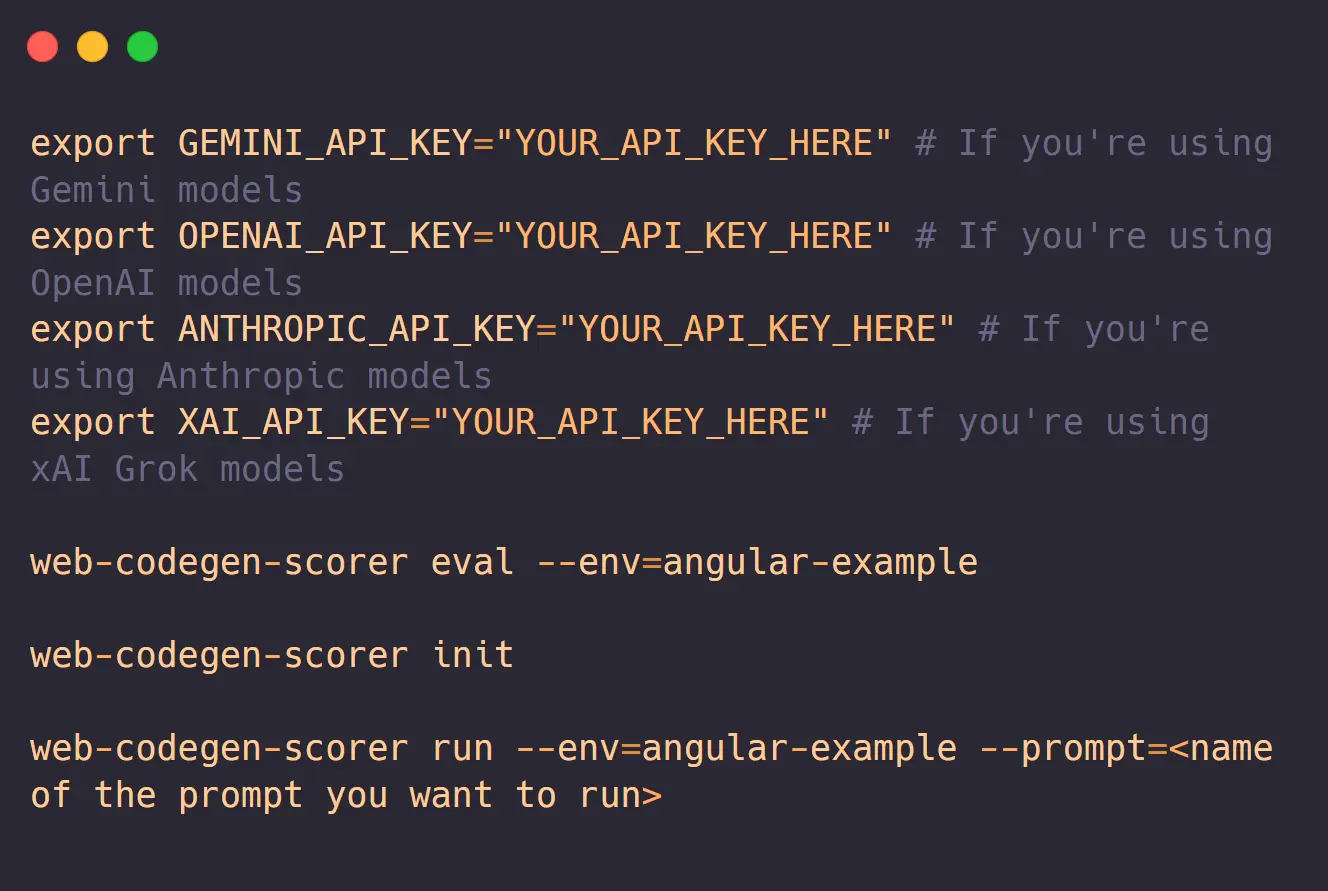
export GEMINI_API_KEY="your_key_here"
export OPENAI_API_KEY="your_key_here"
export ANTHROPIC_API_KEY="your_key_here"
3. Run your first evaluation using one of the built-in example environments. The Angular example comes pre-configured with prompts and quality checks.
web-codegen-scorer eval --env=angular-example4. The tool will generate code for multiple prompts (5 by default), build each one, run tests, and create a detailed report. This takes a few minutes since it’s building and testing real applications. When finished, open the generated HTML report in your browser to see the results.
5. To test a different model, add the model flag. The tool supports any model available through Genkit.
web-codegen-scorer eval --env=angular-example --model=claude-3-5-sonnet6. For production use, you’ll want to create a custom environment. Run the init command and follow the interactive prompts.
web-codegen-scorer initThis creates a config file where you specify your framework, project template, system prompts, and quality ratings. The config uses JavaScript modules so you can programmatically define complex evaluation scenarios.
7. To debug a specific prompt without calling the LLM repeatedly, use local mode. This reads previously generated code from disk instead of making new API calls.
web-codegen-scorer eval --local --env=your-config8. You can run generated apps locally to manually test them before evaluation.
web-codegen-scorer run --env=angular-example --prompt=todo-app9. For advanced workflows, configure multi-step prompts that build features incrementally. Create a directory with files named step-1.md, step-2.md, etc., and the tool will execute them sequentially while rating each step independently.
10. All command-line flags.
| Flag | Alias | Description |
|---|---|---|
--env=<path> | --environment | (Required) Specifies the path to the environment config file. |
--model=<name> | Specifies the model to use for generating code. | |
--autorater-model=<name> | Specifies the model to use for automatically rating the generated code. | |
--runner=<name> | Specifies the runner to execute the evaluation (e.g., genkit, gemini-cli). | |
--local | Runs the script in local mode, using existing files instead of calling an LLM. | |
--limit=<number> | Specifies the number of application prompts to process. Defaults to 5. | |
--output-directory=<name> | --output-dir | Specifies a directory to output the generated code for debugging. |
--concurrency=<number> | Sets the maximum number of concurrent AI API requests. Defaults to 5. | |
--report-name=<name> | Sets the name for the generated report directory. Defaults to a timestamp. | |
--rag-endpoint=<url> | Specifies a custom Retrieval-Augmented Generation (RAG) endpoint URL. | |
--prompt-filter=<name> | Filters which prompts to run, useful for debugging a specific prompt. | |
--skip-screenshots | Skips taking screenshots of the generated application. | |
--labels=<label1> <label2> | Attaches metadata labels to the evaluation run. | |
--mcp | Starts a Model Context Protocol (MCP) for the evaluation. Defaults to false. | |
--max-build-repair-attempts | Sets the number of repair attempts for build errors. Defaults to 1. | |
--help | Prints usage information about the script. |
Pros
- Evidence-Based Decisions: Replaces subjective opinions about AI code quality with measurable metrics. No more debates about which LLM is better without data to back it up.
- Cost Savings: Helps identify which cheaper models produce acceptable quality for your use case. You might find that a faster, less expensive model works fine for certain tasks.
- Time Efficiency: Automated testing catches issues that would take hours to find through manual code review. The self-repair feature can fix simple errors without human intervention.
- Open Source Flexibility: The entire tool is open source on GitHub, so you can modify evaluation criteria, add new quality checks, or integrate with your existing toolchain.
- Real World Testing: Evaluates actual buildable applications instead of synthetic benchmarks. The generated code has to compile, run, and pass accessibility checks just like production code.
Cons
- Initial Setup Complexity: Creating custom environments requires understanding the config system, writing system prompts, and defining quality ratings.
- API Costs: Running comprehensive evaluations across multiple models and prompts can rack up significant LLM API charges. Budget accordingly if you’re testing expensive models like GPT and Claude.
- Command Line Only: No graphical interface for running evaluations or configuring environments. Everything happens through terminal commands and editing JavaScript config files.
Related Resources
- Genkit Documentation: Learn about the AI framework that powers Web Codegen Scorer’s multi-model support and evaluation system.
- Model Context Protocol: Understand how to add MCP servers to your evaluations for providing additional context and capabilities to LLMs during code generation.
- Genkit Model Providers: Reference for adding support for new LLM providers if your preferred model isn’t currently available in the tool.
FAQs
Q: Why was this tool created?
A: The Angular team wanted a way to empirically measure the quality of code generated by LLMs. They found that existing benchmarks were often too broad and didn’t focus on the specific quality metrics that are important for web development. This tool allows for consistent and repeatable measurements across different configurations.
Q: Does the tool require an internet connection?
A: Yes, for the initial code generation since it calls LLM APIs. After you’ve generated code once, you can use local mode to re-run evaluations without making new API calls. The tool reads previously generated code from the .web-codegen-scorer directory. You’ll still need internet for installing dependencies and building applications unless you’ve already cached the packages.
Q: What’s the difference between this and other code quality tools?
A: Most code quality tools (ESLint, Prettier, SonarQube) analyze existing code you’ve written. Web Codegen Scorer specifically evaluates code that LLMs generate, comparing how different models or prompts perform on the same task. It combines traditional code quality metrics with LLM-specific concerns like whether the generated code actually builds and runs correctly.
Q: Can I add custom quality checks beyond the built-in ratings?
A: Absolutely. The ratings system is extensible through the config file. You can implement custom rating classes that check for anything you care about, such as performance metrics, specific coding patterns, or compliance with your team’s style guide. The tool provides interfaces for per-build ratings, per-file ratings, and LLM-based ratings that you can extend.
Q: Are more features planned for the future?
A: Yes, the Angular team plans to expand the tool’s capabilities. Their roadmap includes adding interaction testing to verify that the generated code performs as requested, measuring Core Web Vitals, and assessing the effectiveness of LLM-driven edits to existing codebases.