Deep Code Reasoning
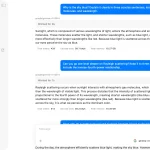
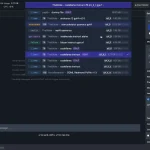
The Deep Code Reasoning MCP Server creates a powerful partnership between Claude Code and Google’s Gemini AI for advanced code analysis.
It establishes an intelligent routing system where Claude Code handles local operations and terminal integration, while Gemini leverages its 1M token context window for massive codebase analysis and distributed system debugging.
Features
- 🤖 AI-to-AI Conversations: Claude and Gemini engage in multi-turn dialogues for iterative problem-solving
- 📊 Execution Flow Tracing: Maps data flow and state transformations across complex systems
- 🔗 Cross-System Impact Analysis: Models how changes propagate across service boundaries
- ⚡ Performance Bottleneck Detection: Identifies N+1 patterns, memory leaks, and algorithmic issues
- 🧪 Hypothesis Testing: Tests theories about code behavior with evidence-based validation
- 📈 Long Context Support: Leverages Gemini’s 1M token window for large codebase analysis
- 🔄 Intelligent Escalation: Routes tasks to the most capable model for each sub-task
Use Cases
- Distributed System Failures: When errors span multiple services with gigabytes of logs and traces, Claude identifies patterns while Gemini processes the full timeline to pinpoint exact failure windows and race conditions
- Performance Regression Hunting: After Claude performs initial profiling and identifies hot paths, Gemini analyzes weeks of performance metrics correlated with code changes to locate the exact commit causing degradation
- Complex Code Refactoring: Claude handles local file modifications while Gemini analyzes the broader impact across interconnected services and identifies potential breaking changes
- Production Incident Analysis: When debugging requires correlating failures across 10+ microservices, Gemini processes massive trace dumps while Claude implements targeted fixes based on the findings
Prerequisites
- Node.js 18 or later
- Google Cloud account with Gemini API access
- Gemini API key from Google AI Studio
Installation
1. Clone and setup:
git clone https://github.com/Haasonsaas/deep-code-reasoning-mcp.git
cd deep-code-reasoning-mcp
npm install
2. Configure environment:
cp .env.example .env
# Edit .env and add your GEMINI_API_KEY
3. Build the project:
npm run buildClaude Desktop Configuration
Add to your Claude Desktop config (~/Library/Application Support/Claude/claude_desktop_config.json):
{
  "mcpServers": {
    "deep-code-reasoning": {
      "command": "node",
      "args": ["/path/to/deep-code-reasoning-mcp/dist/index.js"],
      "env": {
        "GEMINI_API_KEY": "your-gemini-api-key"
      }
    }
  }
}
Conversational Analysis Tools
start_conversation: Initiates AI-to-AI dialogue sessions
claude_context: What Claude tried, found, and where it got stuckanalysis_type: ‘execution_trace’, ‘cross_system’, ‘performance’, or ‘hypothesis_test’initial_question: Optional opening question for Gemini
continue_conversation: Maintains active dialogue
session_id: Active session identifiermessage: Claude’s response or follow-up questioninclude_code_snippets: Enrich with additional code context
finalize_conversation: Generates structured results
session_id: Session to completesummary_format: ‘detailed’, ‘concise’, or ‘actionable’
Traditional Analysis Tools
escalate_analysis: Main handoff tool from Claude to Gemini
claude_context: Previous attempts and findingsanalysis_type: Type of analysis neededdepth_level: 1-5 scale for analysis depthtime_budget_seconds: Optional time limit
trace_execution_path: Deep execution analysis
entry_point: File, line, and function to start frommax_depth: Analysis depth limitinclude_data_flow: Track data transformations
cross_system_impact: Analyze changes across services
change_scope: Files and services to analyzeimpact_types: Focus on ‘breaking’, ‘performance’, or ‘behavioral’ changes
performance_bottleneck: Advanced performance analysis
code_path: Entry point and suspected issuesprofile_depth: 1-5 scale for profiling depth
hypothesis_test: Test specific theories
hypothesis: Theory to validatecode_scope: Files and entry points to examinetest_approach: Testing methodology
Example Workflow
// 1. Start conversational analysis
const session = await start_conversation({claude_context: {
    attempted_approaches: ["Checked for N+1 queries", "Profiled database calls"],
    partial_findings: [{ type: "performance", description: "Multiple DB queries in loop" }],
    stuck_description: "Can't determine if queries are optimizable",
    code_scope: { files: ["src/services/UserService.ts"] }
  },
  analysis_type: "performance",
  initial_question: "Are these queries necessary or can they be batched?"
});
// 2. Continue with follow-ups
const response = await continue_conversation({
  session_id: session.sessionId,
  message: "The queries fetch user preferences. Could we use a join instead?",
  include_code_snippets: true
});
// 3. Get actionable results
const results = await finalize_conversation({
  session_id: session.sessionId,
  summary_format: "actionable"
});
FAQs
Q: How does this differ from using Claude Code alone?
A: Claude Code excels at local operations and CLI integration, but hits context limits with large codebases. This server adds Gemini’s 1M token capacity for analyzing massive log files, traces, and cross-system correlations that exceed Claude’s context window.
Q: When should I escalate to Gemini instead of continuing with Claude?
A: Escalate when you need to analyze hundreds of MB of logs, correlate failures across 10+ services, test multiple hypotheses with code execution, or analyze weeks of performance metrics. Use Claude for focused refactoring and local changes.
Q: What’s the difference between conversational and traditional analysis tools?
A: Conversational tools enable iterative AI-to-AI dialogues for complex problems requiring back-and-forth reasoning. Traditional tools provide direct analysis results. Use conversational for exploratory debugging, traditional for focused analysis.
Q: How secure is sending code to Google’s Gemini API?
A: Code is transmitted to Google’s servers for processing. Review Google’s data policies and ensure compliance with your organization’s security requirements. Consider using on-premises alternatives for sensitive codebases.
Latest MCP Servers
Paper Search
Codebase Memory
CVE
Featured MCP Servers
Codebase Memory
Notion
Claude Peers
FAQs
Q: What exactly is the Model Context Protocol (MCP)?
A: MCP is an open standard, like a common language, that lets AI applications (clients) and external data sources or tools (servers) talk to each other. It helps AI models get the context (data, instructions, tools) they need from outside systems to give more accurate and relevant responses. Think of it as a universal adapter for AI connections.
Q: How is MCP different from OpenAI's function calling or plugins?
A: While OpenAI's tools allow models to use specific external functions, MCP is a broader, open standard. It covers not just tool use, but also providing structured data (Resources) and instruction templates (Prompts) as context. Being an open standard means it's not tied to one company's models or platform. OpenAI has even started adopting MCP in its Agents SDK.
Q: Can I use MCP with frameworks like LangChain?
A: Yes, MCP is designed to complement frameworks like LangChain or LlamaIndex. Instead of relying solely on custom connectors within these frameworks, you can use MCP as a standardized bridge to connect to various tools and data sources. There's potential for interoperability, like converting MCP tools into LangChain tools.
Q: Why was MCP created? What problem does it solve?
A: It was created because large language models often lack real-time information and connecting them to external data/tools required custom, complex integrations for each pair. MCP solves this by providing a standard way to connect, reducing development time, complexity, and cost, and enabling better interoperability between different AI models and tools.
Q: Is MCP secure? What are the main risks?
A: Security is a major consideration. While MCP includes principles like user consent and control, risks exist. These include potential server compromises leading to token theft, indirect prompt injection attacks, excessive permissions, context data leakage, session hijacking, and vulnerabilities in server implementations. Implementing robust security measures like OAuth 2.1, TLS, strict permissions, and monitoring is crucial.
Q: Who is behind MCP?
A: MCP was initially developed and open-sourced by Anthropic. However, it's an open standard with active contributions from the community, including companies like Microsoft and VMware Tanzu who maintain official SDKs.