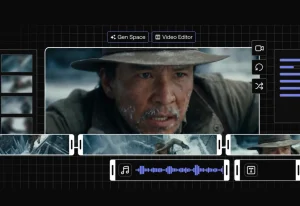
AI video editors transform hours of manual work into minutes. You skip tedious tasks like cutting footage, adding captions, and syncing audio. These platforms automate what used to drain your time.
We rank the top AI video editors by monthly traffic from SimilarWeb. This method shows you what tools people actually use, not what marketing claims.
Updated for 2026, this list helps creators, marketers, and businesses find the right editor. You get speed without sacrificing quality.
Top 10 AI Video Editors for 2026
| # | Tool Name | Description | Monthly Visits | Pricing* |
|---|---|---|---|---|
| 1 | CapCut | CapCut dominates the market as a versatile video editor available on mobile, desktop, and web browsers. It combines standard timeline editing with powerful AI features like auto-captions and background removal, serving millions of creators who need speed and quality in one package. | 54.6M | $9.99/mo |
| 2 | VSCO | VSCO extends its renowned photo editing capabilities into video, focusing on high-quality color grading and film-like presets. It targets creators who prioritize visual aesthetics and want their videos to match the cohesive look of their photography portfolios. | 18.5M | $2.50/mo |
| 3 | Cutout | Cutout.pro operates as a modular platform offering specific AI tools rather than a traditional timeline editor. It excels at distinct tasks such as removing video backgrounds, enhancing low-quality footage, and generating cartoon effects from standard video. | 13.8M | $5.00/mo |
| 4 | VEED | VEED is a robust online video editor designed to make professional editing accessible directly in your browser. It focuses heavily on automation, offering tools like one-click subtitles, silence removal, and screen recording to speed up corporate and social video production. | 11.5M | $12.00/mo |
| 5 | Clideo | Clideo provides a suite of single-purpose online tools for quick video tasks like merging, compressing, and resizing. It serves users who need to perform one specific action quickly without opening a complex editing suite. | 10.1M | $9.00/mo |
| 6 | Clipchamp | Clipchamp is Microsoft’s official video editor, integrated directly into Windows 11. It balances ease of use with powerful features, offering a drag-and-drop interface, stock assets, and AI-powered tools like text-to-speech and auto-captions. | 8.8M | $11.99/mo |
| 7 | Invideo | InVideo specializes in generating complete videos from simple text prompts. Users enter a topic, and the AI writes a script, selects relevant stock footage, adds voiceovers, and assembles the video, drastically reducing production time. | 7.6M | $28.00/mo |
| 8 | Kapwing | Kapwing is a collaborative, browser-based platform often described as the “Google Docs for video.” It excels at team workflows and repurposing content, allowing multiple users to edit the same project simultaneously in real-time. | 5.8M | $16.00/mo |
| 9 | Opus Clip | Opus Clip uses generative AI to analyze long-form videos (like podcasts) and extract the most viral-worthy short clips. It automatically reframes the subject, adds dynamic captions, and assigns a “virality score” to each clip. | 4.6M | $15.00/mo |
| 10 | Media.io | Media.io by Wondershare is an online toolkit focusing on AI-driven media enhancement. It offers specialized agents for tasks like vocal removal, video cartoonization, and watermark removal, accessible directly through a web browser. | 4.1M | $4.99/mo |
Which AI Video Editor Should You Use?
- Need completely free editing with no watermark? Choose CapCut Free or Clipchamp.
- Create short-form content for TikTok and Instagram daily? Choose CapCut or Opus Clip.
- Want film-aesthetic photos and videos? Choose VSCO.
- Edit product photos for e-commerce? Choose Cutout.pro.
- Need browser-based editing with teams? Choose VEED or Kapwing.
- Convert long videos to short clips automatically? Choose Opus Clip.
- Generate videos from text prompts? Choose Invideo or Media.io.
- Already have Microsoft 365? Choose Clipchamp (included free).
- Need all-in-one AI tools for video, image, and audio? Choose Media.io.
Editor’s Choice: CapCut offers the best value for most users. The free version includes 1080p exports without watermarks, AI captions, and background removal. You only upgrade if you need 4K or unlimited AI minutes.
FAQs
Q: What is an AI video editor and how does it work?
A: An AI video editor automates editing tasks through machine learning algorithms. The software analyzes your footage, recognizes patterns, and makes editing decisions without manual input. AI detects scene changes, tracks subjects, removes backgrounds, generates captions, and syncs audio to video automatically.
Q: How does AI video editing compare to traditional manual methods?
A: AI editors complete in minutes what takes hours manually. Traditional editors require you to watch entire videos, select clips, trim footage, add transitions, create captions, and adjust audio levels individually. AI automation handles these tasks simultaneously while you focus on creative decisions.
Q: Are AI-generated videos safe to use commercially?
A: Commercial usage rights depend on your specific subscription plan and the content you include. Most AI editors permit commercial use of videos you create, but restrictions apply to stock footage, music, and AI-generated elements. Read your platform’s terms carefully. Free tiers often prohibit commercial use, while paid plans grant commercial rights.
Have you tried any of these AI video editing tools? Share your experiences in the comments below, and let us know which tool worked best for your projects!
See Also:
Changelog:
12/30/2025
- Updated for 2026
02/19/2025
- Regular monthly updates
12/15/2024
- Regular monthly updates
11/15/2024
- Regular monthly updates
07/20/2024
- Regular monthly updates
05/09/2024
- Regular monthly updates
04/19/2024
- Regular monthly updates
03/16/2024
- Updated the list