Best AI presentation makers in 2026 replace expensive design software with automated tools that generate slides from text prompts. Most professionals waste 3-4 hours per presentation on formatting, color schemes, and layout adjustments. AI presentation generators complete this work in minutes.
This guide ranks the top 10 AI presentation makers by monthly traffic data from SimilarWeb. You will find explicit pricing breakdowns, free tier limits, and watermark policies for each tool. I have verified which platforms require credit cards for “free” trials and which tools actually provide unlimited free access.
Updated for 2026: This article reflects current pricing structures and feature availability as of December 2025. I distinguish between genuinely free tools, freemium models with hard limits, and trial-based services.
Let’s get started!
TL;DR
| # | Tool Name | Description | Monthly Visits | Pricing* |
|---|---|---|---|---|
| 1 | Gamma | Effortlessly build a beautiful presentation using ChatGPT. Type in a prompt and generate entire PPT presentations from scratch within seconds using AI. | 35.4M | $8.00/mo |
| 2 | Prezi | A presentation software that uses motion, zoom, and spatial relationships to bring your ideas to life and make you a great presenter. | 11.2M | $7.00/mo |
| 3 | Slidesgo | With a few clicks, you’ll have wonderful slideshows that suit your own needs. And it’s totally free! | 8M | $3.00/mo |
| 4 | Presentations | Effortlessly build a beautiful presentation using ChatGPTT. Type in a prompt and generate entire PPT presentations from scratch within seconds using AI. | 1.8M | $198/yr |
| 5 | Pitch | Bring your big ideas with you. Collaborate on presentations in real-time or on your time, online or offline, across any device. | 1.6M | $25.00/mo |
| 6 | Piktochart | Easily create a professionally-looking business presentation, keynote, sales pitch, product update, and onboarding or webinar deck with free presentation templates. | 1.6M | $14.00/mo |
| 7 | Pi | An AI-native content creation platform that transforms raw notes, documents, and ideas into presentations and documents using advanced AI. | 1.4M | $9.90/mo |
| 8 | Beautiful | Beautiful.ai makes your whole approach to presentations easier – starting with design that works faster. Use it to win pitches, reimagine reports, and get better work done every day. | 1.4M | $12.00/mo |
| 9 | MyMap | Transform ideas into ready-to-use flowcharts, mind maps, matrices, and presentations simply by chatting with AI — no design skills needed. | 840K | $12.00/mo |
| 10 | AiPPT | AI-Powered One-click PowerPoint Generation for everyone. | 830K | $6.9/mo |
10 Best AI Presentation Makers in 2026
Table Of Contents
- 1. Gamma: AI-Native Document and Slide Generator
- 2. Prezi: Spatial Canvas Presentation Platform
- 3. Slidesgo: Template Marketplace with AI Generator
- 4. Presentations.ai: ChatGPT-Powered Slide Builder
- 5. Pitch: Collaborative Presentation Workspace
- 6. Piktochart: Visual Content Creator with Presentation Mode
- 7. Pi: AI Document and Presentation Transformer
- 8. Beautiful.ai: Smart Template Presentation Builder
- 9. MyMap.ai: Multi-Format Visual Generator
- 10. AiPPT: One-Click PowerPoint Generator
1. Gamma: AI-Native Document and Slide Generator
Gamma transforms text prompts into complete presentations within seconds. The platform uses ChatGPT integration to generate content, select layouts, and apply professional design themes without manual input.
Key Features:
- One-click generation from text prompts or documents
- Built-in collaboration tools for team editing
- Export to PDF and PowerPoint formats
- Mobile-responsive presentation viewer
- Template library with 400+ pre-built themes
- Real-time AI suggestions for content improvement
Free Tier Limits:
- 400 AI credits at signup (approximately 10-15 presentations)
- Credits do not regenerate monthly
- Gamma watermark appears on free exports
- Full feature access during credit availability
Best For:
- Business professionals who need quick pitch decks with minimal design input
2. Prezi: Spatial Canvas Presentation Platform
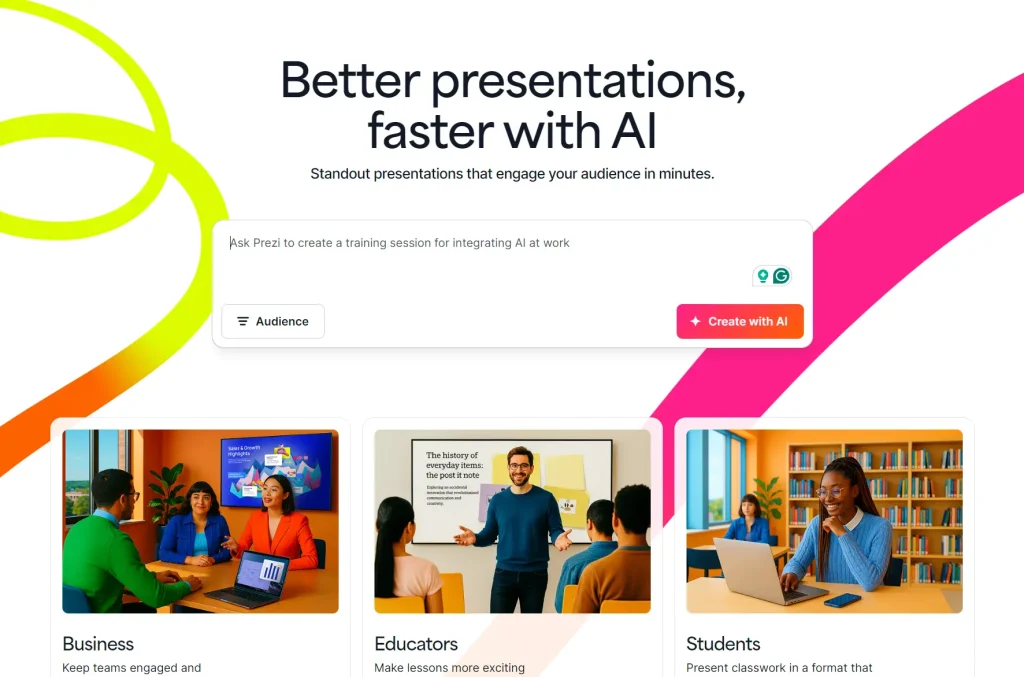
Prezi uses a zoom-based canvas instead of linear slides. The tool positions content elements in spatial relationships that viewers can navigate non-linearly.
Key Features:
- Zoom and pan navigation system
- Video presentation mode with webcam integration
- Cloud-based editing and storage
- Prezi AI generates presentation outlines from prompts
- Analytics dashboard tracks viewer engagement
- Collaboration features for team projects
Free Tier Limits:
- 500 Prezi AI credits
- All presentations are public (visible to anyone with the link)
- Watermark on exports
Best For:
- Educators and speakers who prefer non-linear storytelling formats
3. Slidesgo: Template Marketplace with AI Generator
Slidesgo provides 10,000+ free Google Slides and PowerPoint templates. The platform added an AI generator in 2024 that creates custom presentations from topic keywords.
Key Features:
- Direct download to Google Slides or PowerPoint
- AI generator creates 10-20 slides from topic input
- Templates organized by category (business, education, marketing)
- Color and font customization tools
- Icon and image libraries included
- No account required for template downloads
Free Tier Limits:
- Unlimited template downloads without watermark
- AI generator limited to 3 presentations per month on free plan
- Premium plan ($3.00/mo) removes AI generation limits
- Attribution required in presentation footer (removable)
Best For:
- Students and educators who need free templates without watermarks
4. Presentations.ai: ChatGPT-Powered Slide Builder

Presentations.ai generates complete slide decks from single-sentence prompts. The tool prioritizes speed and requires minimal user input during the generation process.
Key Features:
- Text-to-presentation generation in under 60 seconds
- Anti-fragile formatting (slides adjust to content changes automatically)
- Brand kit storage for consistent company styling
- Real-time collaboration with team members
- Analytics tracking for presentation views
- Export to PowerPoint, PDF, and HTML formats
Free Tier Limits:
- No free plan available
- 14-day free trial requires credit card
- Annual pricing starts at $198/year ($16.50/month)
- Trial includes full feature access
Best For:
- Sales teams who build multiple pitch decks weekly and can justify annual subscription costs
5. Pitch: Collaborative Presentation Workspace
Pitch focuses on team collaboration for presentation creation. The platform combines slide editing with project management features and version control.
Key Features:
- Real-time collaborative editing
- Video recording and embedding tools
- Custom slide templates with brand presets
- Presentation analytics (views, time spent per slide)
- Slack and Microsoft Teams integrations
- Offline editing mode with sync
Free Tier Limits:
- Unlimited presentations on free plan
- Limited to 1 workspace
- Maximum 10 users per workspace
- Watermark on exports
- 5GB storage per workspace
Best For:
- Startup teams who need collaborative editing without immediate budget for paid tools
6. Piktochart: Visual Content Creator with Presentation Mode
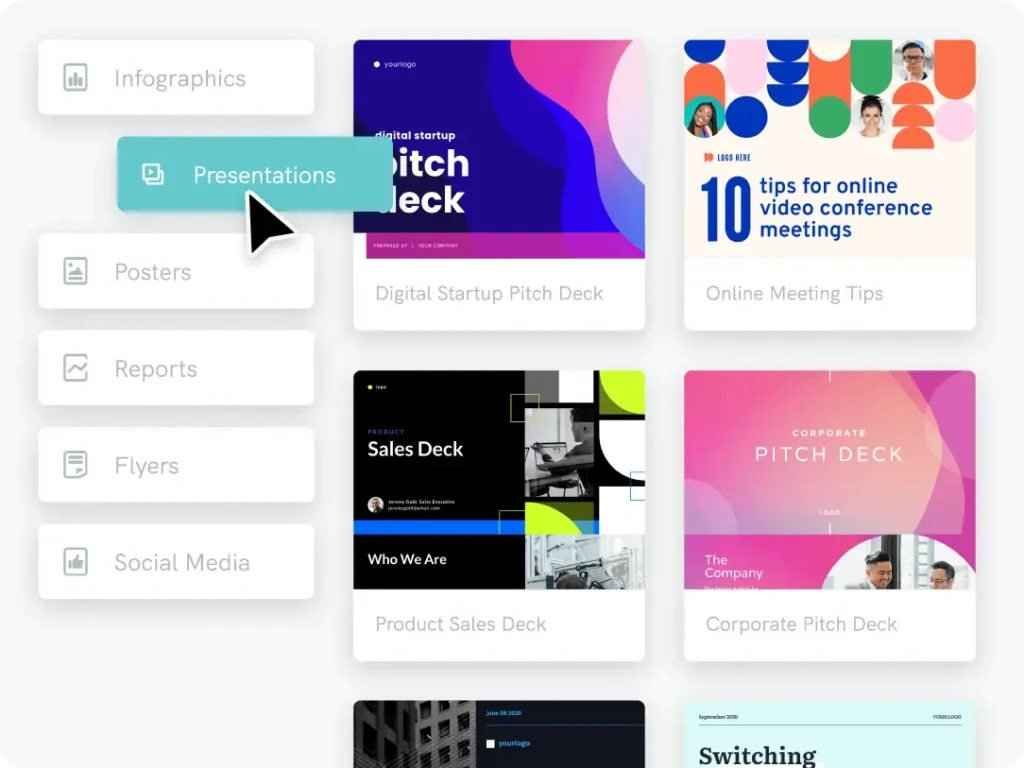
Piktochart started as an infographic maker and expanded to presentations. The tool excels at data visualization and chart generation within slides.
Key Features:
- 8,000+ templates across presentations, infographics, and reports
- Advanced chart builder with data import from CSV
- Icon library with 100,000+ graphics
- Brand kit for consistent styling
- Video presentation export
- Screen recording integration
Free Tier Limits:
- 60 AI Credits
- 2 PNG downloads
- 100MB storage
Best For:
- Content creators who need data-heavy presentations with custom charts
7. Pi: AI Document and Presentation Transformer
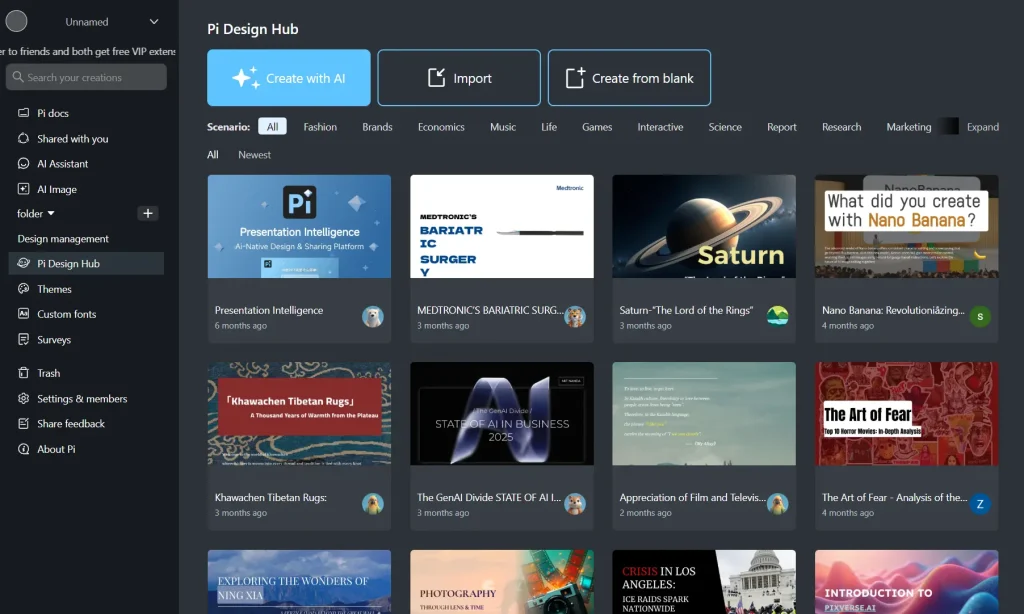
Pi converts raw notes, meeting transcripts, and documents into structured presentations. The platform targets users who have content but need formatting assistance.
Key Features:
- Document upload and automatic slide generation
- Meeting notes to presentation conversion
- AI-powered content summarization
- Template customization with brand colors
- Export to PowerPoint and Google Slides
- Mobile app for iOS and Android
Free Tier Limits:
- Create a blank page
- Custom Template
- Pricing starts at $9.90/month
Best For:
- Consultants who transform client meeting notes into deliverable presentations
8. Beautiful.ai: Smart Template Presentation Builder
Beautiful.ai applies automatic design rules as users add content. The platform adjusts layouts, spacing, and visual hierarchy without manual formatting.
Key Features:
- 60+ smart slide templates with adaptive layouts
- Team collaboration with commenting
- Brand kit storage and enforcement
- Presentation analytics dashboard
- PowerPoint import with automatic redesign
- Version history and rollback
Free Tier Limits:
- 14-day free trial
- Pricing starts at $12.00/month
Best For:
- Solopreneurs who create frequent presentations and value consistent design output
9. MyMap.ai: Multi-Format Visual Generator

MyMap.ai generates flowcharts, mind maps, matrices, and presentations from conversational AI prompts. The tool converts unstructured ideas into multiple visual formats simultaneously.
Key Features:
- Chat-based interface for content generation
- Simultaneous output in multiple formats (presentation, mind map, flowchart)
- Export to PowerPoint, PDF, PNG, and SVG
- Template library organized by business function
- No design skills required
- Web-based with no installation
Free Tier Limits:
- 5 AI generations per month on free plan
- Watermark on free exports
- Limited export formats (PDF and PNG only)
- Pro plan ($12/month) removes limits and adds PowerPoint export
Best For:
- Product managers who visualize complex systems and need multiple diagram types
10. AiPPT: One-Click PowerPoint Generator
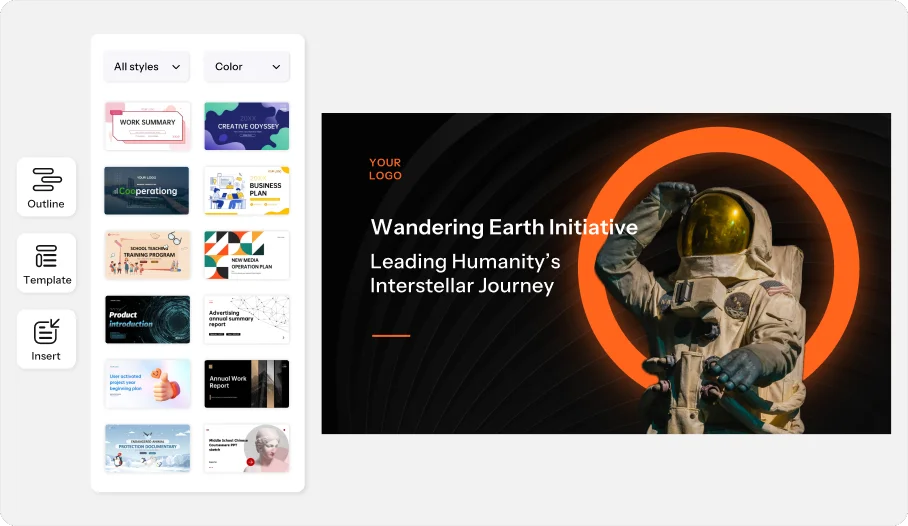
AiPPT generates PowerPoint files directly from topic keywords. The tool targets users who need standard corporate slide decks with minimal customization.
Key Features:
- Direct PowerPoint file generation (no web preview)
- Topic-based generation with industry templates
- Automatic chart and diagram insertion
- Multi-language support (20+ languages)
- Bulk generation for multiple presentations
- No account required for basic use
Free Tier Limits:
- 2 free presentations per day
- Watermark on free outputs
- Limited template selection
- Standard quality exports
- Pro plan ($6.9/month) provides 20 presentations/day
Best For:
- International business users who need multi-language presentation generation
Which Best AI Presentation Maker Should You Use?
Best for No Watermark Templates: Slidesgo provides unlimited template downloads without watermarks. You can download and use templates immediately without account creation.
Best for Daily Use Without Subscription: AiPPT allows two free presentations per day without a login. This suits users who need occasional generation without committing to monthly plans.
Best for Team Collaboration: Pitch provides real-time collaborative editing with up to 10 users on the free plan. The platform includes version control and commenting features.
Best for Non-Linear Presentations: Prezi offers 500 free AI credits and spatial canvas navigation that differs from standard slide formats.
Best for Mobile Creation: Prezi and Pitch provide full-featured mobile apps on iOS and Android.
Best for Data Visualization: Piktochart excels at chart creation and data import from CSV files.
Best for International Users: AiPPT supports 20+ languages and generates localized content based on regional business standards.
How to Create a Presentation with AI (Step-by-Step)
Most AI presentation tools follow a similar workflow. Follow these five universal steps to generate a deck in minutes.
Input your content or prompt.
Type a specific topic (e.g., “Q4 Marketing Strategy”) or upload an existing Word document/PDF. The AI uses this source material to structure the narrative.
Select a design theme.
Choose a visual style that fits your audience. Options usually range from “Corporate” and “Minimalist” to “Creative” or “Dark Mode.”
Review the generated outline.
The AI will propose a slide-by-slide structure. Edit, add, or remove sections at this stage to ensure the flow is logical before generating the full design.
Refine the details.
Once the slides are generated, replace generic stock photos with your own assets. Check the text for accuracy and adjust the layout if the AI placed text over an image face.
Export the final file.
Download your presentation. Choose PDF for a fixed layout that works on any device, or PPTX if you need to make further edits in Microsoft PowerPoint.
FAQs
Q: What is an AI presentation maker?
A: An AI presentation maker uses artificial intelligence to convert text prompts or documents into visual slides. It analyzes your input to generate relevant text, selects appropriate layouts, and inserts images automatically, replacing the manual design process.
Q: How does using AI compare to traditional manual methods?
A: Manual creation requires you to build slides one by one, focusing heavily on formatting, alignment, and font selection. AI tools handle the design and formatting instantly, allowing you to spend 90% of your time on the content and message rather than the visuals.
Q: Is data safe when using free AI presentation tools?
A: Most cloud-based AI tools encrypt data in transit. However, many free tiers grant the platform the right to use your inputs to train their models. Avoid uploading confidential financial data, trade secrets, or sensitive personal information to free AI generators.
Q: Can I use AI-generated slides for commercial purposes?
A: Yes, you generally own the content you create. However, free plans often mandate that you keep the platform’s watermark on the slides. For professional client presentations, a paid license is usually necessary to remove branding and secure full commercial rights.
Q: Do these tools export to editable PowerPoint files?
A: It varies by platform. Some tools allow direct export to an editable .pptx file. Others only allow export to static formats like PDF or images, requiring a paid upgrade for editable PowerPoint compatibility.
Q: What are the best use cases for AI presentation makers?
A: AI presentation makers are ideal for business presentations, educational lectures, sales pitches, project reports, and personal projects.
Changelog:
12/22/2025
- Update for 2026
02/20/2025
- Updated the list