ATS-Friendly AI Resume Builder, No Sign-Up Needed – Resume Yay
Create ATS-compliant resumes without accounts. AI improves content, matches jobs, exports PDFs—100% free.
Job searching can be stressful, and creating a compelling resume is often the first hurdle. Many online resume builders promise ease and professionalism, but quickly lock features behind paywalls or require lengthy registrations.
If you need a quick, free, and effective way to build a resume without the hassle of sign-ups, Resume Yay offers a solution. This platform provides an AI-powered and ATS-friendly resume builder that’s completely free and requires no account creation.
Features
- AI Content Enhancement: Resume Yay includes AI-driven suggestions to refine your resume content. This feature helps you articulate your experience and skills more effectively, making your resume more appealing to recruiters.
- No Signup Required: Forget lengthy registration forms. Resume Yay lets you start building your resume immediately with no account creation, respecting your time and privacy.
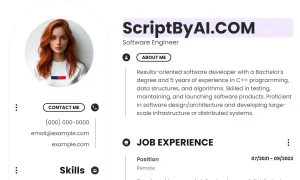
- Professional Templates: Choose from a variety of professionally designed resume templates. These templates offer different styles and color schemes to suit various industries and personal preferences.
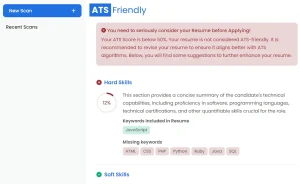
- ATS Friendly Resumes: The resumes generated by Resume Yay are text-based PDFs, ensuring compatibility with Applicant Tracking Systems (ATS). This is crucial for ensuring your resume is properly processed by online recruitment platforms.
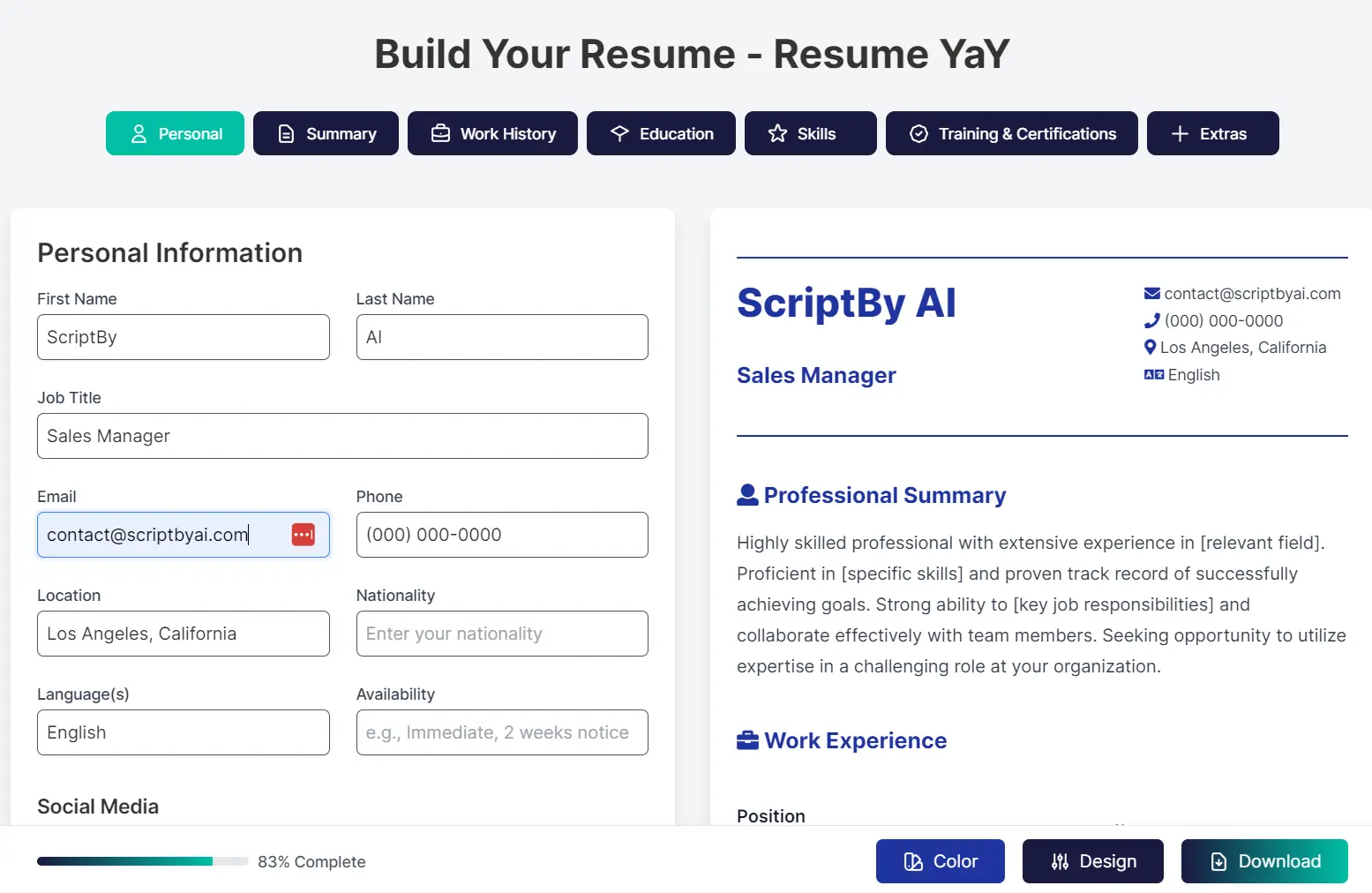
- Realtime Preview: As you input your information, you can see a live preview of your resume. This real-time feedback allows you to adjust formatting, colors, and sections instantly to achieve the desired look.
- Relevant Job Matching: While you build your resume, Resume Yay works to identify job openings that align with your profile. This feature can save you time by providing relevant job suggestions directly within the resume-building process.
Use Cases
- Quick Resume Creation for Job Applications: If you need to apply for a job quickly, Resume Yay allows you to create a professional resume fast without the delays of registration or payment processes.
- Updating an Existing Resume: For professionals looking to refresh their resumes, uploading an existing document to Resume Yay makes it easy to update content and apply AI enhancements to strengthen their application.
- Creating Targeted Resumes for Different Roles: The template variety and customizable sections in Resume Yay enable you to tailor your resume to highlight specific skills and experiences relevant to different job applications.
- Students and Entry-Level Professionals: Individuals just starting their careers can use Resume Yay to create polished, ATS-friendly resumes without incurring costs.
How To Use it
1. Go to the Resume Yay website and click the ‘Get Started Free’ button.
2. Choose Your Resume Creation Method:
- Create New Resume: Select this option to begin with a blank template and build your resume section by section. This is ideal for creating a new resume from scratch.
- Upload Your Resume: Choose this option to upload an existing resume file. This is perfect for updating or improving a resume you already have.
3. Browse the template options and choose one that aligns with your professional style. You can preview each template and select from ‘Modern’, ‘Minimal’, or ‘Tech’ styles, each with distinct visual characteristics:
- Modern: Features a clean, spacious layout with visual elements like icons and soft rounded designs, suitable for creative and marketing roles.
- Minimal: Offers a traditional, straightforward layout with crisp lines and a focus on information density, ideal for finance and academic professions.
- Tech: Presents a two-column design optimized for tech professionals, incorporating code-inspired elements and a compact, information-rich structure.

4. Fill in the necessary details in each section. Use the AI Content Enhancement feature for sections like ‘Professional Summary’ and ‘Work History’ to get suggestions for improving your text. The sections include:
- Personal Information (Name, Email, Location, etc.)
- Professional Summary
- Work History
- Education
- Skills
- Training & Certifications
- Additional Sections (Awards, Publications, etc.)
5. Once you have completed all sections, click the ‘Download’ button. Your resume will be generated and downloaded as a PDF file, ready to be used for your job applications.
Pros
- Immediate access without email verification
- AI edits preserve original content tone
- Color changes don’t affect ATS parsing
- Job matching prioritizes lesser-known boards
Cons
- No multi-page resume support.
- The number of templates might be fewer than subscription-based services.
- Ten color options may not suit all preferences
FAQs
Q: How does the AI enhancement feature work?
A: Resume Yay’s AI analyzes the text you input in sections like professional summary and work experience and provides suggestions to enhance clarity, impact, and overall quality. You receive both professional and creative enhancement options to choose from, ensuring your content is optimized while maintaining your unique voice.
Q: Can I customize the resume templates?
A: Yes, you can customize the templates by choosing from multiple color schemes and adjusting sections to fit your content. While the core layouts are pre-designed, you have flexibility in personalizing the visual aspects and content organization.
Q: How does the relevant job search function find jobs?
A: Once your resume is at least 60% complete, Resume Yay begins searching for jobs that match the skills and experience listed in your resume. It partners with leading job boards to provide you with relevant job recommendations directly within the platform, simplifying your job search process.