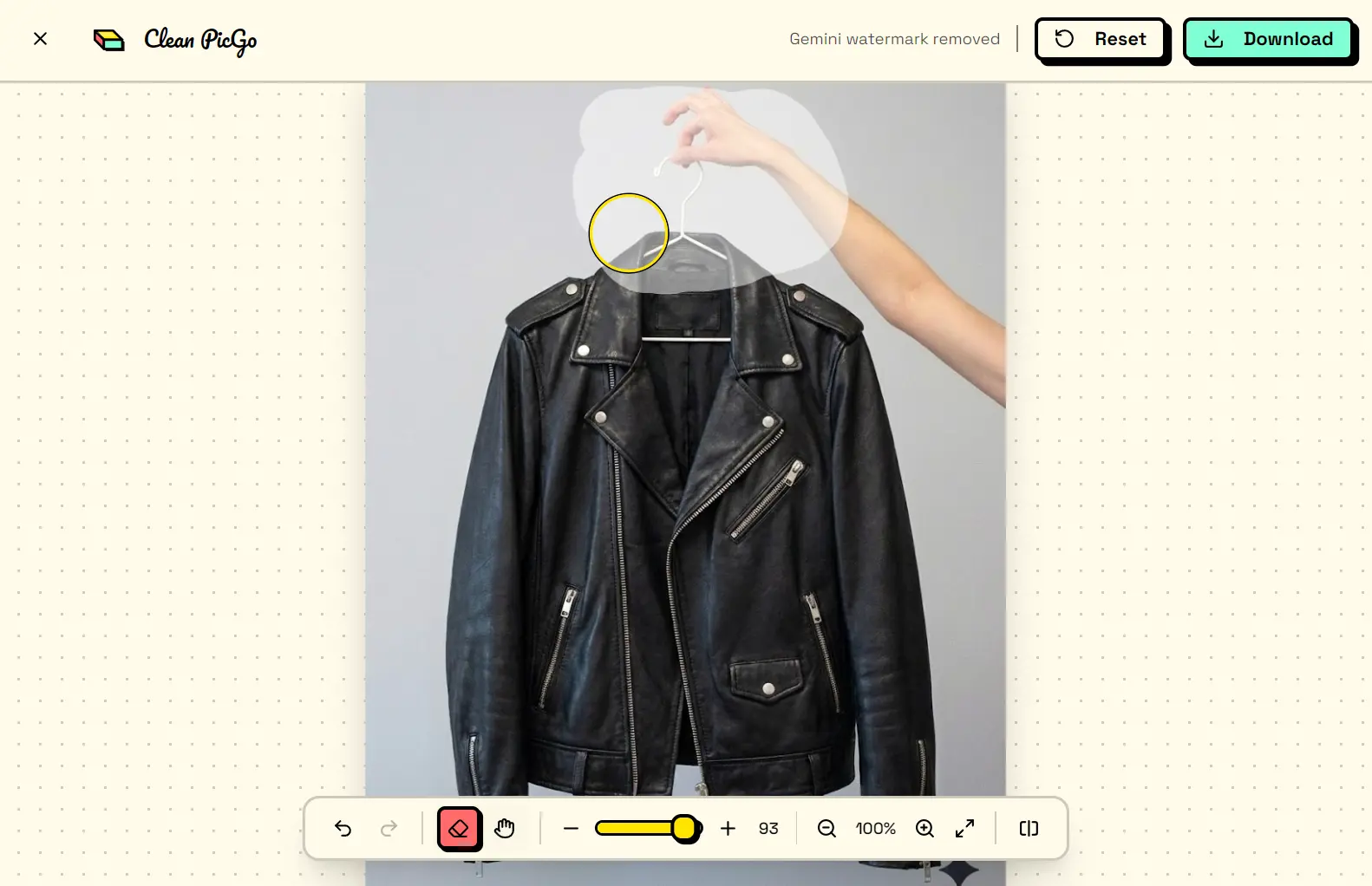
Clean PicGo is a free, open-source, AI-powered watermark removal tool that erases watermarks, text, or any unwanted objects from your images using local AI models.
This tool utilizes the LaMa (Large Mask Inpainting) deep learning model to analyze the context of an image and intelligently fill in selected areas.
It runs entirely in your local browser, so you can edit photos without uploading them to a remote server.
Features
- AI Smart Erase: The LaMa model intelligently fills selected areas after you paint over them with the eraser tool.
- Gemini Watermark Detection: The system automatically detects Gemini AI watermarks (images generated by Nano Banana Pro) when you upload an image.
- Web Worker Processing: Model inference runs in a separate thread. Your browser stays responsive during processing.
- Privacy First: All processing happens locally. Zero data leaves your device.
- Mask Technology: The tool generates precise masks to process only your selected areas.
- Real-Time Comparison: A side-by-side slider shows before and after effects as you work.
- HD Export: Results export at original resolution with maintained quality.
- PWA Support: You can install Clean PicGo as a desktop app with offline capabilities.
- History Management: The tool saves up to 30 undo/redo steps for each editing session.
Use Cases
- Cleaning AI-Generated Art: You can use the Gemini mode to quickly remove watermarks from images you create with Nano Banana Pro.
- Preparing Images for Presentations: You can remove distracting date stamps, photographer logos, or random objects from stock photos to make cleaner slides.
- Social Media Content Creation: The tool is good for erasing text overlays, watermarks from templates, or unwanted people from the background of a photo before you post it.
How To Use It
1. Visit the Clean PicGo website and upload your image. The system downloads a ~200MB AI model on your first visit. This model caches in your browser for future use.

2. Select the eraser tool from the toolbar. Adjust brush size based on the watermark area.
3. Paint over the watermark or unwanted object. You can be generous with your selection. The AI understands context.
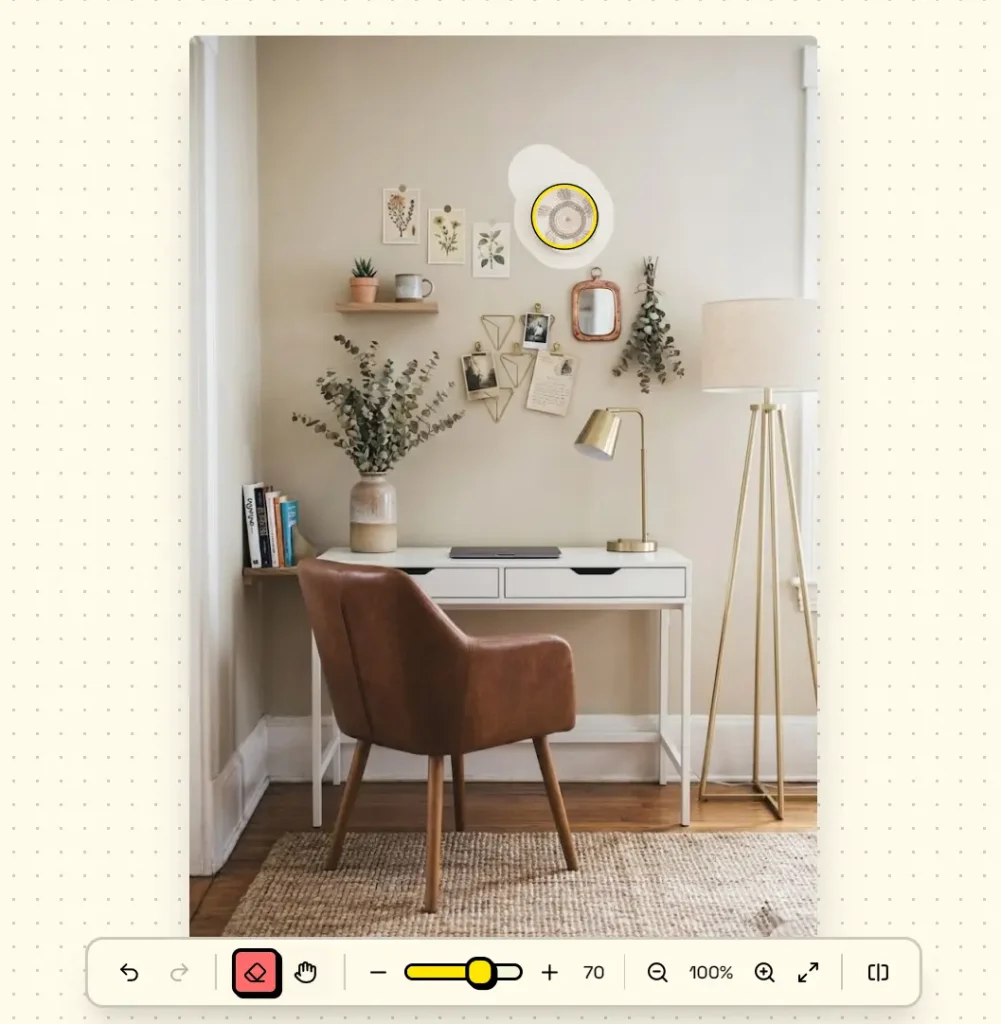
4. The LaMa model then analyzes surrounding pixels and fills the selected area (takes 2-5 seconds).
5. Use the comparison slider to check results.
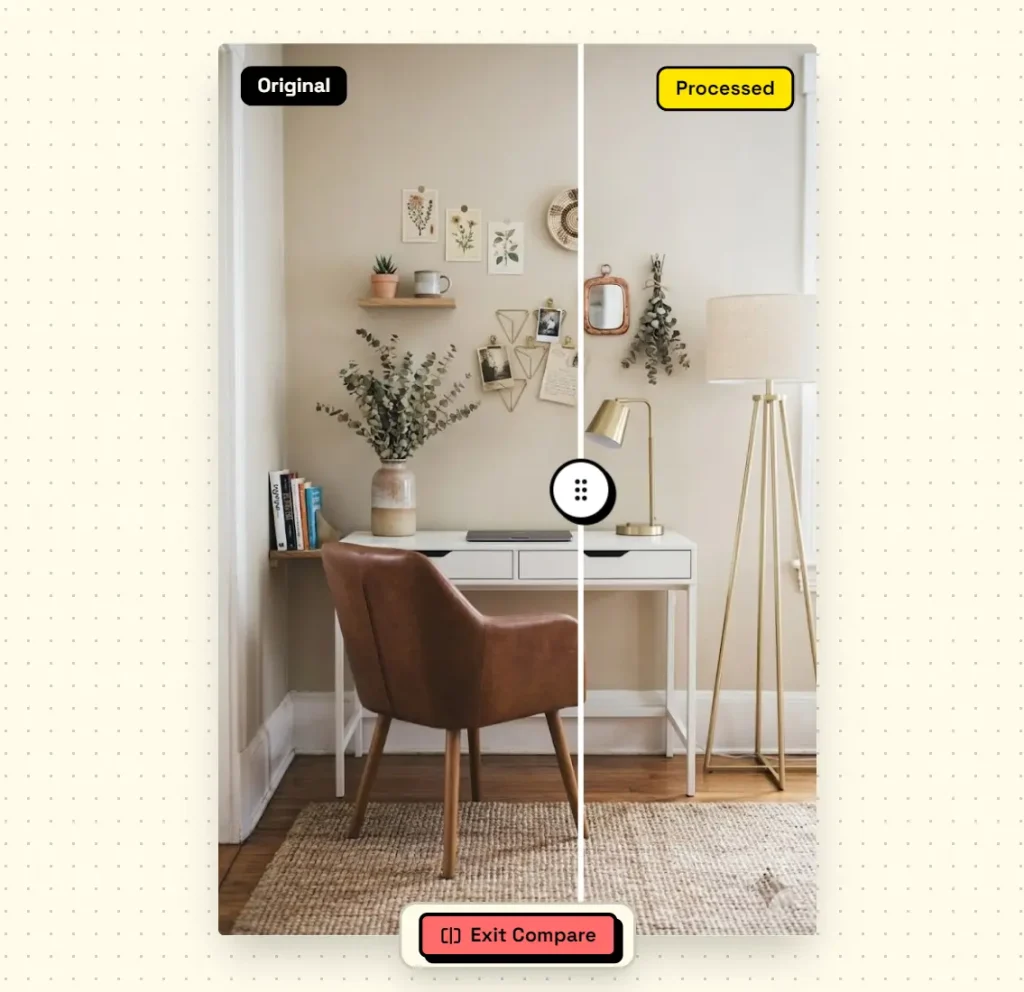
7. Download the final image as a lossless PNG when satisfied.
Local Deployment
You can run this tool on your own machine for maximum control.
1. Clone the repository from GitHub.
git clone https://github.com/isboyjc/cleanup.git
cd cleanup
2. Install & set up dependencies.
pnpm install
3. Start the local server at localhost:3000.
# Start Dev Server
pnpm dev

# Build
pnpm build

# Start Production Server
pnpm start
Pros
- Zero Cost: The tool is completely free and open-source.
- Data Privacy: Images remain on your local device during the entire process.
- No Registration: You do not need to create an account or provide an email address.
- Offline Capability: Function without an active internet connection after the initial load.
Cons
- Initial Load Time: The 200MB model download takes 1-2 minutes on first use.
- Single Image Processing: You must process images one at a time.
- Browser Requirement: You need a modern browser with WebGL support.
Related Resources
- LaMa Research Paper: Read the original Samsung AI Research paper explaining the Large Mask Inpainting architecture.
- ONNX Runtime Documentation: Learn how ONNX Runtime Web enables browser-based AI inference.
- Gemini Watermark Remover Project: Explore the original Reverse Alpha Blending implementation that inspired Clean PicGo’s Gemini feature.
- Clean PicGo GitHub Repository: Access the source code, report issues, or contribute improvements.
FAQs
Q: Can Clean PicGo remove watermarks from videos?
A: No. Clean PicGo works exclusively with static images (JPG, PNG, WebP).
Q: Why does Gemini watermark removal sometimes fail?
A: The Reverse Alpha Blending algorithm needs intact watermark data. Right-clicking and selecting “Save As” in browsers often re-encodes images and destroys watermark information. You must use the download button in Gemini or Nano Banana Pro to preserve the original watermark data.
Q: How does browser-based processing compare to cloud-based tools?
A: Browser processing protects privacy but sacrifices some convenience. Cloud tools can offer batch processing and faster speeds on powerful servers. Clean PicGo prioritizes privacy and free access over convenience features.
Q: Can I use Clean PicGo offline?
A: Yes, after the initial model download. Install Clean PicGo as a PWA (Progressive Web App) through your browser’s install option. The cached model and application code work without an internet connection.
Q: What happens to my images after processing?
A: Nothing. Clean PicGo stores no images, no editing history, no user data. Everything clears when you close the browser tab.
Q: How accurate is the LaMa AI model?
A: Results depend on background complexity. Simple backgrounds (solid colors, gradients, basic textures) produce excellent results. Complex backgrounds (detailed patterns, faces, hair) may show subtle artifacts.