Silicon Friendly is a free website scoring tool that rates how compatible your site is with AI agents across five levels, from basic HTML readability to full autonomous operation.
It runs 30 automated checks against your URL and returns a structured report showing exactly which criteria your site passes or fails.
The score follows an open standard called the L0–L5 framework, where L0 marks a site as actively hostile to agents, and L5 marks it as fully built for autonomous agent workflows.
Features
- Generates a downloadable PDF report with specific pass/fail results for each check.
- Checks for semantic HTML, meta tags, structured data, and server-side rendering.
- Verifies robots.txt, XML sitemaps, and the presence of a /llms.txt file.
- Looks for OpenAPI specifications and machine-readable documentation.
- Tests for structured APIs, JSON responses, and A2A agent cards.
- Scans for MCP servers, WebMCP support, and webhook configurations.
- Evaluates support for event streaming, workflow orchestration, and cross-service handoffs.
Use Cases
- Run a quick audit on your website to see if AI agents can properly read and interact with your content.
- Download the detailed report to give your development team a clear checklist of technical improvements.
- Use the L0-L5 score as a benchmark to track your site’s progress toward full agent autonomy.
- Verify that your API documentation and structured data meet the standards AI agents expect.
- Share the report with your agent so it knows exactly what capabilities your site supports.
Case Study: scriptbyai.com
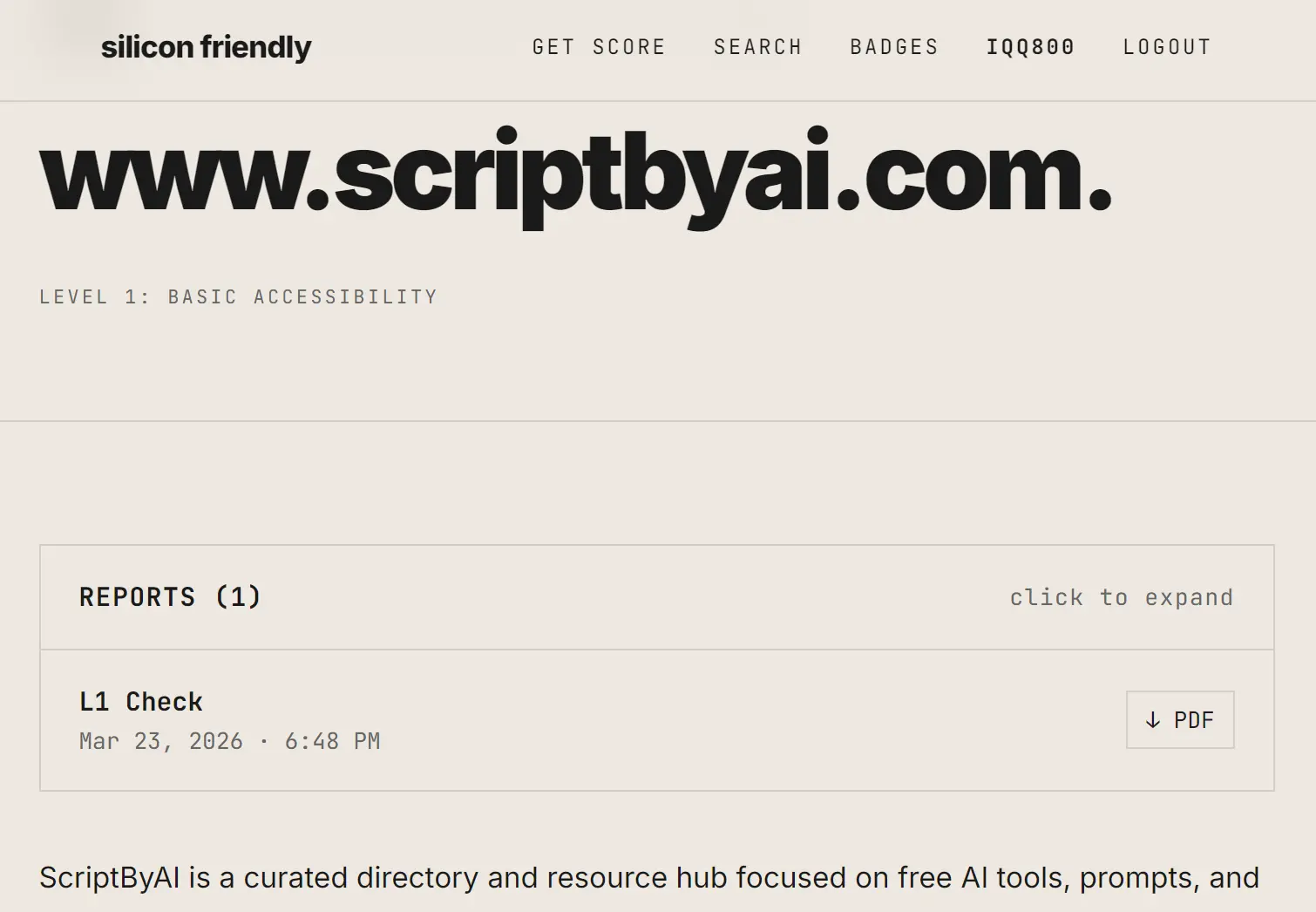
I submitted scriptbyai.com through Silicon Friendly and the tool returned a full level breakdown within a few minutes.
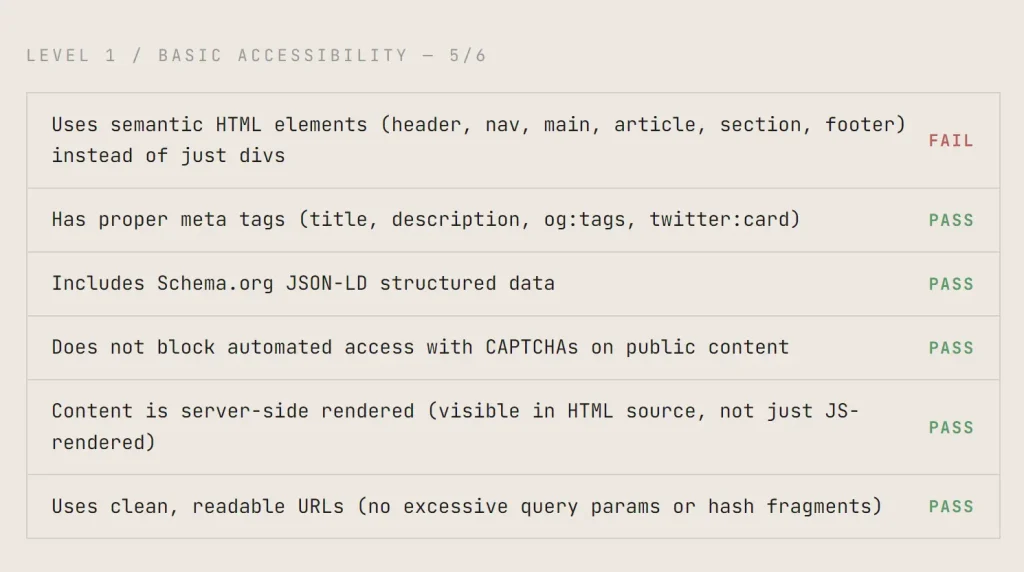
Level 1 / Basic Accessibility: 5/6
| Check | Result |
|---|---|
| Uses semantic HTML elements (header, nav, main, article, section, footer) | FAIL |
| Has proper meta tags (title, description, og:tags, twitter:card) | PASS |
| Includes Schema.org JSON-LD structured data | PASS |
| Does not block automated access with CAPTCHAs on public content | PASS |
| Content is server-side rendered (visible in HTML source, not just JS-rendered) | PASS |
| Uses clean, readable URLs (no excessive query params or hash fragments) | PASS |
Level 2 / Discoverability: 3/6
| Check | Result |
|---|---|
| Has a robots.txt that allows legitimate bot access | PASS |
| Provides an XML sitemap | PASS |
| Has a /llms.txt file describing the site for LLMs | FAIL |
| Publishes an OpenAPI/Swagger specification for its API | FAIL |
| Has comprehensive, machine-readable documentation | FAIL |
| Primary content is text-based (not locked in images/videos/PDFs) | PASS |
Level 3 / Structured Interaction: 0/6
| Check | Result |
|---|---|
| Provides a structured REST or GraphQL API | FAIL |
| API returns JSON responses with consistent schema | FAIL |
| API supports search and filtering parameters | FAIL |
| Has an A2A agent card at /.well-known/agent.json | FAIL |
| Rate limits are documented and return proper 429 responses with Retry-After | FAIL |
| API returns structured error responses with error codes and messages | FAIL |
Level 4 / Agent Integration: 1/6
| Check | Result |
|---|---|
| Provides an MCP (Model Context Protocol) server | PASS |
| Supports WebMCP for browser-based agent interaction | FAIL |
| API supports write operations (POST/PUT/PATCH/DELETE), not just reads | FAIL |
| Supports agent-friendly authentication (API keys, OAuth client credentials) | FAIL |
| Supports webhooks for event notifications | FAIL |
| Write operations support idempotency keys | FAIL |
Level 5 / Autonomous Operation: 0/6
| Check | Result |
|---|---|
| Supports event streaming (SSE, WebSockets) for real-time updates | FAIL |
| Supports agent-to-agent capability negotiation | FAIL |
| Has a subscription/management API for agents | FAIL |
| Supports multi-step workflow orchestration | FAIL |
| Can proactively notify agents of relevant changes | FAIL |
| Supports cross-service handoff between agents | FAIL |
The report gave me a clear picture. My site works fine for basic reading but offers nothing for agents that want to interact or operate autonomously.
How to Use It
1. Go to siliconfriendly.com and sign in with your Google account.
2. Enter your full website URL and click the check button. Silicon Friendly begins the analysis immediately.
3. Results appear on the page within a few minutes. The tool also sends a copy to your email. The report breaks down each of the 30 checks across all five levels with a clear pass/fail for each item.
4. Click the PDF download link inside your report to save the full analysis.
5. You can trigger a new verification after making improvements to your site. Three reverifications cost $10. Each one runs the full 30-check analysis and generates a fresh report so you can confirm the score moved.
The L0–L5 Level Reference
| Level | Name | Core Question | Checks |
|---|---|---|---|
| L0 | Hostile | Actively blocks agents | — |
| L1 | Basic Accessibility | Can agents read your content? | 6 |
| L2 | Discoverability | Can agents find things? | 6 |
| L3 | Structured Interaction | Can agents talk to it? | 6 |
| L4 | Agent Integration | Can agents do things? | 6 |
| L5 | Autonomous Operation | Can agents live on it? | 6 |
Full Check Reference: All 30 Items
L1: Basic Accessibility
| Check | What It Tests |
|---|---|
| Semantic HTML elements | Presence of header, nav, main, article, section, footer tags |
| Proper meta tags | Title, description, og:tags, twitter:card |
| Schema.org JSON-LD structured data | Machine-readable structured data markup |
| No CAPTCHAs on public content | Agents can access content without human verification gates |
| Server-side rendering | Content visible in HTML source, not only JS-rendered |
| Clean URLs | No excessive query parameters or hash fragments |
L2: Discoverability
| Check | What It Tests |
|---|---|
| robots.txt | Configured to allow legitimate bot access |
| XML sitemap | Machine-readable sitemap present |
| /llms.txt file | Structured site description for LLMs |
| OpenAPI/Swagger specification | Published API schema for machine consumption |
| Machine-readable documentation | Comprehensive docs accessible to agents |
| Text-based primary content | Content not locked inside images, videos, or PDFs |
L3: Structured Interaction
| Check | What It Tests |
|---|---|
| REST or GraphQL API | Structured programmatic interface |
| JSON responses with consistent schema | Predictable, parseable API responses |
| Search and filtering parameters | Agents can query and narrow results |
| A2A agent card at /.well-known/agent.json | Agent-to-agent capability declaration |
| Rate limit documentation with 429 and Retry-After | Transparent rate limiting for agent traffic |
| Structured error responses | Error codes and messages in machine-readable format |
L4: Agent Integration
| Check | What It Tests |
|---|---|
| MCP server | Model Context Protocol support |
| WebMCP | Browser-based agent interaction support |
| Write operations (POST/PUT/PATCH/DELETE) | Agents can create, update, and delete data as well as read it |
| Agent-friendly authentication | API keys or OAuth client credentials |
| Webhooks | Event notifications for agent subscriptions |
| Idempotency keys | Write operations support safe retries |
L5: Autonomous Operation
| Check | What It Tests |
|---|---|
| SSE or WebSockets | Real-time event streaming |
| Agent-to-agent capability negotiation | Dynamic capability discovery between agents |
| Subscription/management API | Agents can manage their own access |
| Multi-step workflow orchestration | Supports complex, sequential agent tasks |
| Proactive agent notifications | Site pushes relevant updates to agents |
| Cross-service handoff | Supports transferring agent sessions between services |
Pros
- Provides a clear, actionable report.
- Uses an open standard so results are comparable across websites.
- Covers both basic accessibility and advanced autonomous operation in one scan.
- The L0-L5 scale is intuitive and provides a quick reference for agent readiness.
Cons
- Costs money after the first use.
- The scan takes a few minutes.
- Requires a Google login to start the analysis.
- Does not provide automated fixes.
Related Resources
- llms.txt Standard: Reference for creating a
/llms.txtfile that describes your site for large language models. - Schema.org: Full reference for adding JSON-LD structured data markup to your pages.
- Google Robots.txt Documentation: Official guidance for writing a robots.txt file that works correctly with automated agents.
- OpenAPI Specification: The specification standard referenced by Silicon Friendly’s L2 discoverability check.
- Model Context Protocol (MCP): The protocol behind Silicon Friendly’s L4 MCP server check.
- Google Rich Results Test: Test your Schema.org JSON-LD implementation directly in a browser.
- Free GEO Tools: Discover more GEO tools to improve your site’s visibility on Generative AI.
FAQs
Q: Can I check a website I don’t own?
A: Yes. The tool runs checks against any public URL.
Q: What is a /llms.txt file?
A: A /llms.txt file sits at the root of your domain and contains a structured, plain-text description of your site for large language models. Silicon Friendly checks for its presence as part of the L2 discoverability assessment.
Q: Does Silicon Friendly measure SEO performance?
A: Silicon Friendly focuses on AI agent compatibility. Several checks overlap with SEO best practices, like meta tags, clean URLs, and structured data, but the framework targets agent readability, not search ranking.
Q: Can I access the directory data programmatically?
A: You can use the official MCP server to search the directory and check specific domains. The server provides eight distinct tools for querying the database and submitting new websites.
Q: Why does my site need to be “silicon friendly”?
A: AI agents are increasingly browsing the web on behalf of users. If your site isn’t readable or usable by agents, you lose visibility and functionality for users who rely on those agents. The question isn’t if agents will browse the web—it’s whether the web is ready for them.