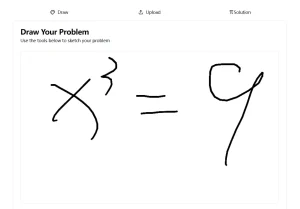
Math Tutor on Groq is an open-source voice-activated AI chatbot that provides students with immediate help in understanding and solving math problems.
It combines Llama 3.3 70b on Groq with advanced speech recognition (e.g. OpenAI Whisper) and text-to-speech (e.g. Elevenlabs TTS) capabilities to create an interactive learning experience for students struggling with mathematics concepts.
Features
- Voice-Enabled Interaction: Engage with the AI tutor using your voice for a natural and intuitive learning experience.
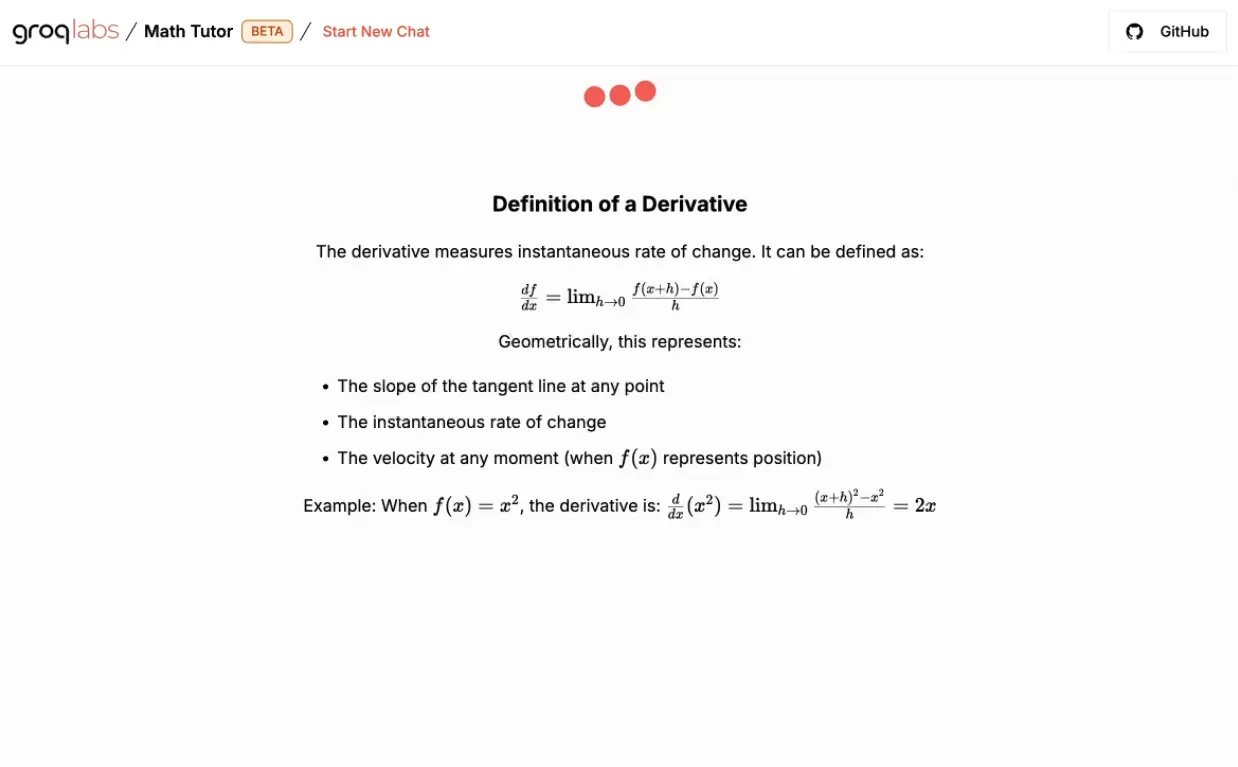
- Live LaTeX Rendering: Displays mathematical equations, formulas, and solutions with professional typography. The system formats complex mathematical expressions clearly and accurately.
- Groq Speed: Leverages the speed of the Groq platform for incredibly fast response times.
- Internal Math Engine: Solves problems independently before generating explanations. This two-step process guarantees accurate solutions while providing educational context.
- Powered by Advanced AI: Utilizes 8090’s xRx framework, Whisper for speech recognition, and Llama 3.3 70b for natural language processing.
- Text-to-Speech (TTS): Text-to-speech capabilities through ElevenLabs create natural-sounding responses. The system explains concepts and solutions through clear audio output.
Live Demo
Use Cases
- Homework Help: Students can get immediate assistance with their math homework, understanding the steps required to solve problems.
- Concept Clarification: Struggling with a particular mathematical concept? Ask Math Tutor on Groq for explanations and examples.
- Practice and Review: Use the tool to practice solving various types of math problems and review previously learned material.
- Personalized Learning: The AI adapts to individual student requests, providing tailored explanations and solutions.
- Accessibility for Visual Learners: The live LaTeX rendering helps visual learners see the mathematical expressions clearly.
How To Use it
1. Clone the Repository from GitHub.
git clone --recursive https://github.com/bklieger-groq/mathtutor-on-groq.git
2.Navigate to the cloned directory and create a copy of the example environment file:
cp env-example.txt .env
3. Open the .env file and enter your Groq API key for language processing and speech-to-text:
# ============== Configuration ==============
# Minimal configuration to get started.
# Get your API keys from the following URLs:
# - Groq: https://console.groq.com/keys/
# - ElevenLabs: https://elevenlabs.io/app/speech-synthesis/text-to-speech
# =============================================

# === LLM Configuration ===
LLM_API_KEY="your_groq_api_key_here"
LLM_BASE_URL="https://api.groq.com/openai/v1"
LLM_MODEL_ID="llama-3.3-70b-specdec"

# === Speech-to-Text (STT) Configuration ===
STT_PROVIDER="groq"     # Alternative providers are  "deepgram", "faster_whisper"
GROQ_STT_API_KEY="your_groq_api_key_here"

# === Text-to-Speech (TTS) Configuration ===
TTS_PROVIDER="elevenlabs"       # Alternative providers: "deepgram", "openai", "cartesia"
ELEVENLABS_API_KEY="your_elevenlabs_api_key"
ELEVENLABS_VOICE_ID="Xb7hH8MSUJpSbSDYk0k2"

# =============================================
# Customize your configuration below
# =============================================

REASONING_DIRECTORY="./reasoning/"
REDIS_HOST="xrx-redis"
LLM_OBSERVABILITY_LIBRARY="none"
4. Start the application using Docker Compose. This command builds the necessary Docker images and starts the application.
docker-compose up --build
5. Once the application is running, you can access it in your web browser at localhost:3000.
Pros
- Free of Charge: Access powerful AI math tutoring without any cost.
- Voice Interaction: Engage in a natural and intuitive way.
- Instant Feedback: Receive immediate responses and solutions.
- LaTeX Output: View mathematical expressions clearly and professionally.
- Open Source: Benefit from community contributions and transparency.
Cons
- API Keys Required: Requires obtaining and configuring API keys from Groq and ElevenLabs.
- Local Setup: Needs a local environment with Docker and Git installed.
FAQs
Q: What mathematics topics does MathTutor cover?
A: The platform supports topics from basic arithmetic through advanced calculus, including algebra, trigonometry, and derivatives.
Q: Do I need programming experience to set up MathTutor?
A: Basic familiarity with command line operations helps, but the setup process follows simple steps with clear documentation.
Q: Can MathTutor handle complex mathematical expressions?
A: Yes, the LaTeX rendering system displays advanced mathematical notation accurately and clearly.
Q: How accurate are the voice recognition capabilities?
A: The Whisper technology provides high accuracy for mathematical terms and expressions in clear speech conditions.
Related Resources
- Groq API: https://console.groq.com/keys
- ElevenLabs: https://elevenlabs.io/
- Project Repository: https://github.com/bklieger-groq/mathtutor-on-groq