CyberCut AI is a free AI-powered video studio that transforms long videos into viral social clips through automated editing, subtitle generation, and script-to-video conversion.
Keeping up with the demand for TikTok, Instagram Reels, and YouTube Shorts often feels like a full-time job. You likely spend hours scrubbing through long footage just to find a few usable snippets.
CyberCut AI solves this bottleneck. It scans your uploaded video, pinpoints the most engaging moments, and instantly generates clips that are ready to post
The platform handles the rest of your production workflow as well. It builds marketing videos from raw scripts and applies precise subtitles in over 99 languages. These capabilities combine to form a powerful video creation suite.”
Features
- Smart Clip (Long-to-Short Converter): Analyzes long videos up to 60 minutes and automatically extracts viral moments, highlights, and key information.
- Marketing Video (Script-to-Video): Generates complete product promos or marketing videos from your script or idea. You upload materials, input your script, and the AI builds a structured video with voiceovers or digital avatars. Dozens of avatar options are available.
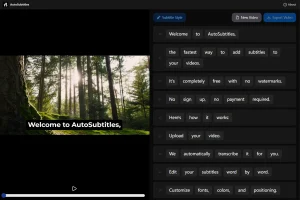
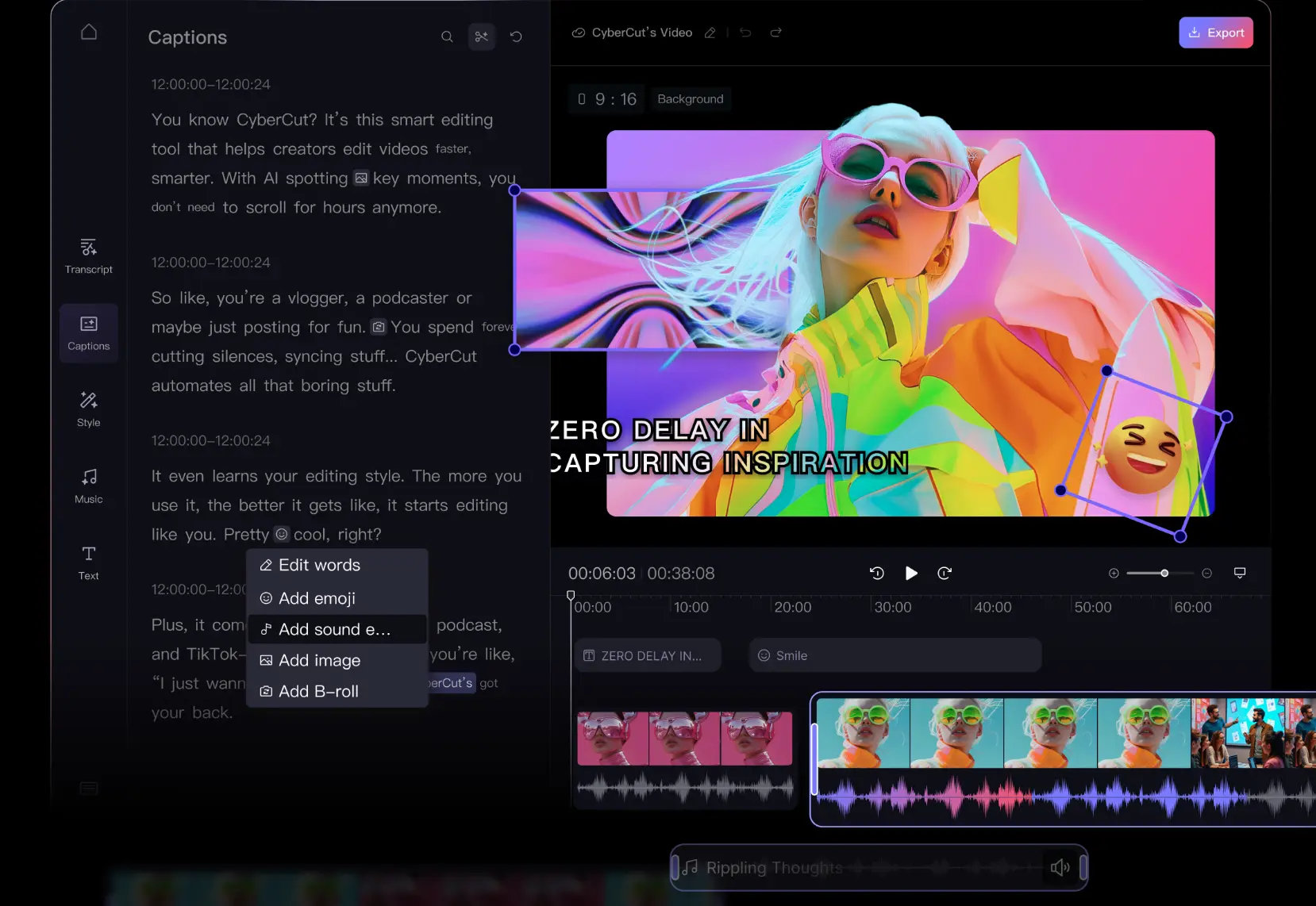
- AI Caption: Creates subtitles with 99% accuracy across 99+ languages. The system auto-generates and allows fine-tuning through a WYSIWYG editor. You can modify subtitle colors, styles, and positioning with one click.
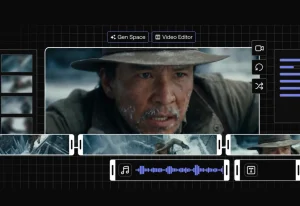
- Text-Based Editing: Edits video content by editing the text transcript. You trim clips, add effects, or adjust subtitles directly through the script. Changes to the text automatically update the video.
- AI Video Editor: Adds trending effects, captions, sound effects, and music with one click. The template system combines professional editing with simple operation.
- Chat to Edit: Processes natural language commands to complete editing tasks. You type what you want and the AI understands and executes the changes.
- AI Asset Library: Access to 500,000+ materials to boost creative expression. The library includes stock footage, sound effects, and music tracks.
- Virtual Try-On: Virtual model try-on functionality for product demonstrations and e-commerce applications.
Use Cases
- Podcast Repurposing: Podcasters can upload hour-long episodes and let the AI extract the most engaging 60-second clips for social media promotion.
- E-commerce Marketing: Business owners can upload raw product footage or scripts to generate multiple variations of ad creatives for A/B testing.
- Educational Content: Tutors can turn long lecture recordings into concise summaries or “key takeaway” reels for students.
- Live Stream Highlights: Streamers can process hours of gameplay or IRL streams to find entertaining moments without re-watching the entire broadcast.
How to Use It
1. Visit the CyberCut AI website and register a free account using your email or Google credentials.
2. Choose from the three primary workflows on the dashboard: Marketing Video, Smart Clip, or AI Caption.
3. Upload your source video file for editing, or type your script/prompts if you are generating a new video from scratch.
4. Allow the system to analyze the content. This may take a few minutes, depending on the length of your footage.
5. Review the generated output. You can use the text-based editor to trim clips or adjust the auto-generated subtitles.
6. Download the final video once you are satisfied with the result.
Pros
- 100% Free: All features are currently free.
- Speed: The automated “long-to-short” conversion handles the most time-consuming part of video editing.
- Accessibility: Text-based editing makes video production accessible to people who do not know how to use timeline-based NLEs (Non-Linear Editors).
- Multi-language: The tool supports transcription and captioning for over 99 languages.
Cons
- Niche Focus: It is optimized for short-form social content and marketing.
- Creative Control Trade-off: Automated editing means you rely on the AI’s judgment for clip selection and narrative structure.
FAQs
Q: How does CyberCut determine which moments are viral-worthy when converting long videos to shorts?
A: The AI was trained on millions of viral videos across major social platforms. It analyzes your footage for multiple engagement signals including vocal emphasis, audience reactions (applause or laughter), topic changes, and visual interest. The system looks for natural hooks within the first 3 seconds and strong statements that work as standalone content. For talking-head videos, it identifies quotable moments and passionate delivery. For demo videos, it detects product reveals and feature explanations. The AI then ranks potential clips by estimated engagement potential and generates the top options. You can review all suggested clips and select which ones to export.
Q: Can I customize the AI-generated marketing videos or am I stuck with the automated output?
A: You have full customization control after the AI generates the initial video. The text-based editing feature lets you modify the script, which automatically updates the video. You can swap out visuals from the asset library, change the digital avatar, adjust voiceover pacing, and apply different caption styles. The one-click effects library allows you to add or remove sound effects and background music. You can also trim individual segments or rearrange the video structure.
Q: Does the free tier have any limitations compared to paid plans?
A: The platform is currently 100% free with all features unlocked. There are no paid tiers or premium features at this time. You get unlimited access to Smart Clip conversion, Marketing Video generation, AI Caption creation, the full asset library, and all editing tools. The only technical limit is a maximum 60-minute video length for Smart Clip processing. CyberCut may introduce paid plans in the future, but the team has not announced specific limitations or pricing for the free tier when that happens.
Q: How accurate is the subtitle generation for non-English languages?
A: CyberCut claims 99% accuracy across 99+ languages based on their internal testing. The accuracy depends somewhat on audio quality, accent clarity, and background noise levels. English, Spanish, Mandarin, and other major languages with large training datasets tend to achieve the highest accuracy rates.
Q: Can I use CyberCut for client work or commercial projects without copyright issues?
A: The platform allows commercial use of videos you create with CyberCut. You own the content you produce. The 500,000+ asset library materials are licensed for use within videos created on the platform.